Word Editor - Easy Converter

Word Editor - Easy Converter

Download on App Store
Logo of Word Editor - Easy Converter

Word Editor - Easy Converter: Your All-in-One Mobile Productivity Suite

Bridge the gap between formats with professional-grade tools. Create, edit, and convert Word and PDF files instantly on your iPhone or iPad with secure, on-device processing and ready-to-use templates.

Download on App Store

Publisher

Hai Bui

Category

Lifestyle

Downloads

200

User Rating

1.0/5

Total Ratings

0

Locales

1

Your Mobile Office in Action

Discover the interface used by 200 users.
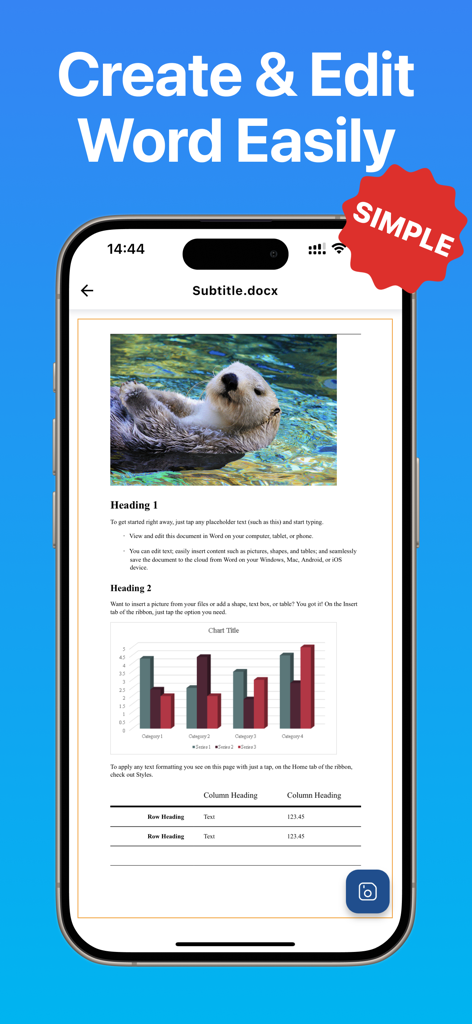
iPhone displaying a Word document with text, charts, and an image being edited in Word Editor

iPhone displaying a Word document with text, charts, and an image being edited in Word Editor

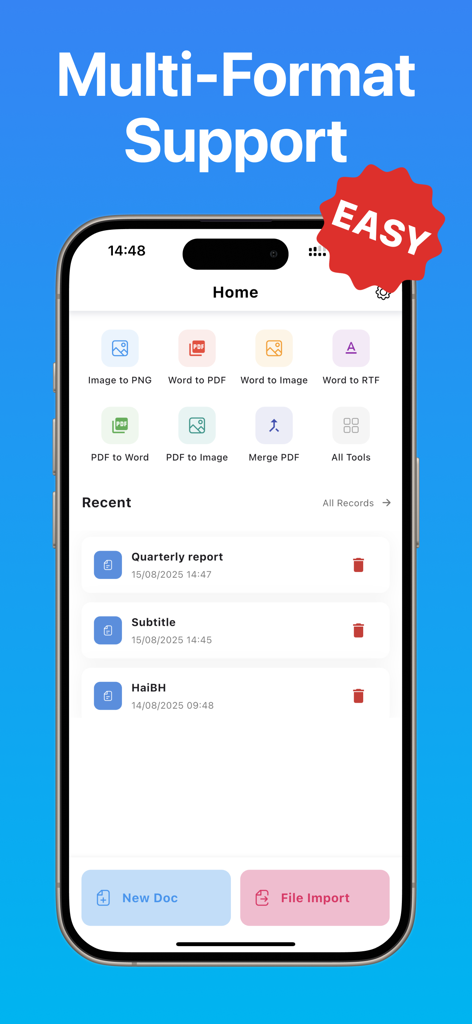
Word Editor app home screen showing various document conversion tools and recent files.

Word Editor app home screen showing various document conversion tools and recent files.

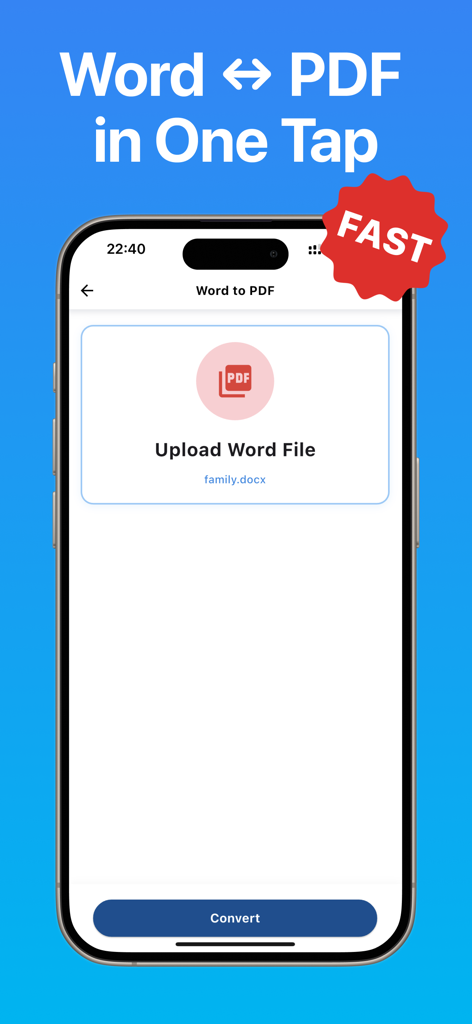
Mobile app screen showing a fast one-tap Word to PDF document conversion feature

Mobile app screen showing a fast one-tap Word to PDF document conversion feature

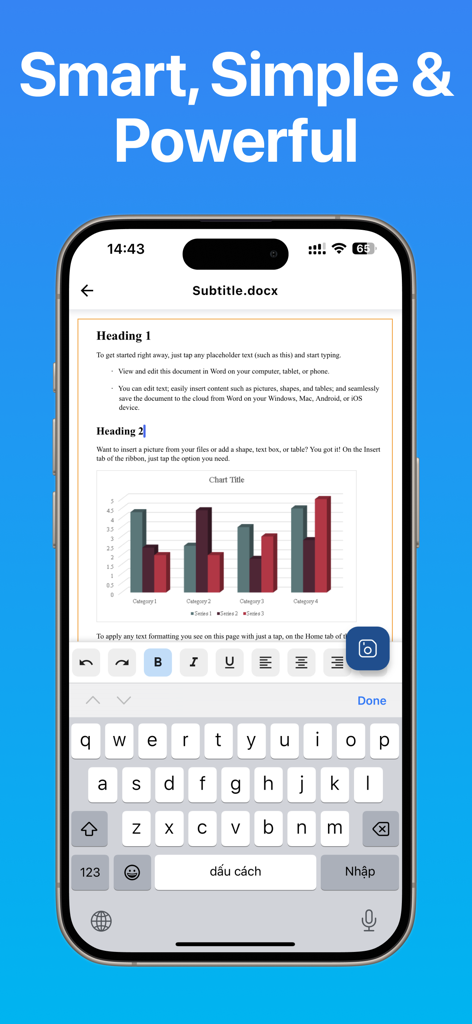
iPhone screen displaying the Word Editor app interface while editing a document with a bar chart and text formatting tools

iPhone screen displaying the Word Editor app interface while editing a document with a bar chart and text formatting tools

Your Complete Document Powerhouse

The tools that make this app stand out, trusted by 200 users.

✒️

Create & Edit with Ease

Start from scratch or use professional templates for resumes, reports, and proposals with full formatting support and a responsive mobile editor.

Seamless File Conversion

Effortlessly bridge the gap between PDF, Word, and images while preserving original layout and structure for high-quality results on the go.

🛒

Private & Secure by Design

Work anywhere without an internet connection. All operations happen directly on your device, ensuring your sensitive data never leaves your hands.

About the app

Everything you need to know about Word Editor - Easy Converter.

Description

Word Editor – Easy Converter is a complete and powerful document tool designed to help you create, view, edit, and convert files with professional quality on your iPhone or iPad. Whether you are working with Word documents, PDF files, or images, the app provides everything you need to handle your documents quickly, accurately, and securely. With a clean interface, organized toolbars, and fast processing performance, Word Editor delivers a reliable editing and conversion experience suitable for students, professionals, teachers, content creators, office workers, and anyone who needs a versatile document solution on mobile. You can create new Word documents from scratch or start instantly with ready-to-use templates such as reports, letters, proposals, resumes, notes, forms, and more. All essential formatting features are supported, including bold, italic, underline, alignment, spacing, bullet lists, numbering, colors, highlights, and paragraph settings. The editor also allows inserting images, adjusting layouts, and organizing long documents with ease. Word files open quickly, even for large documents, ensuring a smooth and responsive editing process. The app includes a complete set of converters that make document handling significantly easier. Convert PDF to Word to edit content freely, convert Word to PDF for secure sharing, extract PDF pages as images, merge multiple PDF files into a single document, transform images into PNG for high-quality graphics, or convert images into WebP for optimal storage efficiency. All conversions aim to preserve layout, structure, and clarity while maintaining fast execution. This makes the app ideal for academic work, office tasks, administrative use, contract editing, design workflows, and professional communication. Word Editor supports all popular file formats including DOC, DOCX, DOCS, PDF, TXT, RTF, JPG, PNG, HEIC, and WebP. File management is simple with features for creating folders, renaming items, sorting, duplicating, importing, exporting, and deleting. You can organize your workspace the way you prefer and access important documents instantly. Privacy and security are top priorities. All document operations occur directly on your device without uploading files to external servers. No internet connection is required for editing or converting, ensuring that confidential information always remains fully under your control. Key Features: • Create new Word documents • Start documents from templates • View and edit DOC, DOCX, and PDF files • Convert PDF to Word (DOCX) • Convert Word to PDF • Convert PDF pages to images • Merge multiple PDF files • Convert images to PNG • Convert images to WebP • Manage files and folders easily • Fast and secure on-device processing • Supports DOC, DOCX, PDF, TXT, RTF, JPG, PNG, HEIC, WebP Word Editor – Easy Converter is your all-in-one solution for editing, creating, viewing, and converting documents. Whether you are studying, working, designing, teaching, presenting, or organizing your daily tasks, the app helps you handle every document with clarity, speed, and convenience.

Latest Version

1.0.2

Size

53.3 MB

First Released

Sep 15, 2025

Ready to Master Your Mobile Workflow?

Join thousands of productivity-seekers who create, edit, and convert documents securely on the go. Get the all-in-one tool that puts professional power in your pocket—no internet or expensive subscriptions required.

Download on App Store

App information, icons, screenshots, and descriptions displayed on this page are sourced from the Apple App Store and are the property of their respective developers. Download estimates and rankings are based on MWM's proprietary models and may not reflect actual figures. This page is provided for informational and analytical purposes only.

Believe this page infringes your intellectual property? File a dispute