
This page is not an official page of the app or its developer, but an independent editorial publication created for informational and commentary purposes. Unless expressly stated otherwise, neither the app nor its developer is affiliated with, endorsed by, sponsored by, authorized by, or otherwise officially connected with MWM, Apple, Google Play, the app publisher, or the app's developer, and nothing on this page implies that the app was developed using MWM's services. Any trademarks, logos, screenshots, and other content remain the property of their respective owners.

WordHolic | DIY Flash Cards!
Take total control of your study journey with the most powerful, customizable flashcard app. Whether mastering a new language or prepping for exams, optimize your memory with spaced repetition and smart audio features.
Downloads
1M+User Rating
Total Ratings
141K+Publisher
Category
EducationLocales
2Latest Version
3.21.0Size
92.3 MBFirst Released
Nov 29, 2018Study Smarter, Not Harder
Take full control of your learning with a minimalist DIY flashcard system built for serious students and language enthusiasts.
Complete Creative Freedom
Design your own curriculum. Import bulk data from your PC, add custom images, and organize everything into infinite subfolders.
Optimize Your Memory
Leverage Spaced Repetition based on the forgetting curve and challenge yourself with diverse quiz modes like dictation and writing.
Frequently Asked Questions
Everything you need to know about WordHolic | DIY Flash Cards!
What is WordHolic?
WordHolic is a free, DIY-style flash card app designed for language learning and test preparation. It allows users to create unlimited flash cards and supports various learning and management functions.
Can WordHolic help me learn new languages?
Yes, WordHolic is explicitly designed for language learning, supporting languages like Chinese, French, Japanese, Korean, and Spanish. It offers features like voice reading in 30 languages.
Is WordHolic a free app?
Yes, WordHolic is a free flash card app. Users can create as many flash cards as they want for free. It also offers optional in-app purchases for premium features.
What learning features does the WordHolic app include?
WordHolic offers voice reading in 30 languages, auto-rotate slideshows, quizzes (writing, dictation), bookmarks, memorize flags, and the ability to add photos to flashcards for visual learning.
Can I organize my flashcards in WordHolic?
Yes, WordHolic allows users to organize cards in folders and create multiple subfolders. You can also search for folders and cards using keywords for efficient management.
Does WordHolic support sharing flashcards with friends?
Yes, WordHolic allows users to export card backup files. You can share these data files with friends, who can then import them into their own WordHolic app.
Can I add images to my flashcards in WordHolic?
Yes, WordHolic allows users to add photos or images to flashcards. This feature helps users memorize visually and enhances the learning experience.
Does WordHolic offer special features for specific languages?
Yes, WordHolic provides special functions for certain languages. For Chinese, it has a Character Converter and Pinyin Generator. For Japanese, it includes a Furigana Generator.
How do I activate Night Mode in WordHolic?
Users can activate Night Mode in WordHolic by navigating to the menu button on the upper right of the app screen, then selecting [Preferences] > [Night Mode].
Does WordHolic offer any premium features or plans?
Yes, WordHolic offers Premium Plans as in-app purchases. These plans provide additional features like data sync, a background player, and an ad-free experience.
How do I restore my WordHolic purchases?
Users can restore purchases in WordHolic by going to [Menu] > [Upgrades] > [Restore] within the app. Ensure you are logged in with the Apple ID used for the original purchase.
How can I cancel my WordHolic auto-renewal subscription?
To cancel your WordHolic auto-renewal, access your device's Settings App, then navigate to iTunes & App Store > Apple ID > View Apple ID > Manage.
Does WordHolic provide voice reading for flashcards?
Yes, WordHolic includes a voice reading function for flashcards, supporting 30 different languages. You can also play voice readings simultaneously while listening to music.
Can I use WordHolic for test preparation?
Yes, WordHolic is designed for test preparation. It allows users to create custom flashcards and includes features like review based on the forgetting curve and quizzes.
How does WordHolic help with visual memorization?
WordHolic helps with visual memorization by allowing users to add photos or images directly onto their flashcards. This visual aid enhances the learning and recall process effectively.
The following screenshots and description are sourced directly from the app's official store listing and are the property of the app developer.
App Store
Screenshots
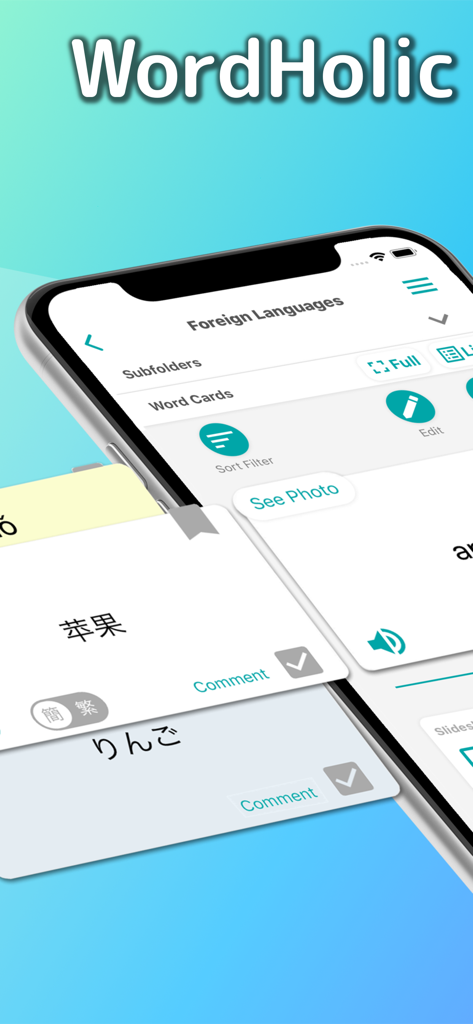
WordHolic mobile app interface showing DIY language flashcards with Chinese and Japanese characters
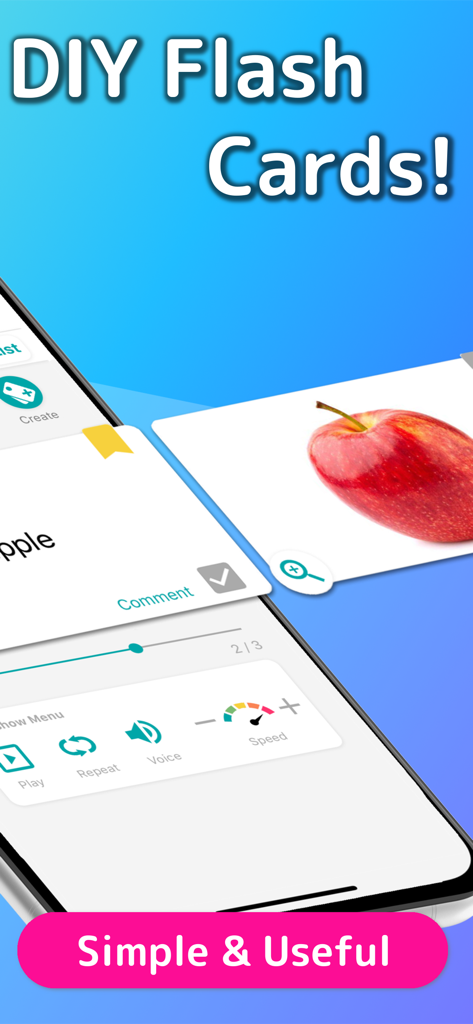
WordHolic app interface showing a custom flashcard with an image of an apple and study playback controls
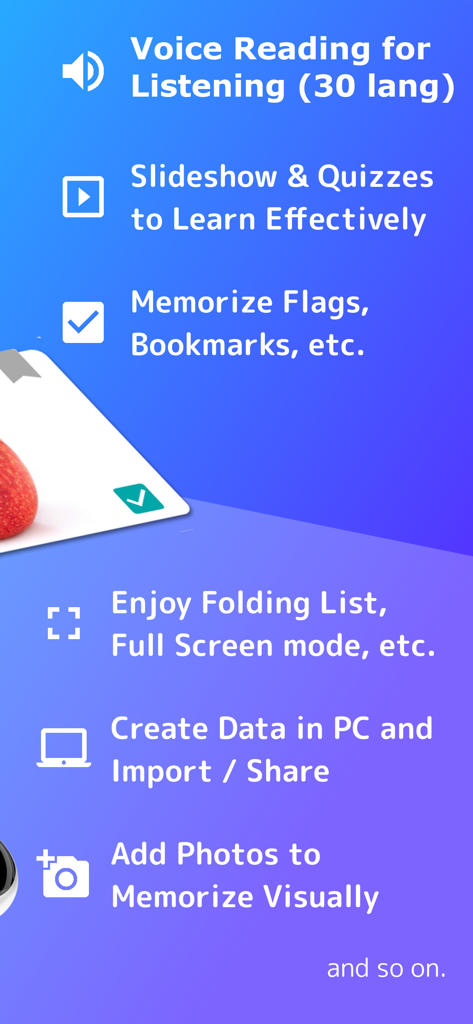
A summary of WordHolic study features including voice reading, quizzes, bookmarks, and PC data import.
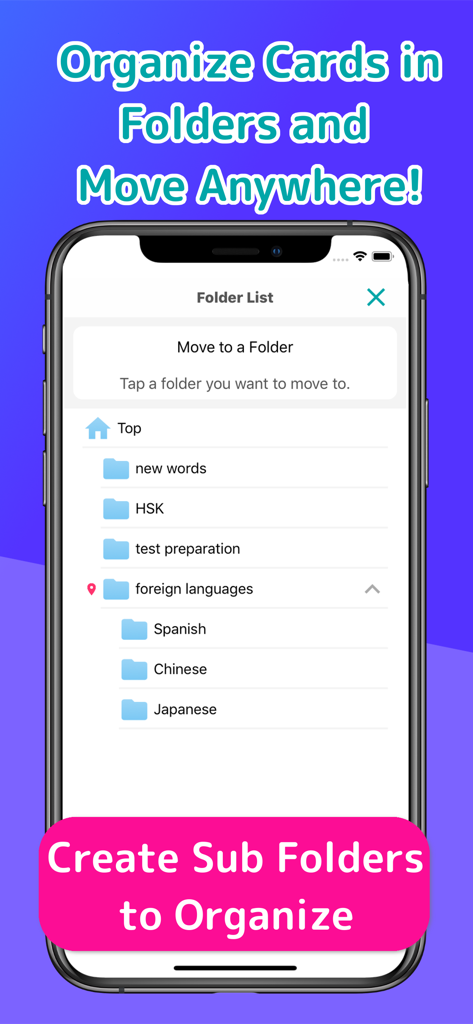
A smartphone screen displaying the WordHolic app's folder list showing organized study categories like foreign languages and test preparation.
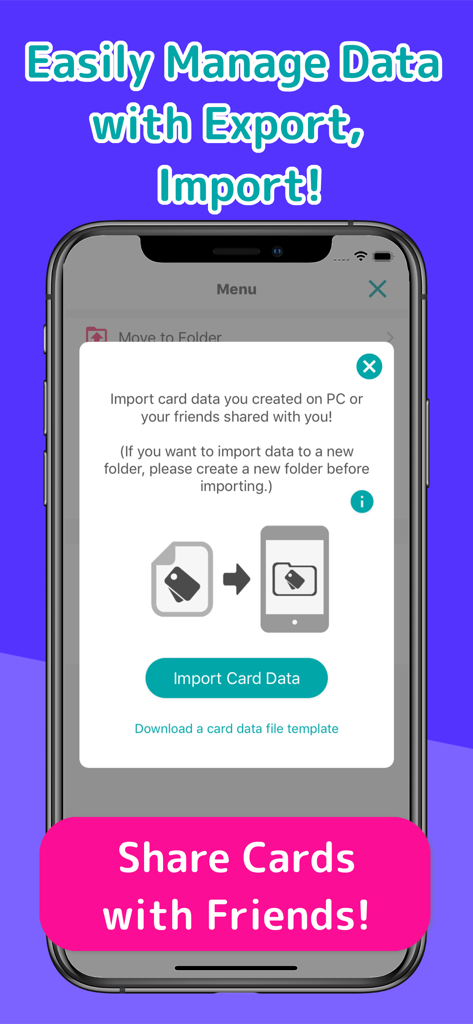
Interface showing the data import and card sharing features in the WordHolic app
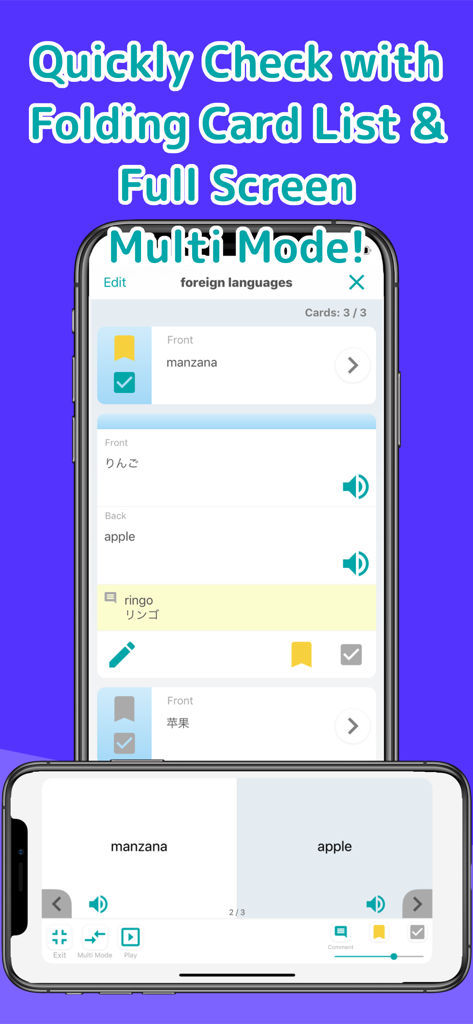
WordHolic app interface showing a list of study cards and a split screen multi mode for language learning
Description
Download
More Like This
Apps with similar features and user experience

DuoCards: Language Learning
DuoCards s.r.o

Vocabulary learning app Blarma
BLARMA TEKNOLOJI ANONIM SIRKETI

Der Die Das
L Mikusiak

單字庫:最有效的背單字遊戲
English Cool Company Ltd.

Linga: Read & Learn Languages
PragmaTech Limited

百词斩爱阅读 - 听故事学英语过考试
Chengdu Chaoaixuexi Technology Co, Ltd
My Dictionary・Learn New Words
Pavel Kataykin
Rico Learn Words & Languages
Pawel Gladysz
Learn German | LingQ
LingQ Languages Ltd.
This page is not an official page of the app or its developer, but an independent editorial publication created for informational and commentary purposes. Unless expressly stated otherwise, neither the app nor its developer is affiliated with, endorsed by, sponsored by, authorized by, or otherwise officially connected with MWM, Apple, Google Play, the app publisher, or the app's developer, and nothing on this page implies that the app was developed using MWM's services. Any trademarks, logos, screenshots, and other content remain the property of their respective owners.