
This page is not an official page of the app or its developer, but an independent editorial publication created for informational and commentary purposes. Unless expressly stated otherwise, neither the app nor its developer is affiliated with, endorsed by, sponsored by, authorized by, or otherwise officially connected with MWM, Apple, Google Play, the app publisher, or the app's developer, and nothing on this page implies that the app was developed using MWM's services. Any trademarks, logos, screenshots, and other content remain the property of their respective owners.

Work Log -Time sheet-
Empower your workday with one-touch clocking, custom profiles for every job, and automated payroll calculations designed for the modern professional.
Downloads
280K+User Rating
Total Ratings
6K+Publisher
Category
BusinessLocales
30Latest Version
2.86.160Size
37.3 MBFirst Released
Feb 12, 2014Take Control of Your Time and Earnings
The ultimate personal time-tracking hub designed for the modern American workforce, from shift workers to independent contractors.
One-Touch Efficiency
Clock in and out with a single tap. Designed for busy professionals who need friction-less tracking on the go.
Manage Every Side-Hustle
Create unlimited custom profiles to track multiple jobs, different hourly rates, and complex shift schedules in one app.
Frequently Asked Questions
Everything you need to know about Work Log -Time sheet-
What is 'Work Log -Time sheet-' app?
'Work Log -Time sheet-' is a powerful and customizable app designed for tracking time spent on the job. It provides features like clock-in/out, pause/resume, and detailed time sheet reports.
How do I track my work hours using the Work Log app?
Yes, you track work hours using a simple, single-touch "Clock in," "Clock Out," and "Pause/Resume" button interface. This allows for on-the-go time tracking.
Does Work Log -Time sheet- offer different work profiles?
Yes, the Work Log app offers unlimited customizable "Profile"s. These profiles can be tuned to your needs and include various working forms like monthly, shift, annual, flextime, and part-time.
Can Work Log -Time sheet- calculate payroll?
Yes, the Work Log app includes selectable payroll calculation methods. However, the part-time profile can only use the hourly-wage system for payroll calculation.
What reporting features does the Work Log app provide?
The Work Log app provides monthly and annual time sheets. You can specify reporting periods like 1, 2, or 4 weeks, half a month, or a full month, displaying aggregated time and payroll results.
Can I export my time sheets from Work Log -Time sheet-?
Yes, you can email your time sheet reports. They are available in either plain text or comma delimited (CSV) format for easy import into applications like Excel or Numbers.
Does Work Log -Time sheet- support data backup?
Yes, Work Log -Time sheet- includes Dropbox backup/restore functionality. This allows users to secure and retrieve their time tracking data.
Is Work Log -Time sheet- free to use indefinitely?
No, the Work Log app allows for 40 days of record-keeping initially. For continuous use beyond this period, a charge is required to release the limited number of records.
What types of work forms can I track with Work Log -Time sheet-?
The Work Log app supports various work forms including monthly salary (standard, single shiftwork), shift work (multi shiftwork), annual salary, flextime, and part-time.
Can Work Log -Time sheet- display time in different formats?
Yes, the Work Log app allows you to choose to display time in either hours/minutes format or decimal format, suiting user preference.
Does the Work Log app round clock-in/out times?
Yes, the Work Log app provides settings for rounding clock-in and clock-out times. Users can select options for rounding to the previous time unit, next time unit, or previous/next.
The following screenshots and description are sourced directly from the app's official store listing and are the property of the app developer.
App Store
Screenshots
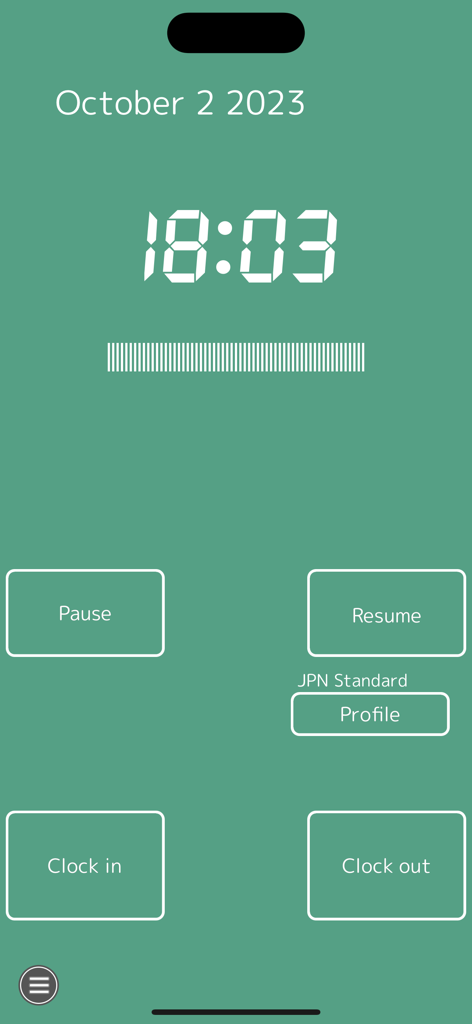
Main interface of the Work Log app showing a digital clock display with simple buttons for Clock In Clock Out Pause and Resume.
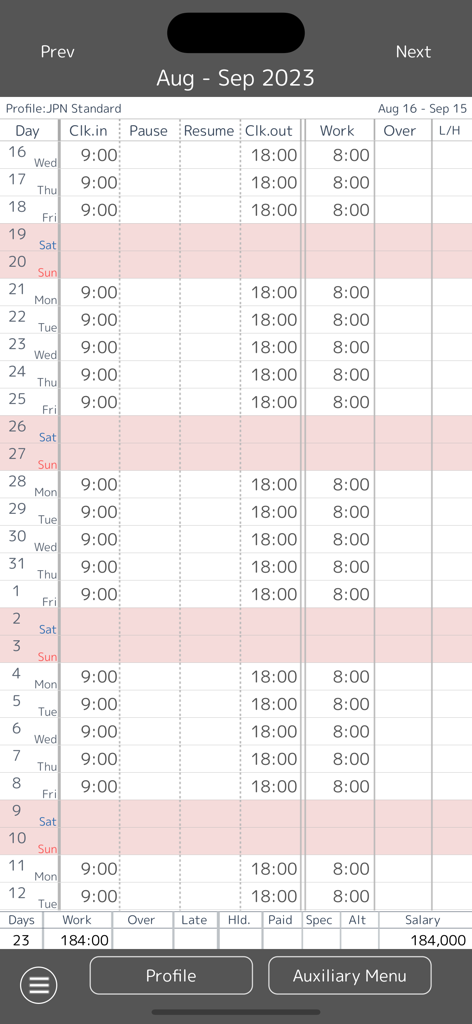
Monthly timesheet view in the Work Log app showing daily clock in clock out times and total salary summary
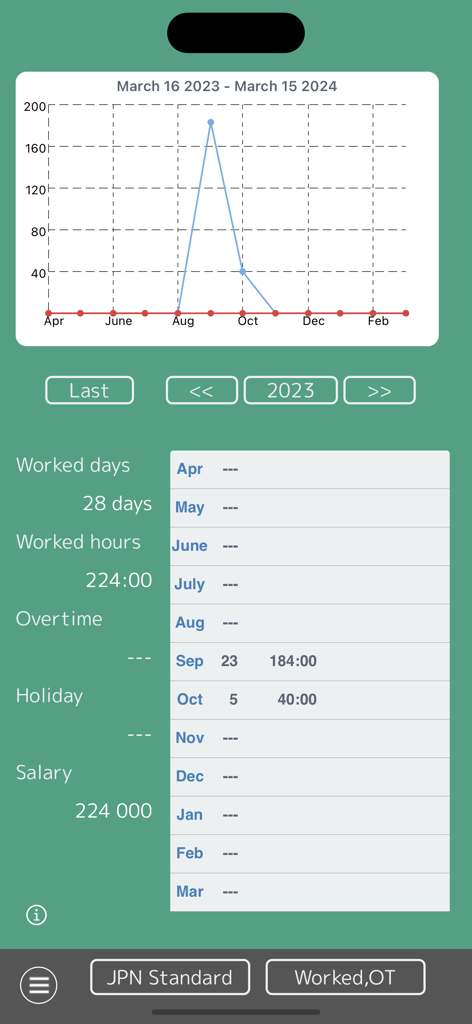
Work Log app annual time sheet summary showing worked days hours and salary with a line graph
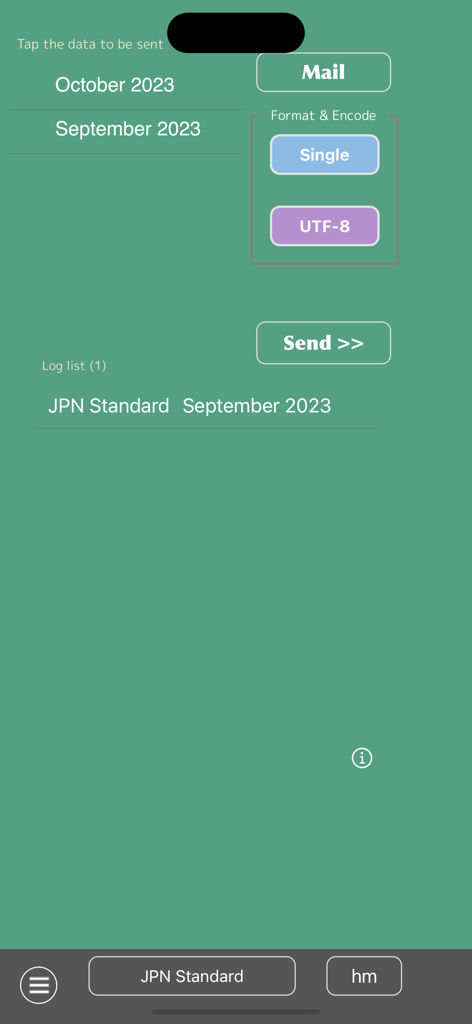
Work Log app screen for exporting and sending monthly timesheet data via email
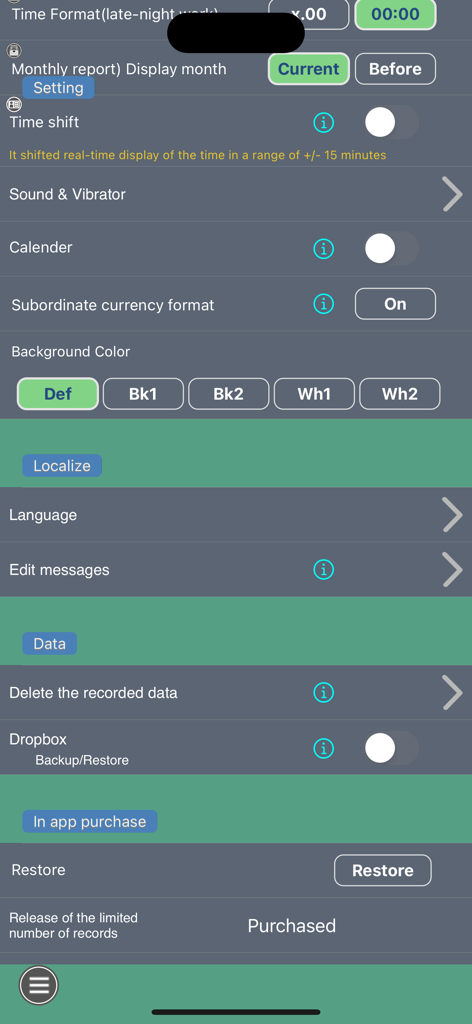
Settings screen of the Work Log app showing customization options for time tracking and data backup
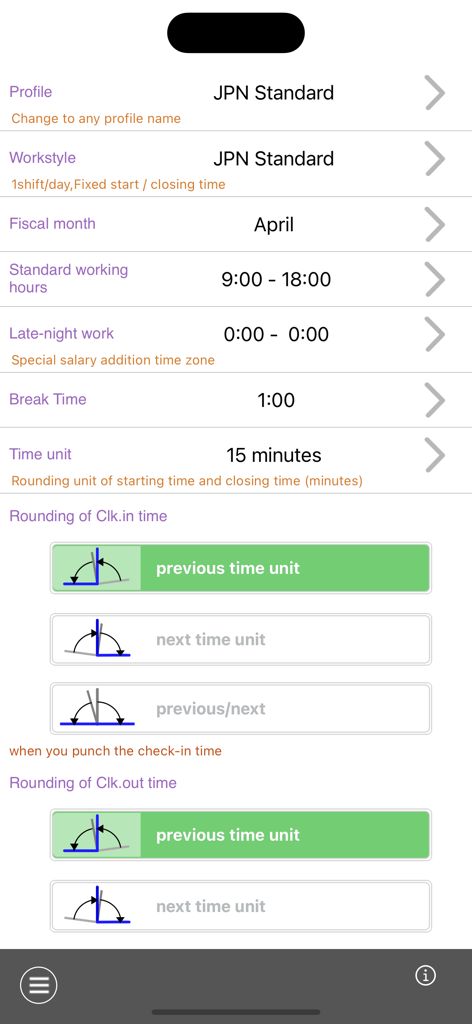
Work Log app profile settings screen showing configuration for work hours and clock in rounding rules
Description
Download
More Like This
Top-ranked apps in the same category

Microsoft Teams
Microsoft Corporation

Zoom Workplace
Zoom Communications, Inc.

WhatsApp Business
WhatsApp Inc.

Indeed Job Search
Indeed Inc.

LinkedIn: Network & Job Finder
LinkedIn Corporation

Adobe Acrobat Reader: Sign PDF
Adobe Inc.

WeCom-Work Communication&Tools
Tencent Technology (Shenzhen) Company Limited

BOSS直聘-招聘求职找工作神器
Beijing China Product Bo Farce Network Technology Co., Ltd.

DingDing - Redefine Work in AI
DingTalk Technology Co., Ltd.
This page is not an official page of the app or its developer, but an independent editorial publication created for informational and commentary purposes. Unless expressly stated otherwise, neither the app nor its developer is affiliated with, endorsed by, sponsored by, authorized by, or otherwise officially connected with MWM, Apple, Google Play, the app publisher, or the app's developer, and nothing on this page implies that the app was developed using MWM's services. Any trademarks, logos, screenshots, and other content remain the property of their respective owners.