
This page is not an official page of the app or its developer, but an independent editorial publication created for informational and commentary purposes. Unless expressly stated otherwise, neither the app nor its developer is affiliated with, endorsed by, sponsored by, authorized by, or otherwise officially connected with MWM, Apple, Google Play, the app publisher, or the app's developer, and nothing on this page implies that the app was developed using MWM's services. Any trademarks, logos, screenshots, and other content remain the property of their respective owners.


World Clock Time Zone Widgets
Stop guessing. This app puts global time in your pocket, making coordination effortless for the always-connected.
Downloads
1M+User Rating
Total Ratings
41.5KPublisher
Category
TravelLocales
12Latest Version
1.26.2Size
105.4 MBFirst Released
Jan 28, 2015An evaluation of core functionalities and their impact on globally connected individuals.
Key Features Analysis of World Clock Time Zone Widgets
Advanced Time Zone Converter & Scheduler
This tool features a powerful conversion utility that enables users to set a specific date/time, compare it across multiple time zones, and then directly share, schedule reminders, or add events to their calendar.
Comprehensive Widget Support
This tool features extensive widget options for Home Screen, Lock Screen, and Today views, available in various sizes and styles for quick time zone glances.
Live Activities Integration
It allows users to view real-time time zone updates via Live Activities on compatible iOS/iPadOS devices and Apple Watch, ensuring immediate access to critical time information.
Dynamic Island Integration
The app provides seamless integration with the Dynamic Island, displaying live time zone clocks concurrently with other activities across all applications.
Extensive City Database & Easy Management
This tool features an intuitive user interface for adding and organizing cities, supported by a searchable database of over 10,000 locations worldwide.
Visual Daylight Hours
It displays daylight hours visually, calculated from actual sunrise and sunset times, offering a clear understanding of day/night cycles across different zones.
Detailed Location Information
The app provides in-depth information for locations, including sunrise times, moon phases, and comprehensive time zone specifics.
Automatic Local Time Detection
The app provides the ability to automatically determine and display the user's current local time based on their geographical location.
Customizable Clock Displays
The app offers a choice between analog and digital clock formats, including options for seconds and 24-hour time, catering to diverse visual preferences.
Custom City Naming
It allows users to personalize clock labels by renaming cities, enhancing clarity and relevance for personal connections or specific projects.
Frequently Asked Questions
Everything you need to know about World Clock Time Zone Widgets
What is the World Clock Time Zone Widgets app?
World Clock Time Zone Widgets displays local time for cities globally on your Home Screen, Lock Screen, or Dynamic Island. It offers analog or digital clocks and a time conversion tool.
Does World Clock Time Zone Widgets offer customizable clocks?
Yes, the World Clock Time Zone Widgets app provides attractive analog and digital clock displays. Users can select options to show seconds and 24-hour time formats.
Can I add custom city names in the World Clock Time Zone Widgets app?
Yes, World Clock Time Zone Widgets allows users to rename a city, creating custom clocks like “Grandma’s House.” The app also supports searching or browsing over 10,000 cities.
Does the World Clock Time Zone Widgets app support Live Activities?
Yes, World Clock Time Zone Widgets supports Live Activities on iOS 16.2+ and iPadOS 17+. Live Activities are also visible on Apple Watch with iOS 18 and watchOS 11.
What are the pricing details for World Clock Time Zone Widgets?
World Clock Time Zone Widgets offers an in-app purchase to remove ads and unlock extra features. This is a one-time purchase, and the app does not require subscriptions.
Can World Clock Time Zone Widgets display time in 24-hour format?
Yes, the World Clock Time Zone Widgets app provides an option to display time in the 24-hour format. It also includes an option to show seconds.
How does the time conversion tool work in World Clock Time Zone Widgets?
The World Clock Time Zone Widgets app features a Convert tool. Users set a date and time, compare times across multiple time zones, and then share, create a reminder, or add to their calendar.
Does World Clock Time Zone Widgets show sunrise and sunset times?
Yes, the World Clock Time Zone Widgets app visually displays daylight hours based on actual sunrise and sunset times. It also shows a location's moon phase and time zone details.
Can World Clock Time Zone Widgets be added to the Lock Screen?
Yes, the World Clock Time Zone Widgets app offers widgets in many sizes and styles, including for the Lock Screen, Home Screen, and Today widgets. Instructions for adding them are included.
Does World Clock Time Zone Widgets integrate with the Dynamic Island?
Yes, World Clock Time Zone Widgets integrates with the Dynamic Island using Live Activities. Users can place one or two clocks in the Dynamic Island to see them across all apps.
The following screenshots and description are sourced directly from the app's official store listing and are the property of the app developer.
App Store
Screenshots
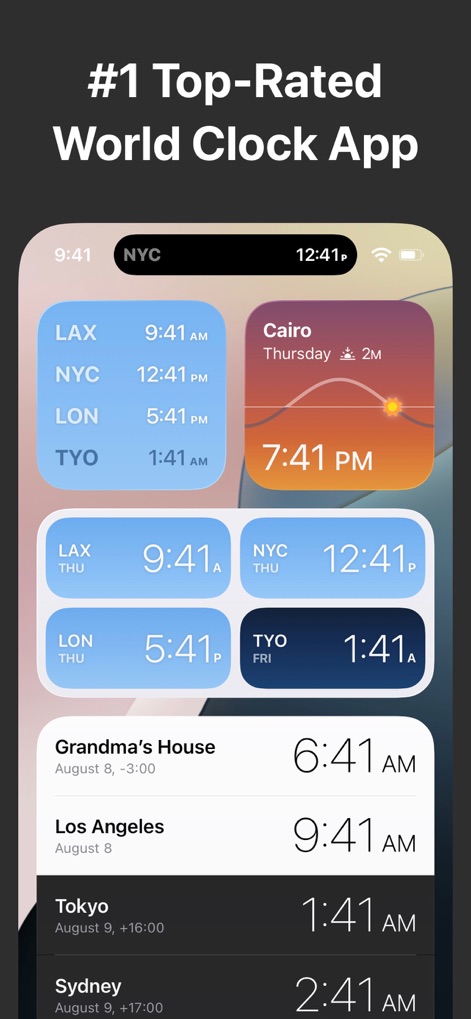
Explore how the app presents attractive analog and digital clock displays alongside customizable city names like "Grandma's House" for personalized time tracking.
Diverse Widget Displays
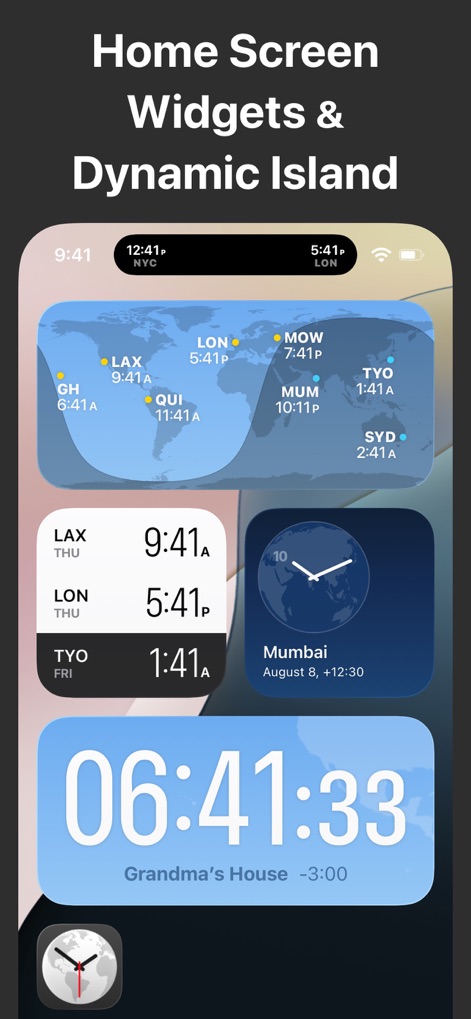
Witness the seamless integration of time zone information across various home screen widget sizes and directly within the Dynamic Island for instant access.
Dynamic Home Integration
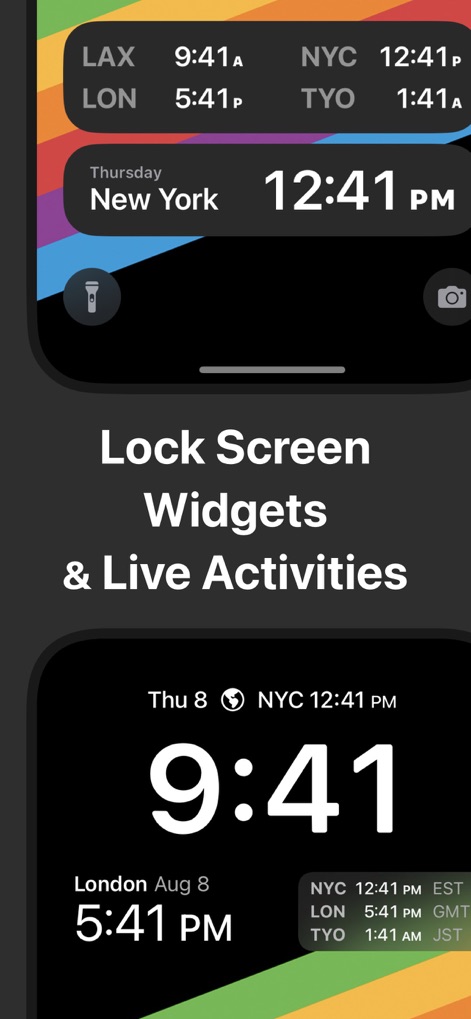
Discover the convenience of Lock Screen widgets and Live Activities, providing real-time time zone updates and comprehensive time comparisons without unlocking the device.
Lock Screen Efficiency
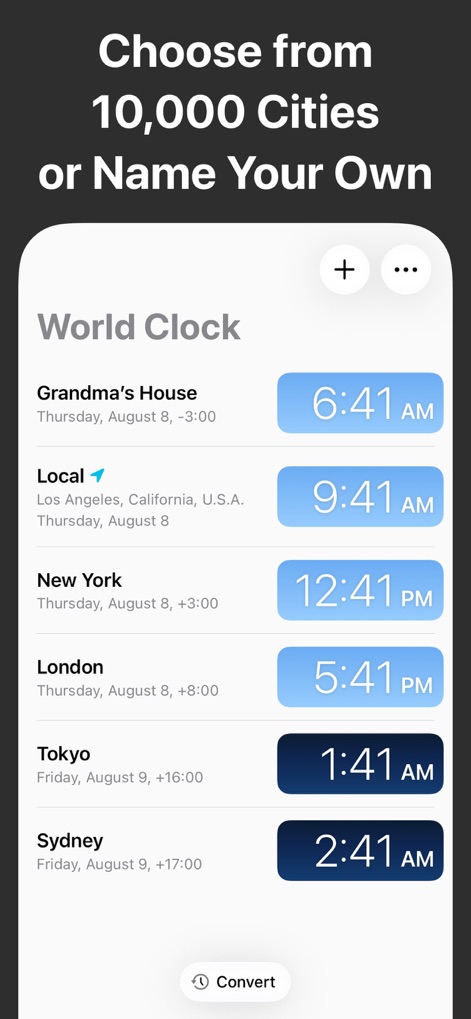
Observe the intuitive UI for adding and managing cities, allowing users to select from over 10,000 locations or customize entries like "Grandma's House".
Global City Management
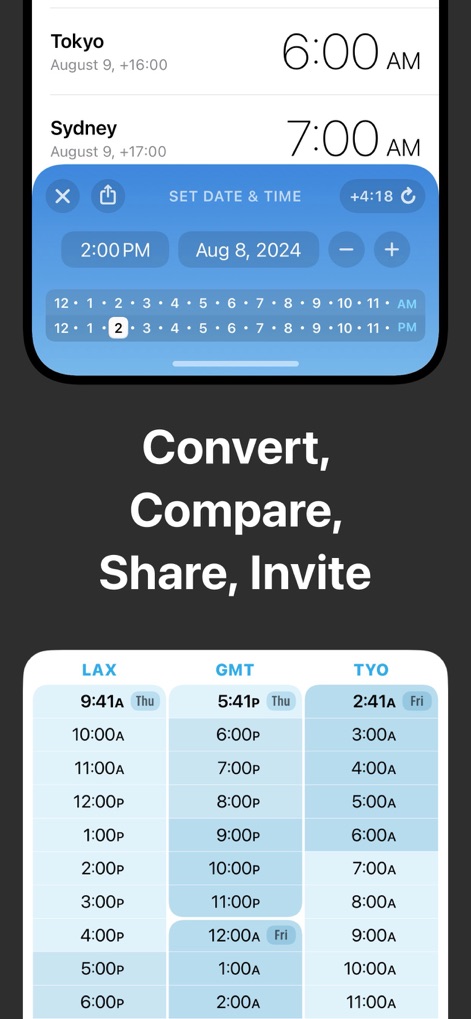
Learn how the powerful convert tool enables users to set a specific date and time, and then compare times across multiple selected time zones in a clear, grid-based format.
Advanced Time Conversion
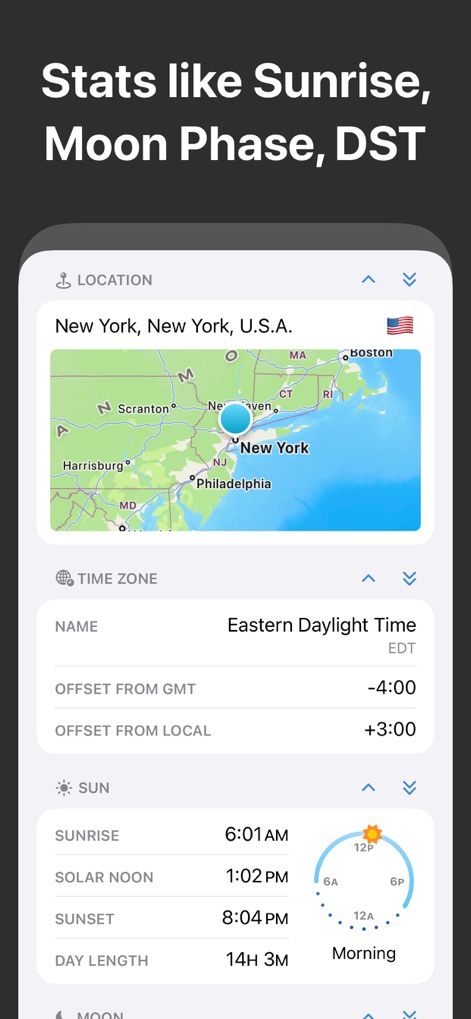
This screenshot highlights detailed location statistics, including a location's time zone details and visual representations of daylight hours based on sunrise and sunset times.
Comprehensive Location Insights
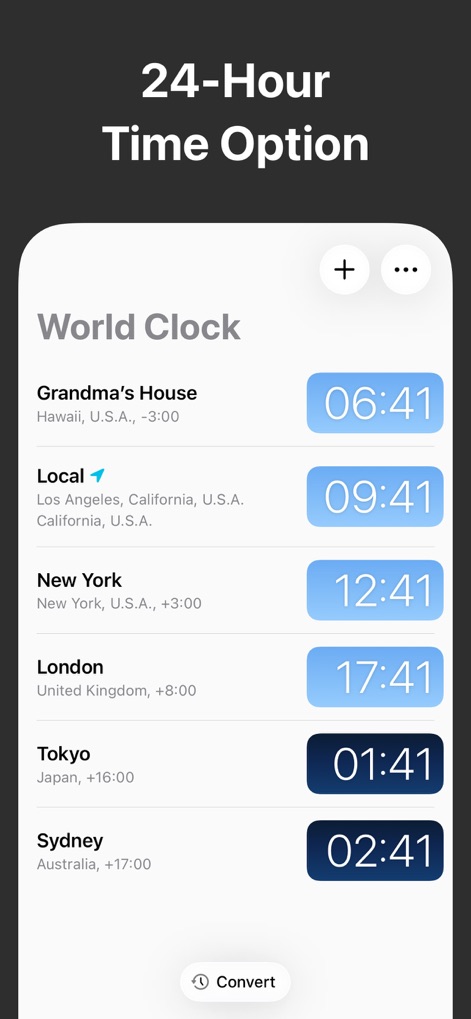
Observe the 24-hour time option prominently displayed for cities like London and Tokyo, providing a clear and globally standardized time format for users.
24-Hour Display Mode
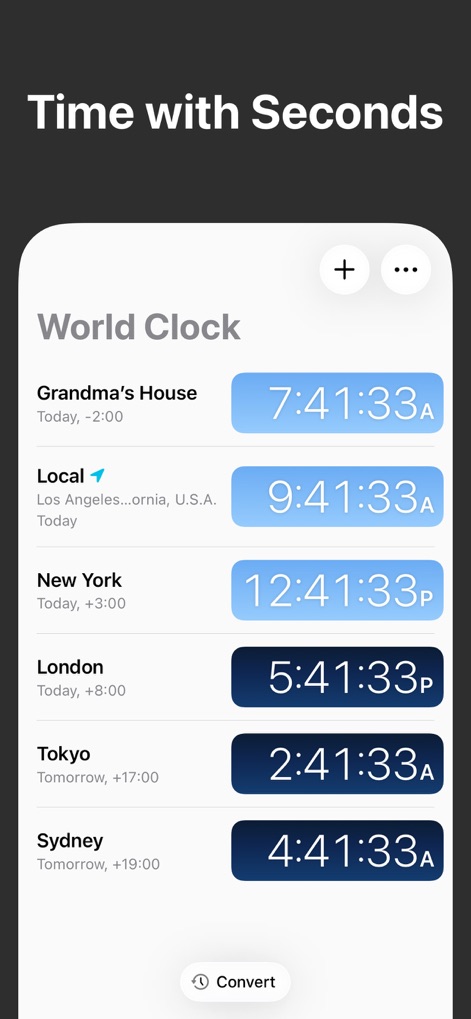
This view demonstrates the app's capability to display time with seconds, offering enhanced precision for critical timing needs alongside standard hour and minute formats.
Precision Second Display
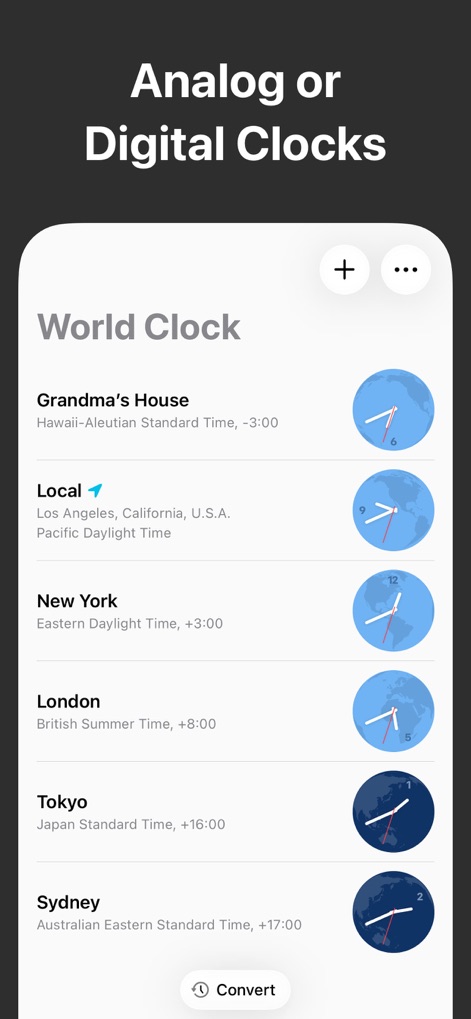
Explore the flexibility of the app, allowing users to choose between attractive analog and digital clock displays for each listed city, catering to personal preference.
Visual Clock Choices
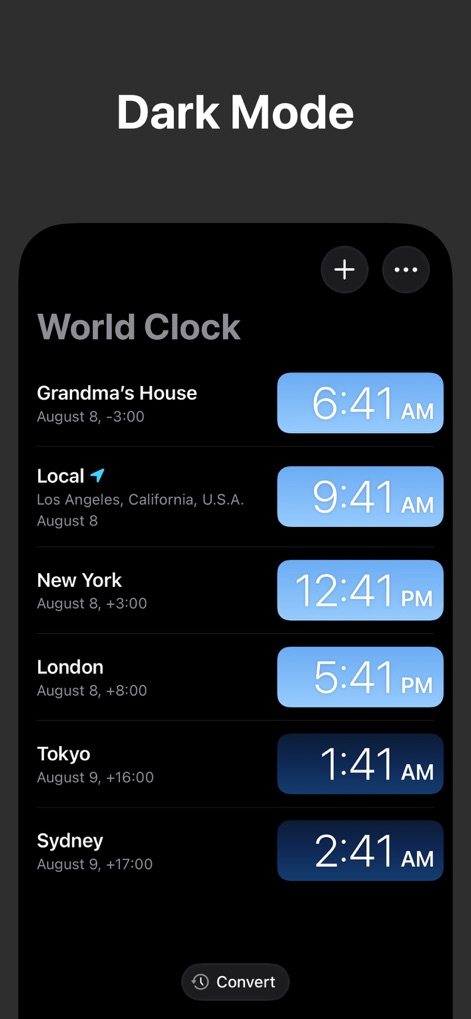
Experience the app's sophisticated Dark Mode interface, which enhances readability and reduces eye strain while maintaining the simple UI for adding and managing cities.
Elegant Dark Mode
Description
Download
More Like This
Apps with similar features and user experience




This page is not an official page of the app or its developer, but an independent editorial publication created for informational and commentary purposes. Unless expressly stated otherwise, neither the app nor its developer is affiliated with, endorsed by, sponsored by, authorized by, or otherwise officially connected with MWM, Apple, Google Play, the app publisher, or the app's developer, and nothing on this page implies that the app was developed using MWM's services. Any trademarks, logos, screenshots, and other content remain the property of their respective owners.