
This page is not an official page of the app or its developer, but an independent editorial publication created for informational and commentary purposes. Unless expressly stated otherwise, neither the app nor its developer is affiliated with, endorsed by, sponsored by, authorized by, or otherwise officially connected with MWM, Apple, Google Play, the app publisher, or the app's developer, and nothing on this page implies that the app was developed using MWM's services. Any trademarks, logos, screenshots, and other content remain the property of their respective owners.


ZOZOFIT: 3D Body Scanner
Stop guessing and start measuring with professional-grade 3D body scanning and AI-powered nutrition tracking. Track precise measurements across 12 key areas to see the progress a scale can’t show you.
Downloads
693K+User Rating
Total Ratings
5K+Publisher
Category
Health & FitnessLocales
1Latest Version
5.11Size
296.5 MBFirst Released
Aug 23, 2022Visualize Your Transformation, Beyond the Scale
Stop letting weight define your success. Use advanced 3D scanning and AI insights to track your true progress and reach your peak performance.
Color-Coded Progress
Instantly see fat reduction and muscle growth with ColorMetric heat maps that highlight exactly where your body is changing.
Snap-and-Log Nutrition
Ditch manual entry. Use AI to log meals and track macros by simply taking a photo, making dietary accountability effortless.
Frequently Asked Questions
Everything you need to know about ZOZOFIT: 3D Body Scanner
What is ZOZOFIT: 3D Body Scanner?
ZOZOFIT is an app that provides precise body measurements through 3D scanning and AI-powered nutrition tracking. It helps users monitor weight loss, track body transformation, and log diet.
How does ZOZOFIT track body measurements?
ZOZOFIT uses 3D body scanning to provide detailed measurements for 12 key locations in less than 2 minutes. It offers a 360° view of the body.
Does ZOZOFIT include nutrition tracking?
Yes, ZOZOFIT includes a Food Journal with AI-powered nutrition tracking. Users can log meals by snapping a photo, scanning labels, or manual entry.
What is the ColorMetric feature in ZOZOFIT?
ColorMetric is a ZOZOFIT feature that visualizes body changes using a color gradient. Amber indicates growth, teal shows reduction, and clear signifies no change in measurements.
Can I compare body transformation progress with ZOZOFIT?
Yes, ZOZOFIT allows users to compare two body scans side-by-side. This feature visualizes the body's transformation over time.
Which devices are compatible with the ZOZOFIT app?
The ZOZOFIT app is compatible with select iPhone devices running iOS 17 or later. This includes iPhone 14 and later models, and iPhone 12 Pro/Pro Max, iPhone 13 Pro/Pro Max.
Does ZOZOFIT integrate with Apple Health?
Yes, ZOZOFIT integrates with Apple Health. This integration allows users to sync their Apple Health data for a complete overview of their fitness within the app.
Can ZOZOFIT track body fat percentage and BMI?
Yes, ZOZOFIT provides insights into body metrics including body fat percentage and Body Mass Index (BMI). Users can also download a PDF report of their stats.
What is the Booty Mode feature in ZOZOFIT?
Booty Mode in ZOZOFIT tracks glute progress, including lift, fullness, and shape, over time. It provides detailed assessment and insights into glute transformation.
Does ZOZOFIT help determine clothing sizes?
Yes, ZOZOFIT features a new 'Tailor Mode'. This mode uses accurate body measurements to help users find their precise clothing size with confidence.
The following screenshots and description are sourced directly from the app's official store listing and are the property of the app developer.
App Store
Screenshots
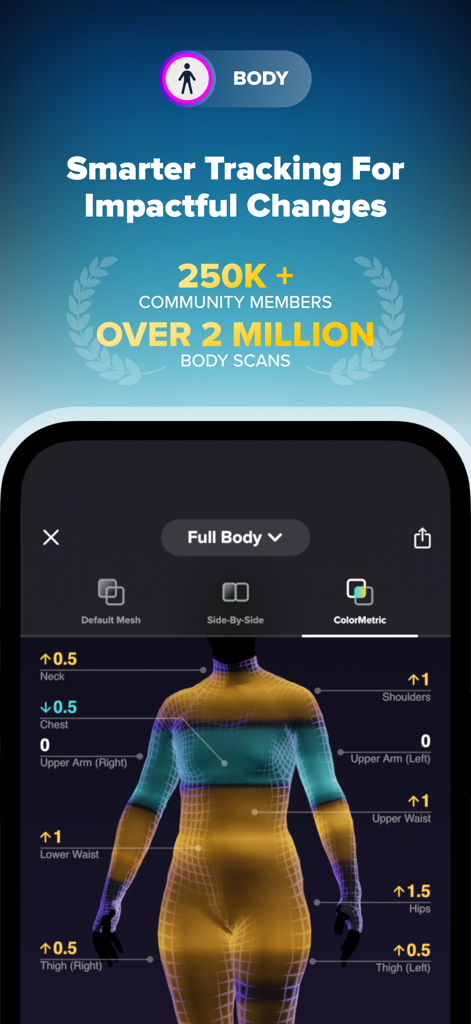
ZOZOFIT app displaying a 3D body scan with ColorMetric heat map tracking
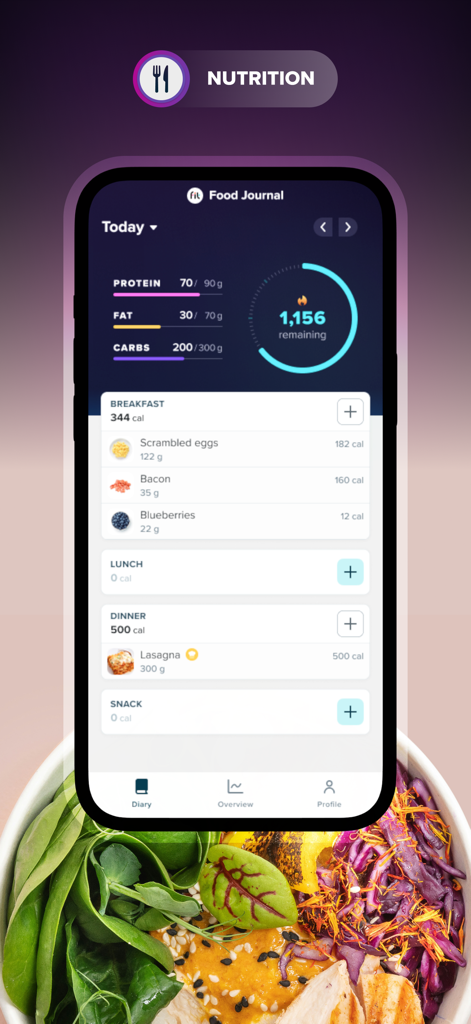
ZOZOFIT app food journal interface showing calorie and macro tracking with breakfast and dinner logs
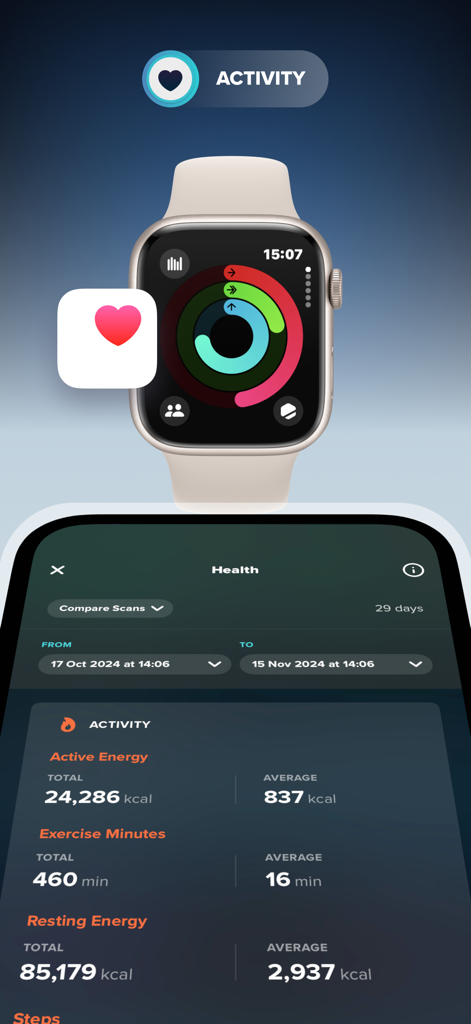
ZOZOFIT app displaying fitness activity and health data integrated with an Apple Watch
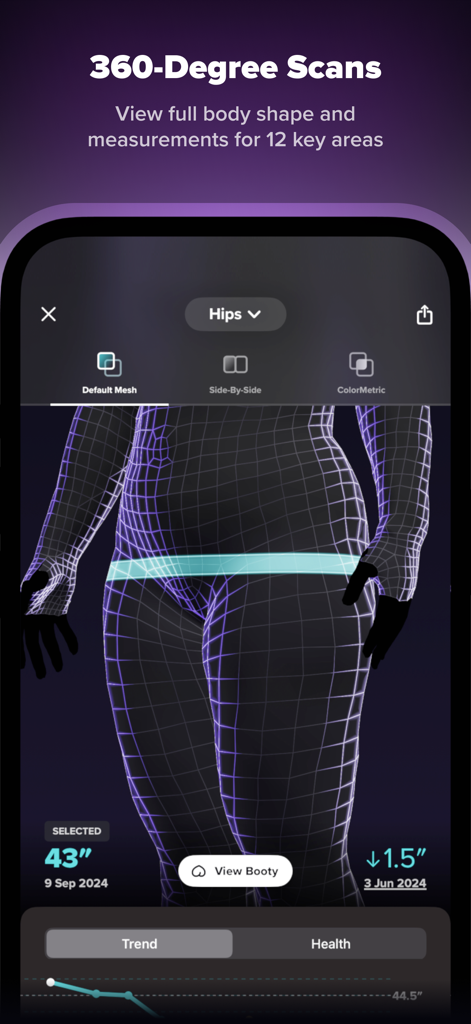
A 3D body scan mesh with hip measurement data in the ZOZOFIT fitness app
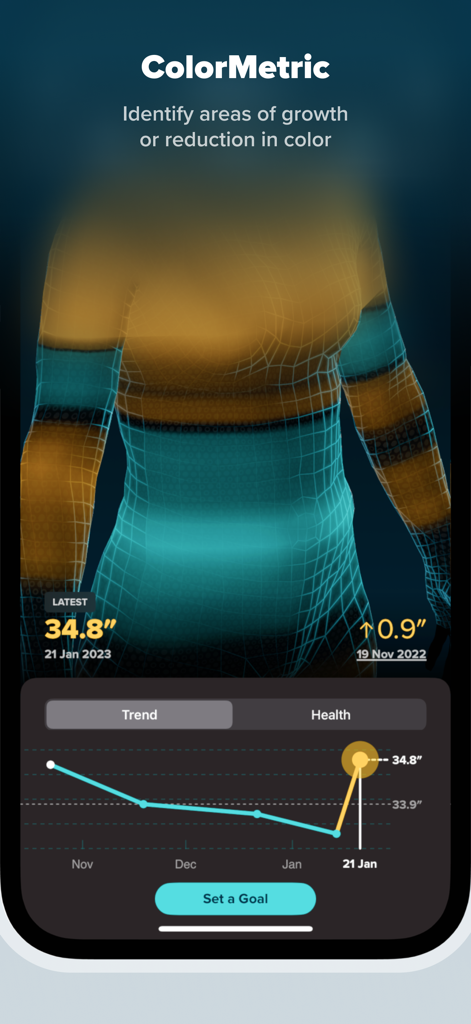
ZOZOFIT app interface showing the ColorMetric 3D body scan feature with progress tracking graphs
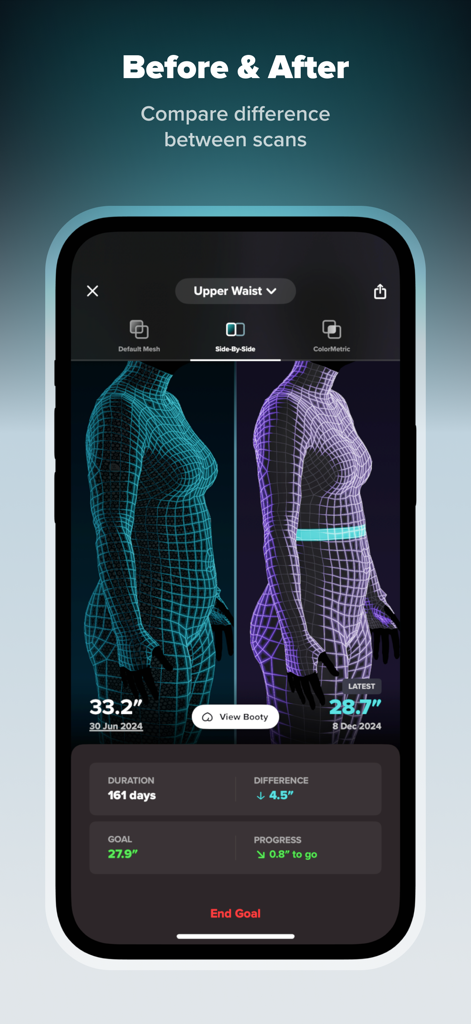
Side by side 3D body scan comparison showing waist measurement progress in the ZOZOFIT app
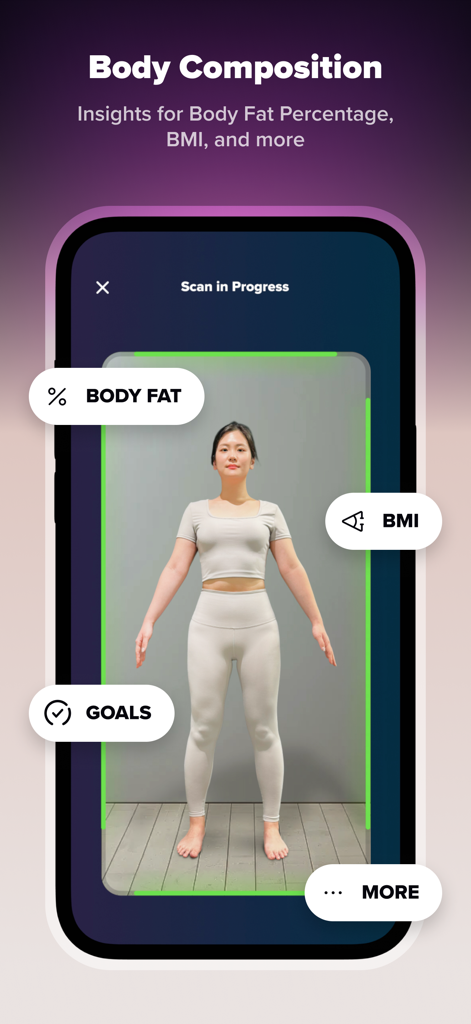
ZOZOFIT app interface showing a 3D body scan in progress with metrics for body fat percentage and BMI
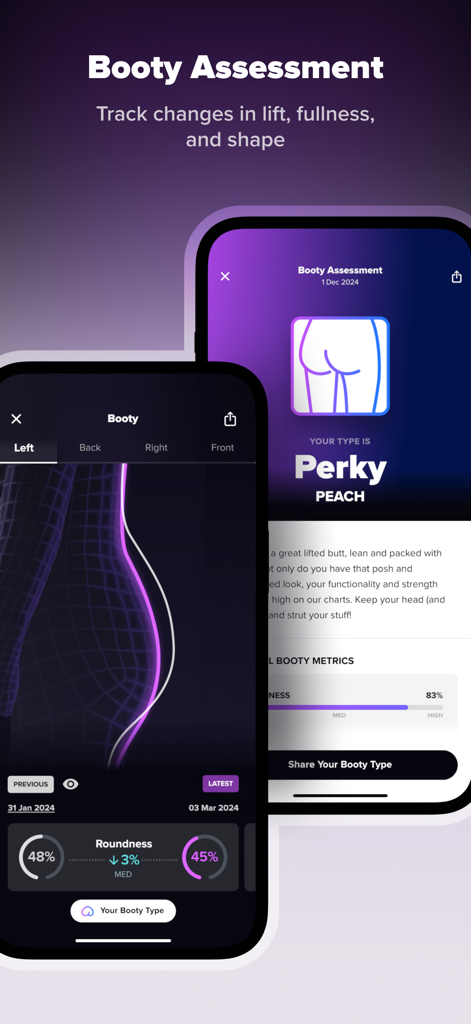
ZOZOFIT app 3D booty assessment for tracking glute lift and shape
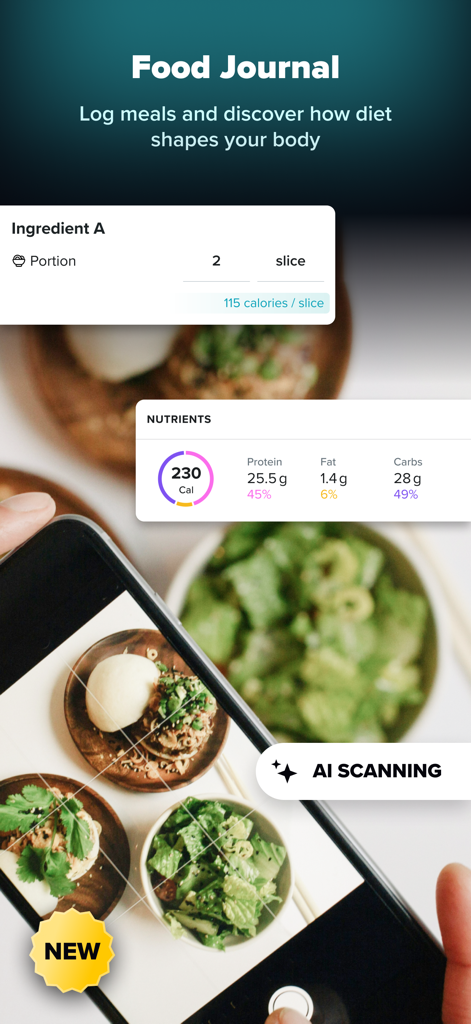
ZOZOFIT app Food Journal interface showing AI meal scanning and nutrient tracking
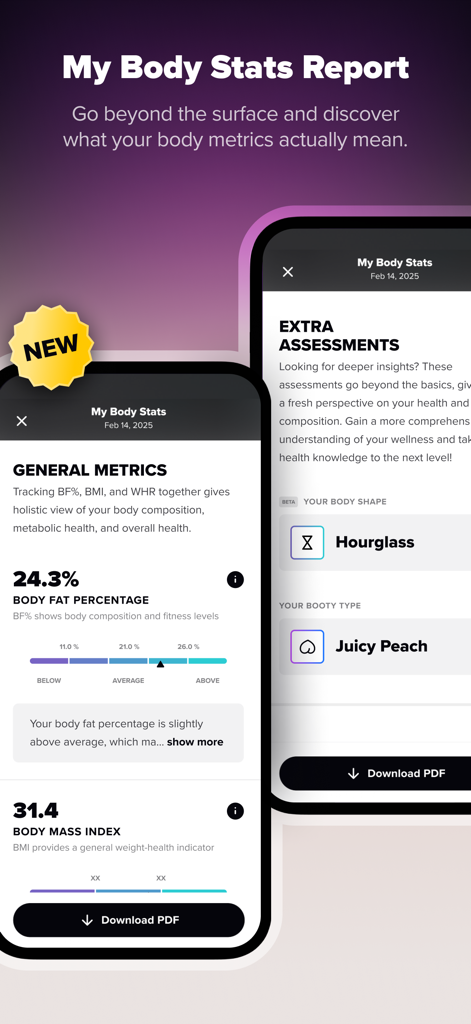
ZOZOFIT app displaying body fat percentage BMI and body shape assessments
Description
Download
More Like This
Apps with similar features and user experience

Philips Lumea IPL
Philips Consumer Lifestyle, B.V.

Mobile Link for Generators
Generac Power Systems, Inc.

把脉-脉象自测&实时压力心率检测&养生调理软件
Giant Eur Limited

Oral-B
Procter & Gamble Productions, Inc.

Philips OneBlade (Daily Care)
Philips Consumer Lifestyle, B.V.

Philips Sonicare
Philips Consumer Lifestyle, B.V.

Winix Smart
WINIX INC.

ThermoPro Sensor
iTronics Co., Limited

RYOBI
One World Technologies, Inc
This page is not an official page of the app or its developer, but an independent editorial publication created for informational and commentary purposes. Unless expressly stated otherwise, neither the app nor its developer is affiliated with, endorsed by, sponsored by, authorized by, or otherwise officially connected with MWM, Apple, Google Play, the app publisher, or the app's developer, and nothing on this page implies that the app was developed using MWM's services. Any trademarks, logos, screenshots, and other content remain the property of their respective owners.