
This page is not an official page of the app or its developer, but an independent editorial publication created for informational and commentary purposes. Unless expressly stated otherwise, neither the app nor its developer is affiliated with, endorsed by, sponsored by, authorized by, or otherwise officially connected with MWM, Apple, Google Play, the app publisher, or the app's developer, and nothing on this page implies that the app was developed using MWM's services. Any trademarks, logos, screenshots, and other content remain the property of their respective owners.

ZVV
Navigate like a local with real-time transit data and instant mobile ticketing. From the city center to the Alps, enjoy stress-free travel with easy check-in features and support for Apple Pay and US credit cards.
Downloads
499K+User Rating
Total Ratings
18K+Publisher
Category
TravelLocales
2Latest Version
2.15.0Size
136.9 MBFirst Released
Aug 22, 2021Experience Swiss Precision at Your Fingertips
Navigate Zurich and all of Switzerland with the ultimate travel companion for real-time routes, effortless ticketing, and stress-free transit.
Frictionless One-Tap Ticketing
Skip the complex fare zones. Use the Check-in feature to start your journey and let the app automatically calculate the lowest fare for you.
Live Real-Time Intelligence
Travel with confidence using live departure boards and instant disruption alerts for every train, bus, boat, and tram across the country.
Frequently Asked Questions
Everything you need to know about ZVV
What is the ZVV app?
The ZVV app provides real-time timetable information for Switzerland. It enables users to instantly buy travelcards, multicards, and tickets for national long-distance connections and regional fare networks.
Can I purchase tickets for all of Switzerland using the ZVV app?
Yes, the ZVV app allows the purchase of tickets and day passes for the whole of Switzerland. This includes national long-distance connections and regional fare networks.
How do I buy tickets with the ZVV app?
Users purchase tickets in the ZVV app quickly, either with two clicks in the shop or directly after a timetable search. The app also features a "Check-in ticket" alternative for travel.
What payment options are available in the ZVV app?
The ZVV app supports TWINT, credit cards (Mastercard, VISA, American Express), debit cards, Apple Pay, PostFinance, REKA, and purchase on account. Multiple payment methods are configurable.
Does the ZVV app provide real-time public transport information?
Yes, the ZVV app offers real-time timetable information and a real-time connection search across Switzerland. It also provides an overview of current incidents and disruptions in the ZVV area.
Can I get discounts on multi-journey tickets using the ZVV app?
Yes, the ZVV app enables the purchase of e-multicards, offering up to a 10% discount. These tickets support validation for multiple travelers.
How can I view next departures for a specific stop in the ZVV app?
The ZVV app displays a table showing the next departures for any chosen stop. It also provides a detailed area map for spatial orientation from your current location.
How does the ZVV app manage travelcards?
The ZVV app facilitates the purchase and renewal of ZVV and Z-Pass travelcards. It provides quick homepage access to all valid tickets and supports digital presentation via SwissPass Mobile.
Is SwissPass Mobile integrated with the ZVV app?
Yes, the ZVV app integrates SwissPass Mobile. This feature allows for the digital presentation of all travelcards and discounts directly within the application.
Can I refund ZVV app tickets if unused?
Yes, the ZVV app permits direct refunds for unused tickets. Users also have the option to download sales and refund receipts for their records.
The following screenshots and description are sourced directly from the app's official store listing and are the property of the app developer.
App Store
Screenshots
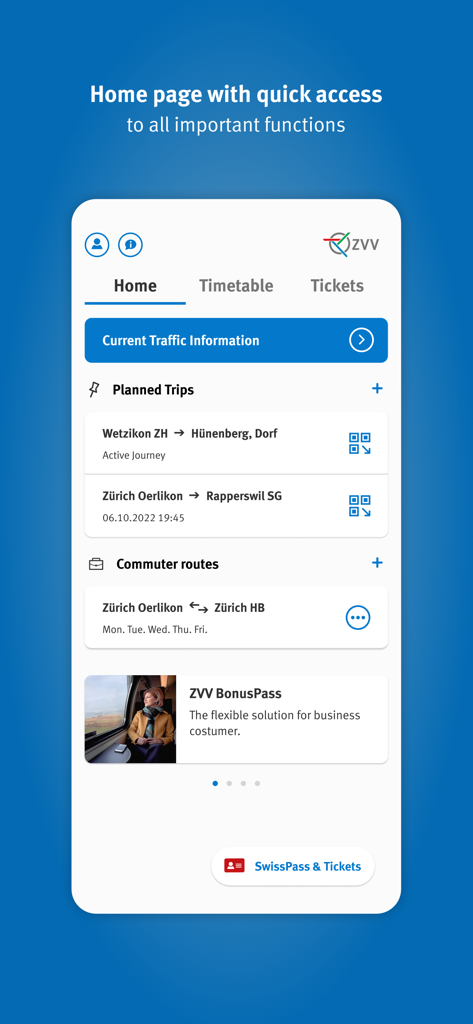
ZVV mobile app home page displaying transport connections and trip planning in Switzerland
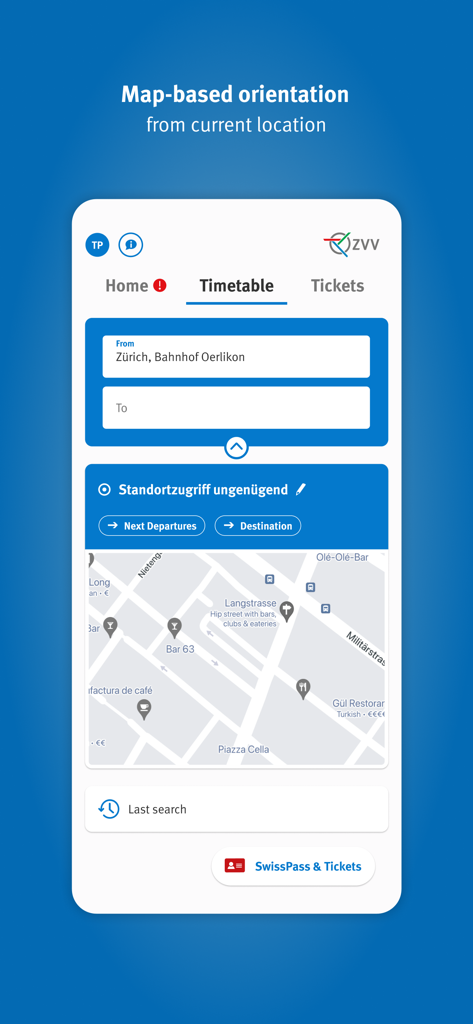
ZVV app interface showing map-based orientation and timetable search for Zurich transport
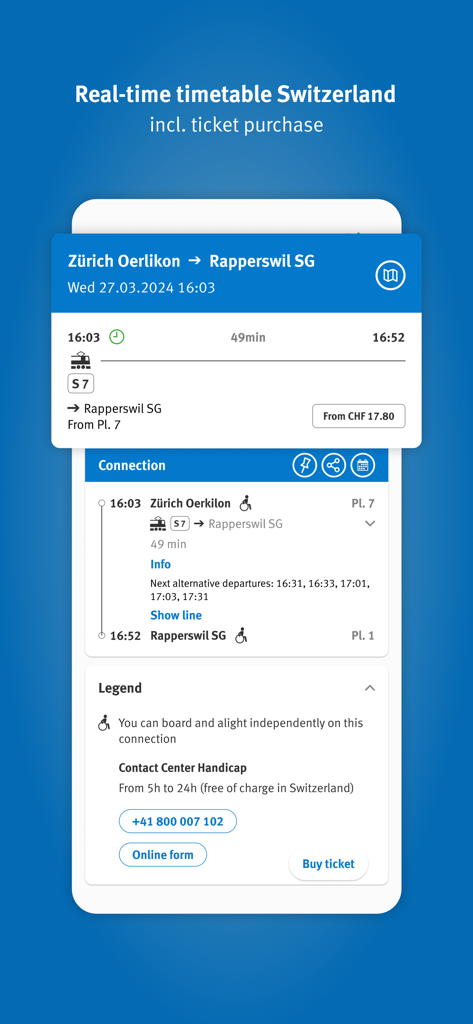
Screenshot of the ZVV app displaying a real-time timetable and ticket booking interface for a train trip from Zurich
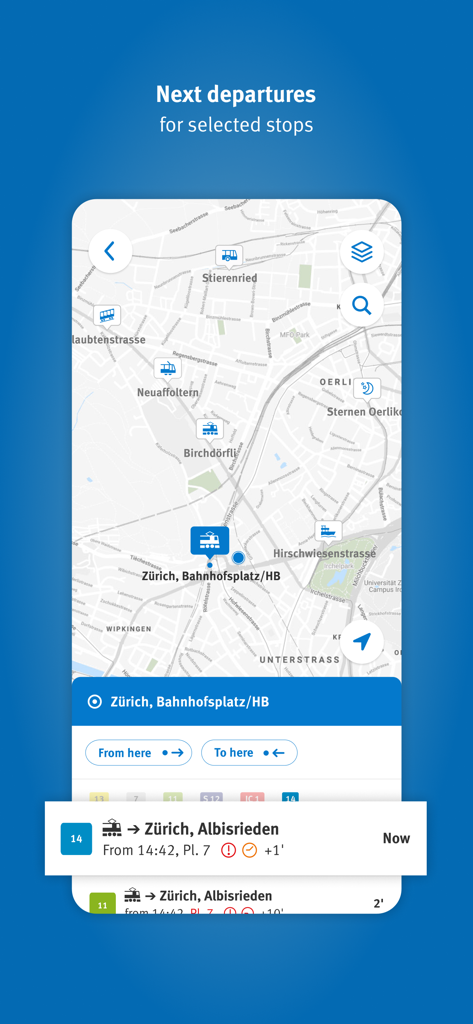
A smartphone screen displaying the ZVV app transit map with real-time departure information for Zurich
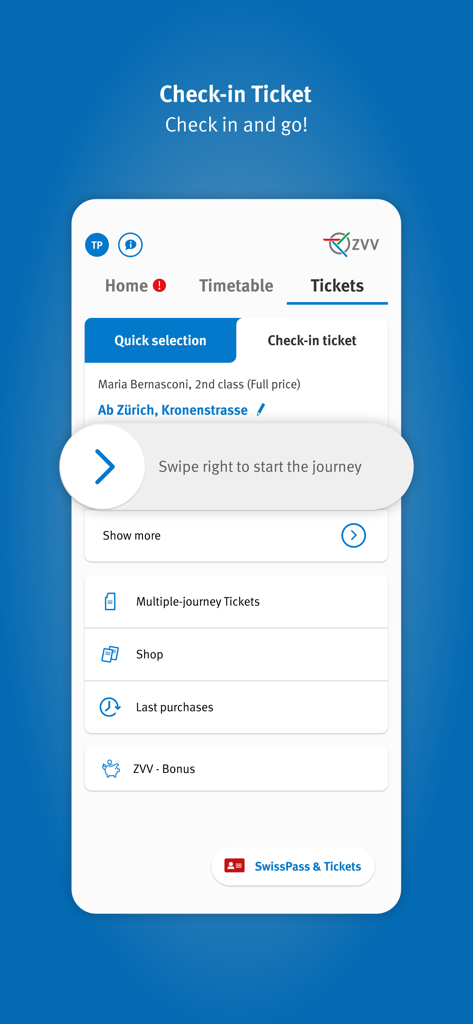
ZVV app interface showing the check-in ticket feature with a swipe to start journey slider.
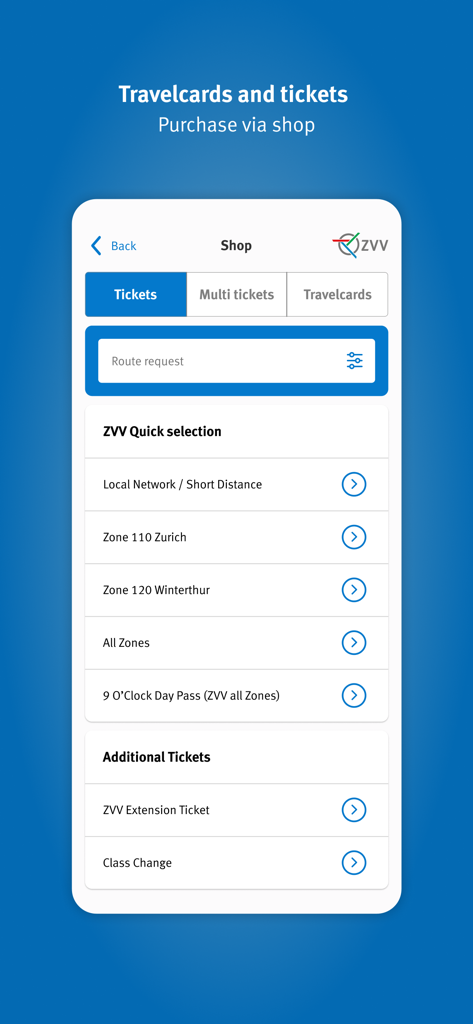
ZVV app interface for purchasing travelcards and tickets for Zurich public transport
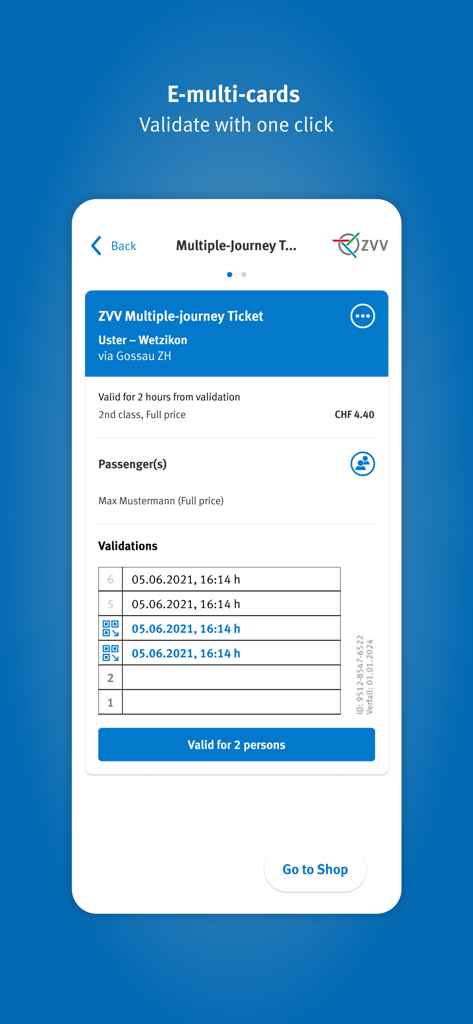
A mobile interface for the ZVV app displaying an e-multi-card ticket with validation history for Zurich public transport.
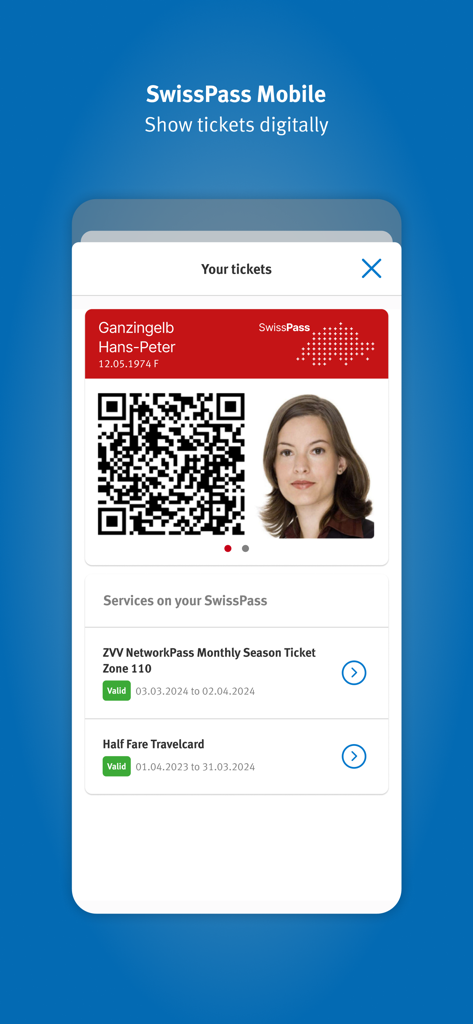
ZVV app interface displaying a digital SwissPass Mobile ticket with a QR code and travelcard details.
Description
Download
More Like This
Apps with similar features and user experience

DSB
DSB

UK Bus Checker
UrbanThings Limited

De Lijn
VMM De Lijn

Waltti Mobile
Waltti Solutions Oy

HSL
Helsingin seudun liikenne -kuntayhtyma

AtB
ATB AS

VOR AnachB - Tickets & Route
ASFINAG Maut-Service GmbH

Vy
Vygruppen AS

TEC
Operateur de Transport de Wallonie SA
This page is not an official page of the app or its developer, but an independent editorial publication created for informational and commentary purposes. Unless expressly stated otherwise, neither the app nor its developer is affiliated with, endorsed by, sponsored by, authorized by, or otherwise officially connected with MWM, Apple, Google Play, the app publisher, or the app's developer, and nothing on this page implies that the app was developed using MWM's services. Any trademarks, logos, screenshots, and other content remain the property of their respective owners.