Duet Air - Remote Desktop
Herunterladen auf App Store

Diese Seite ist keine offizielle Seite der App oder ihres Entwicklers, sondern eine unabhängige redaktionelle Veröffentlichung, die zu Informations- und Kommentarzwecken erstellt wurde. Sofern nicht ausdrücklich anders angegeben, sind weder die App noch ihr Entwickler mit MWM, Apple, Google Play, dem App-Herausgeber oder dem Entwickler der App verbunden, von ihnen unterstützt, gesponsert, autorisiert oder anderweitig offiziell verbunden, und nichts auf dieser Seite impliziert, dass die App unter Verwendung der Dienste von MWM entwickelt wurde. Alle Marken, Logos, Screenshots und andere Inhalte bleiben Eigentum ihrer jeweiligen Inhaber.


Logo von Duet Air - Remote Desktop
Herunterladen auf App Store

Duet Air - Remote Desktop

Entwickelt von ehemaligen Apple-Experten für latenzfreie Leistung. Verdoppeln Sie Ihre Produktivität mit einem tragbaren Dual-Monitor-Setup oder verwandeln Sie Ihr iPad mit voller Apple Pencil-Unterstützung in ein professionelles Grafiktablett.

Kennzahlen

Downloads

479K+

Bewertung

4.2/5

Bewertungen gesamt

5K+

Herausgeber

Duet, Inc.

Kategorie

Productivity

Sprachen

15

Neueste Version

3.0.3

Größe

67.0 MB

Erstveröffentlichung

3. Nov. 2020
Funktionen

Maximieren Sie Ihren Workflow von überall

Entwickelt von ehemaligen Apple-Ingenieuren, verwandelt Duet Air Ihr iPad in einen Hochleistungs-Zweitbildschirm und ein professionelles Grafiktablett ohne Verzögerungen.

Verdoppeln Sie Ihren Arbeitsbereich

Erweitern Sie Ihr Multitasking, indem Sie Ihr iPad in einen tragbaren, hochauflösenden Zweitmonitor für Ihren Mac oder PC verwandeln, perfekt für Remote-Setups.

Professionelles Grafiktablett

Schalten Sie die volle Druck- und Neigungsempfindlichkeit für Ihren Apple Pencil frei, um direkt in professionellen Tools wie Photoshop und Illustrator zu entwerfen.

Die folgenden Screenshots und die Beschreibung stammen direkt aus dem offiziellen Store-Eintrag der App und sind Eigentum des Entwicklers.

App Store

Screenshots
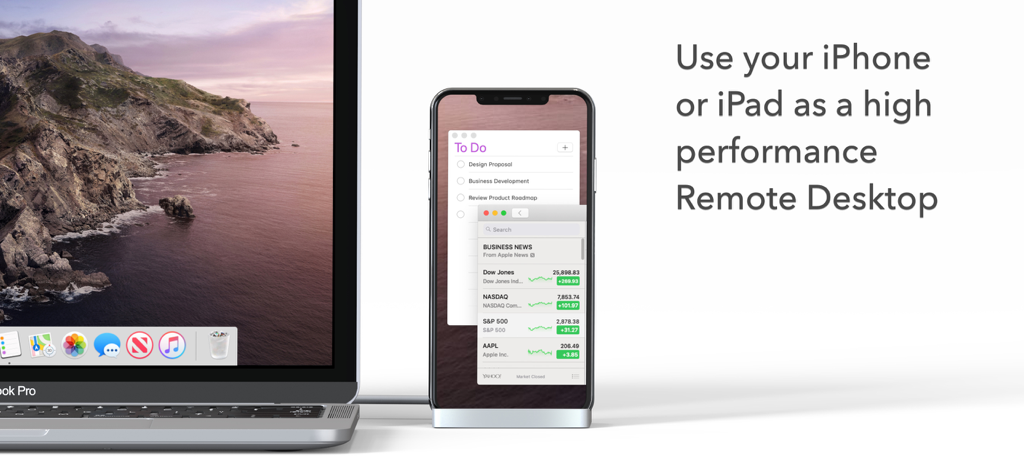
Duet Air - Remote Desktop - Ein MacBook Pro, das an ein iPhone angeschlossen ist, das als Hochleistungs-Remote-Desktop-Anzeige mit einer To-Do-Liste und Nachrichten dient.
Ein MacBook Pro, das an ein iPhone angeschlossen ist, das als Hochleistungs-Remote-Desktop-Anzeige mit einer To-Do-Liste und Nachrichten dient.

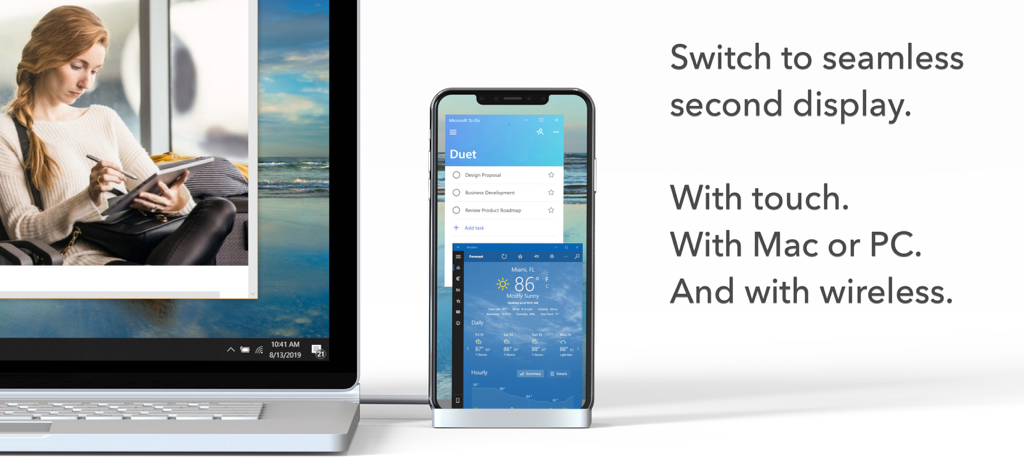
Duet Air - Remote Desktop - Ein Laptop, der mit einem Smartphone als drahtloser Zweitbildschirm für Produktivitäts-Apps verbunden ist
Ein Laptop, der mit einem Smartphone als drahtloser Zweitbildschirm für Produktivitäts-Apps verbunden ist

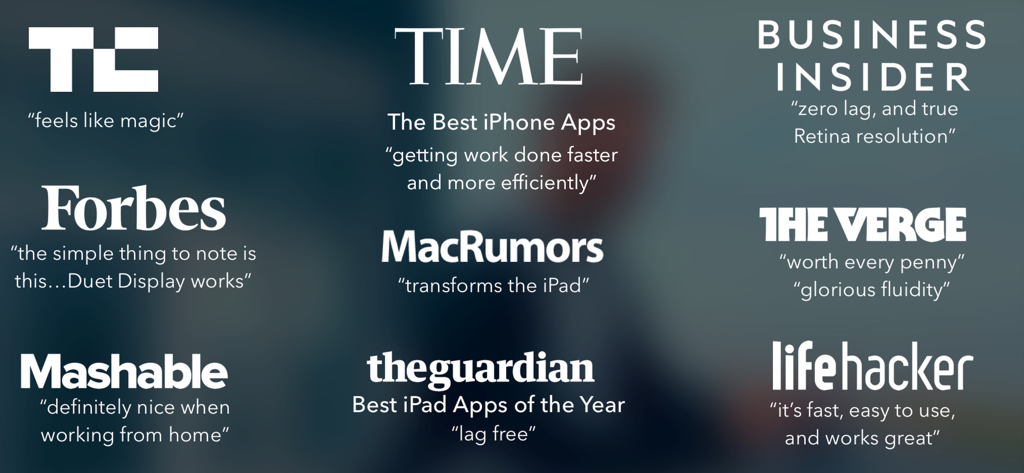
Duet Air - Remote Desktop - Eine Sammlung positiver Presse-Zitate und Logos von wichtigen Publikationen wie TechCrunch, Time und The Verge über Duet Air

Eine Sammlung positiver Presse-Zitate und Logos von wichtigen Publikationen wie TechCrunch, Time und The Verge über Duet Air

Beschreibung

#1 best-selling iPad app in US, Japan, UK, Germany, and 17 other countries! Duet turns your iPad or iPhone into the most advanced Remote Desktop or extra display for your Mac & PC. Developed by a team of ex-Apple engineers, Duet offers unparalleled performance and display quality - all with zero lag. — DO MORE — Be twice as productive by multitasking with two screens. And for those that travel, have a portable way to stay productive. — INCREDIBLY SIMPLE — To get started, plug your iPad into your desktop using your charging cable or choose the desktop to wirelessly connect to. The Duet desktop app will automatically detect your device, and transform it into a high performance touchscreen display. — TOUCHSCREEN — Interact with Mac & PC like never before, with touch & gestures, including two-finger scrolling, pan and zoom. And with our latest release, you can even add a touch bar to any iPad with any Mac. — PERFECT FOR APPLE PENCIL — With Duet Pro, you can turn your iPad and Apple Pencil into a professional graphics tablet. We’ve re-engineered our rendering algorithms for ultra-responsive drawing, optimized specifically for designers, illustrators and artists. Duet Pro also unlocks pressure & tilt sensitivity, hover, palm rejection, and more to seamlessly draw in the most powerful programs for professionals. Get precise control in Photoshop, Corel Painter, Lightroom, ToonBoom, Illustrator, Manga Studio and more. — PRESS — TechCrunch - "Feels Like Magic" TIME - "Getting Work Done Faster and More Efficiently" The Guardian - "Lag-free" Forbes - "The simple thing to note is this...Duet Display works." The Verge - "Glorious Fluidity" Lifehacker - "It's fast, easy to use, and works great" Business Insider - "Zero lag and true retina resolution” Wall Street Journal - “It’s as easy as just plugging it in" — REVIEWS — “Awesome! My iPad Pro can be an extra monitor! Cool app” ~CEO of T-Mobile, John Legere “Very smooth and responsive indeed, plus you could use the touch screen to “click” on screen interfaces!” ~Photographer, Lok Cheung “Love the ability to use my iPad as a monitor with Duet.” ~Former Chief Evangelist of Apple, Guy Kawasaki “Just started using this app called Duet… Kinda love it so far.” ~Comedian and Youtube, Phillip DeFranco “All my mac folks look at the Duet app… GREAT!” ~Actor and Comedian, Sinbad "I really like the app, I suppose the biggest compliment I can give is that it's so easy to setup it almost seems like an Apple product.” ~Early Adopter, M. Nightingale "Amazing solution for me by the way. Works as I was hoping for and actually my main reason for getting an iPad : )” ~Early Adopter, M. Gemzoe Duet Works With: All iPhones and iPads with iOS 11.0 and later All Macs with 10.11 (Mavericks) and later All PCs with Windows 10 64-bit and later Duet Air is a $24.99 per year service built for professionals and remote workers. Price may vary by location. Duet Air subscriptions will be charged to your credit card through your iTunes account. Your subscription will automatically renew unless canceled at least 24 hours before the end of the current period. You will not be able to cancel the subscription once activated. Manage Duet Air in Account Settings after the optional upgrade. Learn more at http://www.duetdisplay.com Terms: https://help.duetdisplay.com/duet-terms-services Privacy Policy: https://help.duetdisplay.com/duet-privacy-policy

Download

Herunterladen auf App Store

Diese Seite ist keine offizielle Seite der App oder ihres Entwicklers, sondern eine unabhängige redaktionelle Veröffentlichung, die zu Informations- und Kommentarzwecken erstellt wurde. Sofern nicht ausdrücklich anders angegeben, sind weder die App noch ihr Entwickler mit MWM, Apple, Google Play, dem App-Herausgeber oder dem Entwickler der App verbunden, von ihnen unterstützt, gesponsert, autorisiert oder anderweitig offiziell verbunden, und nichts auf dieser Seite impliziert, dass die App unter Verwendung der Dienste von MWM entwickelt wurde. Alle Marken, Logos, Screenshots und andere Inhalte bleiben Eigentum ihrer jeweiligen Inhaber.








