
Diese Seite ist keine offizielle Seite der App oder ihres Entwicklers, sondern eine unabhängige redaktionelle Veröffentlichung, die zu Informations- und Kommentarzwecken erstellt wurde. Sofern nicht ausdrücklich anders angegeben, sind weder die App noch ihr Entwickler mit MWM, Apple, Google Play, dem App-Herausgeber oder dem Entwickler der App verbunden, von ihnen unterstützt, gesponsert, autorisiert oder anderweitig offiziell verbunden, und nichts auf dieser Seite impliziert, dass die App unter Verwendung der Dienste von MWM entwickelt wurde. Alle Marken, Logos, Screenshots und andere Inhalte bleiben Eigentum ihrer jeweiligen Inhaber.

GPS 2 IP
Verwandeln Sie Ihr iPhone in einen dedizierten GPS-Server. Streamen Sie NMEA- und TAIP-Daten in Echtzeit über WLAN, Bluetooth oder UDP an OpenCPN, MacEnc und andere professionelle Software.
Downloads
165K+Bewertung
Bewertungen gesamt
100Herausgeber
Kategorie
NavigationSprachen
1Neueste Version
5.7Größe
13.0 MBErstveröffentlichung
16. Dez. 2010Professionelles GPS-Datenstreaming
Schließen Sie die Lücke zwischen Ihrer iOS-Hardware und spezialisierter Navigationssoftware mit zuverlässiger Echtzeit-NMEA-Datenübertragung.
Nahtlose Netzwerkintegration
Streamen Sie hochpräzise Standortdaten über TCP oder UDP über WLAN und Bluetooth LE direkt auf Ihren Laptop oder Ihre Workstation.
Konstruiert für Stabilität
Gebaut für den Langzeitgebrauch mit Hintergrundbetrieb und automatischem Wiederanlauf, um Ihren Navigationsfeed während Ihrer gesamten Reise live zu halten.
Die folgenden Screenshots und die Beschreibung stammen direkt aus dem offiziellen Store-Eintrag der App und sind Eigentum des Entwicklers.
App Store
Screenshots
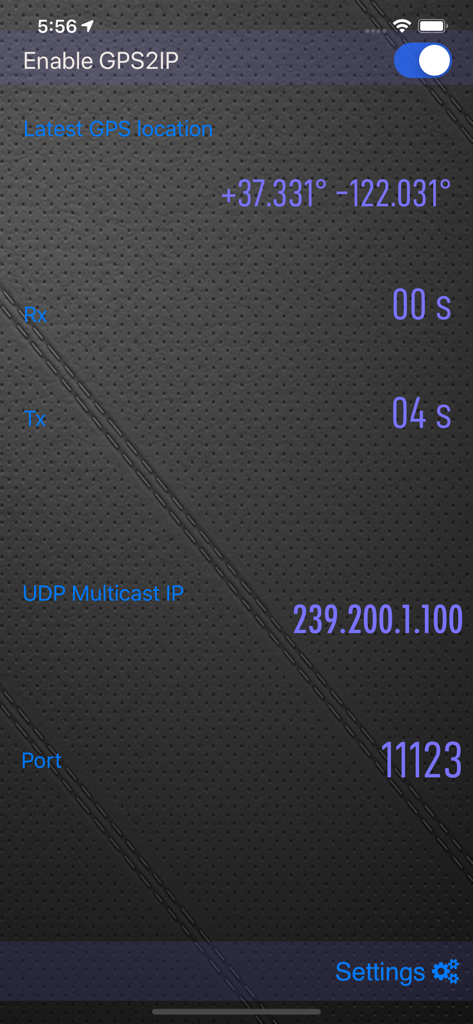
Hauptoberfläche von GPS 2 IP mit Koordinaten und Details zur Netzwerkübertragung
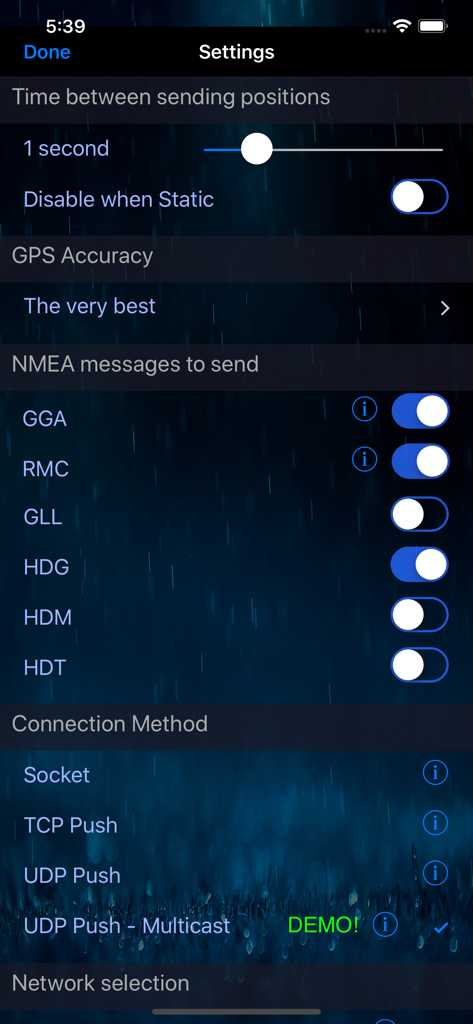
Einstellungsbildschirm der GPS 2 IP-App mit Auswahl der NMEA-Meldungen und Konfiguration der Verbindungsmethode
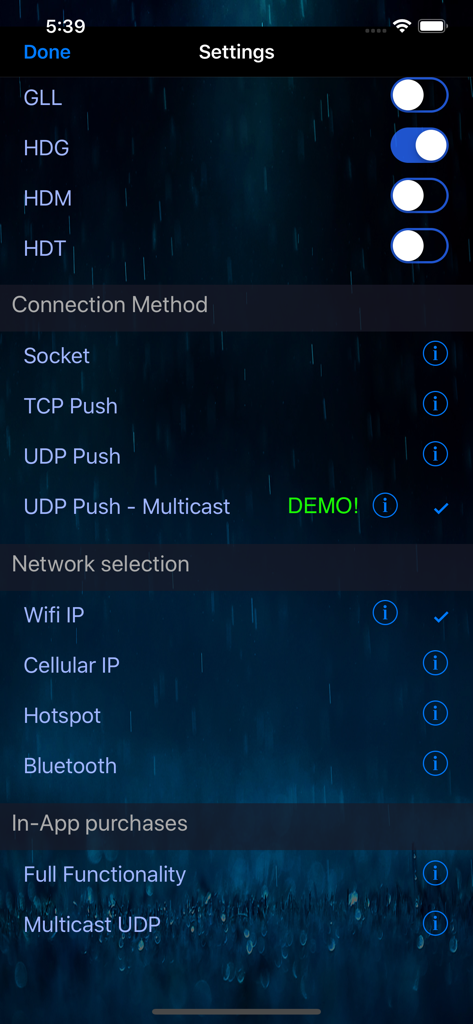
Einstellungsbildschirm der GPS 2 IP-App mit NMEA-Nachrichtenschaltern, Verbindungsmethoden und Netzwerkauswahloptionen.
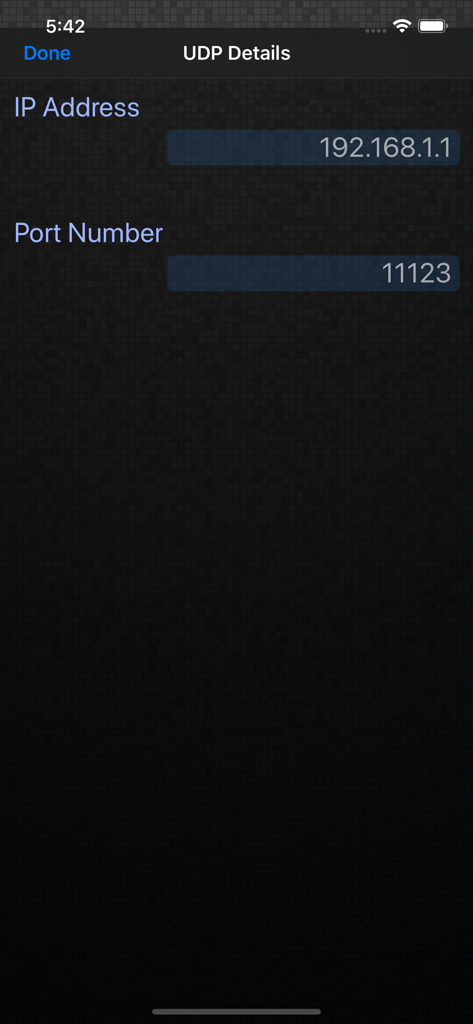
Screenshot des UDP-Details-Konfigurationsbildschirms in der GPS 2 IP-App mit den Feldern IP-Adresse und Portnummer
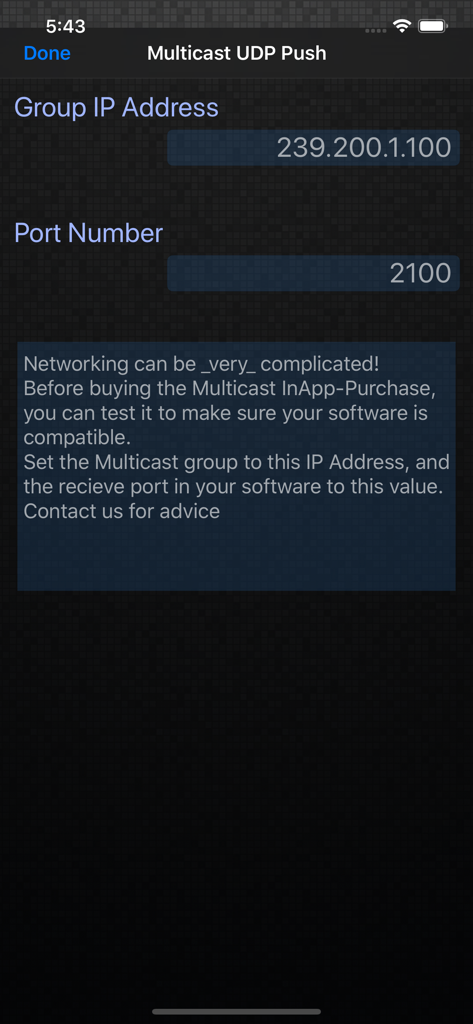
Der Bildschirm für die Multicast-UDP-Push-Einstellungen in der GPS 2 IP-App zeigt Gruppen-IP-Adresse und Portnummer an.
Beschreibung
Download
Ähnliche Apps
Apps mit ähnlichen Funktionen und Nutzererfahrung

Mouse · Keyboard
Remote Sunrise LTD

Camo Camera
Reincubate Ltd

DroidCam Webcam & OBS Camera
DEV47 APPS LTD.

spacedesk - USB Display for PC
datronicsoft Technology GmbH

iVCam Webcam
俊红 柴

Remote Mouse
耀 阮

CamX - USB Camera
Touchbits Inc.

Genki Studio
Human Things, Inc

Astropad Studio Drawing Tablet
Astro HQ LLC
Diese Seite ist keine offizielle Seite der App oder ihres Entwicklers, sondern eine unabhängige redaktionelle Veröffentlichung, die zu Informations- und Kommentarzwecken erstellt wurde. Sofern nicht ausdrücklich anders angegeben, sind weder die App noch ihr Entwickler mit MWM, Apple, Google Play, dem App-Herausgeber oder dem Entwickler der App verbunden, von ihnen unterstützt, gesponsert, autorisiert oder anderweitig offiziell verbunden, und nichts auf dieser Seite impliziert, dass die App unter Verwendung der Dienste von MWM entwickelt wurde. Alle Marken, Logos, Screenshots und andere Inhalte bleiben Eigentum ihrer jeweiligen Inhaber.