1Writer - Markdown Text Editor

1Writer - Markdown Text Editor

ダウンロード: App Store
ロゴ: 1Writer - Markdown Text Editor

1Writer: プロフェッショナルなモバイルワークフローのための強力なMarkdownエディタ

エレガントなシンプルさとプロレベルのパワーを融合。高度な自動化、JavaScriptによる拡張性、そして真剣なコンテンツクリエイターのためのシームレスな同期を備えた、邪魔されない環境を体験してください。

ダウンロード: App Store

開発元

Ngoc Luu

カテゴリ

Productivity

ダウンロード

318K+

ユーザー評価

4.5/5

評価数

1K+

対応言語

5

デザインとパワーの融合

このインターフェースを利用する 318K+ 人のユーザー.

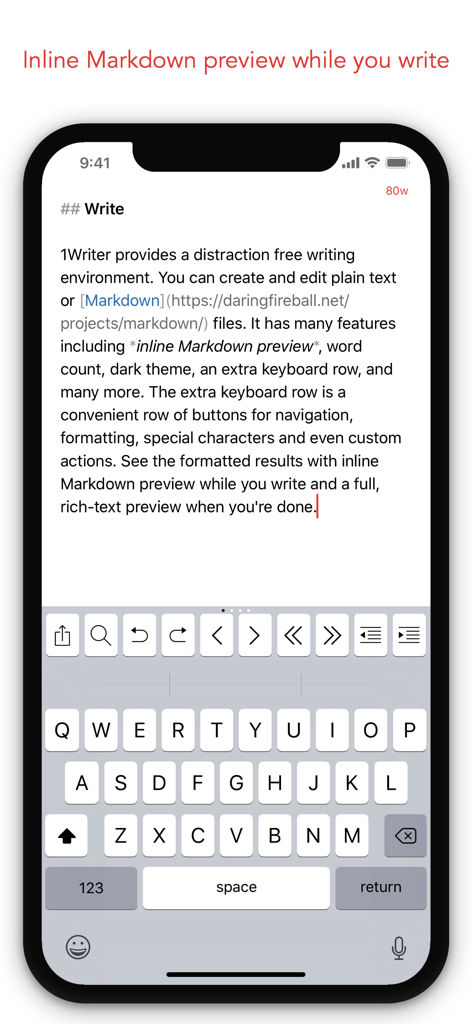
1Writer Markdownテキストエディタが、iPhone上でインラインプレビューと拡張キーボードを表示
1Writer Markdownテキストエディタが、iPhone上でインラインプレビューと拡張キーボードを表示

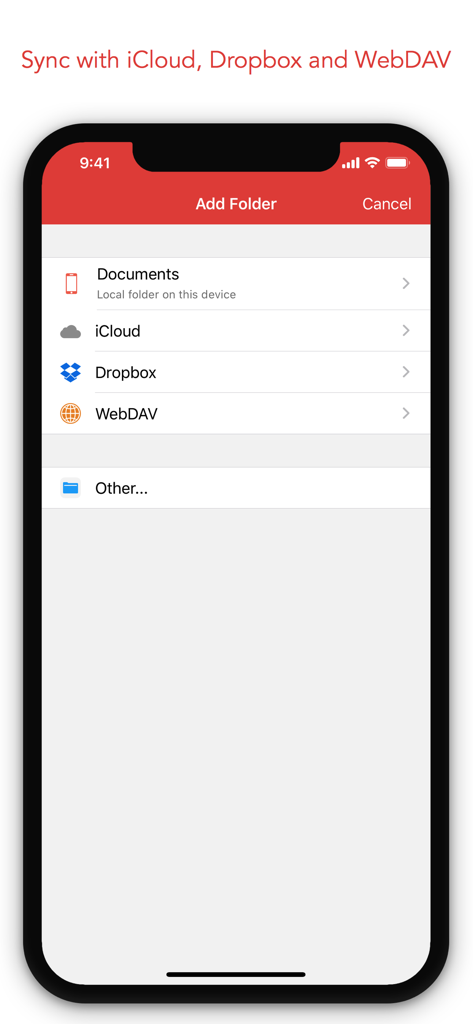
1Writerアプリが、iCloud、Dropbox、WebDAVのドキュメント同期オプションを表示
1Writerアプリが、iCloud、Dropbox、WebDAVのドキュメント同期オプションを表示

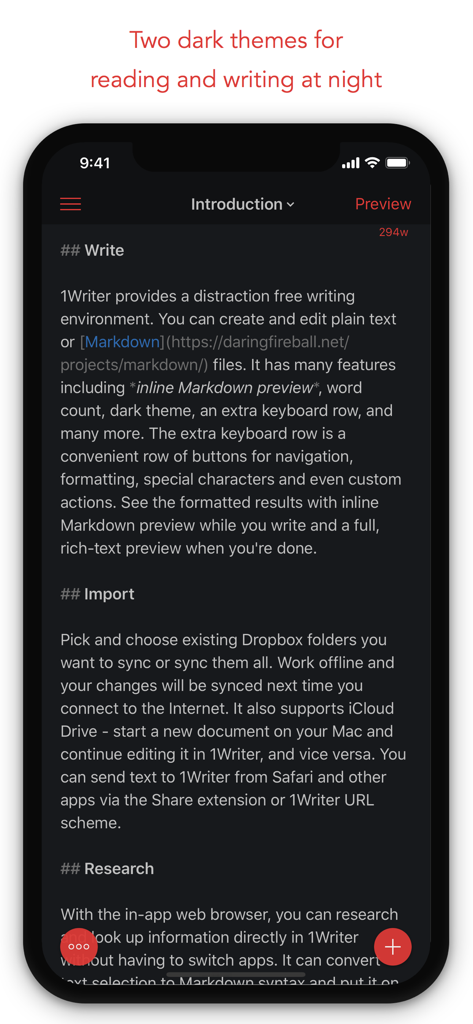
1Writer Markdownテキストエディタが、夜間の執筆のためにダークテーマを表示
1Writer Markdownテキストエディタが、夜間の執筆のためにダークテーマを表示

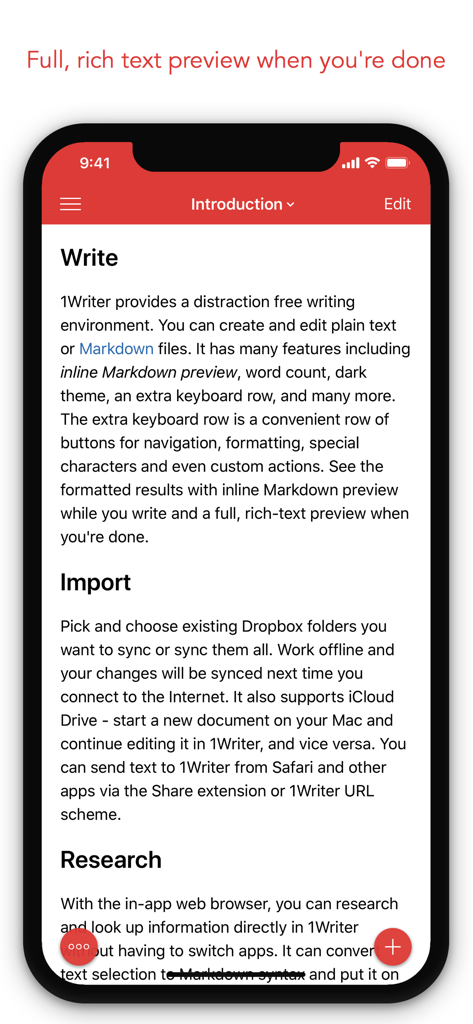
1Writerアプリのインターフェースが、iPhone上でMarkdown機能付きドキュメントのリッチテキストプレビューを表示
1Writerアプリのインターフェースが、iPhone上でMarkdown機能付きドキュメントのリッチテキストプレビューを表示

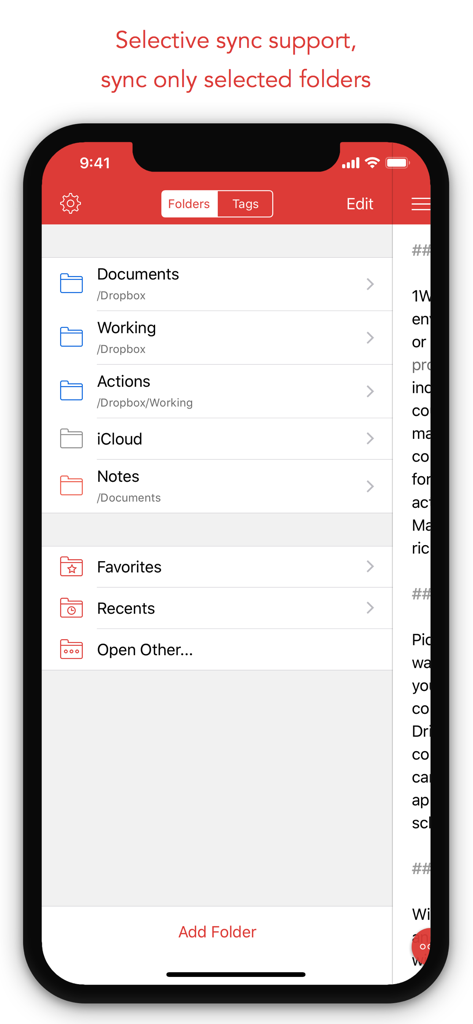
1Writerアプリのインターフェースが、DropboxとiCloudのフォルダ整理と選択的同期オプションを表示
1Writerアプリのインターフェースが、DropboxとiCloudのフォルダ整理と選択的同期オプションを表示

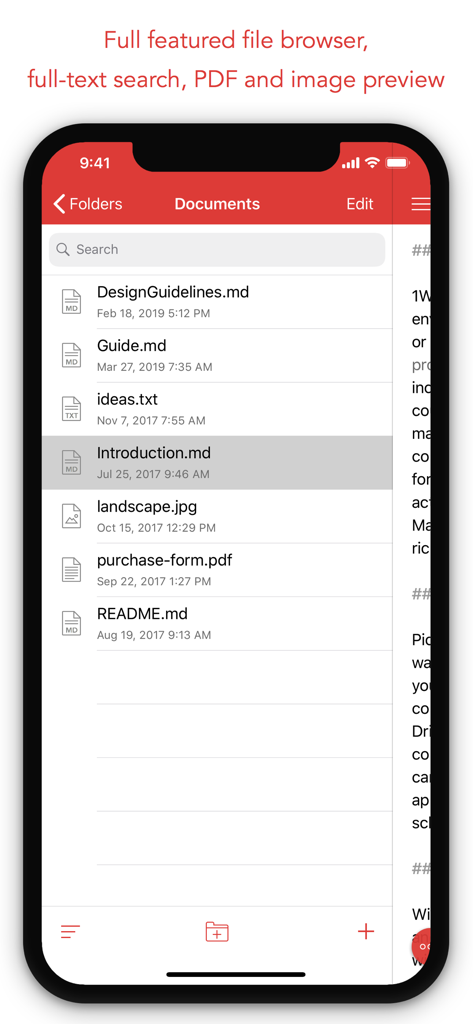
1Writerアプリのインターフェースが、フォルダ内のMarkdownファイルとPDFファイルのリストを表示
1Writerアプリのインターフェースが、フォルダ内のMarkdownファイルとPDFファイルのリストを表示

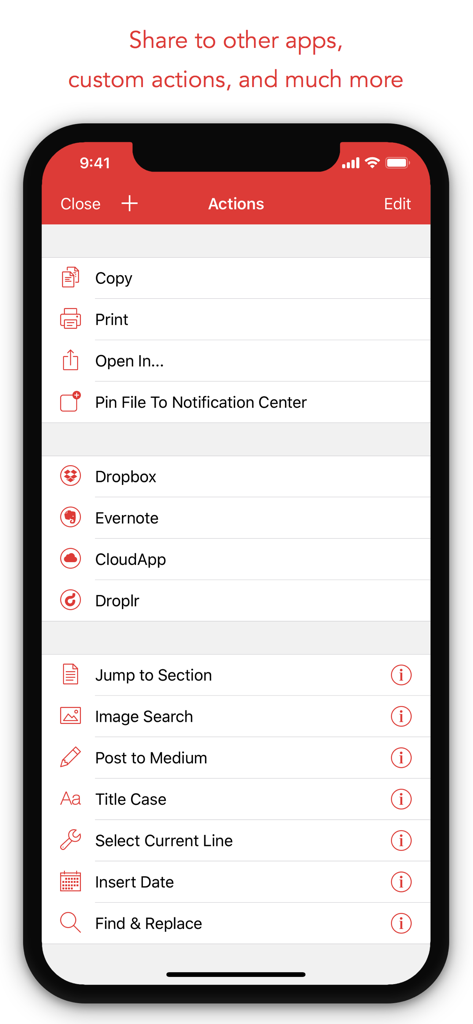
iPhone版1Writerのアクションメニューが、共有オプションとカスタム生産性スクリプトを表示
iPhone版1Writerのアクションメニューが、共有オプションとカスタム生産性スクリプトを表示

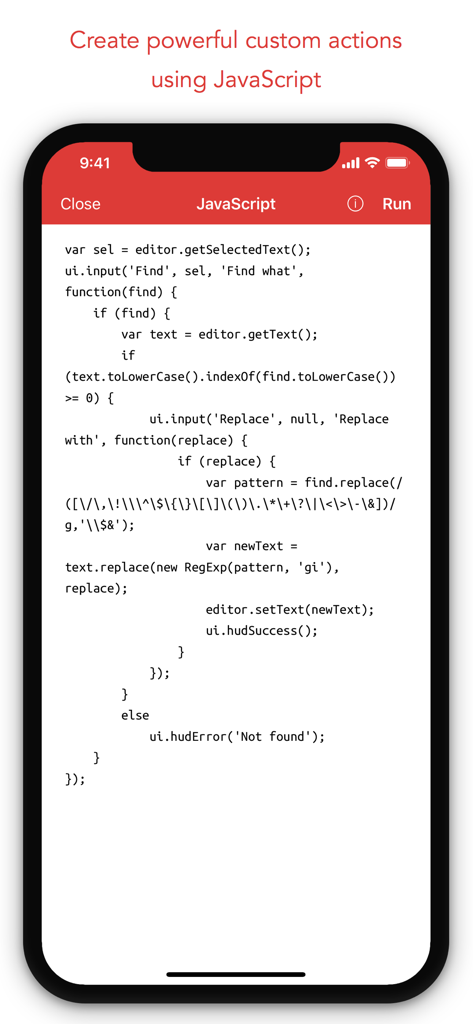
1Writerモバイルアプリのインターフェースが、カスタムテキスト自動化アクションを作成するためのJavaScriptコードを表示
1Writerモバイルアプリのインターフェースが、カスタムテキスト自動化アクションを作成するためのJavaScriptコードを表示

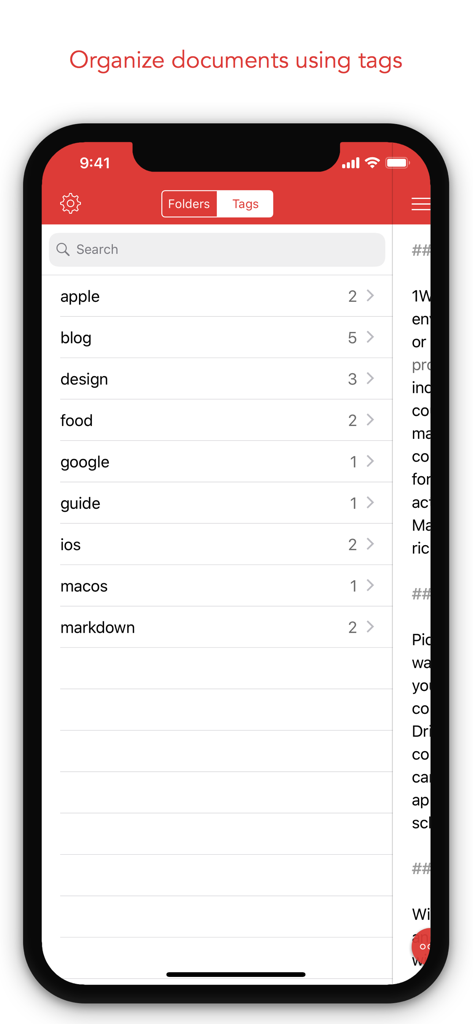
1Writerアプリのインターフェースが、効率的な整理のためのドキュメントタグのリストを表示

1Writerアプリのインターフェースが、効率的な整理のためのドキュメントタグのリストを表示

モバイルライティングワークフローを格上げ

このアプリを際立たせるツール、 318K+ 人のユーザーが選択.

✍️

Markdownマスターとライブプレビュー

シンタックスハイライト付きのプレーンテキストで書き込み、リッチテキストの結果を即座にプレビュー。将来性のあるファイルで完全なデータ主権を維持します。

プロの自動化とスクリプティング

JavaScriptベースのアクションとカスタムURLスキームで、基本的な編集を超えましょう。フォーマットを自動化し、お気に入りの生産性ツールを接続します。

🌐

統合されたリサーチと同期

アプリを離れることなくWebを閲覧し、iCloudまたはDropbox経由でデバイス間で作業を同期します。必要なものはすべて、まさにあなたが置いた場所にあります。

アプリについて

について知っておくべきこと 1Writer - Markdown Text Editor.

説明

1Writer combines all the basic text editing features you would expect with all the advanced features you will ever need. Use 1Writer to write, research, revise, and share your ideas with maximum efficiency. - - - - - - - - - - "The only Dropbox- and Markdown-enabled text editor for iPhone that’s clicked with me has been 1Writer. It’s simple, looks great, and gets the job done." - TheSweetSetup.com "Really great app, really recommend it." - Federico Viticci, MacStories.net "The app interface is beautiful and distraction-free, with loads of other awesome features lurking beneath its simple exterior. It's now my go-to iPhone text editor." - Chris Gonzales, ToolsandToys.net "For users that want a great visual experience paired with great support for custom actions and third party apps, 1Writer is an excellent choice." - iMore.com "1Writer is the most powerful text editor available for iPhone." - Phillip Gruneich - - - - - - - - - - CREATE - Write :: generate and edit plain text or Markdown files. - Preview :: see the formatted results with Markdown syntax highlighting while you write and a full, rich-text preview when you're done. - Extended keyboard :: a convenient row of buttons for navigation, formatting, special characters (customizable--pick the characters you use the most). - Insert photo :: pick a photo or take a new one, and 1Writer will upload it to Dropbox and generate the Markdown-syntax to add it to your document--all in a single action! - Snippets :: TextExpander Touch support. - Custom URL actions :: insert a document template, encode a selection and replace the original text, look up synonyms and much more. - JavaScript :: create even more powerful custom actions using JavaScript—text manipulation, perform a find & replace, interact with the clipboard—the possibilities are endless. IMPORT - Sync with iCloud, Dropbox and WebDAV. - Share extension :: send text to 1Writer from other apps. In Safari, the extension uses the current URL, page title and selected text to create a new document. - Create, append, prepend, or replace text directly from other apps using the 1Writer URL scheme. EXPORT - CloudApp and Dropbox :: generate a link to share your document in plain text or PDF. - Evernote :: pick your notebook, add tags and turn a text selection or the entire document into a new, rich-text note. - Copy HTML :: put the formatted text for your document directly on the clipboard. - Custom actions :: open a web search, tweet a selection, save a series of items in a list and much more. PERSONALIZE - Support Dark Mode on iOS 13. - 2 dark themes for more comfortable reading and writing at night. - Choose from 20 different fonts. - Bookmark and sync the Dropbox/WebDAV folders you want to have quick access to the sub-folders and documents you need. - Use a passcode or Touch ID/Face ID to protect the app from unauthorized users. RESEARCH - In-app web browser :: research, look up information without having to leave the app. - Bookmarks :: create and access your favorite websites. - Save the current text selection to the clipboard in Markdown syntax. - 1Password support :: login to all your accounts using the 1Password extension. EVEN MORE GREAT FEATURES - Drag and drop. - Open in Place. - Multiple windows on iOS 13. - MultiMarkdown. - Search documents from Spotlight. - Find & replace within document. - Photo and PDF preview. - Today widget :: access your recent documents from the Notification Center or create a new document in one tap. - Checklist support :: create a list of things to do or topics to research, and easily check them off. - Full-text search and hashtag support :: search within a folder to find the document you need, and view related documents that have the same tag.

最新バージョン

3.3.8

サイズ

18.7 MB

リリース日

2013年8月14日

ライティングワークフローを格上げ

iPadとiPhoneを邪魔されない生産性のパワーステーションに変える1Writerを信頼する、何千人ものジャーナリスト、開発者、クリエイティブプロフェッショナルに加わりましょう。

ダウンロード: App Store
FAQ

よくある質問

について知っておくべきこと 1Writer - Markdown Text Editor

1Writerとは何ですか?

1Writerは、基本的なテキスト編集と高度な機能を組み合わせたMarkdownテキストエディタです。ユーザーは、邪魔にならない環境で効率的にアイデアを作成、調査、改訂、共有できます。

1WriterはMarkdownをサポートしていますか?

はい、1WriterはMarkdownをサポートしています。ユーザーはMarkdownファイルを生成および編集できます。アプリは、作成中はインラインMarkdown構文ハイライトを、完了後はリッチテキストでの完全なプレビューを提供します。

1Writerでドキュメントをクラウドサービスと同期できますか?

はい、1WriterはiCloud、Dropbox、WebDAVとの同期をサポートしています。また、選択的同期も提供しており、ユーザーはこれらのサービスから特定のフォルダやドキュメントをブックマークしてすばやくアクセスできます。

1Writerにはダークモードまたはテーマがありますか?

はい、1WriterはiOS 13のダークモードをサポートしており、2つの異なるダークテーマが含まれています。これらのテーマは、夜間の使用中に、より快適な読書と執筆体験を提供できるように設計されています。

1Writerアプリでドキュメントを保護するにはどうすればよいですか?

1Writerでは、不正アクセスからアプリを保護できます。パスコードまたは生体認証(特にTouch IDまたはFace ID)を使用して、アプリケーションを保護できます。

1Writerには調査用のアプリ内ブラウザがありますか?

はい、1Writerには統合されたアプリ内Webブラウザが搭載されています。これにより、ユーザーはアプリ内で直接調査や情報検索を行うことができ、アプリケーションを切り替える必要がなくなります。

1WriterはJavaScriptを使用してカスタムアクションを実行できますか?

はい、1WriterはJavaScriptを使用した強力なカスタムアクションの作成を可能にします。この機能は、高度なテキスト操作、検索と置換操作、およびクリップボードとの対話をサポートします。

1Writerからドキュメントを共有するにはどうすればよいですか?

1Writerは複数の共有オプションを提供しています。ユーザーはCloudAppおよびDropboxの共有リンクを生成したり、ノートをEvernoteにエクスポートしたり、フォーマットされたHTMLをコピーしたり、さまざまな共有ニーズに合わせてカスタムアクションを利用したりできます。

1Writerでタグを使用してドキュメントを整理できますか?

はい、1Writerはタグを使用したドキュメント整理をサポートしています。ユーザーはフォルダ内で検索して特定のドキュメントを見つけたり、同じタグが割り当てられた関連コンテンツを表示したりできます。

1Writerにはどのようなキーボード機能がありますか?

1Writerは、便利なボタンの行を備えた拡張キーボードを提供します。これらのボタンは、ナビゲーション、フォーマット、特殊文字用であり、ユーザーの設定に合わせて完全にカスタマイズ可能です。

App information, icons, screenshots, and descriptions displayed on this page are sourced from the Apple App Store and are the property of their respective developers. Download estimates and rankings are based on MWM's proprietary models and may not reflect actual figures. This page is provided for informational and analytical purposes only.

Believe this page infringes your intellectual property? File a dispute