AI-Camera
AI-Camera
ダウンロード: App Store

このページはアプリまたはその開発者の公式ページではなく、情報提供および論評を目的として作成された独立した編集出版物です。明示的に別段の記載がない限り、アプリおよびその開発者は、MWM、Apple、Google Play、アプリのパブリッシャー、またはアプリの開発者と提携、承認、後援、認可、またはその他の公式的な関係はなく、このページのいかなる内容も、アプリがMWMのサービスを使用して開発されたことを意味するものではありません。すべての商標、ロゴ、スクリーンショット、その他のコンテンツはそれぞれの所有者の財産です。


ロゴ: AI-Camera
ダウンロード: App Store

AI-Camera

高速でオフラインのAIにより、自立と発見を支援。どこでも数千もの物体を瞬時に識別し、100%デバイス内でのプライバシーを保証します。

主要数値

ダウンロード

1K+

ユーザー評価

4.4/5

評価数

300

開発元

Markus Malik

カテゴリ

Photo & Video

対応言語

1

最新バージョン

3

サイズ

93.1 MB

リリース日

2018年3月6日
機能

あなたの世界を瞬時に理解

デバイス内AIの力を活用して物体を識別し、説明を聞き、完全なプライバシーとゼロラグで周囲をナビゲートします。

完全にデバイス内AI

あなたの写真はiPhoneから決して離れません。インターネット接続なしで、森の奥深くや家の中でも機能する超高速識別をお楽しみください。

音声ガイド付き認識

音声出力を有効にすると、物体が瞬時に読み上げられます。これはアクセシビリティのための強力なツールであり、子供たちが探索し学ぶための楽しくインタラクティブな方法です。

以下のスクリーンショットと説明は、アプリの公式ストアリスティングから直接取得されたものであり、アプリ開発者の所有物です。

アプリストア

スクリーンショット
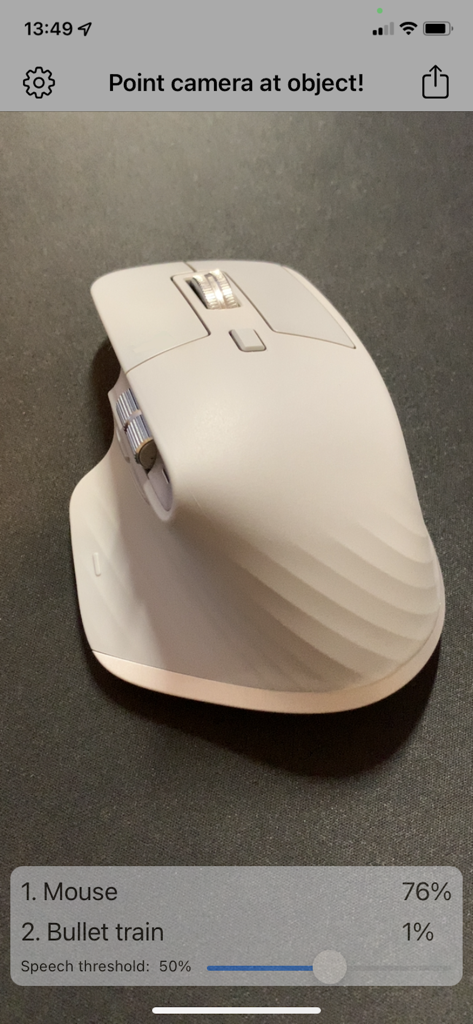
AI-Camera - AIカメラアプリのインターフェースで、白いコンピューターマウスを76%の信頼度で検出している様子
AIカメラアプリのインターフェースで、白いコンピューターマウスを76%の信頼度で検出している様子

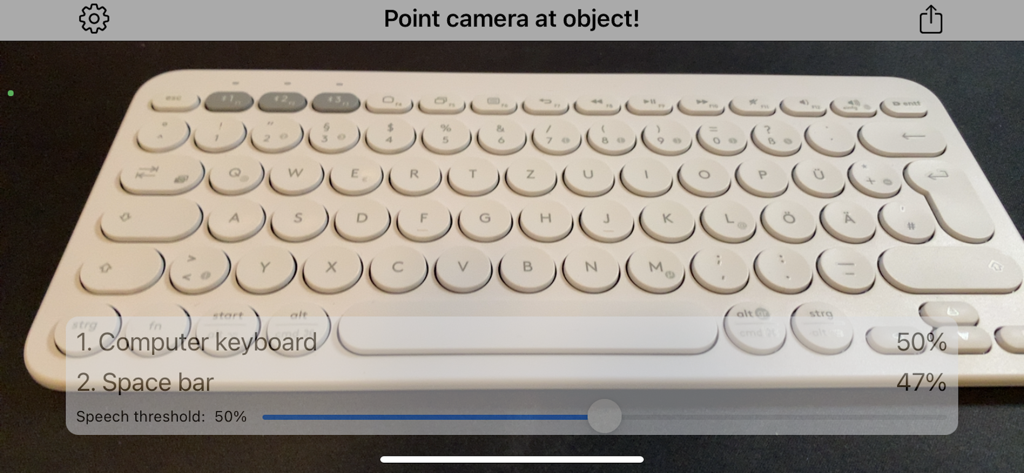
AI-Camera - AIカメラアプリのインターフェースで、コンピューターのキーボードを50%の信頼度で識別している様子
AIカメラアプリのインターフェースで、コンピューターのキーボードを50%の信頼度で識別している様子

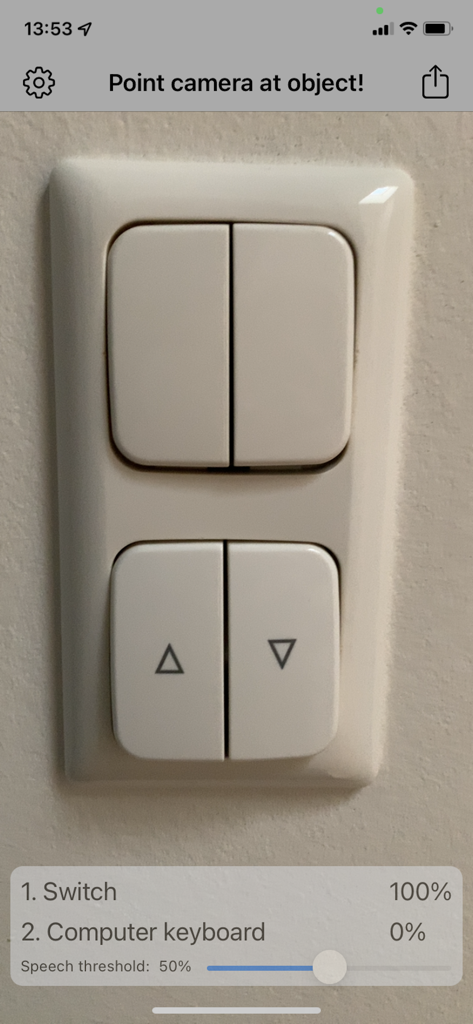
AI-Camera - AIカメラアプリのインターフェースで、壁の照明スイッチを100%の信頼度で検出している様子

AIカメラアプリのインターフェースで、壁の照明スイッチを100%の信頼度で検出している様子

説明

Point camera at objects and let iPhone detect and speak it out with Artificial Intelligence! - Detect objects and scenes - Voice output - Online connection not needed - everything runs locally - Share function General: After the first start you are in object detection mode. Point your camera to objects and the detection starts automatically. In the top left you can tap on the settings icon. The Share Button in the top right allows you to share the photos and informations you detected. When you press the Share Button the capturing is halted. After sharing and returning to the Main Screen simply press the ‘Continue’-Button in the center. Settings: Speech can be turned off completely. Tip: The detection works bests in lighted environments. You can also search photos of things or face in the internet and just point your iOS camera to the photos. Object detection: Point your camera to objects. The app will try to detect the object from more than 1000 categories. Try animals, furnishing, household objects, cars, fruits and vegetables. The 1st guess is the most likely object description with the highest confidence. The percentage value of confidence is stated right to the object description. The 2nd most likely guess is also stated. With the slider "Speech threshold" you can set an percentage value. When the confidence percentage is greater or equal as that value the object will be spoken. When you set the slider all way to the left speech is disabled. In the top banner in the camera feed the current machine learning model is on the left. The frames per second of detection on the right of the banner. Have fun with AI-Camera!

Download

ダウンロード: App Store

このページはアプリまたはその開発者の公式ページではなく、情報提供および論評を目的として作成された独立した編集出版物です。明示的に別段の記載がない限り、アプリおよびその開発者は、MWM、Apple、Google Play、アプリのパブリッシャー、またはアプリの開発者と提携、承認、後援、認可、またはその他の公式的な関係はなく、このページのいかなる内容も、アプリがMWMのサービスを使用して開発されたことを意味するものではありません。すべての商標、ロゴ、スクリーンショット、その他のコンテンツはそれぞれの所有者の財産です。








