AI Markdown Formatter: OneText
ダウンロード: App Store

このページはアプリまたはその開発者の公式ページではなく、情報提供および論評を目的として作成された独立した編集出版物です。明示的に別段の記載がない限り、アプリおよびその開発者は、MWM、Apple、Google Play、アプリのパブリッシャー、またはアプリの開発者と提携、承認、後援、認可、またはその他の公式的な関係はなく、このページのいかなる内容も、アプリがMWMのサービスを使用して開発されたことを意味するものではありません。すべての商標、ロゴ、スクリーンショット、その他のコンテンツはそれぞれの所有者の財産です。


ロゴ: AI Markdown Formatter: OneText
ダウンロード: App Store

AI Markdown Formatter: OneText

Markdownを美しい長尺画像、プロフェッショナルなPDF、Word文書に瞬時に変換する、クリエイターやプロフェッショナル必須のツールキット — 100%オフラインでプライバシー重視。

主要数値

ダウンロード

1K+

ユーザー評価

4.6/5

評価数

0

開発元

逸文 周

カテゴリ

Productivity

対応言語

11

最新バージョン

1.0.18

サイズ

6.7 MB

リリース日

2025年3月11日
機能

デジタルワークスペースを格上げ

強力でプライバシーを最優先するユーティリティで、技術的なMarkdownとプロフェッショナルなプレゼンテーションのギャップを埋めます。

共有可能なビジュアルコンテンツ

AIの回答やブログの下書きを、カスタムテーマを備えた高解像度の長尺画像に変換 — LinkedIn、X、Threadsでオーディエンスを拡大するのに最適です。

汎用性の高いドキュメントエクスポート

メモをPDF、Word、Excelにシームレスに変換します。LaTeXとテーブルの完全サポートにより、技術データや研究が常に完璧に見えます。

以下のスクリーンショットと説明は、アプリの公式ストアリスティングから直接取得されたものであり、アプリ開発者の所有物です。

アプリストア

スクリーンショット
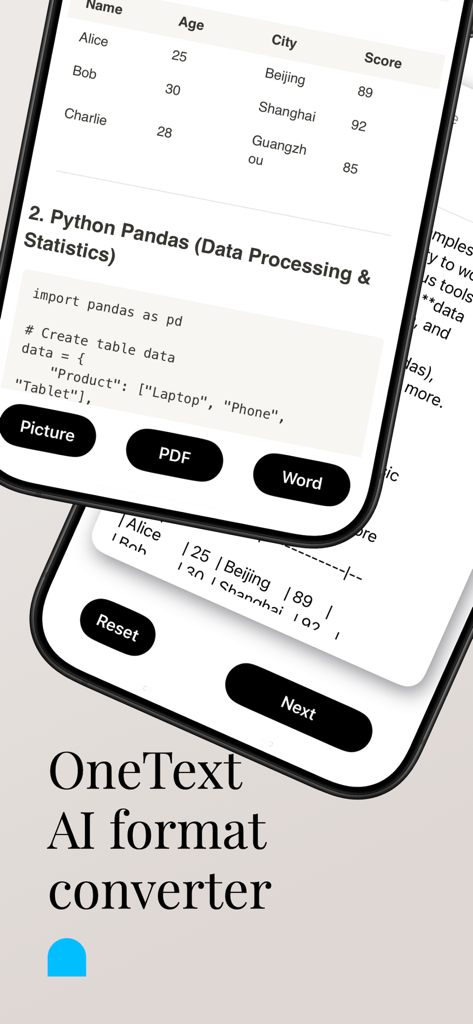
AI Markdown Formatter: OneText - OneTextアプリのインターフェース。画像、PDF、Word向けのMarkdownコンテンツ変換オプションを表示。
OneTextアプリのインターフェース。画像、PDF、Word向けのMarkdownコンテンツ変換オプションを表示。

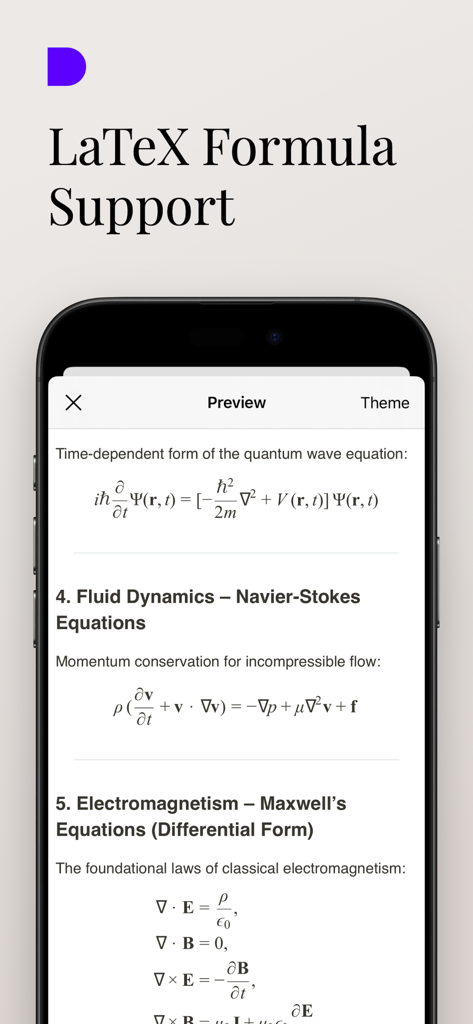
AI Markdown Formatter: OneText - OneTextアプリのインターフェース。物理学や数学のLaTeX科学数式や方程式のレンダリングを表示。
OneTextアプリのインターフェース。物理学や数学のLaTeX科学数式や方程式のレンダリングを表示。

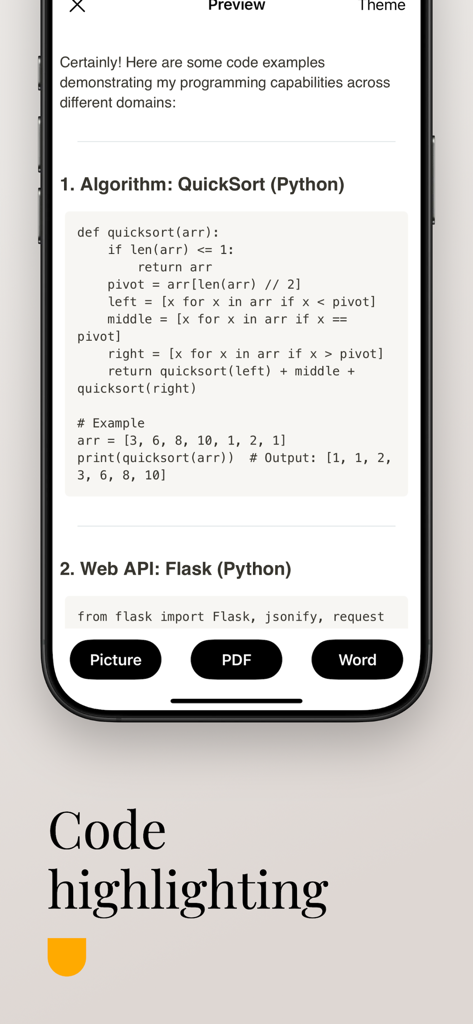
AI Markdown Formatter: OneText - OneTextアプリの画面。PythonスクリプトのMarkdownコードハイライトを表示。
OneTextアプリの画面。PythonスクリプトのMarkdownコードハイライトを表示。

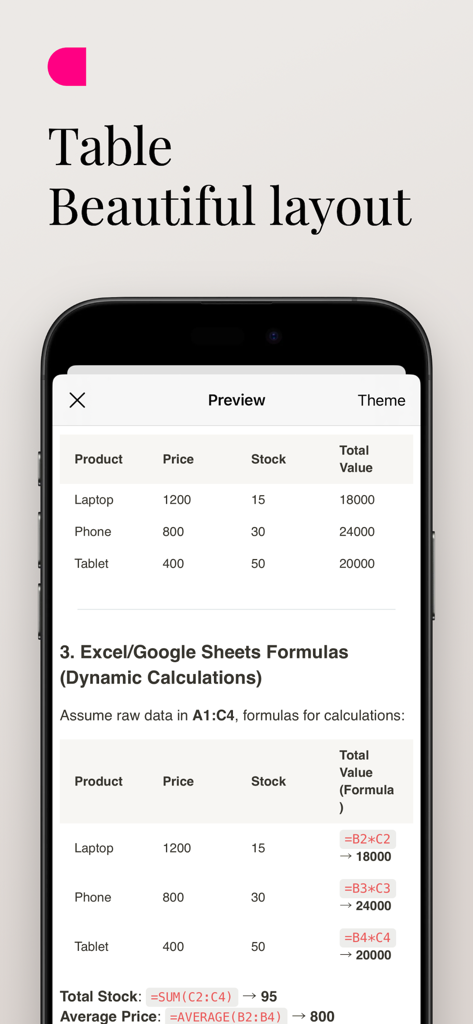
AI Markdown Formatter: OneText - OneTextアプリでの、動的な数式を含む美しくフォーマットされたMarkdownテーブルのプレビュー。

OneTextアプリでの、動的な数式を含む美しくフォーマットされたMarkdownテーブルのプレビュー。

説明

Introduction OneText is a powerful and easy-to-use content conversion tool designed for Markdown text users. It quickly converts text into beautiful long images, PDFs, or Word documents, making content sharing more convenient. Whether it’s the insightful answers generated by AI models, or your notes, blog posts, and tutorials, OneText presents them in the best format to help you efficiently share information on social platforms or professional settings. Main Functions Markdown to Long Images Convert Markdown text into high-definition long images with a single click, perfect for sharing on social platforms. Multiple theme styles are available to enhance the visual appeal of your content. Markdown to PDF Easily export your Markdown content to a standard PDF format, ideal for archiving, printing, or professional sharing, ensuring a clear and elegant layout. Markdown to Word Documents Need more flexible document editing? OneText can convert Markdown to Word format for subsequent modifications and layout adjustments. Scientific Formula Display OneText supports the display of scientific and mathematical formulas, enabling seamless rendering of LaTeX-style expressions. Markdown Table to Excel Extract tables from Markdown files and convert them to Excel format for easy data manipulation and further editing. Multiple Export Formats Supports exporting in three formats: PNG (image), PDF, and DOCX (Word). Convert and share your content effortlessly anytime, anywhere. Offline Functionality OneText works fully offline, ensuring that all conversions and edits happen locally to maintain your privacy and data security. Efficient and Fast, One-Click Sharing Quickly save your generated content or directly share it on social media platforms like WeChat Moments, Twitter, and Facebook, improving communication efficiency. Who Can Use OneText? Individuals who frequently use AI models to generate content and wish to convert it into a more visually appealing format. We-media authors, knowledge bloggers, and social media experts looking to improve content dissemination through a combination of text and images. Users who need to organize notes, write tutorials, and create documents. Workplace professionals or students who require conversion of Markdown content into PDF or Word formats. Why Choose OneText? Optimized for Markdown: Supports all key Markdown syntax, such as titles, code blocks, and lists, ensuring that the converted content is neat and beautiful. Simple and Efficient: With a user-friendly interface, you can convert and share content with just one click, eliminating unnecessary steps. Privacy and Security: All conversions happen locally on your device, meaning your data is never uploaded to the cloud, ensuring your privacy is protected. Personalized and Flexible: Tailored for those who need a fast and reliable tool for Markdown content conversion without compromising on privacy or functionality. Download OneText now and make your content more impactful!

Download

ダウンロード: App Store

このページはアプリまたはその開発者の公式ページではなく、情報提供および論評を目的として作成された独立した編集出版物です。明示的に別段の記載がない限り、アプリおよびその開発者は、MWM、Apple、Google Play、アプリのパブリッシャー、またはアプリの開発者と提携、承認、後援、認可、またはその他の公式的な関係はなく、このページのいかなる内容も、アプリがMWMのサービスを使用して開発されたことを意味するものではありません。すべての商標、ロゴ、スクリーンショット、その他のコンテンツはそれぞれの所有者の財産です。








