AI PDF Converter: Files to PDF
ダウンロード: App Store

このページはアプリまたはその開発者の公式ページではなく、情報提供および論評を目的として作成された独立した編集出版物です。明示的に別段の記載がない限り、アプリおよびその開発者は、MWM、Apple、Google Play、アプリのパブリッシャー、またはアプリの開発者と提携、承認、後援、認可、またはその他の公式的な関係はなく、このページのいかなる内容も、アプリがMWMのサービスを使用して開発されたことを意味するものではありません。すべての商標、ロゴ、スクリーンショット、その他のコンテンツはそれぞれの所有者の財産です。

ロゴ: AI PDF Converter: Files to PDF
ダウンロード: App Store

AI PDF Converter: Files to PDF

デスクトップを探すのはもうやめましょう。AI搭載の精度で、iPhone上のあらゆるファイルを簡単にスキャン、署名、変換できます。現代の外出先でのワークフローのために設計されたプロフェッショナルグレードのツールキットです。

主要数値

ダウンロード

7K+

ユーザー評価

1.0/5

評価数

0

開発元

AQUAWOOD PTE. LTD.

カテゴリ

Productivity

対応言語

15

最新バージョン

1.0.4

サイズ

31.1 MB

リリース日

2025年3月13日
機能

あなたのオールインワンモバイルオフィス

アプリ間を移動するのはやめましょう。書類を管理、変換、保護するために必要なすべてがここにあります。

ユニバーサルファイル変換

Word、Excel、PowerPointファイルを、レイアウトの詳細をすべて保持したまま、プロフェッショナルなPDFに即座に変換します。

プログレードのモバイルスキャン

AI搭載のエッジ検出とスマートフィルターで、レシートや契約書をデジタル化し、鮮明な結果を得られます。

FAQ

よくある質問

について知っておくべきこと AI PDF Converter: Files to PDF

AI PDF Converterアプリとは何ですか?

AI PDF Converterは、PDFの変換、スキャン、結合、署名、作成ができるiOSアプリです。様々なドキュメント、スプレッドシート、プレゼンテーション、画像形式を高品質なPDFに変換します。

AI PDF ConverterアプリでPDFに変換できるファイルの種類は何ですか?

AI PDF Converterアプリは、DOC、DOCX、TXT、RTF、ODT、WPS、XLS、XLSX、CSV、ODS、PPT、PPTX、PPS、PPSX、ODP、JPG、PNG、SVG、BMP、GIF、TIFF、HEIC、WEBPファイルをPDFに変換します。

AI PDF Converterは紙の書類をスキャンできますか?

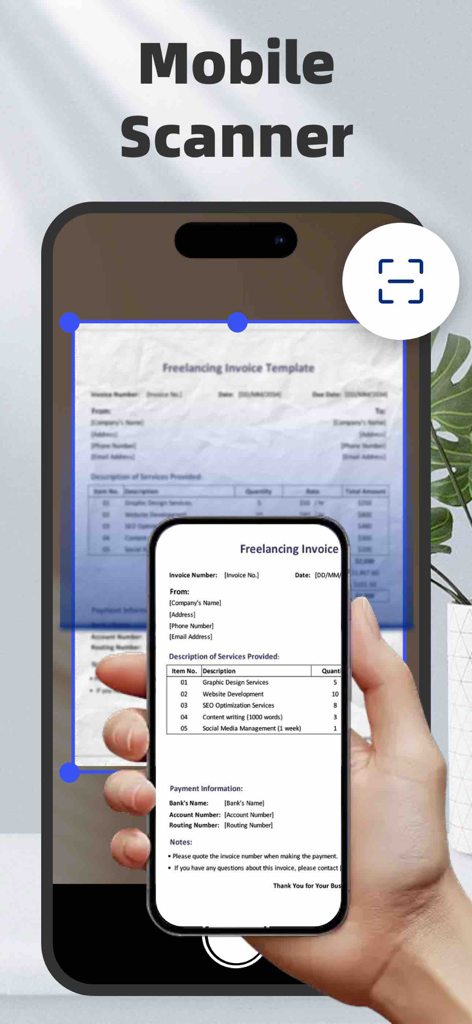
はい、AI PDF Converterアプリにはスキャナーが内蔵されています。レシートや請求書などの紙の書類を、自動エッジ検出とスマートエンハンスメント機能により、プロフェッショナルな結果のクリアなPDFファイルにデジタル化します。

以下のスクリーンショットと説明は、アプリの公式ストアリスティングから直接取得されたものであり、アプリ開発者の所有物です。

アプリストア

スクリーンショット
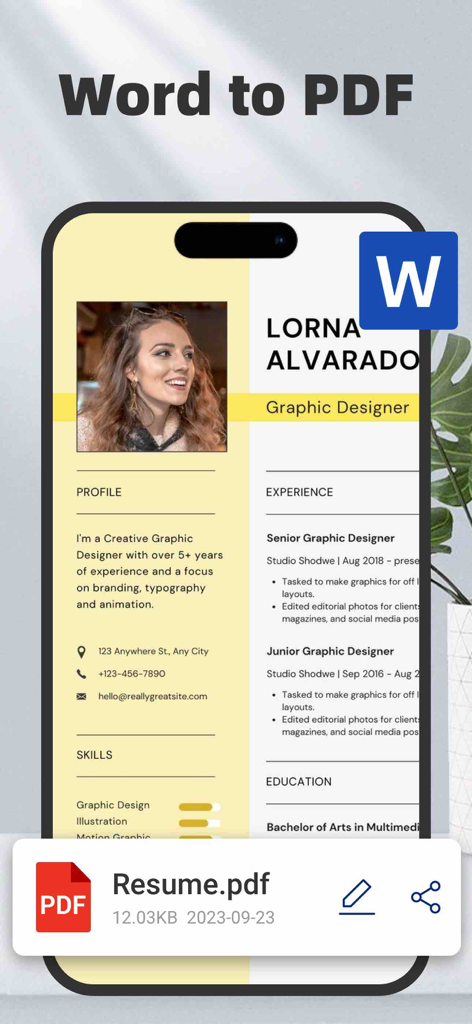
AI PDF Converter: Files to PDF - プロフェッショナルなWord文書の履歴書をPDFファイルに変換する様子を示すスマートフォンのインターフェース
プロフェッショナルなWord文書の履歴書をPDFファイルに変換する様子を示すスマートフォンのインターフェース

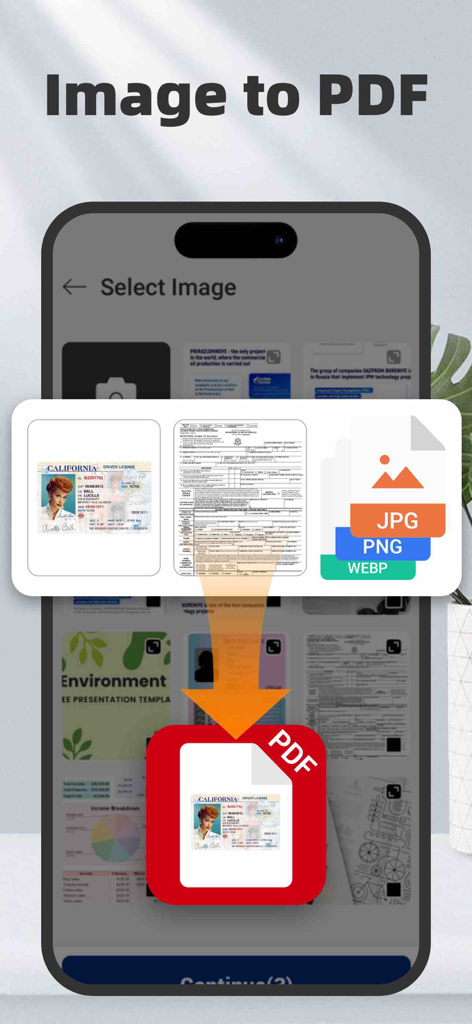
AI PDF Converter: Files to PDF - 画像やID写真をPDFドキュメントに変換する様子を示すモバイルアプリ画面

画像やID写真をPDFドキュメントに変換する様子を示すモバイルアプリ画面

AI PDF Converter: Files to PDF - iPhoneでAI PDFコンバーターアプリが請求書を自動エッジ検出でスキャンしている様子
iPhoneでAI PDFコンバーターアプリが請求書を自動エッジ検出でスキャンしている様子

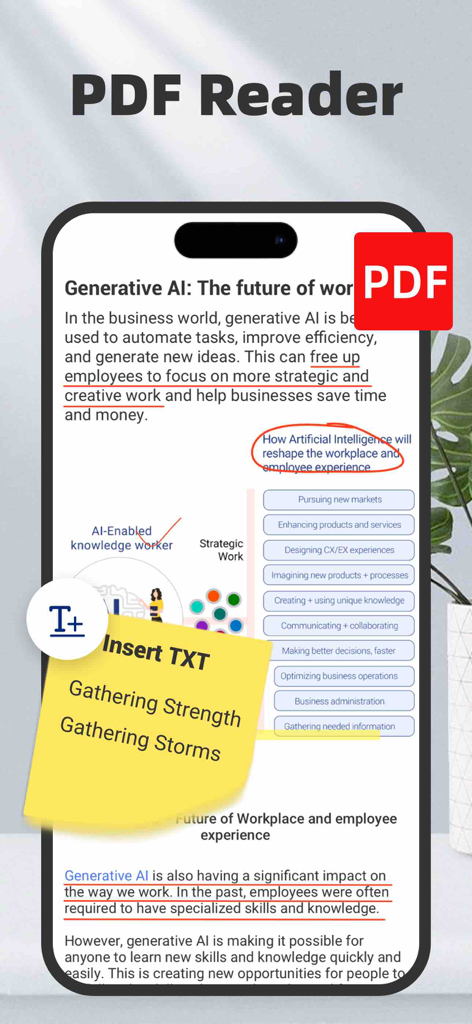
AI PDF Converter: Files to PDF - テキスト注釈と黄色のデジタル付箋が表示されたPDFリーダーインターフェースを示すiPhone画面
テキスト注釈と黄色のデジタル付箋が表示されたPDFリーダーインターフェースを示すiPhone画面

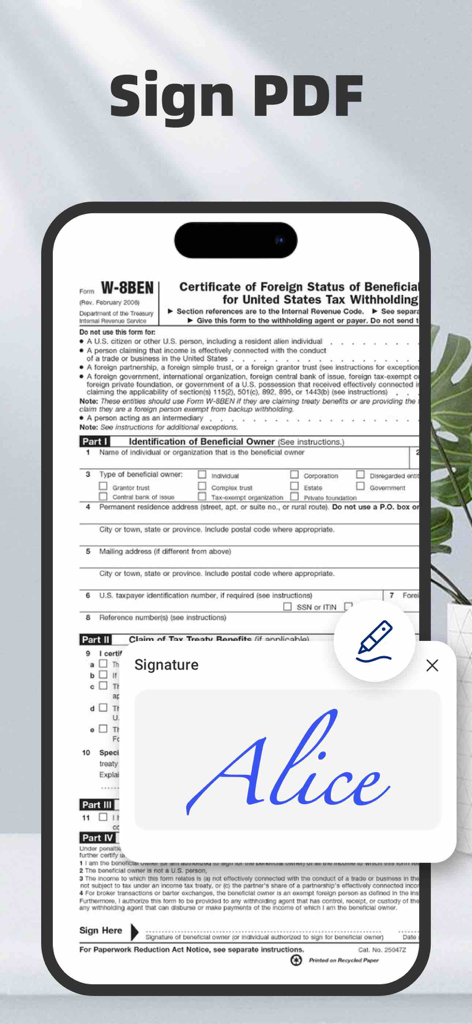
AI PDF Converter: Files to PDF - PDFドキュメントのデジタル署名機能を示すモバイルアプリ画面

PDFドキュメントのデジタル署名機能を示すモバイルアプリ画面

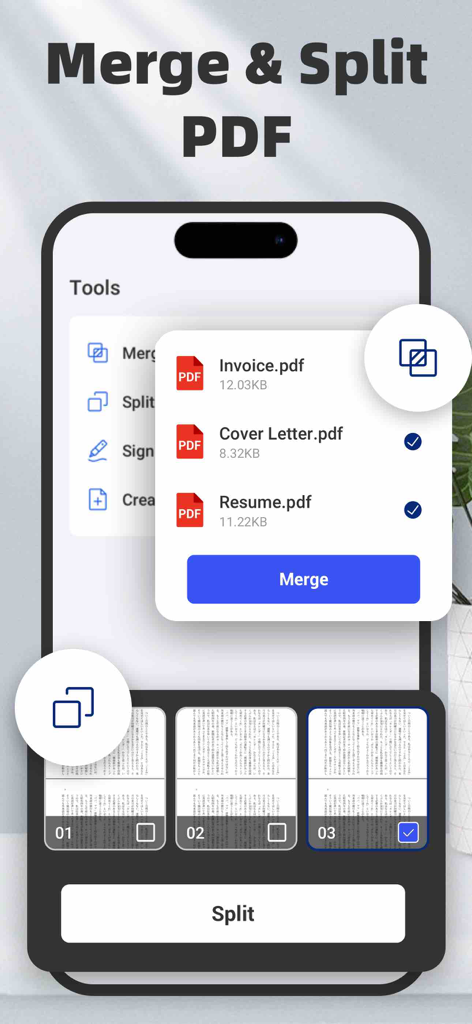
AI PDF Converter: Files to PDF - iPhoneで複数のPDFファイルを結合したり、ドキュメントページを分割したりする方法を示すモバイルアプリインターフェース
iPhoneで複数のPDFファイルを結合したり、ドキュメントページを分割したりする方法を示すモバイルアプリインターフェース

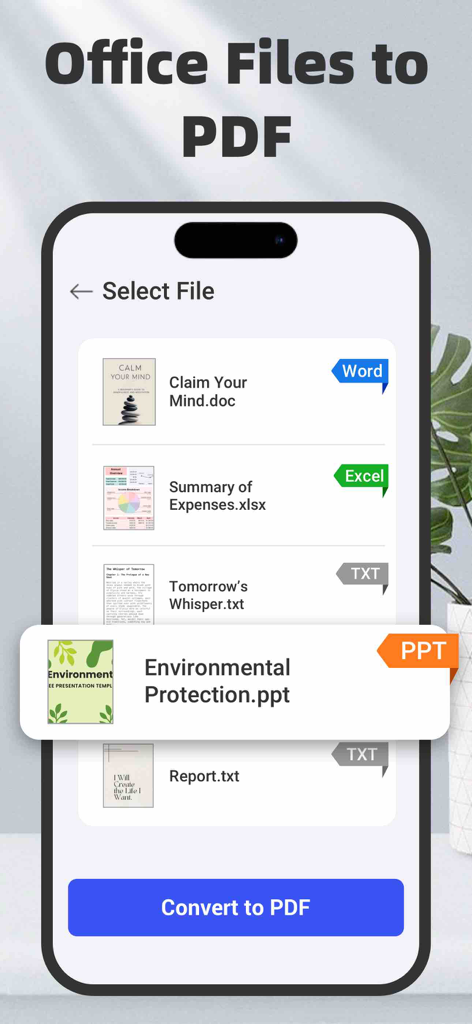
AI PDF Converter: Files to PDF - AI PDFコンバーターアプリのインターフェースで、Word、Excel、PowerPointファイルを選択してPDFに変換する様子を表示

AI PDFコンバーターアプリのインターフェースで、Word、Excel、PowerPointファイルを選択してPDFに変換する様子を表示

説明

PDF Converter – Convert, Scan, Merge, Sign & Create PDFs Easily! Turn any document into a high-quality PDF in seconds with the most powerful PDF converter for iOS! Whether you need to convert files, scan to PDF, merge or split PDFs, or add e-signatures, this all-in-one tool simplifies document management on your iPhone. Convert Files to PDFs – The Ultimate PDF Toolkit Effortlessly convert Word, Excel, PowerPoint, and text documents into professional-grade PDFs in just a few taps. PDF Converter supports a wide range of formats, including: - Documents: DOC, DOCX, TXT, RTF, ODT, WPS - Spreadsheets: XLS, XLSX, CSV, ODS - Presentations: PPT, PPTX, PPS, PPSX, ODP - Images: JPG, PNG, SVG, BMP, GIF, TIFF, HEIC, WEBP Seamlessly import files from iCloud, your device gallery, then share, save, or print instantly! Scan to PDF – Digitize Documents with Ease Easily scan paper documents and turn them into crisp, clear PDF files. Whether it’s receipts, contracts, invoices, or handwritten notes, the built-in scanner uses auto edge detection and smart enhancement for professional results. - Auto-crop & enhance scans for the best quality - Batch scanning to convert multiple pages at once - Apply professional filters to improve visibility & readability Image to PDF – Convert & Enhance Photos Before Saving Need to save images as PDFs? Convert JPG, PNG, HEIC, WEBP, and more into high-quality PDF files in a flash. Perfect for organizing photos, screenshots, and scanned images in a document format. Enhance your images before conversion! - Crop & rotate images for perfect alignment - Apply professional filters to improve visibility & readability - Optimize image quality for sharper PDF output Add E-Signatures – Sign Documents Digitally Sign contracts, invoices, and agreements directly on your iPhone! - Draw or import electronic signatures - Save multiple signatures for future use - Quickly sign and share legally binding documents Merge, Split & Create PDFs – Full PDF Editing Suite - Merge PDFs: Combine multiple PDFs into one file effortlessly - Split PDFs: Extract pages from PDFs and save them as separate files - Create PDFs: Generate new PDFs from documents, images, and scanned files Security and Privacy: Certain conversions are processed on a secure cloud server and require an internet connection. By using this app, you consent to the transmission of your files to our cloud server for conversion. We prioritize your privacy and ensure that all files are handled securely. Both the original and converted files are automatically deleted from the cloud immediately upon conversion task completion. Furthermore, this app offers auto-renewing subscription, granting you unlimited access to all premium features throughout the subscription period. About subscription: payment will be charged to iTunes Account at confirmation of purchase. Subscriptions automatically renew unless auto-renew is turned off at least 24 hours before the end of the current period. Your account will be charged for renewal within 24 hours prior to the end of the current period. You can manage your subscriptions and turn off auto-renewal by going to your Account Settings after purchase. Any unused portion of a free trial period (if provided) will be forfeited upon purchasing a subscription (if applicable). For more information, please see our Privacy Policy and Terms of Service. Terms of Service: https://xtrustai.github.io/tos Privacy Policy: https://xtrustai.github.io/privacy.html

Download

ダウンロード: App Store

このページはアプリまたはその開発者の公式ページではなく、情報提供および論評を目的として作成された独立した編集出版物です。明示的に別段の記載がない限り、アプリおよびその開発者は、MWM、Apple、Google Play、アプリのパブリッシャー、またはアプリの開発者と提携、承認、後援、認可、またはその他の公式的な関係はなく、このページのいかなる内容も、アプリがMWMのサービスを使用して開発されたことを意味するものではありません。すべての商標、ロゴ、スクリーンショット、その他のコンテンツはそれぞれの所有者の財産です。