AI Video Enhancer & Upscaler
ダウンロード: App Store

このページはアプリまたはその開発者の公式ページではなく、情報提供および論評を目的として作成された独立した編集出版物です。明示的に別段の記載がない限り、アプリおよびその開発者は、MWM、Apple、Google Play、アプリのパブリッシャー、またはアプリの開発者と提携、承認、後援、認可、またはその他の公式的な関係はなく、このページのいかなる内容も、アプリがMWMのサービスを使用して開発されたことを意味するものではありません。すべての商標、ロゴ、スクリーンショット、その他のコンテンツはそれぞれの所有者の財産です。

ロゴ: AI Video Enhancer & Upscaler
ダウンロード: App Store

AI Video Enhancer & Upscaler

ザラザラした、手ブレのある、または低解像度の動画を、ワンタップで見事な4Kの傑作に変えましょう。ソーシャルメディアクリエイターや、クリアなディテールで思い出を保存するのに最適です。

主要数値

ダウンロード

0

ユーザー評価

1.0/5

評価数

0

開発元

out thinking private limited

カテゴリ

Photo & Video

対応言語

1

最新バージョン

1.0

サイズ

73.9 MB

リリース日

2026年1月13日
機能

すべてのクリップを傑作に変える

ボヤけた、手ブレのある映像に甘んじるのはやめましょう。AI搭載ツールを使えば、思い出やソーシャル投稿が、ワンタップで見事なシネマティックなルックになります。

瞬時の4Kシネマティックアップスケーリング

ザラザラしたクリップを、最新のプログレードハードウェアで撮影したかのような、見事な4Kビジュアルに変換します。

プロレベルの動画安定化

コンサートや旅行中の手持ち撮影による手ブレを滑らかにし、プロフェッショナルでスクロールを止めるようなリールを作成します。

以下のスクリーンショットと説明は、アプリの公式ストアリスティングから直接取得されたものであり、アプリ開発者の所有物です。

アプリストア

スクリーンショット
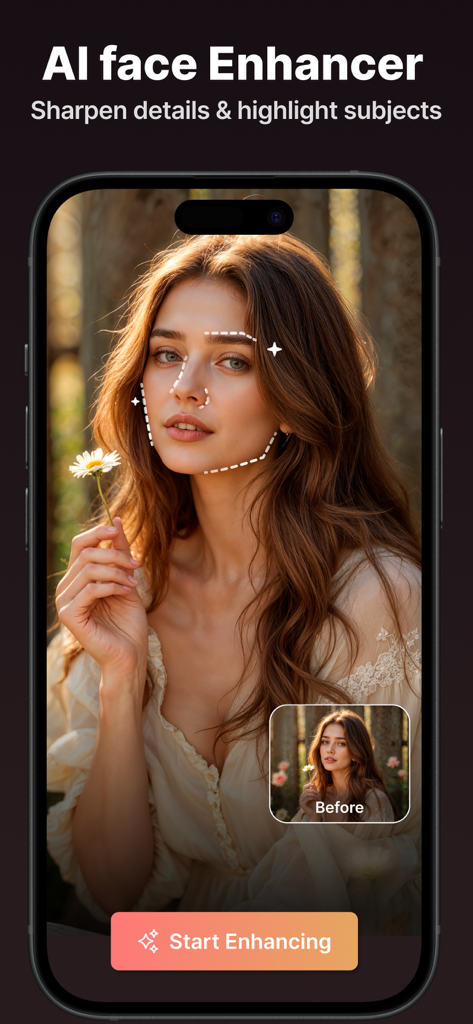
AI Video Enhancer & Upscaler - AI顔エンハンサー機能。女性のポートレートのビフォーアフター比較で、ディテールがシャープになっている様子を示しています。
AI顔エンハンサー機能。女性のポートレートのビフォーアフター比較で、ディテールがシャープになっている様子を示しています。

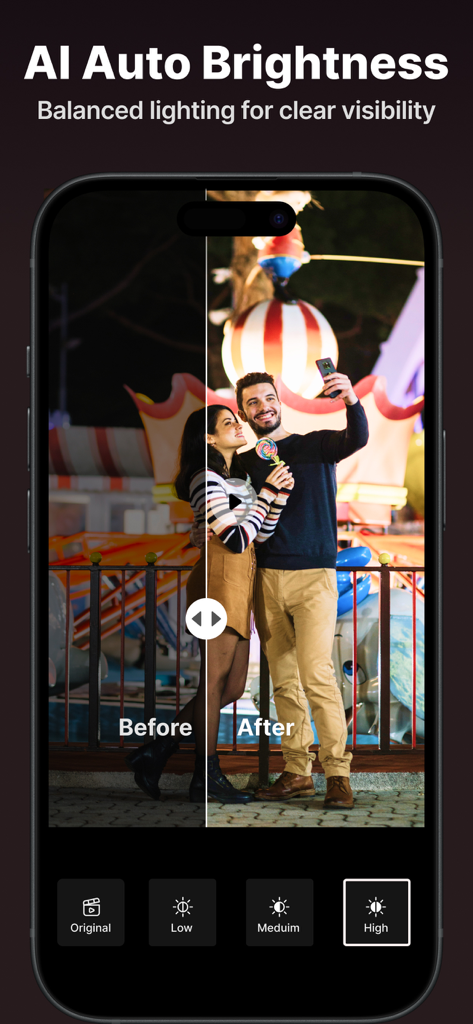
AI Video Enhancer & Upscaler - AI自動明るさ補正機能が、夜間のカップルの暗い動画を強化している様子を示す、サイドバイサイドのビフォーアフター比較。
AI自動明るさ補正機能が、夜間のカップルの暗い動画を強化している様子を示す、サイドバイサイドのビフォーアフター比較。

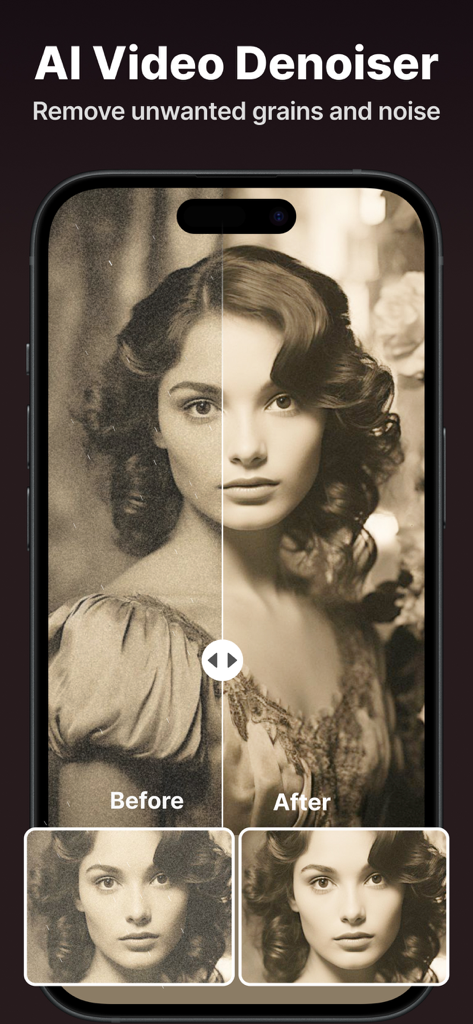
AI Video Enhancer & Upscaler - AI動画ノイズリダクション機能が、ポートレート動画からグレインとノイズを除去している様子を示す、分割画面比較。
AI動画ノイズリダクション機能が、ポートレート動画からグレインとノイズを除去している様子を示す、分割画面比較。

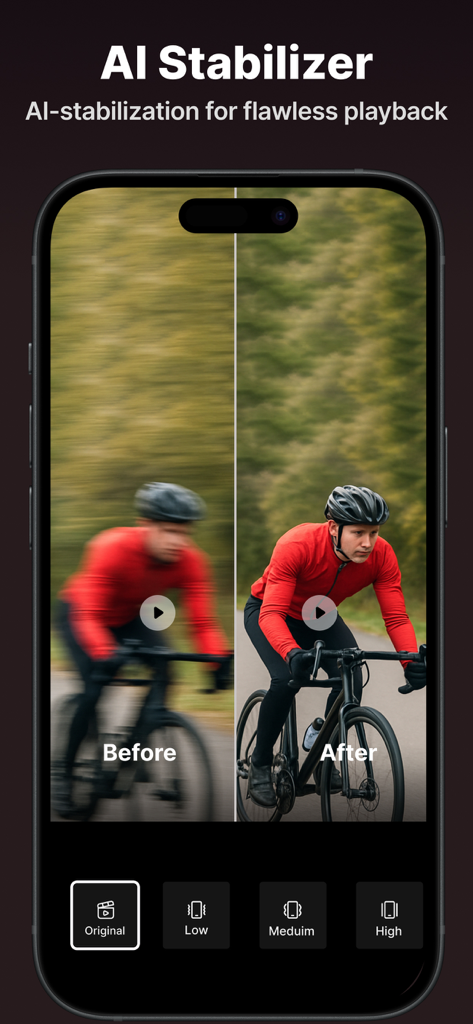
AI Video Enhancer & Upscaler - AI動画安定化機能の分割画面比較。ボヤけたサイクリストと、クリアで安定したショットを示しています。
AI動画安定化機能の分割画面比較。ボヤけたサイクリストと、クリアで安定したショットを示しています。

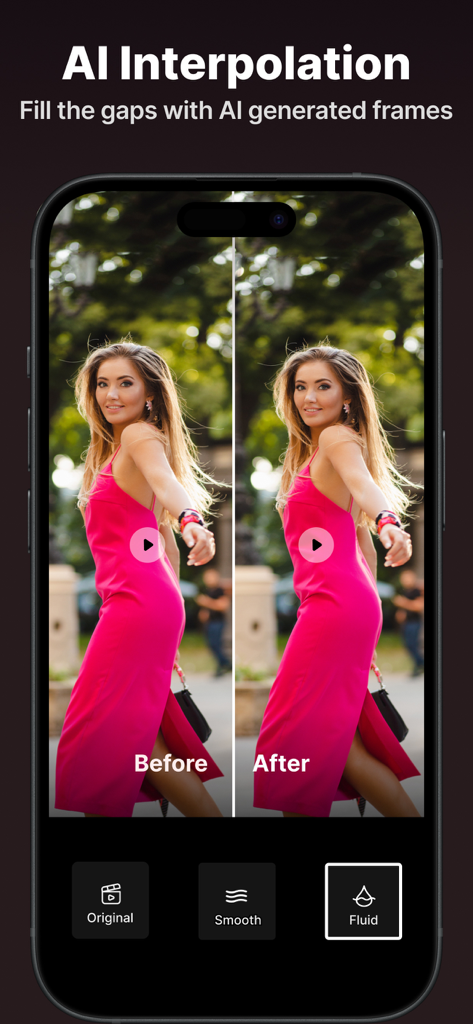
AI Video Enhancer & Upscaler - AI動画補間機能。ピンクのドレスを着た女性の、より滑らかな動きのビフォーアフター比較。
AI動画補間機能。ピンクのドレスを着た女性の、より滑らかな動きのビフォーアフター比較。

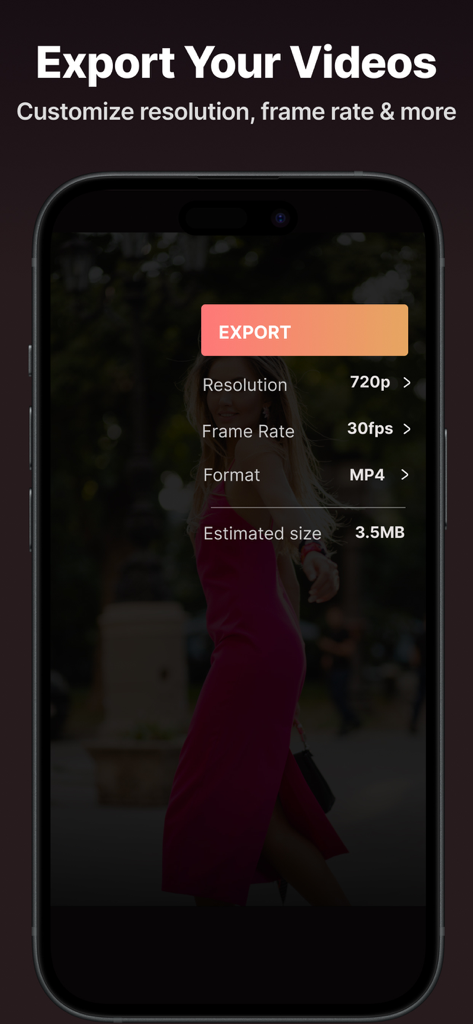
AI Video Enhancer & Upscaler - 動画解像度とフレームレートのエクスポート設定を示すモバイルアプリのインターフェース。
動画解像度とフレームレートのエクスポート設定を示すモバイルアプリのインターフェース。

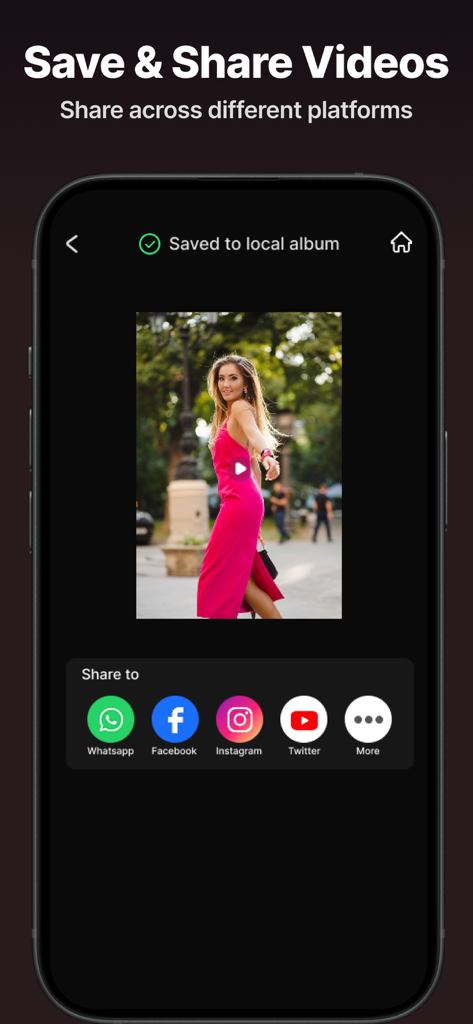
AI Video Enhancer & Upscaler - AI動画エンハンサーアプリのインターフェース。InstagramやFacebookなどのソーシャルプラットフォームで共有するオプションが表示された保存済み動画を示しています。

AI動画エンハンサーアプリのインターフェース。InstagramやFacebookなどのソーシャルプラットフォームで共有するオプションが表示された保存済み動画を示しています。

説明

Bring your old clips back to life and make every moment look like it was shot on a flagship phone. This app is built for anyone who’s tired of blurry memories, shaky recordings, or social posts that don’t look as good as they felt in real life. With an ai video enhancer that works in a few taps, you can finally stop settling for “good enough” and start sharing videos you’re proud of.. Whether you’re polishing travel footage, family videos, or content for Instagram and YouTube, this ai video editor helps you upgrade fast without the learning curve. From cleaning noise to improving clarity, the goal is simple: help you video enhance your stories so they feel as vivid on screen as they are in your mind. Key Features One-Tap Video Quality Enhancer Use the video quality enhancer and video resolution enhancer to sharpen details and improve overall clarity without complicated settings. From HD to Stunning 4K Turn older recordings into crisp visuals with hd to 4k video and easily upscale video to 4k for a modern, premium look. Stabilize Shaky Footage The video stabilizer smooths handheld clips so your action shots and walking videos look steady and professional. Face Detail Recovery Restore portraits and close-ups with the ai face enhancer, ideal for vlogs, interviews, and family moments. Quick Cut Tools for Creators Trim fast with the video trimmer and make precise edits using the video cutter when you’re building short-form content. Optimized for Short Content Create platform-ready edits with a reels video editor and a shorts video editor tailored for punchy, scroll-stopping storytelling. All-in-One Editing Workflow This ai video editing app combines essential enhancements with an ai video editing tool so you can go from rough clip to ready-to-post in minutes, backed by a reliable video enhancer. If you want cleaner, sharper, more share-worthy videos without wasting hours, this is the simple upgrade your camera roll has been waiting for. It’s built for real life—low light birthday clips, quick travel reels, old family recordings, and last-minute content that still deserves to look amazing. Open the app, enhance your video, and share with confidence. Subscription Terms - Subscribe to get unlimited video enhancer app access to all features. - Upon confirmation of purchase, the payment will be charged to the iTunes account. - Until you turn off the auto-renew at least 24 hours before the end of the current. period it will be automatically renewed. - If you decide to turn off auto-renewal, you can turn it off maybe by going to account settings after purchase. -The renewal amount will be charged from the account within 24 hours before the end of the current period. -As per the policy, cancellation of the current subscription is not allowed during the active subscription period. Once purchased, refunds will not be returned for any unused portion of the subscription period. Terms of use - https://www.outthinkingindia.com/terms-of-use/ Privacy policy - https://www.outthinkingindia.com/privacy-policy/

Download

ダウンロード: App Store

このページはアプリまたはその開発者の公式ページではなく、情報提供および論評を目的として作成された独立した編集出版物です。明示的に別段の記載がない限り、アプリおよびその開発者は、MWM、Apple、Google Play、アプリのパブリッシャー、またはアプリの開発者と提携、承認、後援、認可、またはその他の公式的な関係はなく、このページのいかなる内容も、アプリがMWMのサービスを使用して開発されたことを意味するものではありません。すべての商標、ロゴ、スクリーンショット、その他のコンテンツはそれぞれの所有者の財産です。








