
このページはアプリまたはその開発者の公式ページではなく、情報提供および論評を目的として作成された独立した編集出版物です。明示的に別段の記載がない限り、アプリおよびその開発者は、MWM、Apple、Google Play、アプリのパブリッシャー、またはアプリの開発者と提携、承認、後援、認可、またはその他の公式的な関係はなく、このページのいかなる内容も、アプリがMWMのサービスを使用して開発されたことを意味するものではありません。すべての商標、ロゴ、スクリーンショット、その他のコンテンツはそれぞれの所有者の財産です。


Air Share Wifi File Transfer
ケーブルやクラウドはもう不要。ソフトウェアのインストールやサブスクリプション料金なしで、WiFi経由でコンピューターとiOSデバイス間で映画、音楽、ドキュメントを即座に移動できます。
ダウンロード
46K+ユーザー評価
評価数
500開発元
カテゴリ
Business対応言語
12最新バージョン
2.1.7サイズ
41.1 MBリリース日
2017年2月1日高速転送、ケーブル不要
デジタルライフのための究極のクロスプラットフォームブリッジ。クラウド、ケーブル、サブスクリプションなしで、WiFi経由でコンピューターとiPhone間でファイルを即座に移動できます。
インスタントドラッグ&ドロップ
iTunesやUSBケーブルは忘れてください。PC、Mac、LinuxのWebブラウザを開いて、数秒で写真やドキュメントをiPhoneに直接移動できます。
無制限のメディア
AppleがネイティブでサポートしていないMKVやFLACのような高品質フォーマットを転送して再生します。デバイスをワイヤレスメディア powerhouse またはポータブルドライブとして使用します。
よくある質問
について知っておくべきこと Air Share Wifi File Transfer
Air Share Wifi File Transfer はどのように機能しますか?
Air Share Wifi File Transfer は、Wifi を介して PC/Mac と iOS デバイス間でファイル共有を容易にします。ユーザーは Web ブラウザで生成された URL にアクセスし、ファイルをブラウザ ウィンドウに直接ドラッグ アンド ドロップして転送します。
Air Share はファイル転送にインターネット接続が必要ですか?
いいえ、Air Share Wifi File Transfer はファイル転送にインターネット接続を必要としません。コンピューターと iOS デバイス間の接続を確立するには、ローカルで動作する Wifi ネットワークのみが必要です。
Air Share Wifi File Transfer はどのような種類のファイルを処理できますか?
Air Share Wifi File Transfer は、音楽、ビデオ、ドキュメント、写真、その他のあらゆるファイルタイプの転送をサポートしています。また、ドキュメント、オーディオ、ビデオ、画像、字幕などの主要なファイルタイプの直接プレビューまたは再生も可能です。
Air Share を使用して、iPhone の写真をコンピューターにバックアップできますか?
はい、Air Share Wifi File Transfer を使用すると、ユーザーは iPhone または iPad から PC または Mac に直接写真をバックアップできます。このバックアップ プロセスは、Wifi 経由でワイヤレスで行われます。
Air Share の転送には USB ケーブルや追加のソフトウェアが必要ですか?
いいえ、Air Share Wifi File Transfer は、ファイル転送に追加のソフトウェアのインストールや USB ケーブルを必要としません。既存の Wifi ネットワークと標準の Web ブラウザを通じてのみ機能します。
Air Share で異なるオペレーティング システム間でファイルを転送できますか?
はい、Air Share Wifi File Transfer は、macOS、Windows、Linux を含む複数のオペレーティング システムと互換性があります。一般的な Web ブラウザを実行するあらゆる OS で機能します。
Air Share Wifi File Transfer のサポートに連絡するにはどうすればよいですか?
Air Share Wifi File Transfer のサポートには、support@dropouts.in までメールでお問い合わせください。チームは 24 時間以内に問い合わせに対応することをお約束します。
Air Share は iOS の他のアプリにファイルをエクスポートできますか?
はい、Air Share Wifi File Transfer を使用すると、ユーザーは保存されているすべてのファイルを iOS デバイス上の他のアプリケーションにエクスポートできます。好みのアプリとファイルを共有することに制限はありません。
Air Share はワイヤレス USB ドライブとして機能しますか?
はい、Air Share Wifi File Transfer はワイヤレス USB ドライブとして機能します。iOS デバイスを使用してあらゆる種類のファイルを転送し、物理ドライブなしで異なるコンピューター間でファイルを転送できます。
Air Share アプリにテキストメモやブックマークを追加できますか?
はい、Air Share を使用すると、ユーザーはコンピューターからブックマークを追加して外出先で表示できます。また、アプリ内に付箋テキストメモを追加および管理して、iOS デバイスで簡単に参照できます。
以下のスクリーンショットと説明は、アプリの公式ストアリスティングから直接取得されたものであり、アプリ開発者の所有物です。
アプリストア
スクリーンショット
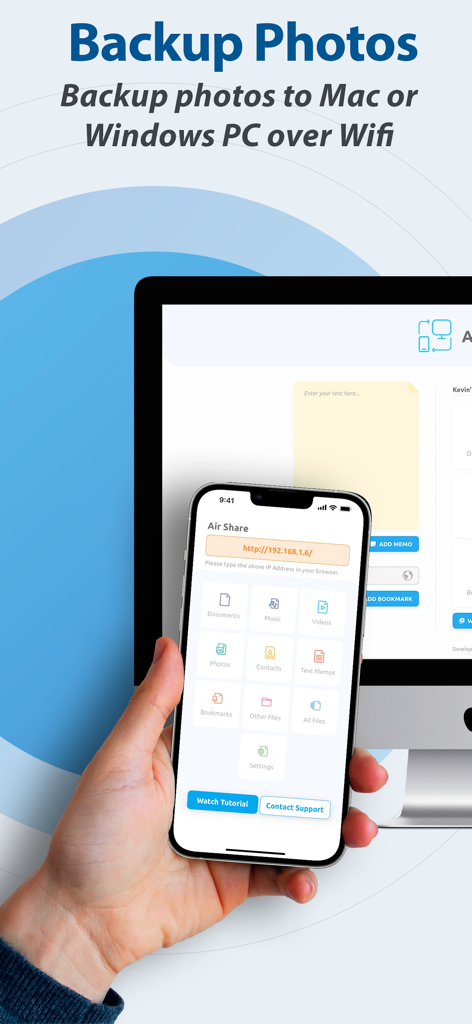
Air Shareアプリのインターフェースを使用して、WiFi経由でiPhoneからコンピューターへのワイヤレス写真バックアップ
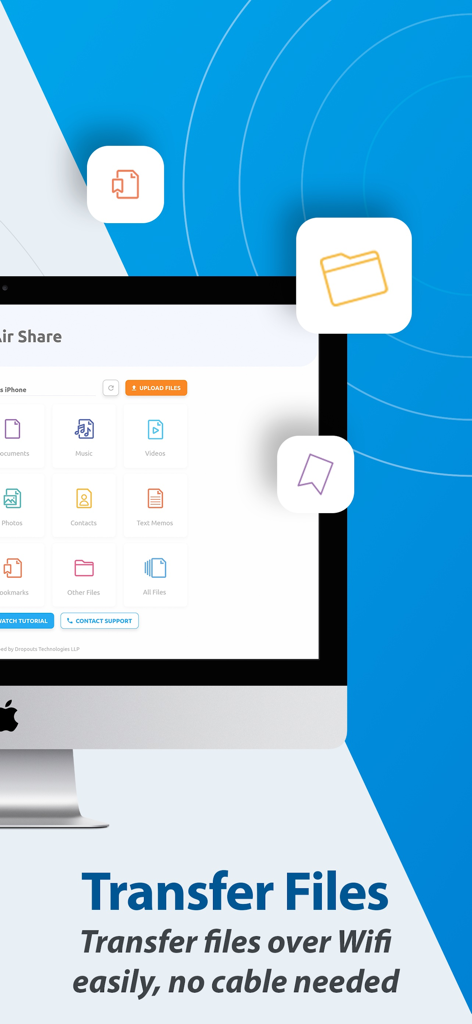
ケーブルなしのWiFi経由でのワイヤレスファイル転送のためのAir Shareアプリのデスクトップインターフェース
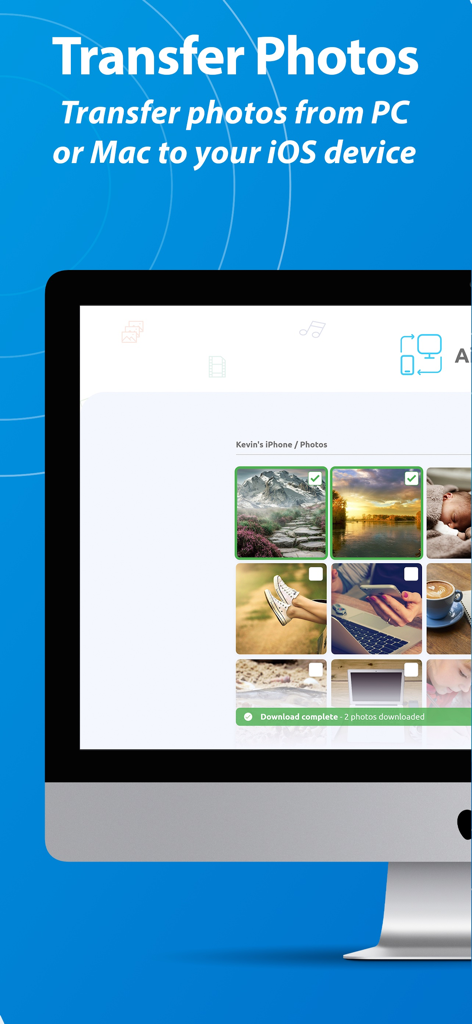
Webブラウザ経由でiOSデバイスにコンピューターから写真を転送しているAir Shareのデスクトップインターフェース
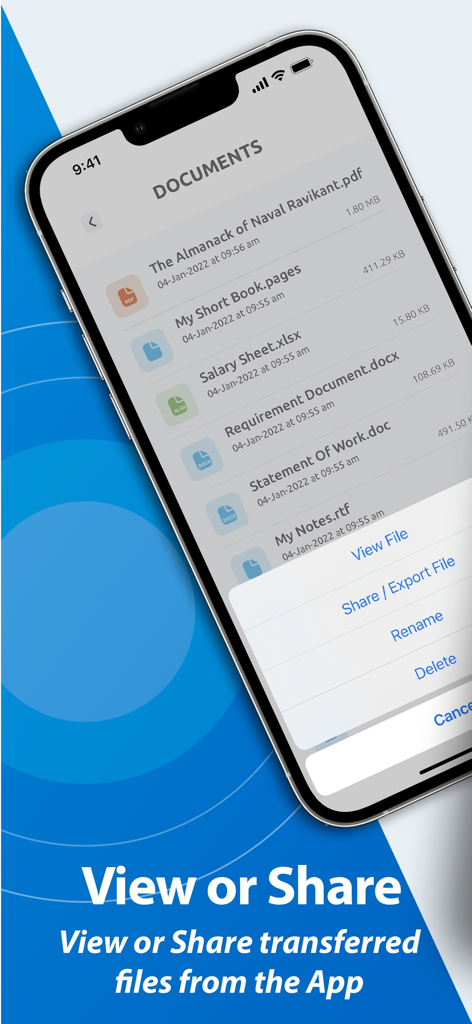
Air ShareアプリのiPhone画面。ドキュメントのリストと、ファイルを表示または共有するためのメニューが表示されます。
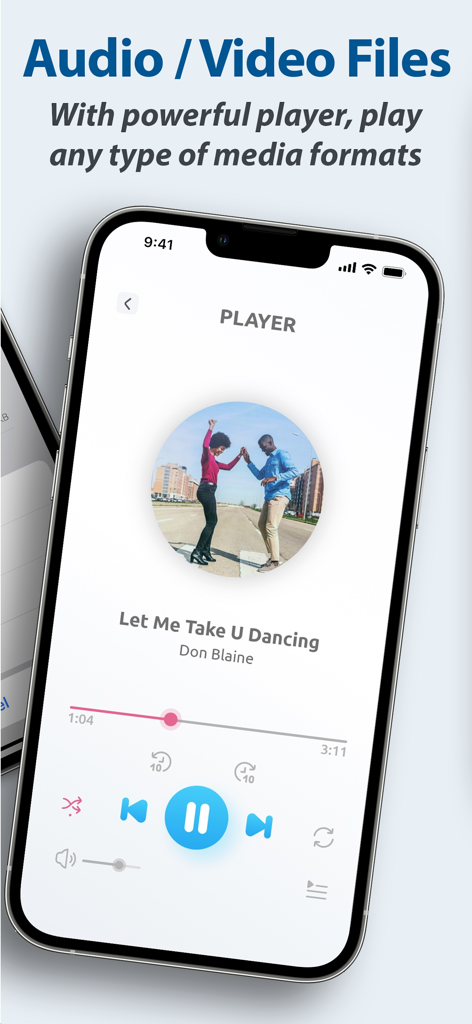
Air Shareアプリの統合メディアプレーヤーで曲を再生しているスマートフォンの画面
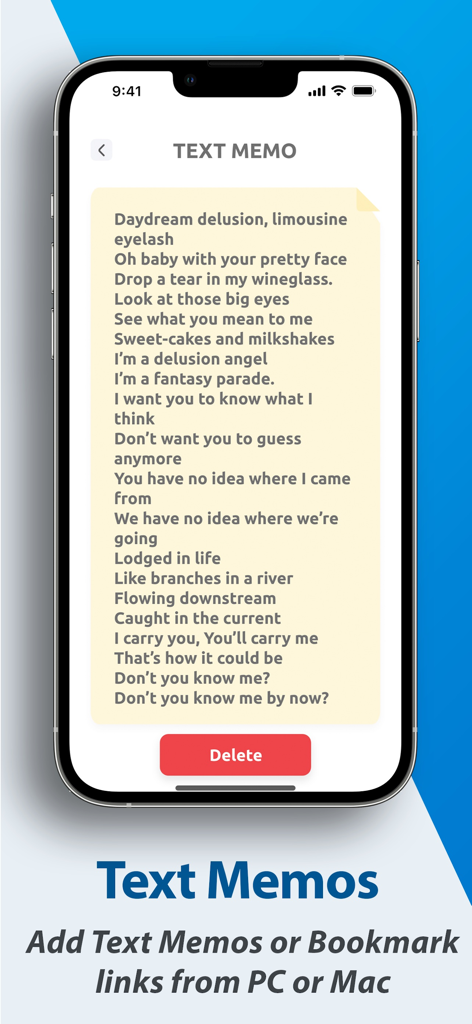
Air Shareアプリ内でテキストメモを表示しているiPhone画面
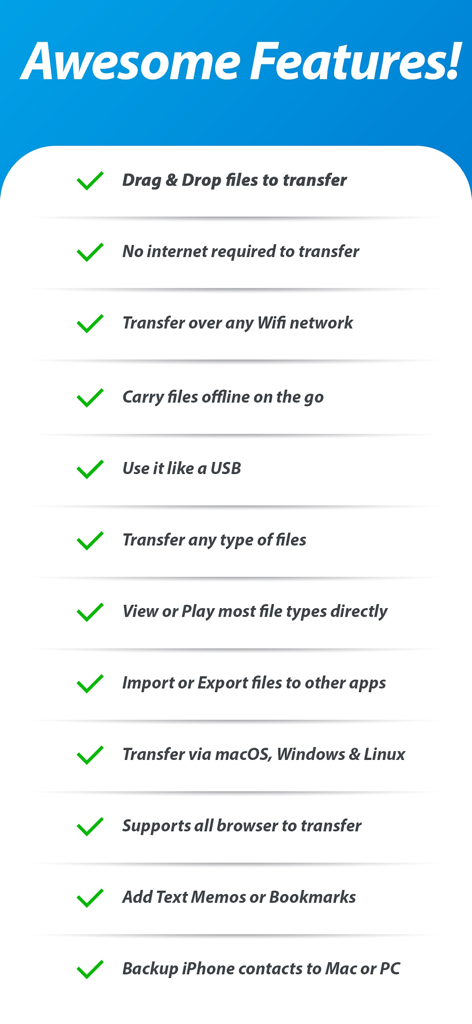
ドラッグ&ドロップやオフラインファイルアクセスなどのAir Share Wifi File Transferアプリの主要機能リスト
説明
Download
類似アプリ
似た機能とユーザー体験を持つアプリ

WeTransfer: Transfer Files
Wetransfer B.V.

Send Anywhere - File Transfer
Rakuten Symphony Korea, Inc.

Blip: Send Files in a Click
Blip Studio Inc.

Zapya - File Sharing
Lindong Network Technology(Beijing) Co.,Ltd.

Files Transfer - Quick share
梦洋 崔

Air File Share & Drop
Best Free and Fun Games, LLC

手机克隆-极速换机助手免流量数据迁移
军甫 贺

Photo Transfer: Send via WiFi
Mobileware Studio SL

SHAREit: Transfer, Share Files
SHAREit Technologies Co. Ltd
このページはアプリまたはその開発者の公式ページではなく、情報提供および論評を目的として作成された独立した編集出版物です。明示的に別段の記載がない限り、アプリおよびその開発者は、MWM、Apple、Google Play、アプリのパブリッシャー、またはアプリの開発者と提携、承認、後援、認可、またはその他の公式的な関係はなく、このページのいかなる内容も、アプリがMWMのサービスを使用して開発されたことを意味するものではありません。すべての商標、ロゴ、スクリーンショット、その他のコンテンツはそれぞれの所有者の財産です。