
このページはアプリまたはその開発者の公式ページではなく、情報提供および論評を目的として作成された独立した編集出版物です。明示的に別段の記載がない限り、アプリおよびその開発者は、MWM、Apple、Google Play、アプリのパブリッシャー、またはアプリの開発者と提携、承認、後援、認可、またはその他の公式的な関係はなく、このページのいかなる内容も、アプリがMWMのサービスを使用して開発されたことを意味するものではありません。すべての商標、ロゴ、スクリーンショット、その他のコンテンツはそれぞれの所有者の財産です。


ダウンロード
500k+ユーザー評価
評価数
1.2K開発元
カテゴリ
Photo & Video対応言語
1最新バージョン
1.2.8サイズ
7.1 MBリリース日
2022年7月12日主要な機能とターゲットユーザーへのインパクト評価
AirScreen Cast: テックアナリストによる主要機能分析
多様なワイヤレスプロトコル対応
本アプリは、AirPlay、Cast、Miracast、DLNAといった主要なワイヤレスプロトコルとシームレスに統合され、ユーザーに幅広いデバイス互換性と柔軟な接続オプションを提供します。これにより、様々なスマートフォン、タブレット、PCからコンテンツをストリーミングできます。
リアルタイム画面ミラーリング
このアプリは、iPhoneの画面をリアルタイムでテレビに反映させることができ、遅延や途切れのない流動的で応答性の高い視聴体験を実現します。ゲームプレイ、ライブ配信、インタラクティブなアプリの使用に最適です。
高精度コンテンツキャスティング
ユーザーはiPhoneやiPadから写真、ビデオ、音楽、ウェブコンテンツをテレビにストリーミングできます。本機能は、非の打ちどころのない明瞭さと精度で、大規模なディスプレイでコンテンツを楽しむことを可能にします。
優れた視聴品質と安定性
本ツールは、比類のない画質、リアルタイムの応答、揺るぎない安定性を保証します。ユーザーは、あらゆるストリーミングやミラーリングにおいて、高品質で信頼性の高いパフォーマンスを体験できます。
簡単なセットアップ
ユーザーはテレビに追加のアプリをインストールする必要がなく、簡単に接続設定を完了できます。これにより、箱から出してすぐにシームレスなストリーミング体験を開始できます。
ケーブルフリーの利便性
本アプリは、追加のハードウェアや複雑なセットアップなしにワイヤレスストリーミングの自由を提供します。ユーザーはケーブルの制約から解放され、より整理されたエンターテイメント環境を実現できます。
プロフェッショナルなプレゼンテーション
このツールは、デバイスまたはiCloudからPDFおよびPPTファイルを大画面に表示する機能を提供します。これにより、テレビが強力なプレゼンテーションツールに変貌し、ビジネスや学習用途で活用できます。
クリエイティブコンテンツ共有
ユーザーは、作成した芸術作品やスライドショーをiPhoneから直接テレビに共有できます。これにより、コンテンツが鮮明なディテールで生き生きと表示され、家族や友人と創造性を共有する体験を向上させます。
よくある質問
について知っておくべきこと AirScreen Cast
What is AirScreen Cast?
AirScreen Cast is a wireless streaming receiver that integrates with AirPlay, Cast, Miracast, and DLNA. It transforms your mobile device or PC into a conduit for streaming visuals onto your large TV screen with high quality.
Which streaming protocols does AirScreen Cast support?
AirScreen Cast supports major wireless streaming protocols including AirPlay, Cast, Miracast, and DLNA. This ensures broad compatibility with various devices and smart TVs for seamless content sharing.
Can I mirror my iPhone screen to a TV with AirScreen Cast?
Yes, AirScreen Cast provides instant screen mirroring for your iPhone to a TV. It reflects your iPhone screen in real time without delay or lag, offering a fluid viewing experience.
What types of content can I cast using AirScreen Cast?
AirScreen Cast allows you to cast photos, videos, music, web content, PDF files, and PPT files from your iPhone or iPad to your TV. It also supports YouTube and iCloud media casting.
Is it necessary to install an app on my TV to use AirScreen Cast?
No, it is not necessary to install any app on your TV to use AirScreen Cast. The application connects effortlessly, providing a hassle-free and seamless streaming experience right out of the box.
What devices are compatible with AirScreen Cast?
AirScreen Cast is compatible with many smart TVs, including LG, Samsung, Sony, TCL, Xiaomi, and Hisense. It also supports Google Chromecast, various DLNA receivers, and Smart TVs with AirPlay & AirPlay 2.
How do I connect my device to a TV using AirScreen Cast?
To connect, ensure your phone and Smart TV are on the same Wi-Fi network. AirScreen Cast automatically detects compatible devices. If your TV is not listed, reboot it (power reset) and try again for connection.
Can AirScreen Cast stream content between iPhones?
Yes, AirScreen Cast includes a 'PHONE CAST' feature that allows you to stream content from one iPhone to another. This extends its utility beyond just TV casting.
Does AirScreen Cast support presenting documents like PDFs and PPTs?
Yes, AirScreen Cast supports document mirroring. You can display PDF and PPT files directly from your device or iCloud onto your TV screen, making it a powerful presentation tool.
Are there any games included with AirScreen Cast?
Yes, AirScreen Cast includes built-in games like Chess and Tic Tac Toe. It also offers a 'PAINT' feature for drawing simple sketches, providing additional entertainment functions.
以下のスクリーンショットと説明は、アプリの公式ストアリスティングから直接取得されたものであり、アプリ開発者の所有物です。
アプリストア
スクリーンショット
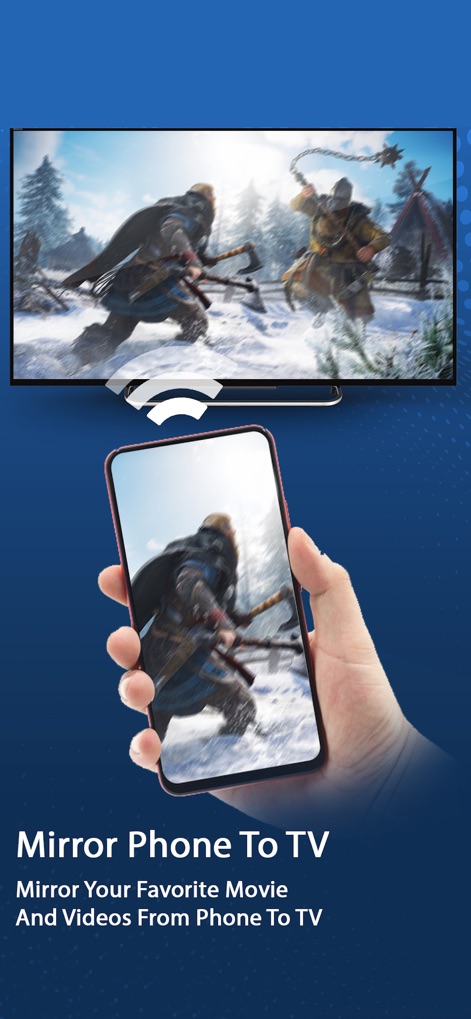
このアプリは、スマートフォンのゲーム画面をテレビにリアルタイムでミラーリングし、迫力あるアクションシーンとスマートフォンとテレビ間のシームレスな映像転送を実現します。
大画面で迫力のゲーム
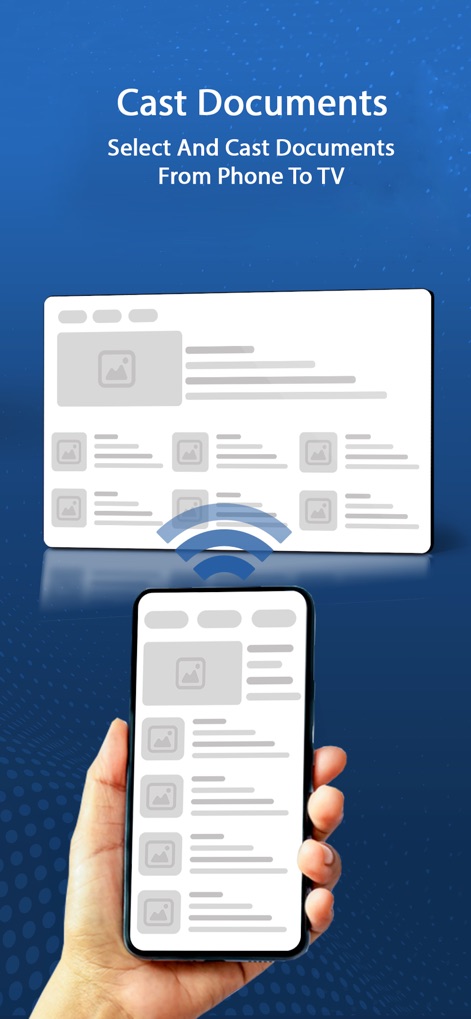
ドキュメントキャスティング機能は、資料アイコンとキャスティング中のワイヤレスアニメーションを通じて、スマートフォンからテレビへの簡単な資料共有プロセスを視覚的に示しています。
資料もスマートに共有
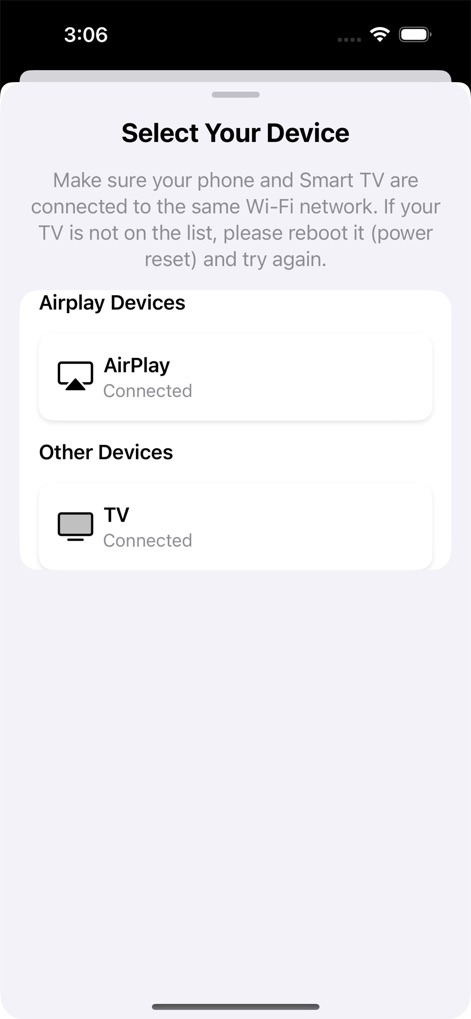
デバイス選択画面では、AirPlayデバイスとその他の検出されたデバイスが明確にリストされ、「Connected」と表示された接続状況でユーザーはキャスト先を容易に識別できます。
簡単デバイス接続
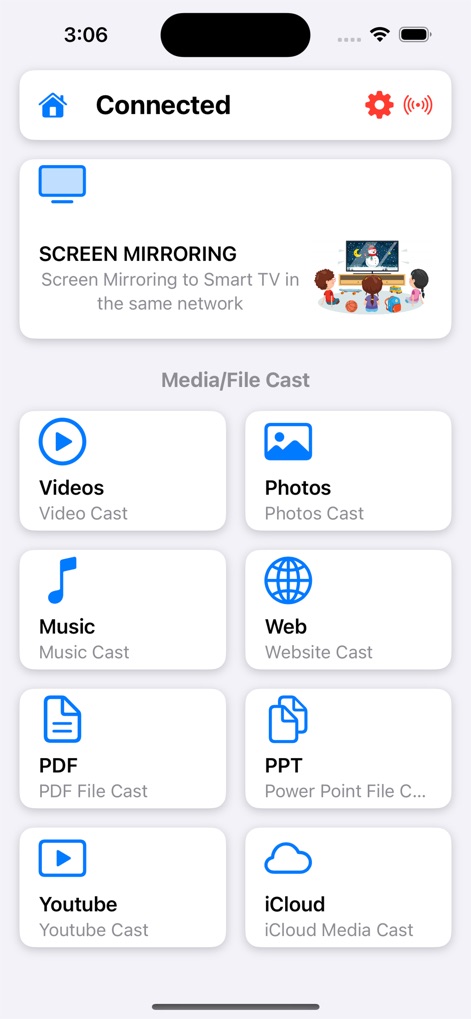
メイン画面には、スクリーンミラーリング機能とともに、動画、写真、音楽などの多様なメディアコンテンツをキャストするための整理されたアイコンオプションが表示されています。
豊富なキャストオプション
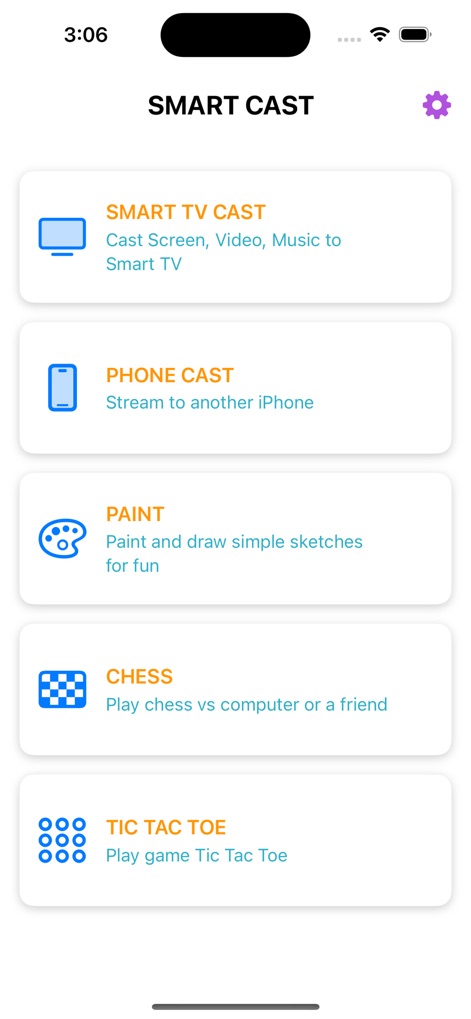
スマートキャストメニューは、スマートTVへの通常のキャスト機能に加え、ペイントやチェス、三目並べといったエンターテインメントアプリのアイコンを提供し、多機能性を示しています。
エンタメ機能も満載
説明
Download
類似アプリ
似た機能とユーザー体験を持つアプリ

Web Video Cast | Browser to TV
InstantBits Inc

PigeonCast:Send by Google Cast
Sichuan FalconAI Technology Co., Ltd.

Screen Mirroring • Smart TV
Mihkel Pikk

Screen Mirroring | Cast to TV
Ozuna Limited

Screen Mirroring・Smart View TV
TOGGLE APPS SP Z O O

UbeCast: Music Streamer & PiP
AER SOFTWARE COMPANY LIMITED

AirDroid Cast-screen mirroring
SAND STUDIO CORPORATION LIMITED

Miracast: Screen Mirroring TV
Hainan Delta Software Co., Ltd

Screen Mirroring・Air Cast TV
Dalma Innovation Solutions d.o.o.
このページはアプリまたはその開発者の公式ページではなく、情報提供および論評を目的として作成された独立した編集出版物です。明示的に別段の記載がない限り、アプリおよびその開発者は、MWM、Apple、Google Play、アプリのパブリッシャー、またはアプリの開発者と提携、承認、後援、認可、またはその他の公式的な関係はなく、このページのいかなる内容も、アプリがMWMのサービスを使用して開発されたことを意味するものではありません。すべての商標、ロゴ、スクリーンショット、その他のコンテンツはそれぞれの所有者の財産です。