All-in-One Year Calendar Pro
ダウンロード: App Store

このページはアプリまたはその開発者の公式ページではなく、情報提供および論評を目的として作成された独立した編集出版物です。明示的に別段の記載がない限り、アプリおよびその開発者は、MWM、Apple、Google Play、アプリのパブリッシャー、またはアプリの開発者と提携、承認、後援、認可、またはその他の公式的な関係はなく、このページのいかなる内容も、アプリがMWMのサービスを使用して開発されたことを意味するものではありません。すべての商標、ロゴ、スクリーンショット、その他のコンテンツはそれぞれの所有者の財産です。


ロゴ: All-in-One Year Calendar Pro
ダウンロード: App Store

All-in-One Year Calendar Pro

忙しいプロフェッショナルや家族向けの究極のiPadコマンドセンター。あらゆるスケジュールを同期し、シフトを追跡し、強力なカラーコーディングされたマークアップと人生のマクロビューで長期目標をマスターしましょう。

主要数値

ダウンロード

38K+

ユーザー評価

4.3/5

評価数

700

開発元

VoidTech Inc.

カテゴリ

Productivity

対応言語

1

最新バージョン

7.3

サイズ

49.7 MB

リリース日

2010年8月3日
機能

年間計画を一目で可視化

ビジュアルプランナー向けに設計された強力なハイレベルな概要で、長期スケジュールをマスターしましょう。学校の休暇から会計上の締め切りまで、すべてを1か所で見ることができます。

ビジュアルハイライトとマークアップ

色、アイコン、手描きの落書きを使用して、あなたの生活を分類しましょう。テキストを一行も読まずに、シフトワーク、学校の休暇、または目標を即座に追跡できます。

プロフェッショナルコマンドセンター

Googleカレンダー、Outlook、Appleリマインダーとの双方向同期。仕事の締め切りと家族のイベントを、1つの美しい、鳥瞰図に統合しましょう。

FAQ

よくある質問

について知っておくべきこと All-in-One Year Calendar Pro

All-in-One Year Calendar Proは無料アプリですか?

いいえ、All-in-One Year Calendar Proはサブスクリプションが必要です。初めてご利用になるお客様には、お支払いがiTunesアカウントに請求される前に、機能がすべて利用できる1か月の無料トライアルが提供されます。

All-in-One Year Calendar Proでマークアップを追加するにはどうすればよいですか?

All-in-One Year Calendar Proのユーザーは、フローティングマークアップツールボックスを使用してマークアップを追加します。これにより、アイコン、背景色、テキストの色、および1日あたり最大8つの追加マークアップスタイルを適用できます。

All-in-One Year Calendar Proは外部カレンダーと同期しますか?

はい、All-in-One Year Calendar Proは、iCloud、Googleカレンダー、Yahoo、Exchangeサーバー、Outlook、CalDAVなどの既存のローカルおよびiOS対応の外部カレンダーと同期します。

以下のスクリーンショットと説明は、アプリの公式ストアリスティングから直接取得されたものであり、アプリ開発者の所有物です。

アプリストア

スクリーンショット
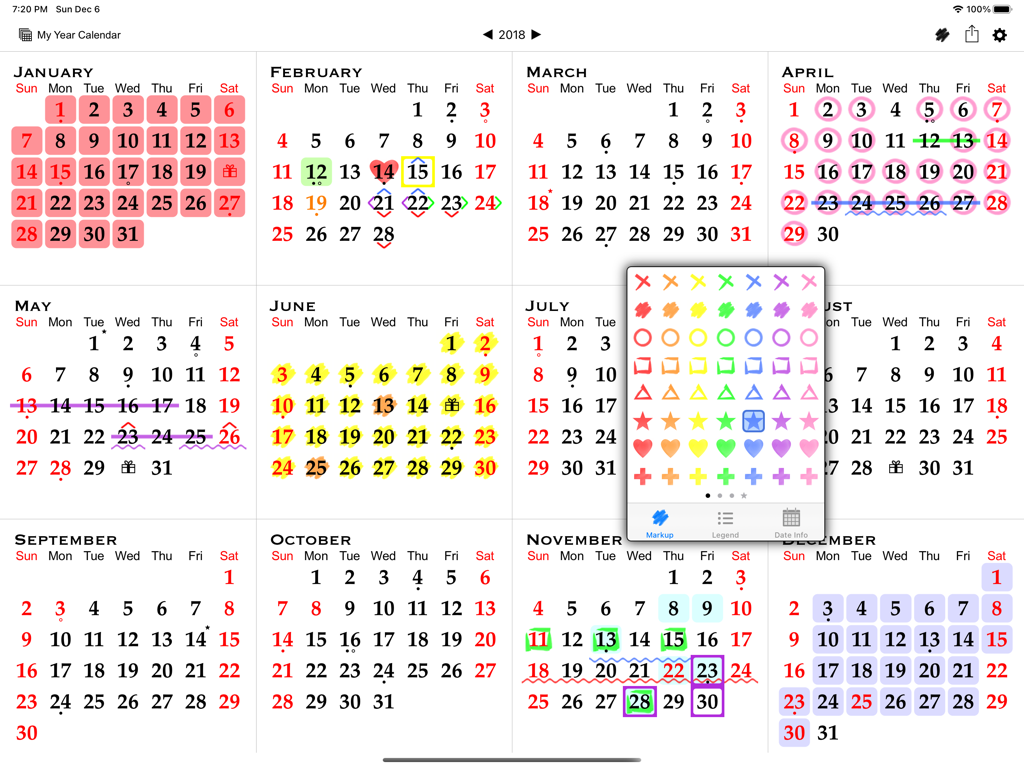
All-in-One Year Calendar Pro - iPad上の全年間カレンダービュー。色分けや日付計画のためのフローティングマークアップツールボックスが表示されています。
iPad上の全年間カレンダービュー。色分けや日付計画のためのフローティングマークアップツールボックスが表示されています。

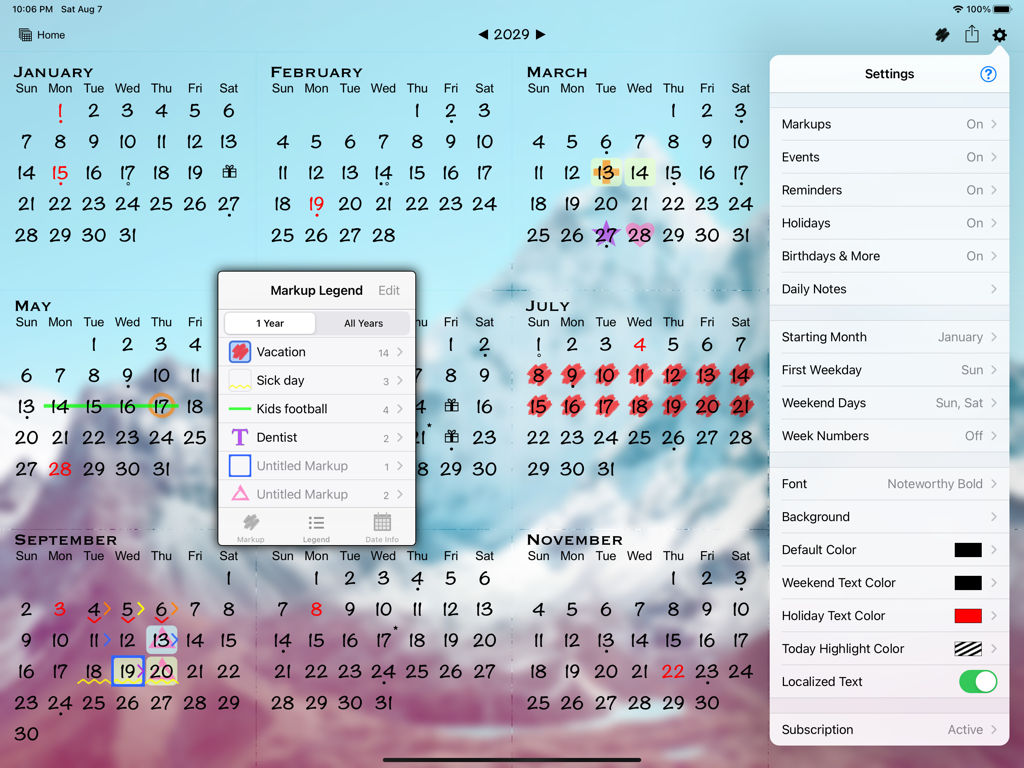
All-in-One Year Calendar Pro - All-in-One Year Calendar Pro iPadアプリ。年間ビュー、マークアップ凡例、カスタマイズ設定が表示されています。
All-in-One Year Calendar Pro iPadアプリ。年間ビュー、マークアップ凡例、カスタマイズ設定が表示されています。

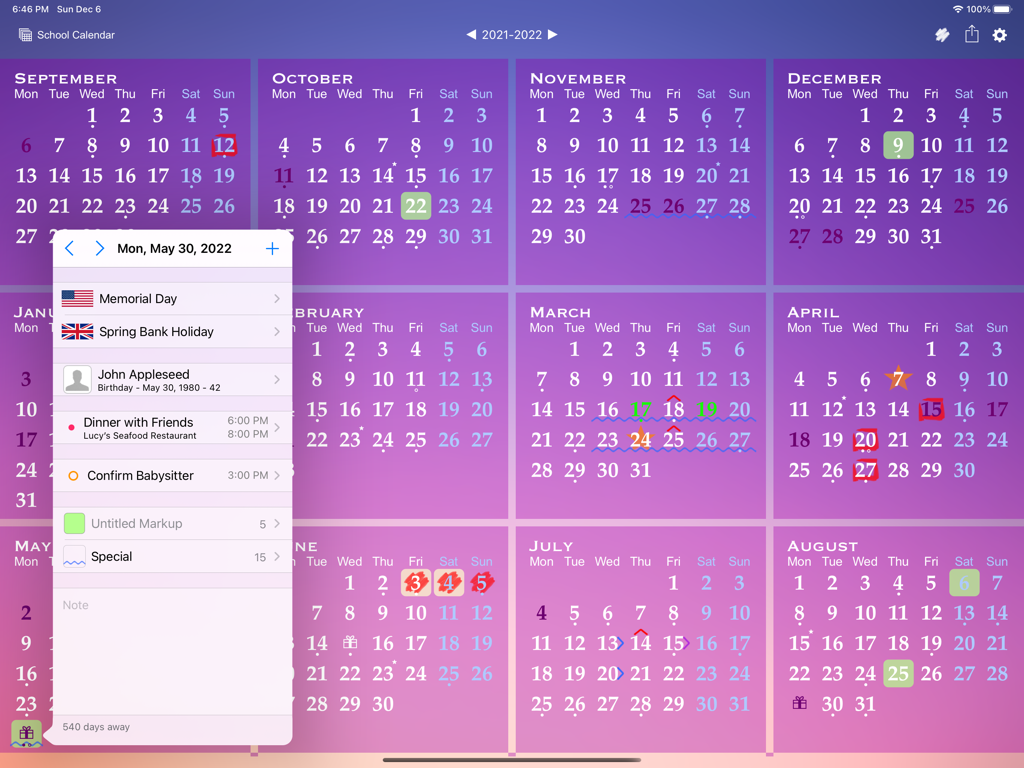
All-in-One Year Calendar Pro - iPad上の全年間カレンダービュー。詳細な日イベントポップアップと色分けされたマークアップが特徴です。
iPad上の全年間カレンダービュー。詳細な日イベントポップアップと色分けされたマークアップが特徴です。

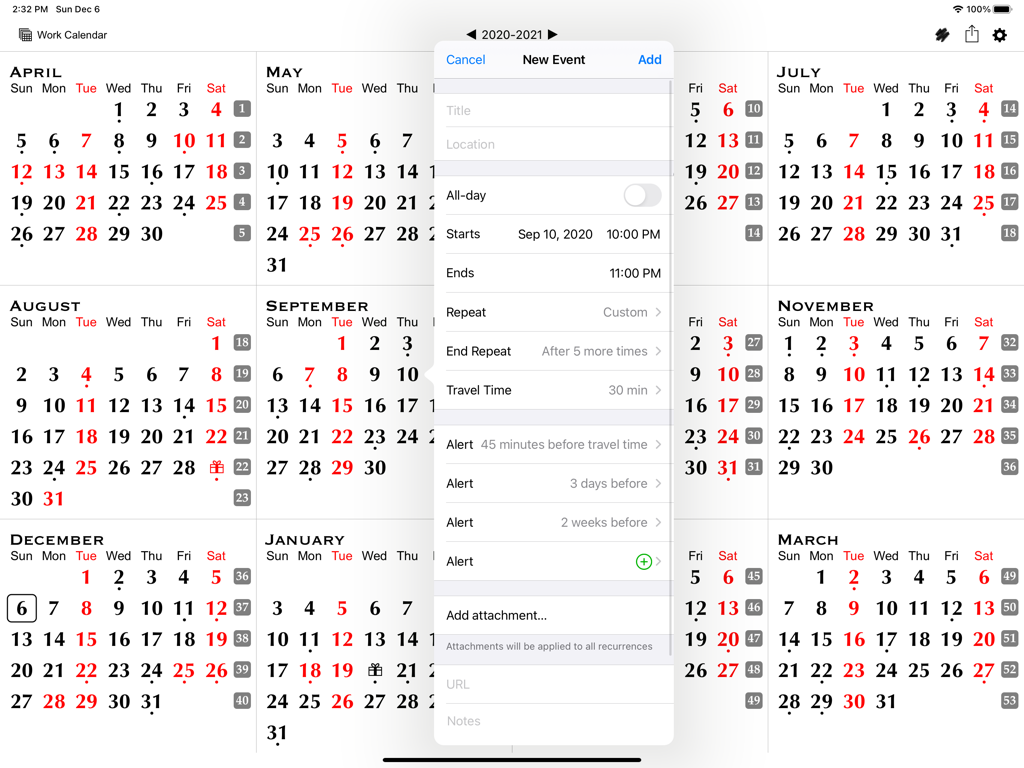
All-in-One Year Calendar Pro - iPad上の年間カレンダービュー。スケジューリングとアラートオプションが表示された新しいイベント作成ダイアログボックスが表示されています。
iPad上の年間カレンダービュー。スケジューリングとアラートオプションが表示された新しいイベント作成ダイアログボックスが表示されています。

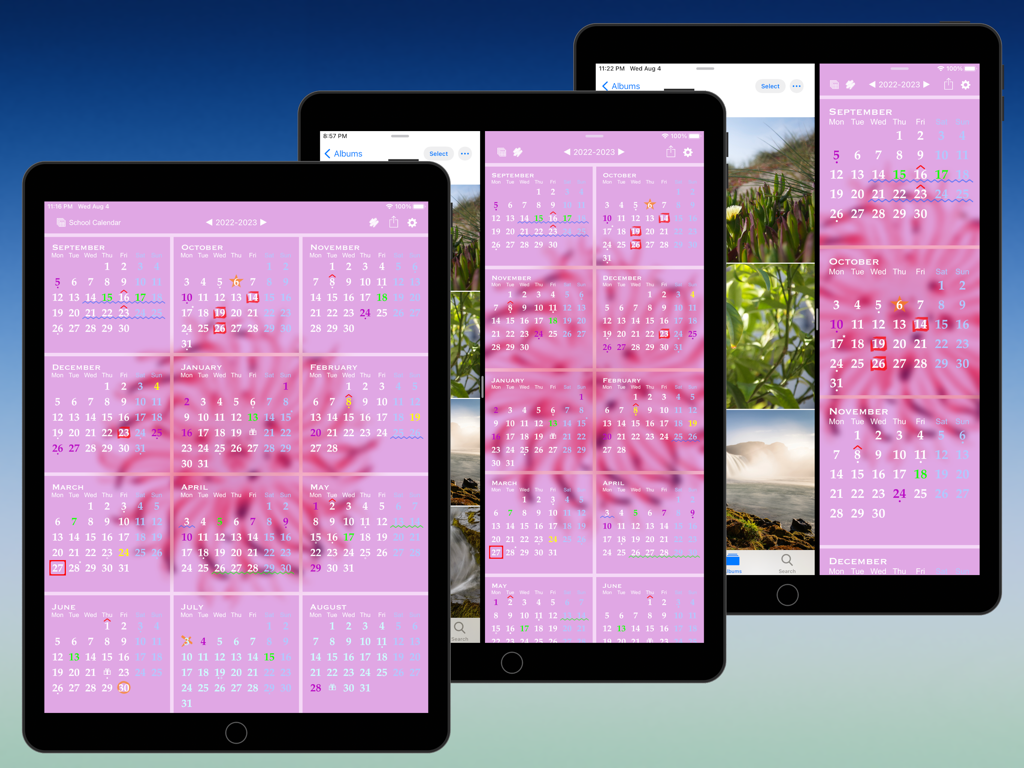
All-in-One Year Calendar Pro - iPad上のAll-in-One Year Calendar Proアプリ。色分けされたマークアップとスプリットビューマルチタスクによる年間計画が表示されています。
iPad上のAll-in-One Year Calendar Proアプリ。色分けされたマークアップとスプリットビューマルチタスクによる年間計画が表示されています。

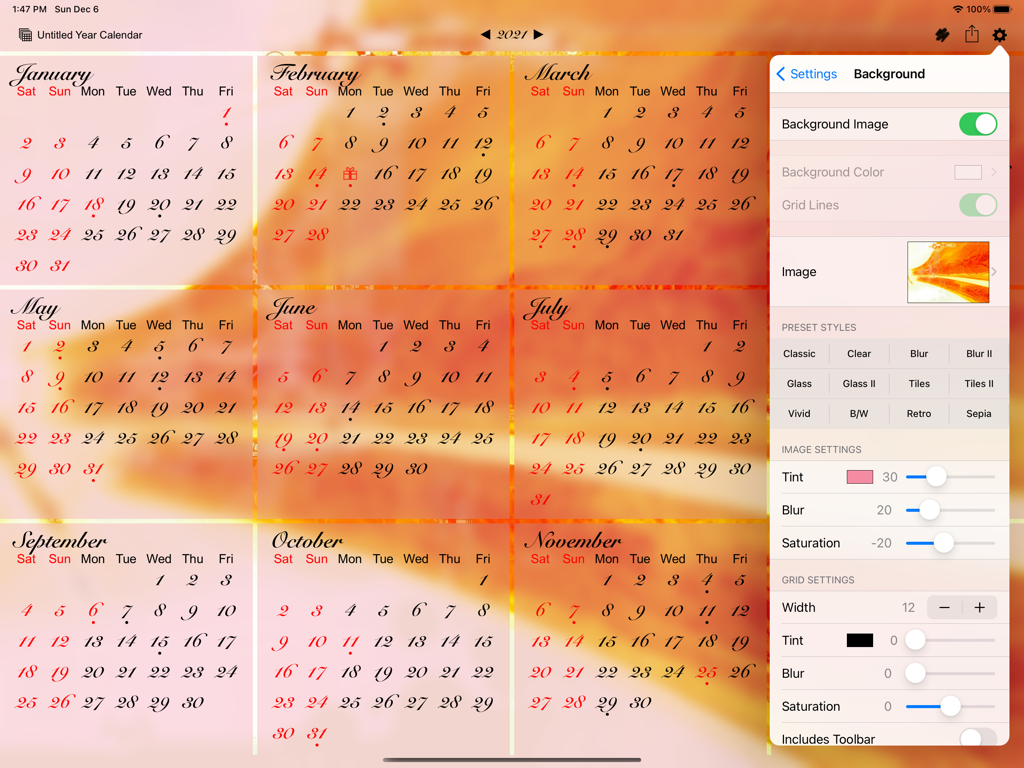
All-in-One Year Calendar Pro - iPadアプリインターフェース。カスタム背景画像と外観設定メニューが表示された年間カレンダービューが表示されています。
iPadアプリインターフェース。カスタム背景画像と外観設定メニューが表示された年間カレンダービューが表示されています。

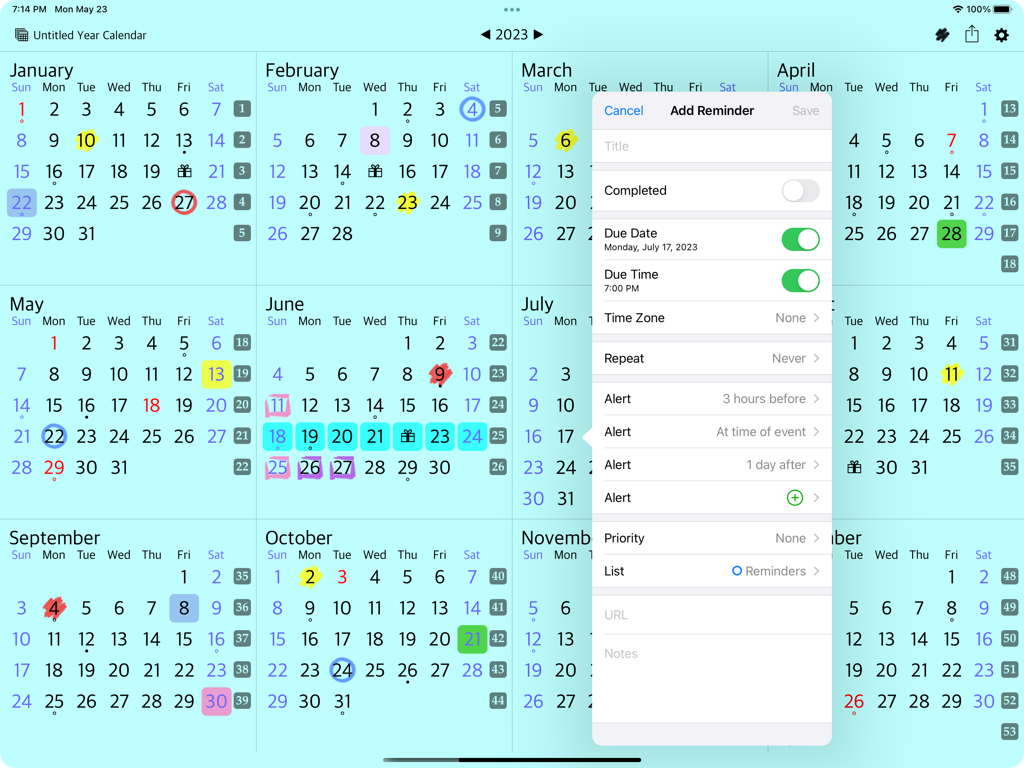
All-in-One Year Calendar Pro - iPad上の全年間カレンダービュー。日付とアラートオプションが表示されたリマインダー作成ウィンドウが表示されています。
iPad上の全年間カレンダービュー。日付とアラートオプションが表示されたリマインダー作成ウィンドウが表示されています。

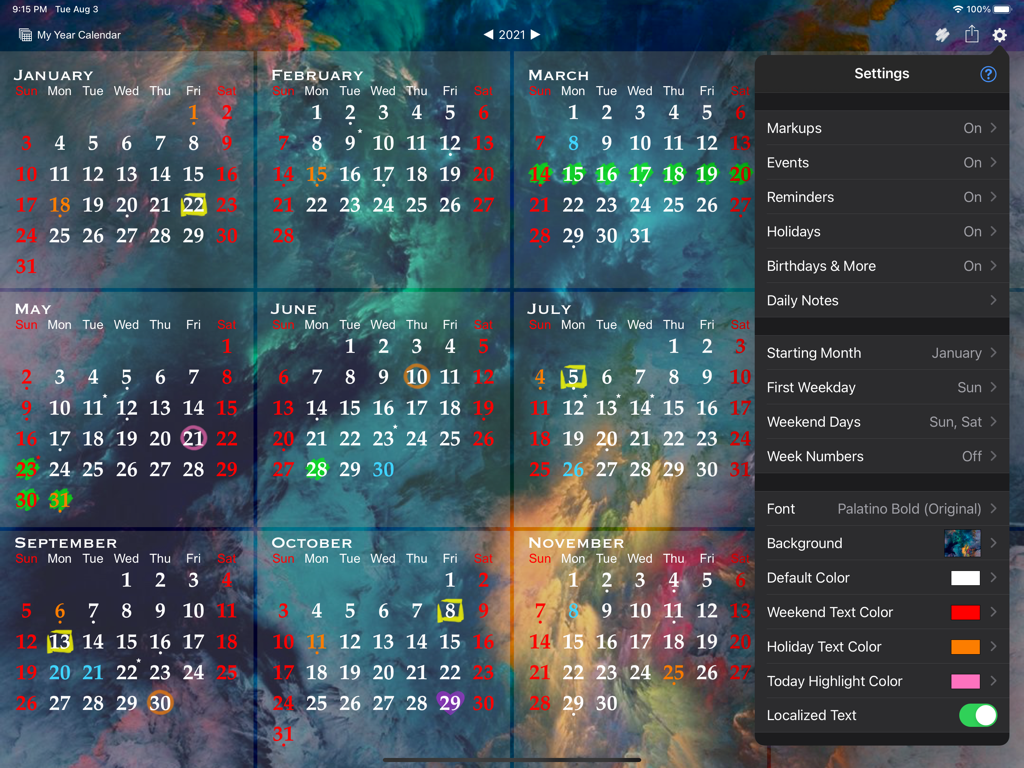
All-in-One Year Calendar Pro - iPad上のAll-in-One Year Calendar Proアプリのインターフェース。カスタマイズ設定メニューが表示された全年間ビューが表示されています。
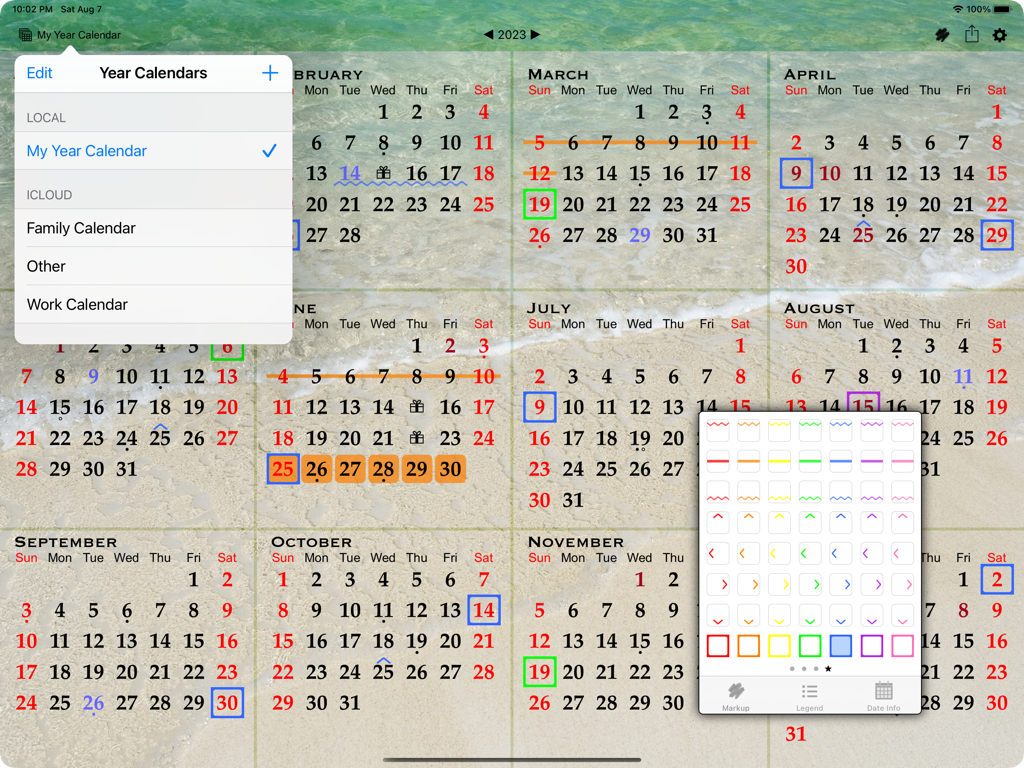
iPad上のAll-in-One Year Calendar Proアプリのインターフェース。カスタマイズ設定メニューが表示された全年間ビューが表示されています。

All-in-One Year Calendar Pro - iPad上の全年間カレンダービュー。色分けされた日付と、さまざまなペンおよびハイライタースタイルを備えたフローティングマークアップツールボックスが表示されています。
iPad上の全年間カレンダービュー。色分けされた日付と、さまざまなペンおよびハイライタースタイルを備えたフローティングマークアップツールボックスが表示されています。

All-in-One Year Calendar Pro - 青い背景に、マークアップ、イベント、リマインダー、ホリデー同期を含むAll-in-One Year Calendar Proアプリの機能概要リストが表示されています。

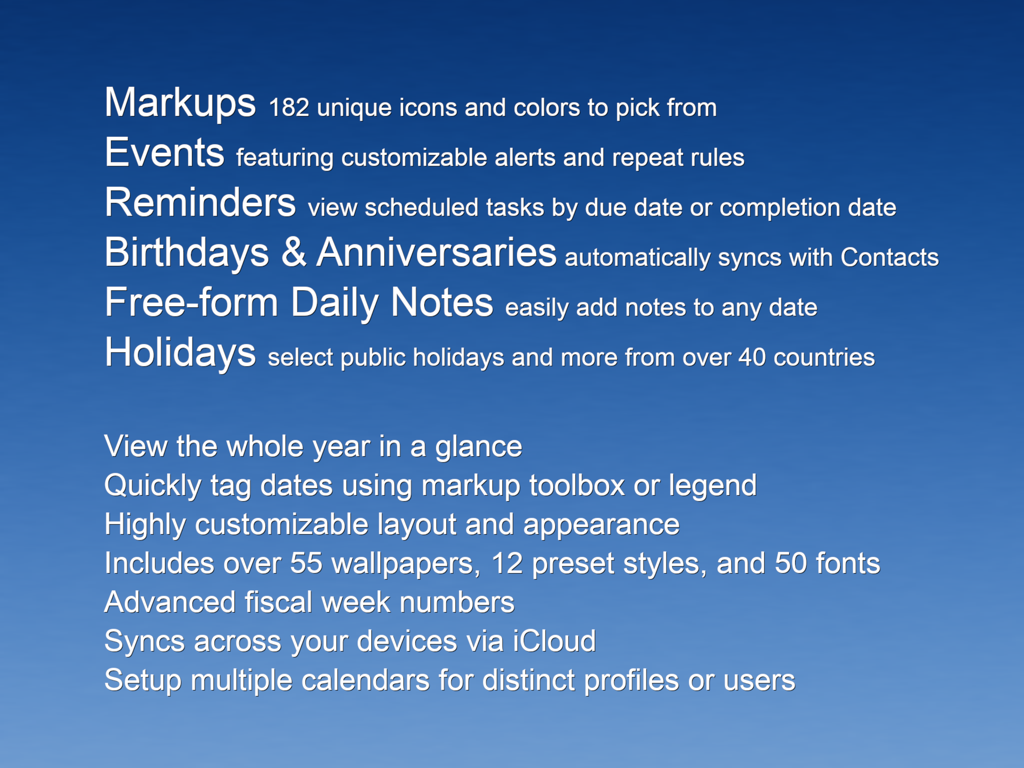
青い背景に、マークアップ、イベント、リマインダー、ホリデー同期を含むAll-in-One Year Calendar Proアプリの機能概要リストが表示されています。

説明

All-in-One Year Calendar Pro for iPad is an easy-to-use yet powerful personalizable year planner, complete with markups/highlighting, events, reminders, holidays, birthdays and anniversaries, daily notes/diary, advanced week numbers, customizable month layout and appearance, sharing, and iCloud syncing. It will save you time and help you stay organized, works perfectly for day-to-day, short-term and long-term planning. See your deadlines in a glance, mark important dates, schedule vacations, record shift work, track activities or resolutions, and much more. Example 1: To plan vacation days, first indicate public holidays and other days off in red text color. Mark kids’ school holidays in blue. Then find days suitable for vacations and label them with stylish hand-drawn markups. View the number of days taken and scheduled for the year from the markup legend. Markups can be easily removed or changed for plan adjustments. You can also hide unrelated markups and export the annotated calendar. Example 2: For part-time or contract work, track the days worked with markups. Record the number of working hours and/or project names in the daily notes. View, email, and print a list of notes. IMPORTANT NOTE An subscription is required to use the app. A fully-functional 1-month free trial is available for all new users. Payment will be charged to your iTunes account at the end of the free trial period. You can manage or cancel your subscription in your iTunes account settings. NAVIGATION AND DAY VIEW • Year navigation by gesture, button, scroller, or direct entry • Day view that lists events, holidays, birthdays and anniversaries, markups, daily notes, and a "how many days away" count MARKUPS • Use the floating markup toolbox to add markups (scribbles or colors) • Apply 1 icon, background, and text color markup per day, AND up to another 8 bonus markup styles on each day - enough for the entire family! • Fast multi-day markup entry • Organize markups and see their counts in the legend • Hide individual markups before sharing EVENTS • Sync with your existing calendars • Add up to 5 alarms per event • Two-way event sync with local calendars and iOS supported external calendars such as iCloud, Google Calendar, Yahoo, Exchange server, Outlook or Calendar on a Mac or PC, and CalDAV • One-way sync from subscribed calendars REMINDERS • Two-way sync with the Reminders app • Add up to 5 alarms per reminder, including notifying before or after the task is due • View reminders on calendar by due date or completion date, or as a list HOLIDAYS • Select desired countries and holidays from 41 nations BIRTHDAYS • Display and add birthdays, anniversaries, and custom-labeled dates, synced with the Contacts app DAILY NOTES • Add free-form daily notes with a single tap LAYOUT • Start the year from any month for your fiscal or academic calendar • Configure week starting day and weekend days • Fully customizable week numbers that can start from any day of the year APPEARANCE • Over 50 handpicked font choices • Choose a simple background color, or apply a beautiful wallpaper using built-in images or pictures from your photo library, with preset and configurable effects • Select colors for the default, weekend, and holiday text • Optional grid lines • Set calendar language and format using your regional settings EXPORT AND SHARING • Export your calendar, markup legend, and/or notes • Save, email, print via AirPrint, create PDF, tweet, post to Facebook, and more APPLICATION BADGE • Optionally show a badge on the app icon corresponding to the current day of the month, or the week number (ISO week number or custom). OTHER • Create additional year calendars that can be configured independently for extra tracking or multiple users • Sync calendar(s) across all your devices via iCloud • Integrated Spotlight search • Split View and Slide Over support • iPad Pro support • Dark Mode support Terms of use: https://voidtech.net/apps/terms_of_use

Download

ダウンロード: App Store

このページはアプリまたはその開発者の公式ページではなく、情報提供および論評を目的として作成された独立した編集出版物です。明示的に別段の記載がない限り、アプリおよびその開発者は、MWM、Apple、Google Play、アプリのパブリッシャー、またはアプリの開発者と提携、承認、後援、認可、またはその他の公式的な関係はなく、このページのいかなる内容も、アプリがMWMのサービスを使用して開発されたことを意味するものではありません。すべての商標、ロゴ、スクリーンショット、その他のコンテンツはそれぞれの所有者の財産です。








