Amerigo - File Manager

Amerigo - File Manager

ダウンロード: App Store
ロゴ: Amerigo - File Manager

Amerigo - ファイルマネージャー:iPhoneとiPadのためのデスクトップクラスのコマンドセンター

ストレージのサイロから解放されましょう。複数のクラウドアカウントをシームレスにリンクし、仮想フォルダでマルチソースプロジェクトを整理し、プログレードのツールですべてのファイルを管理します。すべては1つの強力なアプリで。

開発元

IdeaSolutions S.r.l.

カテゴリ

Productivity

ダウンロード

311K+

ユーザー評価

4.7/5

評価数

37K+

対応言語

6

効率を一目で確認

このインターフェースを利用する 311K+ 人のユーザー.

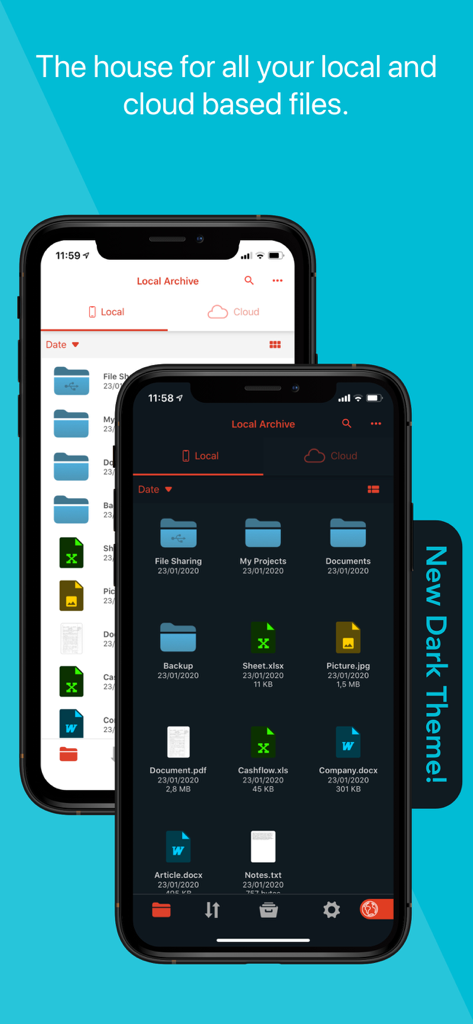
Amerigoファイルマネージャーアプリのインターフェース。ローカルファイルとクラウドファイルが表示され、ライトテーマとダークテーマのオプションがあります。
Amerigoファイルマネージャーアプリのインターフェース。ローカルファイルとクラウドファイルが表示され、ライトテーマとダークテーマのオプションがあります。

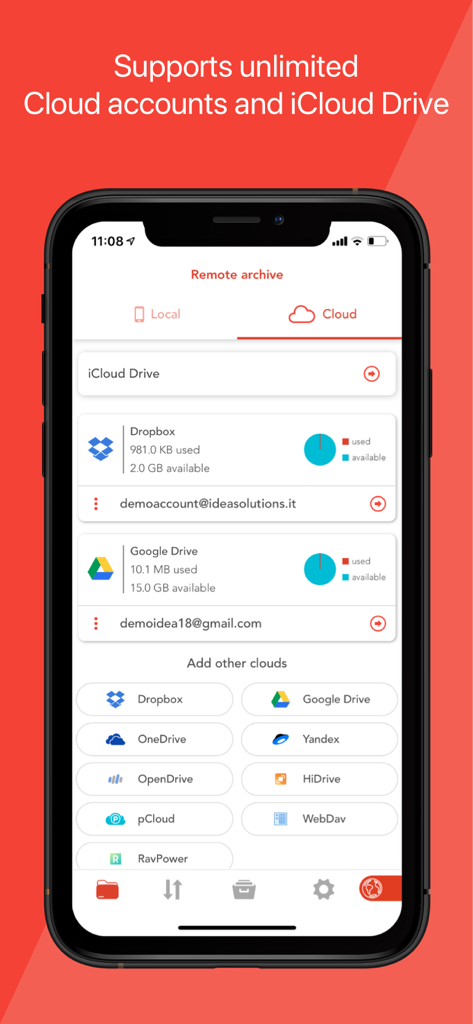
Amerigoファイルマネージャーのインターフェース。リンクされたクラウドアカウントとストレージ使用量が表示されます。
Amerigoファイルマネージャーのインターフェース。リンクされたクラウドアカウントとストレージ使用量が表示されます。

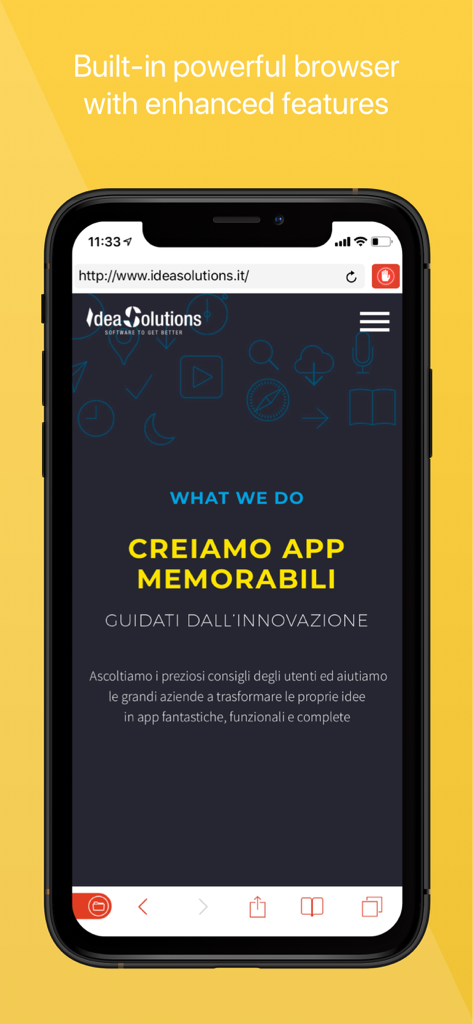
Amerigoアプリのスクリーンショット。強化された機能を備えた統合Webブラウザがスマートフォン画面に表示されます。
Amerigoアプリのスクリーンショット。強化された機能を備えた統合Webブラウザがスマートフォン画面に表示されます。

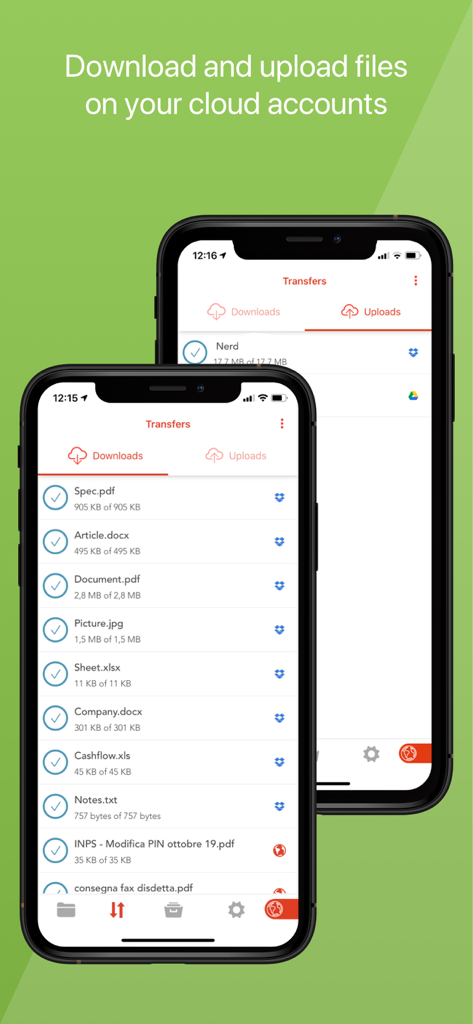
Amerigoファイルマネージャーのインターフェース。複数のクラウドアカウント間でファイルのダウンロードとアップロードのステータスが表示されます。
Amerigoファイルマネージャーのインターフェース。複数のクラウドアカウント間でファイルのダウンロードとアップロードのステータスが表示されます。

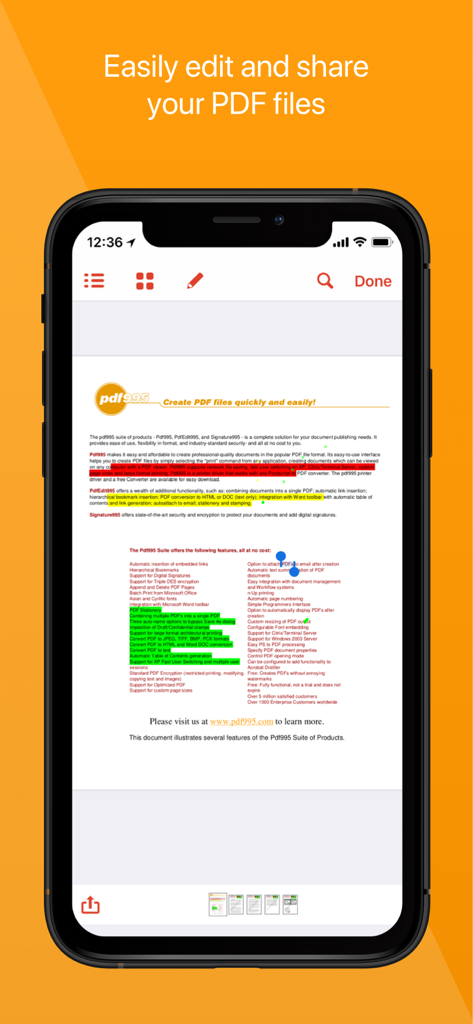
Amerigoアプリのモバイルインターフェース。PDF編集とハイライト注釈機能が表示されます。
Amerigoアプリのモバイルインターフェース。PDF編集とハイライト注釈機能が表示されます。

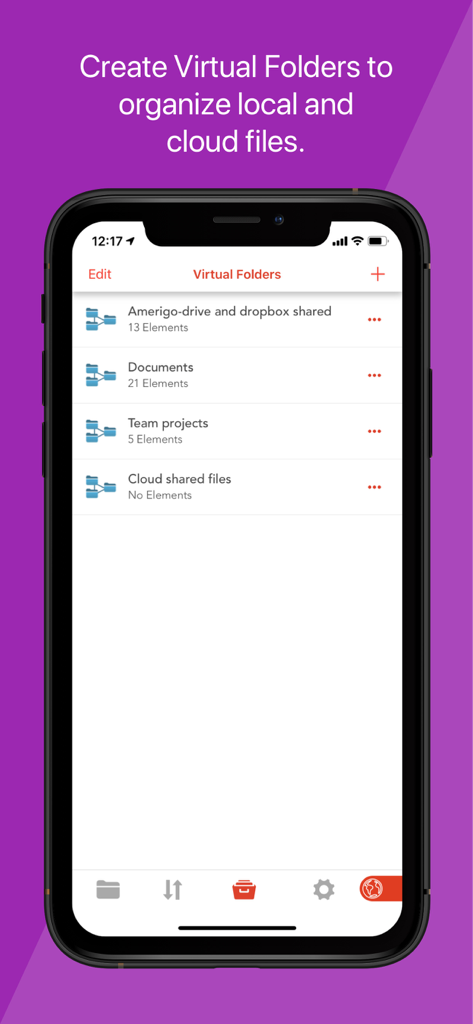
Amerigoファイルマネージャーアプリのインターフェース。ローカルファイルとクラウドファイルを1つの場所に整理するために使用される仮想フォルダが表示されます。
Amerigoファイルマネージャーアプリのインターフェース。ローカルファイルとクラウドファイルを1つの場所に整理するために使用される仮想フォルダが表示されます。

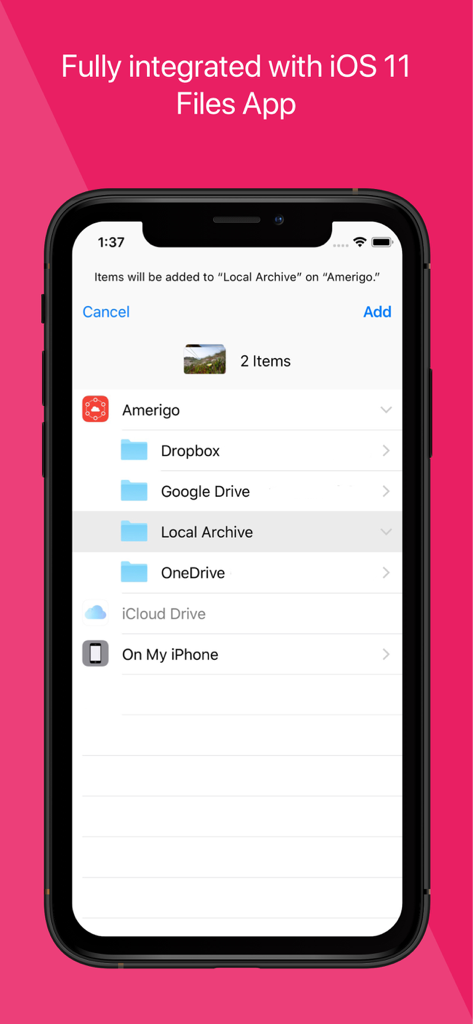
Amerigoアプリのインターフェース。クラウドストレージとiOSファイルアプリの統合が表示されます。
Amerigoアプリのインターフェース。クラウドストレージとiOSファイルアプリの統合が表示されます。

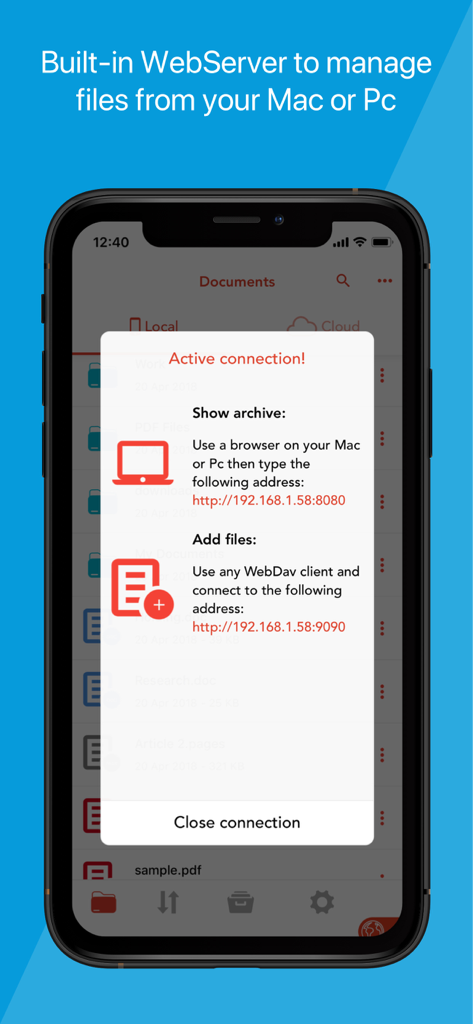
Amerigoアプリの組み込みWebサーバー接続を表示するスマートフォンスクリーン。MacまたはPCからファイルを管理できます。
Amerigoアプリの組み込みWebサーバー接続を表示するスマートフォンスクリーン。MacまたはPCからファイルを管理できます。

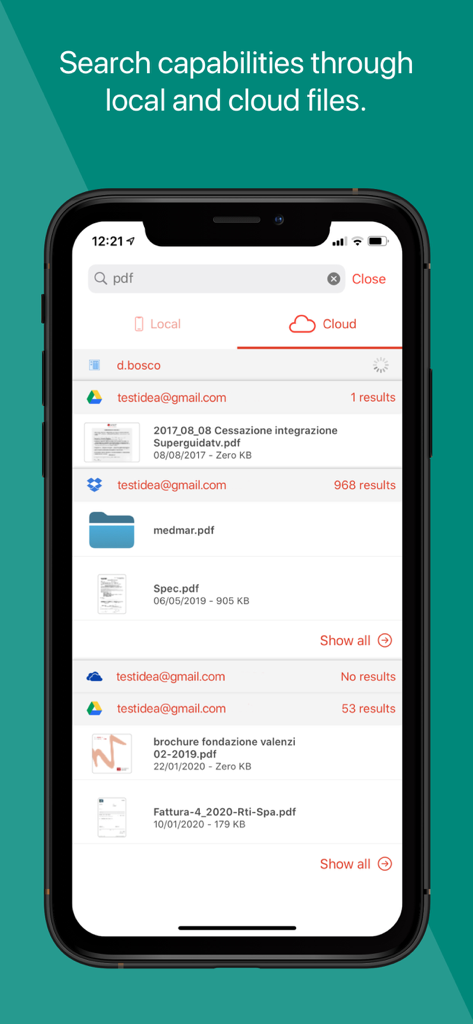
Amerigoの検索インターフェース。統合されたクラウドアカウントからのPDFファイルが表示されます。
Amerigoの検索インターフェース。統合されたクラウドアカウントからのPDFファイルが表示されます。

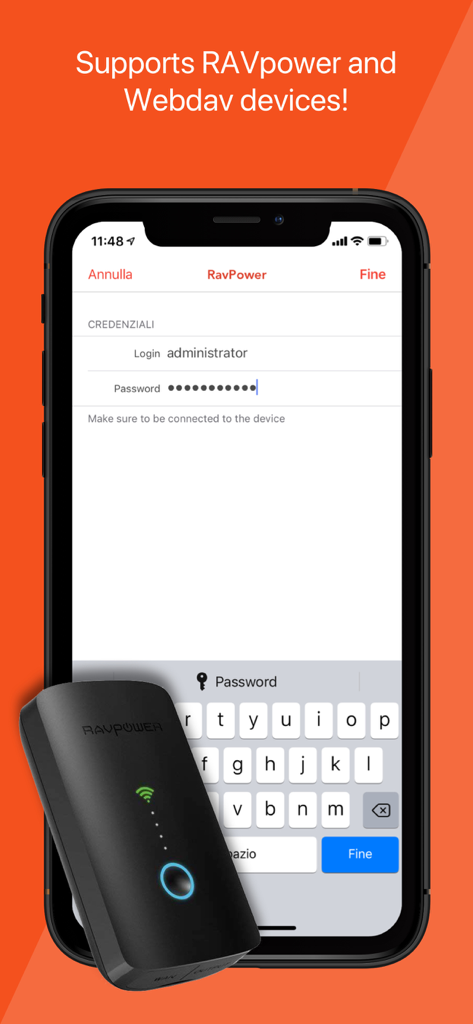
Amerigoアプリのインターフェース。RAVpowerおよびWebDAVデバイスへの接続サポートが表示され、ログイン画面が表示されます。

Amerigoアプリのインターフェース。RAVpowerおよびWebDAVデバイスへの接続サポートが表示され、ログイン画面が表示されます。

デスクトップクラスのパワーでワークフローをマスターしましょう

このアプリを際立たせるツール、 311K+ 人のユーザーが選択.

☁️

統合されたマルチクラウドアクセス

Dropbox、Google Drive、OneDrive、iCloudの複数のアカウントをリンクします。単一のインターフェース内で、異なるプロバイダー間でファイルをシームレスに移動および管理します。

📂

スマート仮想フォルダ

元のデータを移動せずに、さまざまなクラウドサービスとローカルストレージからのファイルを単一の仮想フォルダにグループ化することで、プロジェクトを効率的に整理します。

🖋️

プロフェッショナルPDF&オフィススイート

高度なジェスチャーサポートでPDFを読み取り、注釈を付け、Microsoft Officeドキュメントを編集し、デスクトップレベルの機能でZIPまたはRARアーカイブを処理します。

アプリについて

について知っておくべきこと Amerigo - File Manager.

説明

Amerigo is an enhanced file manager that allows you to manage and organize local and cloud-saved files. It's the only APP that allows to link multiple cloud (DropBox, Google Drive, OneDrive, iCloud Files) and offers iOS Files app integration to download and upload to any cloud from any app! For example if you receive an email, you can directly save the email attachments to one of the cloud linked in Amerigo, simply choosing "Save in files" in the action sheet. Virtual folders allows to group files that come from different sources (cloud/local): you can for example have a virtual folder with all the files that belongs to a project but are stored on different cloud storage providers. The Spotlight indexing of all local contents allows to immediately find and open the file you're looking for, without opening the app! You can also add more than one account for each clouds to increase your space! The integrated PDF viewer with enhanced annotation capabilities, automatically recognise common shapes and gestures, and allows to highlight paragraph by drawing a line over it. Main features: - iOS 11 Files app integration for ALL clouds linked to the app in read write mode. - Spotlight indexing of all content in the app. - Integration with the Dropbox, GDrive, OneDrive, iCloud services for remote file storage. - Search between all contents in the app and in the linked cloud storages thanks to the advanced search - Compression (zip) and decompression (zip & rar) of any files. - PDF editor with annotation, free-hand writing. - Support for all Microsoft Office files. - Simultaneous management of multiple Cloud accounts and management of folders shared with other users. - Enhanced bookmarks and history management. - URL autocomplete and search suggestions - Quick search bar, and enhanced search within all cloud and local files. - File archive with folders and subfolders capabilities. - PIN to hide selected folders. - Multi-tab fast internet browsing - Private browsing mode

最新バージョン

3.13.11

サイズ

78.6 MB

リリース日

2012年6月15日

iPhoneとiPadでワークフローをマスターしましょう

30万人以上のパワーユーザーがクラウドストレージ、PDF編集、ファイル管理を1つの強力なデスクトップクラスのエクスペリエンスに統合しました。今日Amerigoをダウンロードしてください。

ダウンロード: App Store

App information, icons, screenshots, and descriptions displayed on this page are sourced from the Apple App Store and are the property of their respective developers. Download estimates and rankings are based on MWM's proprietary models and may not reflect actual figures. This page is provided for informational and analytical purposes only.

Believe this page infringes your intellectual property? File a dispute