Ruler: Measure, Measuring Tape
ダウンロード: App Store

このページはアプリまたはその開発者の公式ページではなく、情報提供および論評を目的として作成された独立した編集出版物です。明示的に別段の記載がない限り、アプリおよびその開発者は、MWM、Apple、Google Play、アプリのパブリッシャー、またはアプリの開発者と提携、承認、後援、認可、またはその他の公式的な関係はなく、このページのいかなる内容も、アプリがMWMのサービスを使用して開発されたことを意味するものではありません。すべての商標、ロゴ、スクリーンショット、その他のコンテンツはそれぞれの所有者の財産です。

ロゴ: Ruler: Measure, Measuring Tape
ダウンロード: App Store

Ruler: Measure, Measuring Tape

メジャーを探すのはもうやめましょう。プロのように測定を始めましょう。家のリフォーム、新しい家具の設置、不動産の見積もりなど、ARルーラーは高度な3Dスキャンを使用して、カメラから即座に正確な測定値を提供します。

主要数値

ダウンロード

260K+

ユーザー評価

4.6/5

評価数

1K+

開発元

Grymala sp. z o.o.

カテゴリ

Productivity

対応言語

12

最新バージョン

2.2.8

サイズ

609.3 MB

リリース日

2017年12月28日
機能

ポケットの中のプロ級ツール

手動のメジャーはスキップしましょう。高度なARテクノロジーを使用して、iPhoneでプロの精度で寸法、面積、体積を計算します。

インスタントARメジャー

カメラをオブジェクトや表面に向けるだけで、長さ、高さ、距離を即座に測定できます。

スマートルームマッピング

素早く間取り図を作成し、壁の寸法を測定して、家具がスペースにぴったり合うことを確認します。

以下のスクリーンショットと説明は、アプリの公式ストアリスティングから直接取得されたものであり、アプリ開発者の所有物です。

アプリストア

スクリーンショット
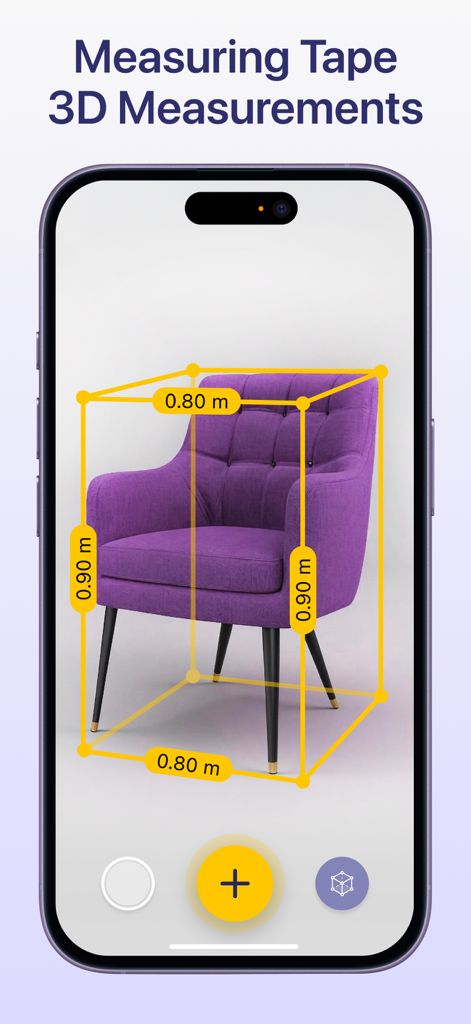
Ruler: Measure, Measuring Tape - ARルーラーアプリが、スマートフォンの画面上で紫色の肘掛け椅子の3D測定値を示しています
ARルーラーアプリが、スマートフォンの画面上で紫色の肘掛け椅子の3D測定値を示しています

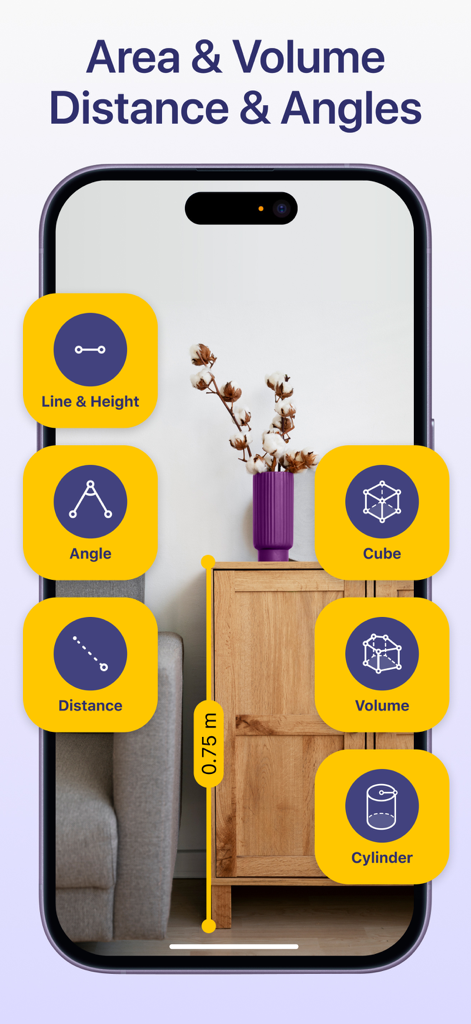
Ruler: Measure, Measuring Tape - ARルーラーアプリのインターフェースが、拡張現実技術を使用して部屋の木製キャビネットの高さを測定しています
ARルーラーアプリのインターフェースが、拡張現実技術を使用して部屋の木製キャビネットの高さを測定しています

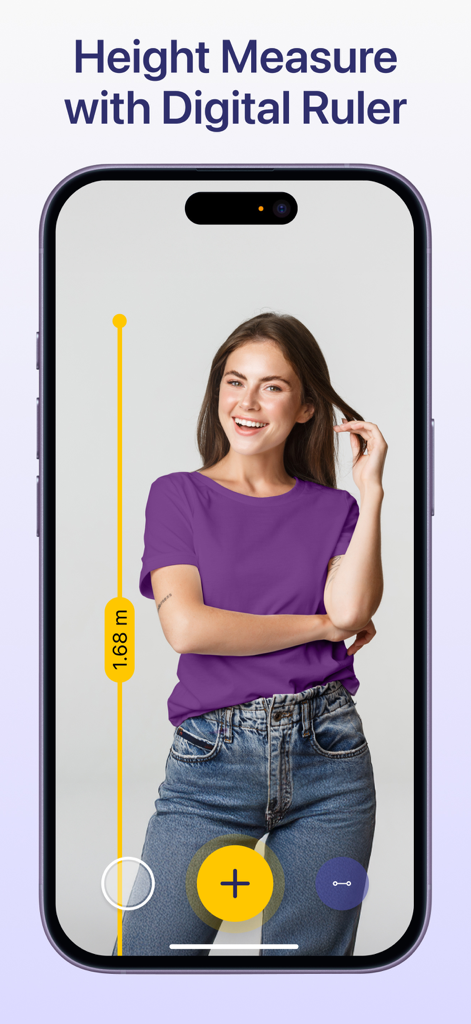
Ruler: Measure, Measuring Tape - iPhoneにARルーラーアプリが表示され、拡張現実技術を使用して女性の身長を測定しています
iPhoneにARルーラーアプリが表示され、拡張現実技術を使用して女性の身長を測定しています

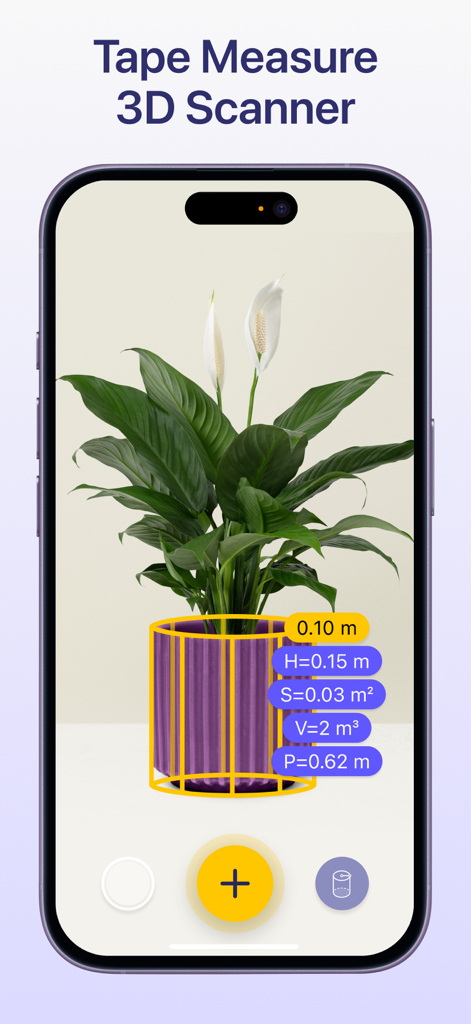
Ruler: Measure, Measuring Tape - 拡張現実ルーラーアプリが、3Dスキャンツールを使用して鉢植えの植物を測定しています
拡張現実ルーラーアプリが、3Dスキャンツールを使用して鉢植えの植物を測定しています

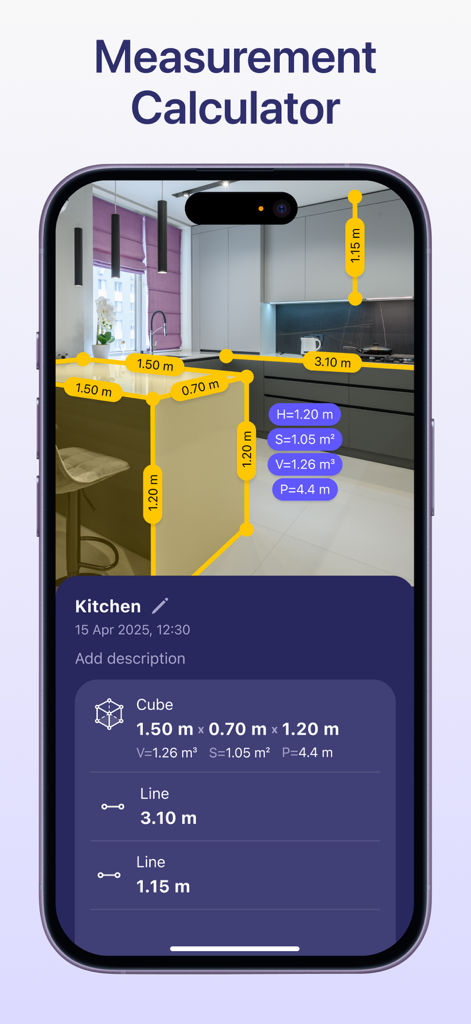
Ruler: Measure, Measuring Tape - ARルーラーアプリのインターフェースが、キッチンでの測定計算機を表示しています
ARルーラーアプリのインターフェースが、キッチンでの測定計算機を表示しています

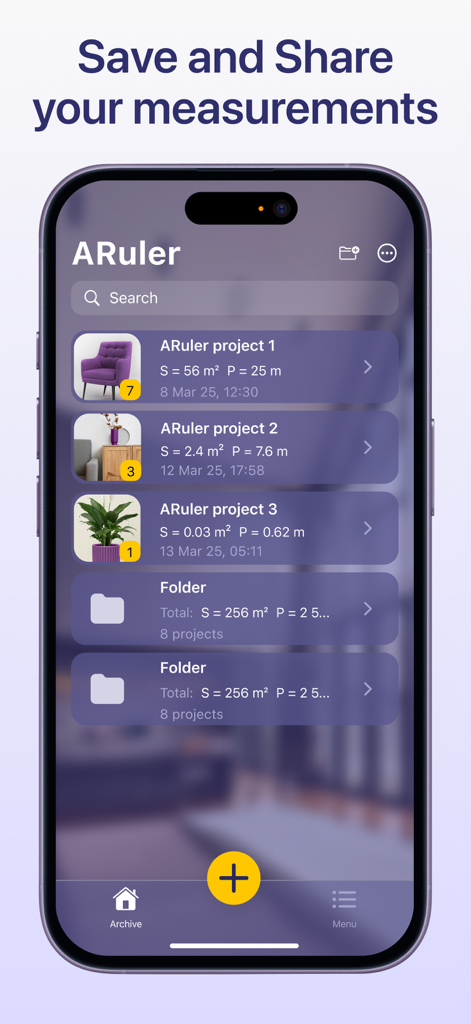
Ruler: Measure, Measuring Tape - ARルーラーアプリの測定アーカイブを示すスマートフォンの画面。家具や植物の寸法を含む整理されたフォルダとプロジェクトが表示されています。

ARルーラーアプリの測定アーカイブを示すスマートフォンの画面。家具や植物の寸法を含む整理されたフォルダとプロジェクトが表示されています。

説明

AR Ruler: Measuring tape with AR Technology The AR Ruler measurement app with measurement calculator uses advanced AR technology and your phone’s camera measuring tape system to deliver precise measurements of real-world objects. With this digital ruler, you can quickly perform a room measure, check height measure of walls, calculate length measure, and estimate distance, angles, area, volume, and more. Simply point your digital tape measure at any object using your smartphone and begin measuring instantly. The built-in 3D scanner detects surfaces and allows you to activate the AR tape measure tool with ease — making it a complete measurement calculator for both home and professional use. Key Tools Available in the AR Ruler App: Line & Height – Measure the length and height of objects quickly. Distance Meter – Measure distance from the device camera to a point on a 3D surface. Angle Tool – Measure angles directly on real surfaces. Polyline & Polyline Smooth – Calculate the total length of a drawn path. Rectangle Tool – Get length, perimeter, and area of rectangles. Circle Tool – Measure the radius, perimeter, and area of circular objects. Poly & Poly Smooth – Useful for measuring irregular shapes’ area and volume. Volume & Volume Smooth – Determine the volume of 3D structures or piles. Cube & Cylinder Tools – Fast measurement of these shapes’ dimensions. Walls & Curved Wall – Ideal for quick room measure and wall adjustments. Heap & Pit – Tools to measure the volume of material stacks or excavations. Access tools even faster via home screen widgets. Whether you're a DIY user, contractor, or interior designer, the AR Ruler app transforms your smartphone into a powerful camera measuring tape and measurement calculator. Try AR Ruler app now – we’d love to hear your feedback! Customer Support: Should you have any questions about AR Ruler app or need help, please do not hesitate to contact us via developer email: support@grymalaltd.com. Follow us: Twitter: https://twitter.com/grymalaofficial Instagram: https://www.instagram.com/grymala_official/ Pinterest: https://www.pinterest.com/grymalaapps/ LinkedIn: https://www.linkedin.com/company/grymala/ Subscription: --------------- Premium - 3 days free trial • No ads; • Unlimited number of projects; • Unlimited Access to Premium Tools. Price may vary by country. You won’t be charged if you cancel at least 24 hours before the end of trial period. Active subscription will automatically renew unless canceled at least 24 hours before the end of the current active period (year). You can manage subscriptions in your iTunes Account Settings. Subscription is charged to your credit card through your iTunes account. --- Terms of Service: https://www.apple.com/legal/internet-services/itunes/dev/stdeula/

Download

ダウンロード: App Store

このページはアプリまたはその開発者の公式ページではなく、情報提供および論評を目的として作成された独立した編集出版物です。明示的に別段の記載がない限り、アプリおよびその開発者は、MWM、Apple、Google Play、アプリのパブリッシャー、またはアプリの開発者と提携、承認、後援、認可、またはその他の公式的な関係はなく、このページのいかなる内容も、アプリがMWMのサービスを使用して開発されたことを意味するものではありません。すべての商標、ロゴ、スクリーンショット、その他のコンテンツはそれぞれの所有者の財産です。







