Archipad ™

Archipad ™

ダウンロード: App Store
ロゴ: Archipad ™

Archipad™: 紙書類なしのプロフェッショナルな現場レポートとパンチリスト

iPadから直接、洗練されたレポートを作成することで、オフィスでの時間を節約しましょう。図面への観察事項の記録、署名の収集、そして帰宅前に現場作業を完了させましょう。

開発元

Bigsool

カテゴリ

Productivity

ダウンロード

39K+

ユーザー評価

4.5/5

評価数

2K+

対応言語

5

効率を実践する

このインターフェースを利用する 39K+ 人のユーザー.

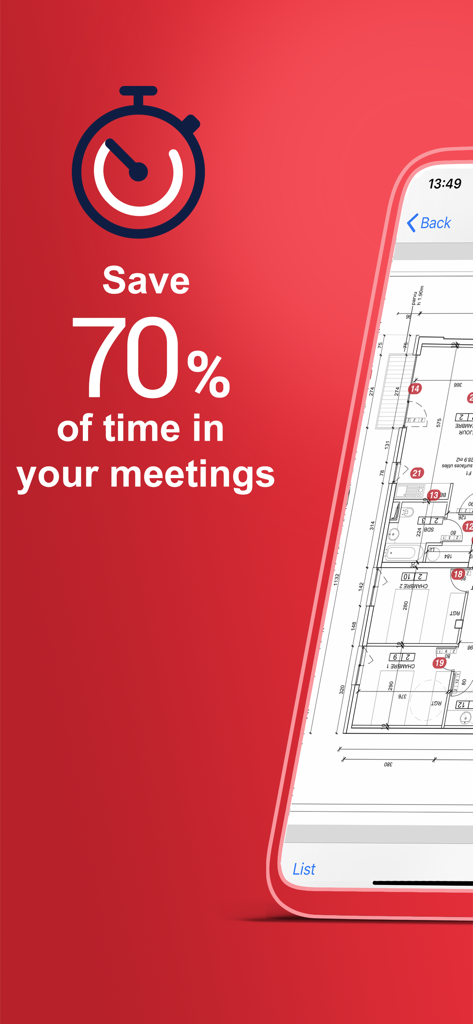
Archipadアプリのプロモーション画面。建設会議で70%の時間節約とデジタルフロアプランが表示されています。
Archipadアプリのプロモーション画面。建設会議で70%の時間節約とデジタルフロアプランが表示されています。

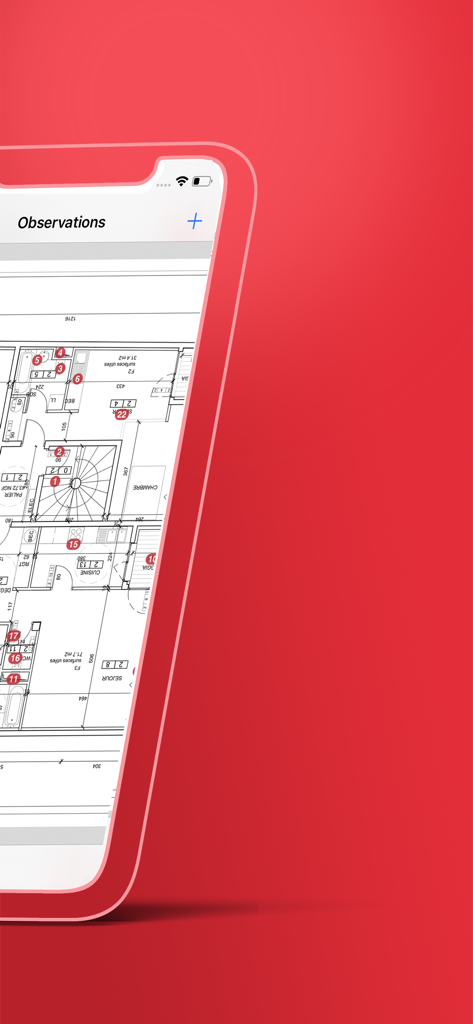
Archipadアプリのインターフェース。建築フロアプラン上に番号付きの現場観察事項が表示されています。
Archipadアプリのインターフェース。建築フロアプラン上に番号付きの現場観察事項が表示されています。

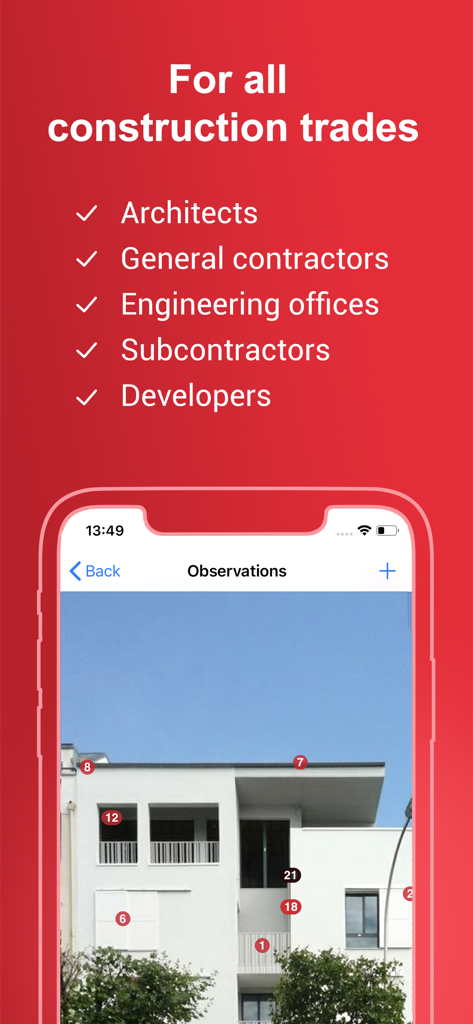
Archipadアプリ。建設プロフェッショナル向けに、建物の写真上に番号付きマーカーが付いた現場観察事項を表示しています。
Archipadアプリ。建設プロフェッショナル向けに、建物の写真上に番号付きマーカーが付いた現場観察事項を表示しています。

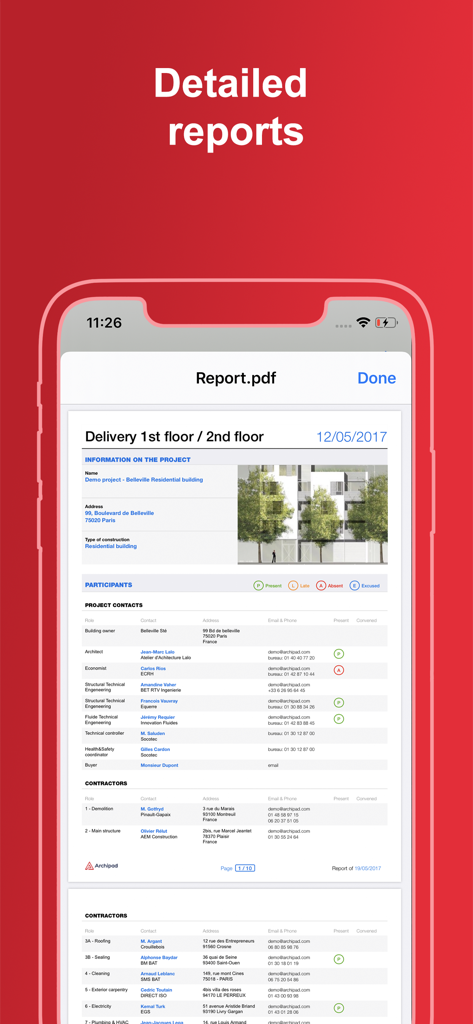
プロジェクト情報と参加者リストが表示された詳細な建設現場レポートがモバイルデバイスに表示されています。

プロジェクト情報と参加者リストが表示された詳細な建設現場レポートがモバイルデバイスに表示されています。

現場訪問をマスターする

このアプリを際立たせるツール、 39K+ 人のユーザーが選択.

🚀

インスタント現場レポート

会議終了と同時に、プロフェッショナルなPDF議事録と署名付きパンチリストを配布しましょう。オフィスでのデータ入力をなくして、夜の時間を自由に取り戻しましょう。

🏗️

図面統合型タスク

すべての観察事項を発生した正確な場所に配置しましょう。デジタル図面に直接ピンをドロップして、請負業者とのコストのかかるコミュニケーションエラーをなくしましょう。

🧠

スマートコンテキスト学習

あなたの特定の技術用語を学習し、一般的な現場の観察事項を自動的に提案するAI駆動のタイピング削減機能で、時間を節約しましょう。

アプリについて

について知っておくべきこと Archipad ™.

説明

Archipad is the new way to manage your on-site meetings, and the easiest way to write down observations, removing many fastidious steps in the process. Archipad allows you to easily create punch lists, and allows you to send a report, the punch list and drawings with item locations, directly from the site. No need to go back to the office to prepare minutes and reports, no more losing precious hours formatting your documents. Archipad is created for construction professionals, architects, engineers, contractors, project managers, assistants, promoters... Archipad Classic on iPad offers a unique and easy to use solution to manage observations, punch lists, drawings, and meetings. The iPad is what we all have been waiting for to do on-site visits, witch even if they last all day, your iPad will not run out of battery when correctly charged at start. Archipad has an optional subscription for reports and projects sharing. You can upgrade to Premium using an In app purchase. Archipad strong points: - User friendly and extremely simple to use: no training required. - Optimize your time and use the iPad as a data entry tool, pointing observations directly on plans and drawings, and reduced typing with our auto-enhancing typing reducer: as you add observations, Archipad will learn your vocabulary and sentences and propose auto completion, the smart way. - A flat fee and moderate price. You will know what you pay up front, and will not be billed by the project or number of hours used. In just a couple of meetings your purchase will pay back by the time you saved. - Reports with punch lists with drawings indicating the locations of each observation can be made per work package or per drawing, making it easy to read for all those working on the project, whether they are contractors or architects. The reports have been thought as actual meeting minutes, by allowing each person attending the meeting to sign a presence sheet your reports will show the signature of all attendances. IN SHORT From construction to delivery - one tool for all • Manage construction site meetings • Organize your observations and retentions • Reduce the time to enter observations Information management • Send out the report at the end of the meeting • Keep track of previous visits • All your plans and drawings in one location Tracking and managing the construction site • Point observations directly on your drawings • All your documents available to use on-site • A cost-effective tool for improved tracking of work Terms of use : https://archipad.com/en/terms-of-service/ Privacy policy : https://archipad.com/en/privacy-policy/

最新バージョン

8.22.0

サイズ

210.2 MB

リリース日

2013年6月12日

車に乗る前に現場レポートを完了しましょう

オフィスでの書類作成をやめて、夜の時間を自由にしたAECプロフェッショナル39,000人以上に参加しましょう。今日Archipadをダウンロードして、iPadから直接プロフェッショナルなパンチリストの作成を始めましょう。

ダウンロード: App Store
FAQ

よくある質問

について知っておくべきこと Archipad ™

Archipadとは何ですか?

Archipadは、建設専門家が現場での会議、観察、パンチリストを管理するために設計されたモバイルアプリケーションです。ユーザーは建設現場から直接レポートを作成・送信できるため、報告業務が効率化されます。

Archipadは誰のために設計されていますか?

Archipadは、建築家、エンジニア、請負業者、プロジェクトマネージャー、アシスタント、開発者など、建設専門家のために設計されています。建設プロジェクトに関わる様々な役割をサポートします。

Archipadは会議の効率をどのように向上させますか?

Archipadは、ユーザーが図面や図に直接観察箇所を指摘し、パンチリストを作成し、現場でレポートを生成できることで、時間を最適化します。これにより、オフィスでの文書作成の必要がなくなり、会議時間の最大70%を節約できます。

Archipadはサブスクリプションサービスを提供していますか?

はい、Archipadにはレポートとプロジェクト共有のためのオプションのサブスクリプションがあります。ユーザーはアプリ内購入を通じてプレミアムバージョンにアップグレードすることもできます。

Archipadのレポート機能は何ですか?

Archipadは、観察箇所を示す図面付きのパンチリストを含む詳細なレポートを生成します。これらのレポートは、作業パッケージごとまたは図面ごとに作成でき、議事録として機能し、出席者が署名シートに署名することもできます。

Archipadは観察のためのデータ入力をどのように支援しますか?

Archipadは、ユーザーの語彙や文章を学習する自動強化型タイピング削減機能を使用しています。自動補完を提案することで、図面や図に直接観察を追加する際のタイピングの労力を大幅に削減します。

ユーザーはArchipad内で図面や図を表示できますか?

はい、Archipadを使用すると、すべての図面や図を1か所にまとめることができます。ユーザーは、現場訪問中に正確な記録のために、これらの図面に直接観察箇所を指摘できます。

App information, icons, screenshots, and descriptions displayed on this page are sourced from the Apple App Store and are the property of their respective developers. Download estimates and rankings are based on MWM's proprietary models and may not reflect actual figures. This page is provided for informational and analytical purposes only.

Believe this page infringes your intellectual property? File a dispute