aRDP Pro - RDP Remote Desktop

aRDP Pro - RDP Remote Desktop

ダウンロード: App Store
ロゴ: aRDP Pro - RDP Remote Desktop

aRDP Pro: SSHセキュリティを備えたプロフェッショナルリモートデスクトップ

iOSデバイスからWindowsおよびLinuxマシンをシームレスに制御します。オープンソースの透明性、外部ハードウェアサポート、および暗号化されたトンネリングを要求するシステム管理者のために構築されています。

ダウンロード: App Store

開発元

iordan iordanov

カテゴリ

Productivity

ダウンロード

2K+

ユーザー評価

5.0/5

評価数

0

対応言語

5

モバイルワークステーションの内部を垣間見る

このインターフェースを利用する 2K+ 人のユーザー.

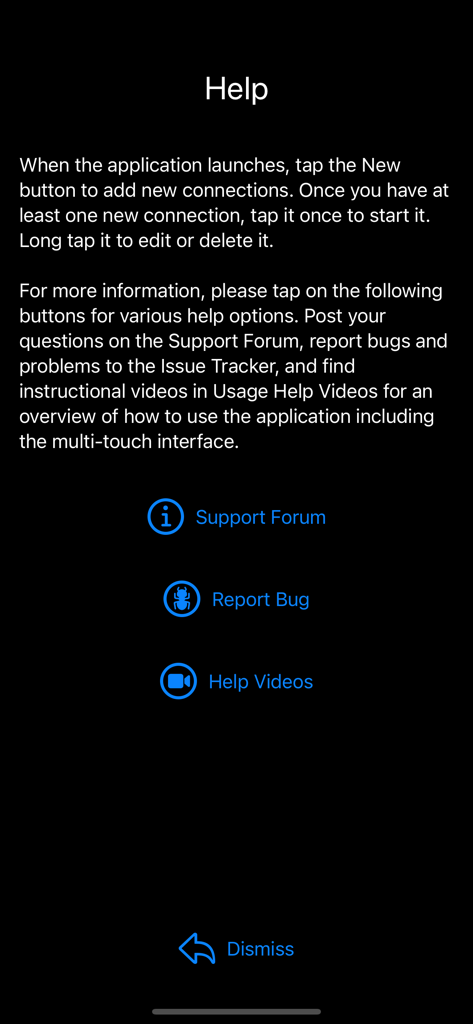
サポートフォーラムへのリンクとバグ報告オプションを備えたaRDP Proアプリのヘルプ画面。
サポートフォーラムへのリンクとバグ報告オプションを備えたaRDP Proアプリのヘルプ画面。

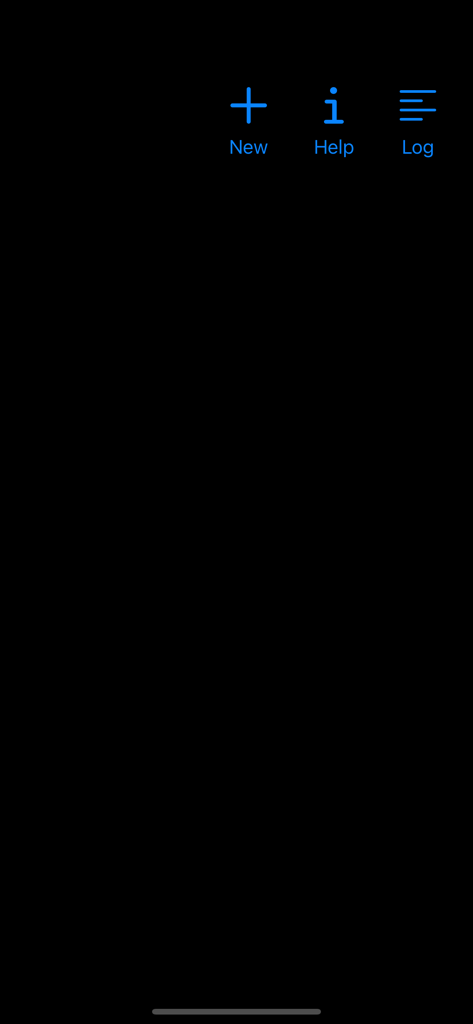
新しいヘルプとログの青いアイコンが表示されたaRDP Proリモートデスクトップアプリのホーム画面。
新しいヘルプとログの青いアイコンが表示されたaRDP Proリモートデスクトップアプリのホーム画面。

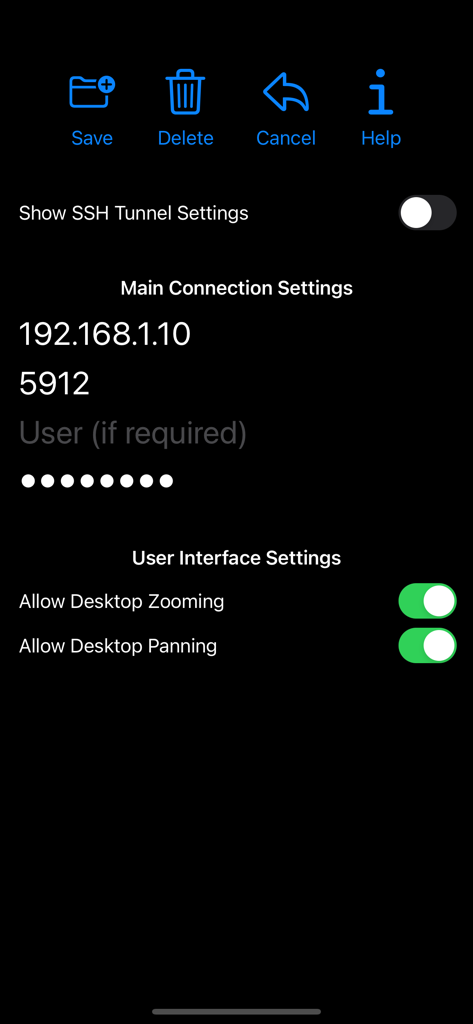
IPとUIオプションを備えたaRDP Proアプリの接続設定画面。
IPとUIオプションを備えたaRDP Proアプリの接続設定画面。

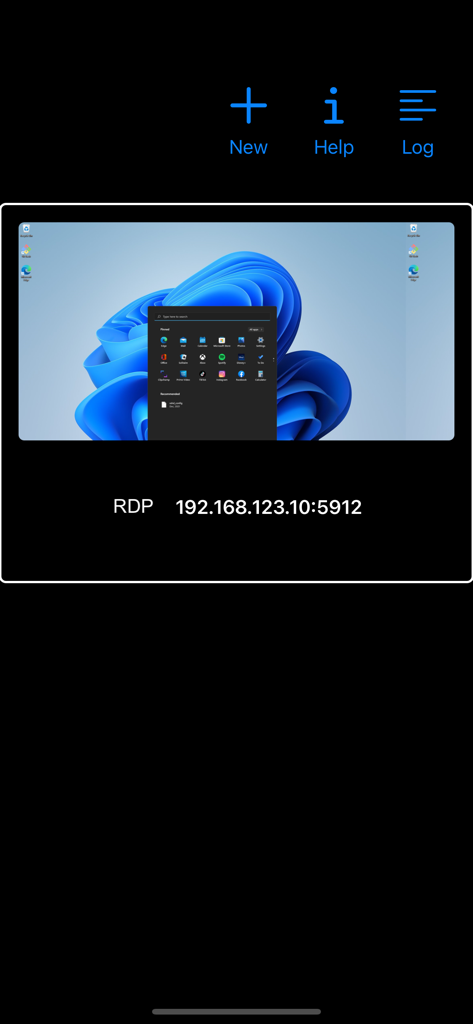
Windows 11デスクトップのプレビューとIPアドレスを備えた保存済みリモートデスクトップ接続が表示されたaRDP Proアプリのインターフェース。
Windows 11デスクトップのプレビューとIPアドレスを備えた保存済みリモートデスクトップ接続が表示されたaRDP Proアプリのインターフェース。

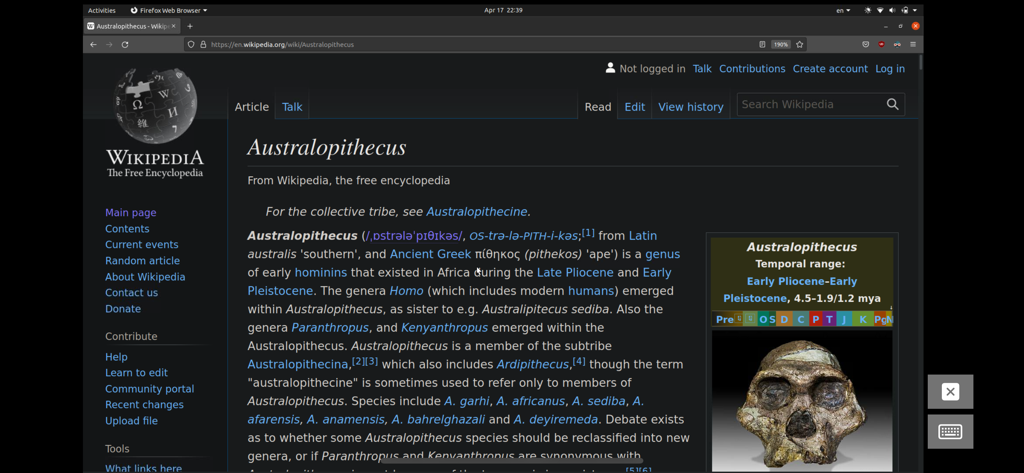
Webブラウザが開いたUbuntu Linuxデスクトップを表示するモバイルデバイス上のリモートデスクトップセッション。

Webブラウザが開いたUbuntu Linuxデスクトップを表示するモバイルデバイス上のリモートデスクトップセッション。

ポケットに入るエンタープライズグレードのコントロール

このアプリを際立たせるツール、 2K+ 人のユーザーが選択.

🔒

安全なSSHトンネリング

ファイアウォールの背後にある安全なリモートアクセスを、組み込みのSSHトンネリングと公開/秘密鍵サポートでインフラストラクチャを保護します。

🖱️

デスクトップクラスの精度

Magic Trackpad、外部マウス、Ctrl+Alt+Delなどの高度なキーコンビネーションのネイティブサポートにより、iPadをワークステーションに変えます。

🐧

ユニバーサルLinuxとWindowsのサポート

異種環境向けの究極のツールであり、WindowsデスクトップとLinux Xrdpサーバーの両方にシームレスなリモートコントロールを提供します。

アプリについて

について知っておくべきこと aRDP Pro - RDP Remote Desktop.

説明

Thank you for supporting my work and GPL open-source software by buying aRDP Pro! If you are unhappy, please don't give us a bad review, instead, request a refund and get in touch by email support _at_ morpheusly _dot_ com: https://support.apple.com/en-ca/118223 Need a VNC app for controlling your Mac remotely? https://apps.apple.com/app/bvnc-pro/id1506461202 Need a SPICE or Proxmox or oVirt client for controlling virtual machines remotely? https://apps.apple.com/app/aspice-pro/id1560593107 If aRDP doesn't work for you or you're unhappy, please do not ask for help in a review but do post your question in the forum: https://groups.google.com/forum/#!forum/bvnc-ardp-aspice-opaque-remote-desktop-clients Windows Instructions - Enabling Remote Desktop on Windows: https://docs.microsoft.com/en-us/windows-server/remote/remote-desktop-services/clients/remote-desktop-allow-access - Optionally, for much improved security aRDP Pro supports SSH tunnelling. - To enable OpenSSH on Windows: https://learn.microsoft.com/en-us/windows-server/administration/openssh/openssh_install_firstuse Linux Instructions - Requires Ubuntu 22.04+ NOTE: If failing to connect, try disabling "Request Remote Resolution Requests" from Advanced Settings https://help.ubuntu.com/stable/ubuntu-help/sharing-desktop.html - Xrdp on any supported Linux Distribution https://www.digitalocean.com/community/tutorials/how-to-enable-remote-desktop-protocol-using-xrdp-on-ubuntu-22-04 Report bugs: https://github.com/iiordanov/remote-desktop-clients/issues aRDP is a secure, SSH capable, open source RDP protocol client that uses FreeRDP open-source library. Its features include: - Remote control of Windows and Linux computers using the RDP protocol - Simulated Touchpad and two Direct input touch modes to choose from - RDP Gateway support - RDP Config File support (.rdp extension) - Custom Scaling - Audio support - External keyboard support - External mouse support - Magic Trackpad support - Multi-language support - Multi-keyboard layout support - choose your keyboard layout while setting up the connection - Multi-touch control over the remote mouse. One finger tap left-clicks, two-finger tap right-clicks, and three-finger tap middle-clicks - Right and middle-dragging if you don't lift the first finger that tapped - Scrolling with a two-finger drag - Pinch-zooming - SSH tunnelling for added security or to reach machines behind a firewall. - SSH public/private (pubkey) support - Full rotation support. Use the central lock rotation on your device to disable rotation - Full desktop visibility even with soft keyboard extended - Dynamic resolution changes, allowing you to reconfigure your desktop while connected - UI Optimizations for different screen sizes (for tablets and smartphones) - On-screen Ctrl, Alt, Tab, Super, Shift, Del, PageUp, PageDown, Function and Arrow keys - Available on-device help on creating a new connection in the Menu when setting up connections - Clipboard integration for copy/pasting from your device Planned features: - Many RDP Session customization options GPL source code here: https://gitlab.com/iiordanov/remote-desktop-clients-ios

最新バージョン

56

サイズ

17.7 MB

リリース日

2022年4月25日

どこからでもインフラストラクチャをコマンド

安全でSSH暗号化されたオープンソースのリモートアクセスにaRDP Proを使用している何千人ものITプロフェッショナルに加わってください。今日、iOSデバイスでデスクトップグレードのコントロールを体験してください。

ダウンロード: App Store

App information, icons, screenshots, and descriptions displayed on this page are sourced from the Apple App Store and are the property of their respective developers. Download estimates and rankings are based on MWM's proprietary models and may not reflect actual figures. This page is provided for informational and analytical purposes only.

Believe this page infringes your intellectual property? File a dispute