ARLOOPA: Scan & Discover AR

ARLOOPA: Scan & Discover AR

ダウンロード: App Store
ロゴ: ARLOOPA: Scan & Discover AR

ARLOOPA:拡張現実マジックで世界を変える

見事な3Dビデオを作成し、現実のオブジェクトをデジタルモデルにスキャンし、物理世界とデジタル世界をシームレスに融合させるインタラクティブな体験を探求しましょう。

開発元

ARLOOPA Inc

カテゴリ

Entertainment

ダウンロード

229K+

ユーザー評価

4.7/5

評価数

3K+

対応言語

1

魔法の一部になりましょう

このインターフェースを利用する 229K+ 人のユーザー.

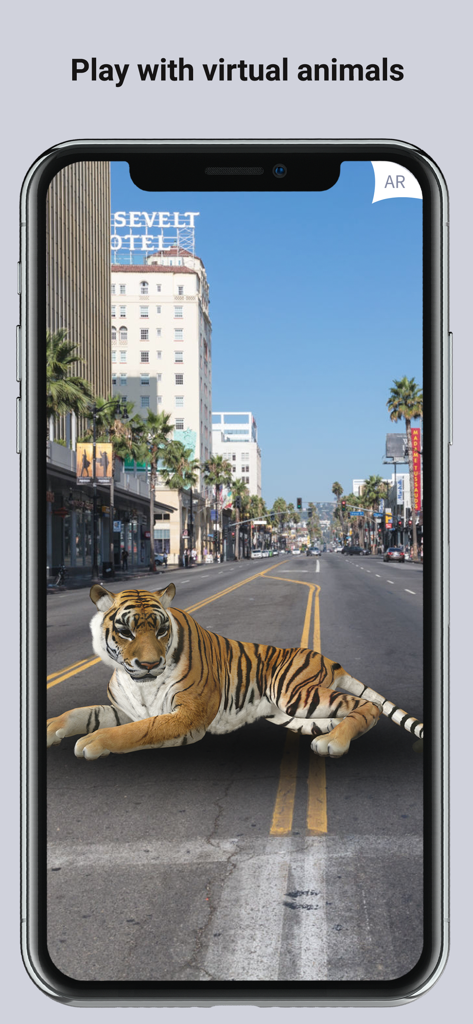
スマートフォンの画面に都市の通りの真ん中に横たわる3D拡張現実タイガーが表示されています
スマートフォンの画面に都市の通りの真ん中に横たわる3D拡張現実タイガーが表示されています

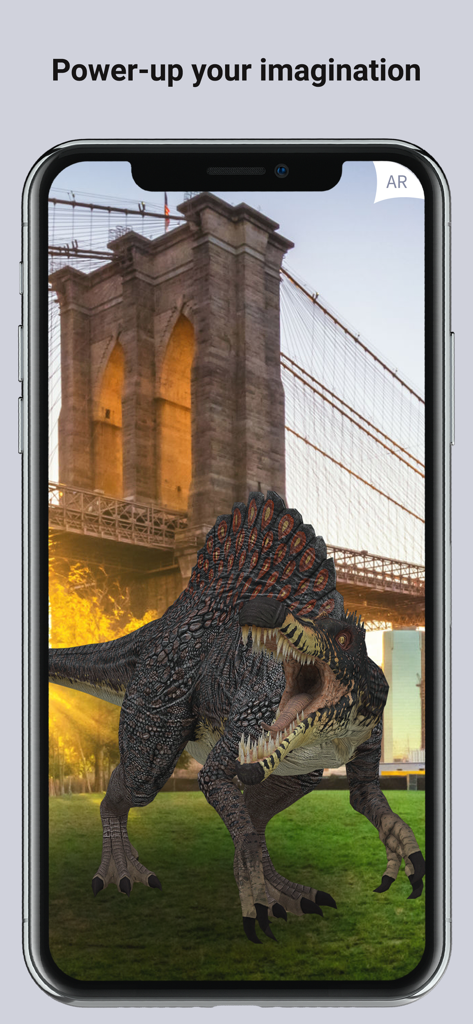
ARLOOPAアプリがブルックリンブリッジの前に3Dスピノサウルスを表示しています
ARLOOPAアプリがブルックリンブリッジの前に3Dスピノサウルスを表示しています

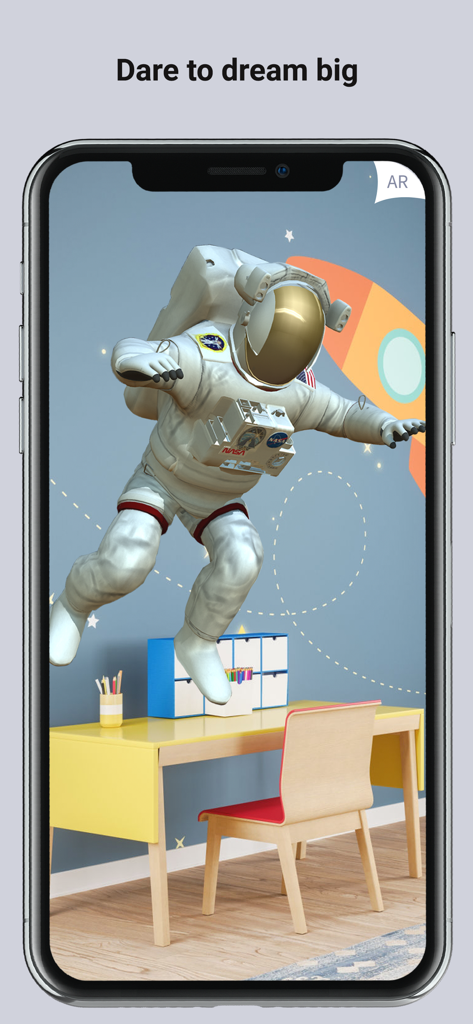
ARLOOPAアプリが拡張現実を使用して子供の寝室に浮かぶ3D宇宙飛行士を表示しています
ARLOOPAアプリが拡張現実を使用して子供の寝室に浮かぶ3D宇宙飛行士を表示しています

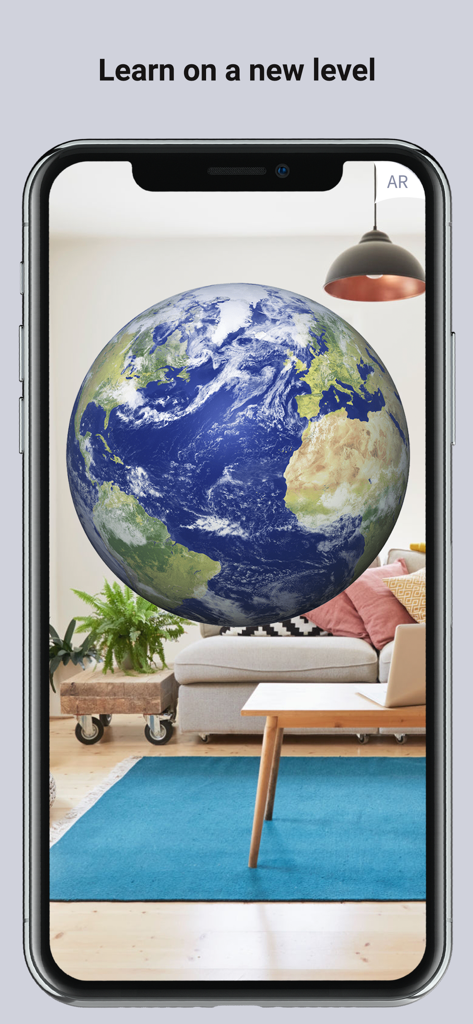
リビングルームに浮かぶ地球の拡張現実グローブがスマートフォンの画面に表示されています
リビングルームに浮かぶ地球の拡張現実グローブがスマートフォンの画面に表示されています

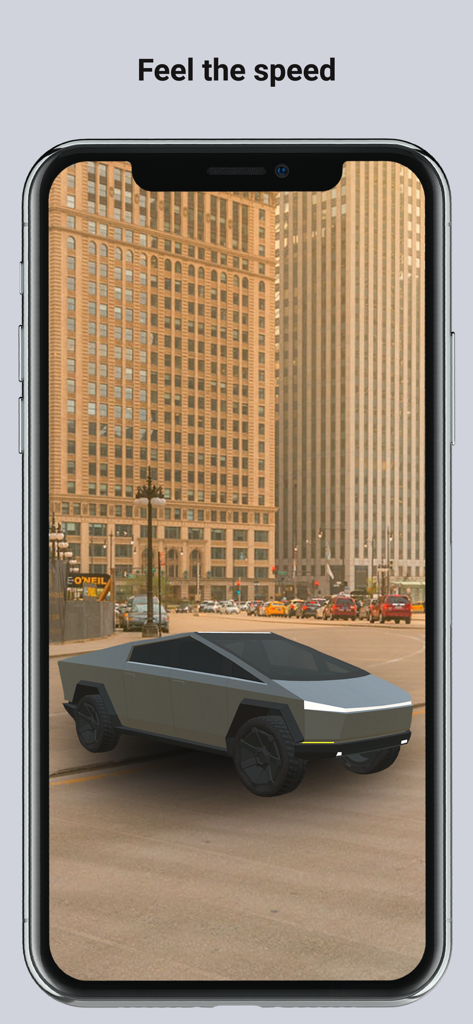
ARLOOPAアプリが拡張現実を使用して都市の通りに未来的な3Dトラックモデルを表示しています
ARLOOPAアプリが拡張現実を使用して都市の通りに未来的な3Dトラックモデルを表示しています

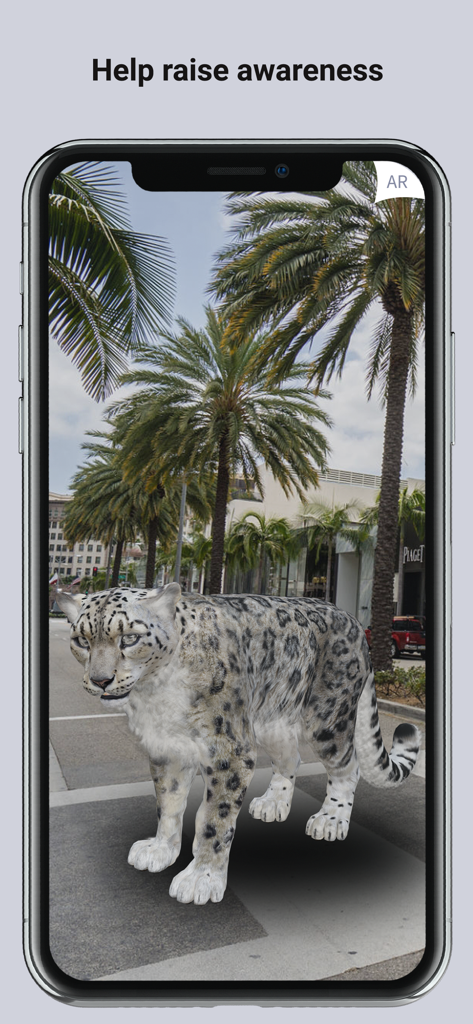
ヤシの木に囲まれた都市の歩道に立つ3D拡張現実ユキヒョウを表示するスマートフォンの画面
ヤシの木に囲まれた都市の歩道に立つ3D拡張現実ユキヒョウを表示するスマートフォンの画面

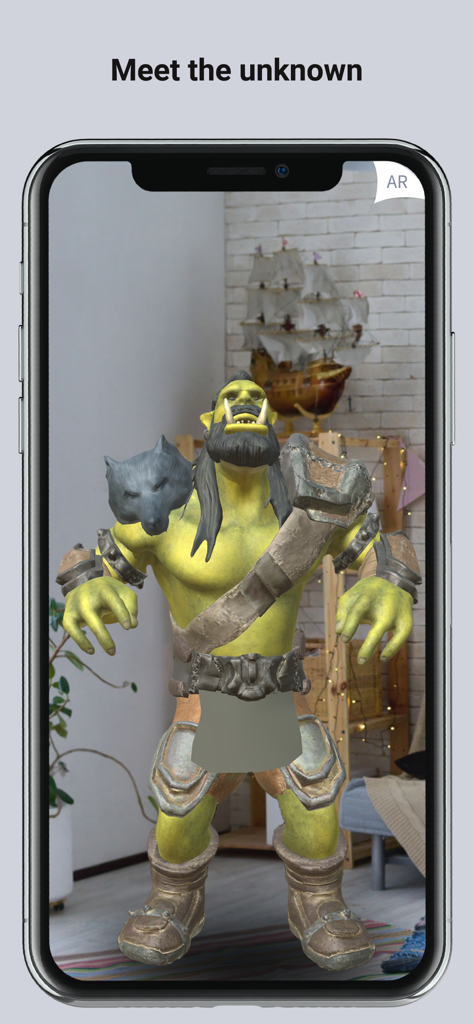
ARLOOPAアプリを使用してリビングルームに3D拡張現実ファンタジーオークキャラクターを表示するスマートフォンの画面。
ARLOOPAアプリを使用してリビングルームに3D拡張現実ファンタジーオークキャラクターを表示するスマートフォンの画面。

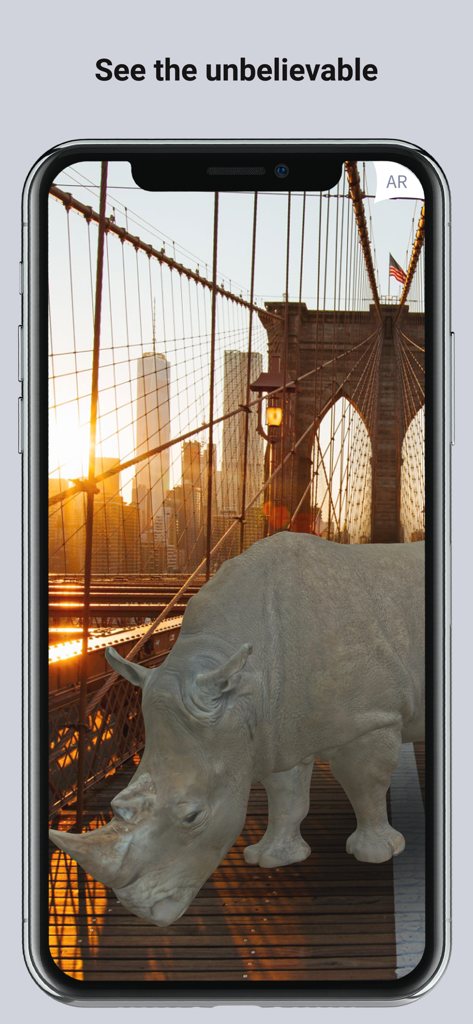
夕暮れのブルックリンブリッジに立つ3D拡張現実サイ

夕暮れのブルックリンブリッジに立つ3D拡張現実サイ

ARマジックで世界を変える

このアプリを際立たせるツール、 229K+ 人のユーザーが選択.

バイラルARコンテンツを作成

膨大な3D動物、ロボット、アートのライブラリにアクセスして、どのソーシャルフィードでも目立つような驚異的なビデオを記録しましょう。

🦁

インタラクティブな家族の発見

仮想動物園やギャラリーをリビングルームに持ち込み、あらゆる年齢層のための魔法の思い出と教育的な体験を作成しましょう。

📱

高度な3Dスキャン

現実世界のオブジェクトを、クリエイティブプロジェクト、インテリアデザイン、または3Dプリンティングのためにデジタル3Dモデルに簡単に変換できます。

アプリについて

について知っておくべきこと ARLOOPA: Scan & Discover AR.

説明

ARLOOPA is a video maker and scanner app for Augmented Reality (AR) experiences. The 3D camera app superimposes digital data and images on the physical world. Create your own virtual reality with augmented animals, furniture, art, robots, cars аnd much more. With our AR camera and scanner, the fantasy world is right there in front of you, in your own space. Just point your camera, create fantastic videos and be a part of the AR magic. You can choose from various 3d objects available in different packages of our application and create your fantasy photos and videos. Place 3D digital objects right in the space you want. Each object can be viewed in lifelike 3D renderings. Take advantage of the 3D effects at your fingertips. With the best 3D scanning app for the iPhone, Arloopa gives you the possibility to take photos or videos of different objects and generate a 3D model of any object, room, or even an outdoor space. You can just bring your ideas to life. Bringing your imagination into reality is no longer a problem if you have our 3D camera and 3d scanner. Arloopa users can also design and publish custom AR filters. Capture your children playing with virtual 3d animals, create your dreaming virtual zoo with different wild animals. Animate any model from your surroundings and make 3D memories. The Magic app is ready to help you create your imaginary augmented reality videos and share them on social sites. Become a premium user to get access to many awesome features and options. Now available in 10 languages - English, Chinese, Armenian, Russian, German, Spanish and Czech, Italian, French, Portuguese! Which means, the app is accessible to people from every corner of the planet, and we want to make sure that users everywhere can explore their imagination when it comes to 3d fantasy. 3 main AR functions The ARLOOPA app is leading the augmented reality revolution with 3 main AR functions - marker based scanning, markerless tracking, and geo-location based experiences. 1. AR Scanners can augment content on printed markers. 2. 3D Models can be placed anywhere from the Gallery. You can just scan any surface and place a 3D object on it. It is possible to create 3D models for 3D printing and quite easy to choose and scan an object or a person. Cam scanner lets you search things visually, scan easily and quickly. 3. Geo-location based markers can be explored only in places where they are located within a 50m radius. You can find nearby markers in the Map section of the app. ARLOOPA is the best alternative to Aurasma.The app offers a ready-made 3D models library, which you can use to combine 3D models and create different AR scenarios. How to use the AR Scanner: • Choose a marker from the website - http://arloopa.com/#ourmarkers. • You can print out the marker on a regular printer (even in black and white), or scan directly from the screen. • Open the app and point your device at the marker. • After a bit of loading, you will see the magic of augmented reality happen directly on your device! It can be a video, 2D image or 3D animation. • Some 3D objects can come to life and interact with you - simply tap on them to see the reaction. We work with individuals, brands, creative advertising agencies, museums and cities to make your everyday life filled with new content and visual experiences, educational and entertaining AR discoveries. Captivate your audience with ARLOOPA Studio! Create your own AR from the app directly: https://studio.arloopa.com/en/pricing If you are interested in our product and you want to buy it, you can contact us. All materials on which you can see the “Scan with ARLOOPA” label work with the app, too.

最新バージョン

5.0.29

サイズ

375.2 MB

リリース日

2014年11月8日

あなた自身の現実を作成する準備はできていますか?

4.7つ星のクリエイターと探検家のコミュニティに参加しましょう。今すぐARLOOPAをダウンロードして、3Dマジック、仮想動物、プロフェッショナルなスキャンをあなたの世界にもたらしましょう。

ダウンロード: App Store
FAQ

よくある質問

について知っておくべきこと ARLOOPA: Scan & Discover AR

ARLOOPAアプリとは何ですか?

ARLOOPAは、拡張現実(AR)のビデオメーカーおよびスキャナーアプリです。3Dモデルや画像などのデジタルコンテンツを物理世界に重ね合わせ、ユーザーが仮想体験を作成・操作できるようにします。

ARLOOPAでカスタムARフィルターを作成できますか?

はい、ARLOOPAユーザーは独自のカスタムARフィルターをデザインして公開できます。このアプリは、周囲のモデルのアニメーション化や、3Dスキャン機能を使用した現実世界のオブジェクトやスペースの3Dモデル生成もサポートしています。

ARLOOPAはいくつの言語をサポートしていますか?

ARLOOPAは10言語をサポートしています:英語、中国語、アルメニア語、ロシア語、ドイツ語、スペイン語、チェコ語、イタリア語、フランス語、ポルトガル語。これにより、世界中のユーザーが拡張現実を探索しやすくなります。

ARLOOPAアプリの主なAR機能は何ですか?

ARLOOPAアプリには、3つの主な拡張現実機能があります。これには、印刷されたマーカーを拡張するためのマーカーベースのスキャン、どこにでも3Dモデルを配置するためのマーカーレストラッキング、およびジオロケーションベースの体験が含まれます。

ARLOOPAでは仮想動物とインタラクションできますか?

はい、ARLOOPAでは、トラ、恐竜、ユキヒョウなどのさまざまな仮想3D動物を物理的な環境に配置できます。ユーザーはこれらのインタラクションを写真やビデオでキャプチャし、仮想動物園を作成できます。

ARLOOPAは現実世界のスキャンから3Dモデルを生成できますか?

はい、ARLOOPAは3Dスキャナーアプリとして機能します。ユーザーは、物理的なオブジェクト、部屋、または屋外スペースの写真やビデオから3Dモデルをスキャンして生成し、アイデアを具現化できます。

ARLOOPA内のARスキャナーはどのように機能しますか?

ARLOOPAのARスキャナーを使用するには、ウェブサイトからマーカーを選択し、印刷またはスキャンします。アプリ内でデバイスのカメラをマーカーにかざすと、2D画像、ビデオ、または3Dアニメーションなどの拡張現実コンテンツが表示されます。

カスタムARプロジェクトの作成にARLOOPA Studioは利用できますか?

はい、ARLOOPA Studioは、アプリ内から直接カスタムAR体験の作成を容易にします。個人、ブランド、クリエイティブエージェンシーなどのさまざまなエンティティが、魅力的な拡張現実コンテンツを開発するのをサポートしています。

ARLOOPAを使用して、ユーザーはどのような種類の仮想オブジェクトを環境に配置できますか?

ユーザーは、ARLOOPAを使用して、拡張された動物、家具、アート、ロボット、車など、さまざまな仮想3Dオブジェクトを環境に配置できます。これらのオブジェクトは、リアルな3Dレンダリングで表示されます。

App information, icons, screenshots, and descriptions displayed on this page are sourced from the Apple App Store and are the property of their respective developers. Download estimates and rankings are based on MWM's proprietary models and may not reflect actual figures. This page is provided for informational and analytical purposes only.

Believe this page infringes your intellectual property? File a dispute