Art of Foto
Art of Foto
ダウンロード: App Store

このページはアプリまたはその開発者の公式ページではなく、情報提供および論評を目的として作成された独立した編集出版物です。明示的に別段の記載がない限り、アプリおよびその開発者は、MWM、Apple、Google Play、アプリのパブリッシャー、またはアプリの開発者と提携、承認、後援、認可、またはその他の公式的な関係はなく、このページのいかなる内容も、アプリがMWMのサービスを使用して開発されたことを意味するものではありません。すべての商標、ロゴ、スクリーンショット、その他のコンテンツはそれぞれの所有者の財産です。


ロゴ: Art of Foto
ダウンロード: App Store

Art of Foto

フィルム愛好家のための究極のデジタルツールキット。ゾーンシステムをマスターし、黒化現象を計算し、意図的なアーティストのために設計されたプロ品質の精密ツールで蛇腹撮影を考慮します。

主要数値

ダウンロード

300

ユーザー評価

4.6/5

評価数

0

開発元

NIKOLAY KOVALSKIY

カテゴリ

Photo & Video

対応言語

7

最新バージョン

9.2

サイズ

117.2 MB

リリース日

2018年11月2日
機能

アナログ愛好家のための精密ユーティリティ

複雑な計算を簡略化し、大判ワークフローを向上させるために設計されたプロ品質のツールで、フィルムの物理学をマスターしましょう。

テクニカル露出マスター

蛇腹撮影、黒化現象、ゾーンシステムの専用計算機で、高価な推測を排除します。

スマート大判ファインダー

重い機材をセットアップせずに、さまざまな焦点距離で4x5または8x10のアスペクト比で場所を偵察し、フレームを視覚化します。

以下のスクリーンショットと説明は、アプリの公式ストアリスティングから直接取得されたものであり、アプリ開発者の所有物です。

アプリストア

スクリーンショット
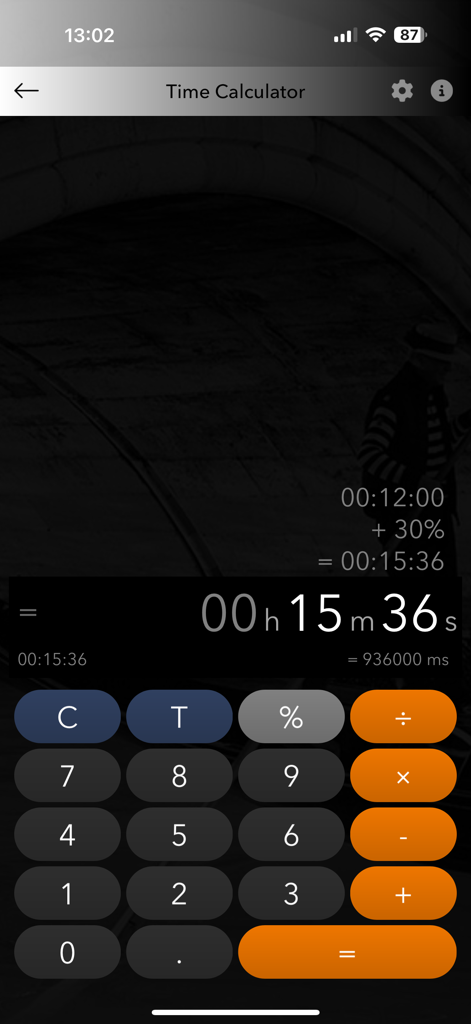
Art of Foto - アナログフィルム写真現像のための時間計算機インターフェース。

アナログフィルム写真現像のための時間計算機インターフェース。

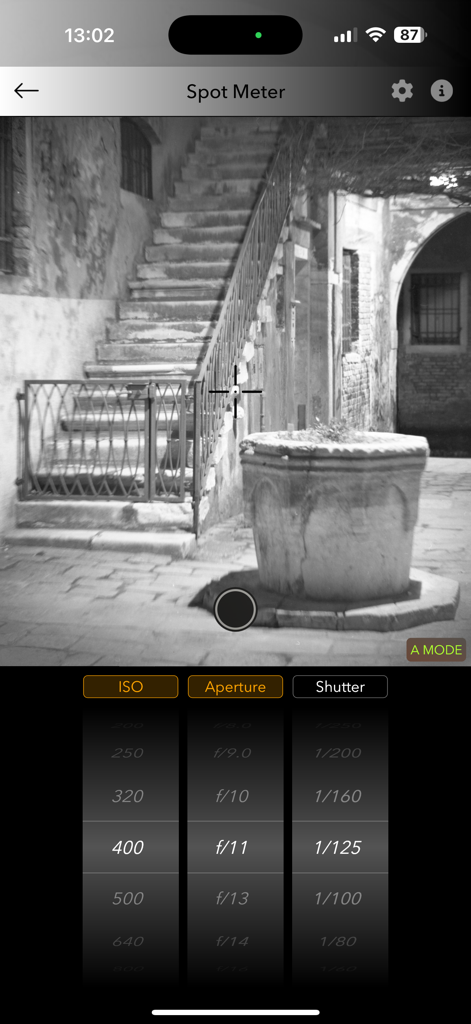
Art of Foto - Art of Fotoアプリのスポットメーターインターフェース。白黒シーンの露出設定を表示。
Art of Fotoアプリのスポットメーターインターフェース。白黒シーンの露出設定を表示。

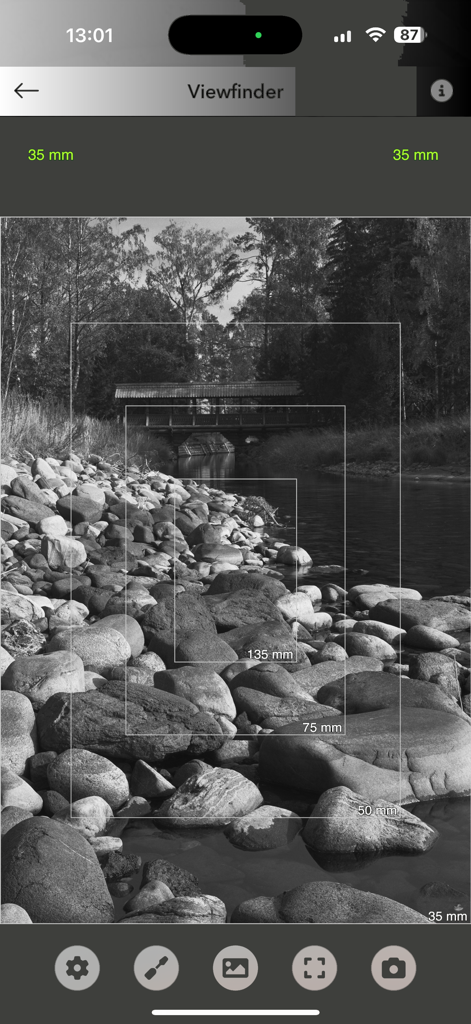
Art of Foto - 白黒風景にさまざまなカメラレンズの焦点距離フレームを表示するデジタルファインダーツール。
白黒風景にさまざまなカメラレンズの焦点距離フレームを表示するデジタルファインダーツール。

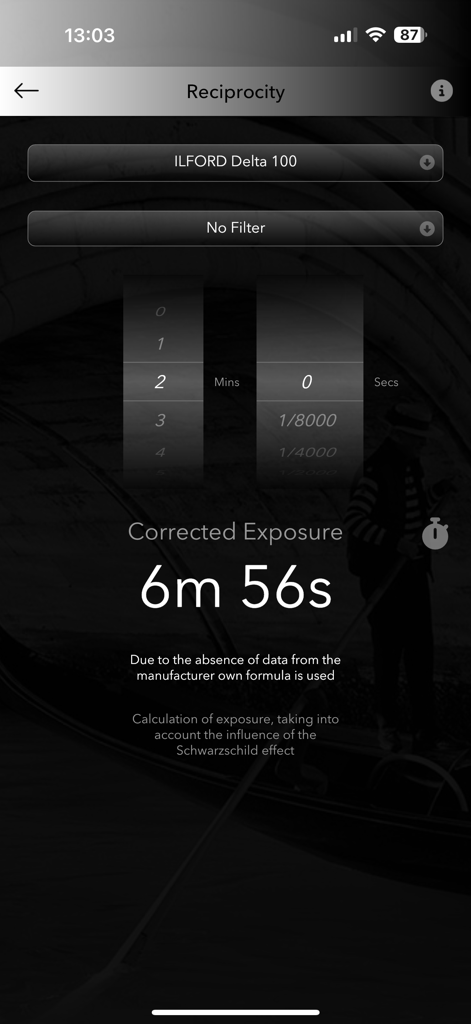
Art of Foto - フィルム写真のArt of Fotoアプリ黒化現象計算機インターフェース。補正された露出時間を示しています。
フィルム写真のArt of Fotoアプリ黒化現象計算機インターフェース。補正された露出時間を示しています。

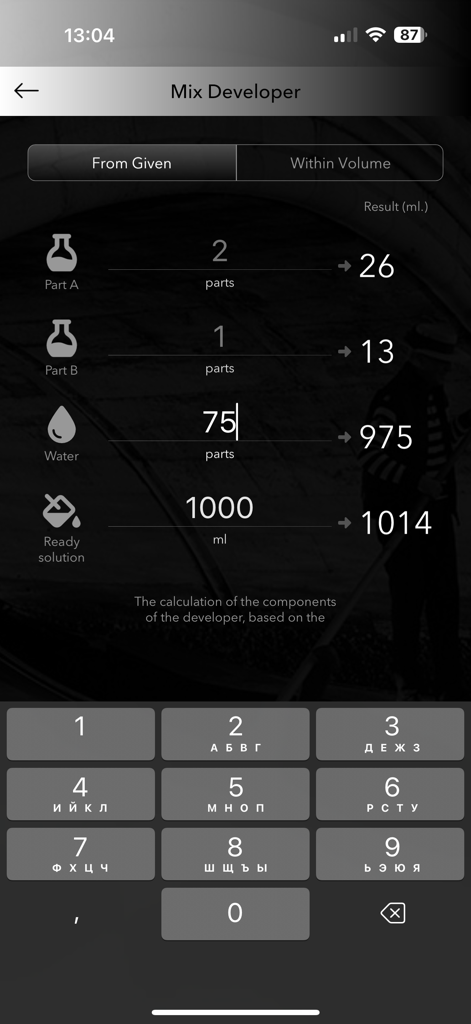
Art of Foto - アナログフィルム写真用現像液混合計算機。

アナログフィルム写真用現像液混合計算機。

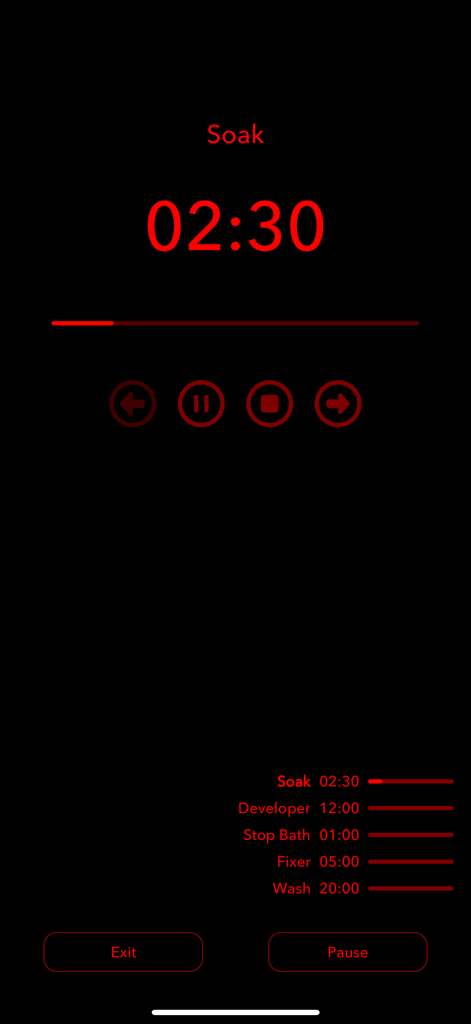
Art of Foto - アナログフィルム現像用の赤色安全暗室タイマーインターフェース。浸漬現像液や定着液などのステップを表示。

アナログフィルム現像用の赤色安全暗室タイマーインターフェース。浸漬現像液や定着液などのステップを表示。

説明

The Art of Foto project was established in 2011 and adheres to the analogue black and white photography. Our application helps users working with large-format cameras as well as other film cameras: 1. Time calculator To perform operations with time, what helps when developing films using The Zone System and sensiometry with compensation for contraction development (known as N-) and expansion development ((known as N+), using large-format cameras etc. 2. Bellows extension Exposure compensation calculator based on bellows extension. 3. Conversion 35 mm Conversion focal length of the medium and all famous large format cameras lenses into the 35 mm format. 4. Calculator of developer Calculator of developer and water proportions for High concentrate film developers such as pyro. 5. Reciprocity Calculation of exposure, taking into account the influence of the Schwarzschild effect. 6. Negative camera Camera for viewing black and white and color negatives in real time. 7. Viewfinder For film shoots, especially large format. Now you can evaluate a possible frame without taking out the your camera, determine which lens is more suitable for a given scene, see the frame in black and white and in color. All major film formats are available, the non-film part of the screen can be made hidden, and of course, you can take a photo that will be saved in the gallery. One can zoom using fingers, on devices with several cameras, switching occurs automatically. Focal lengths are switched by tapping on the current focal length indicator (upper right corner), formats - by tapping on the format indicator in the upper left corner of the screen. 8. Process Timer Timer for the manure and printing of photographs. Light radiated by the device can lead to light, reduce the brightness of the screen to a minimum and be sure to test photosensitive materials before use. 9. Light Table A light table for viewing transparent materials on the lumen, for example, films for evaluating the quality of the manure, when there is no more professional device at hand. 10. Exposure Meter Measurement of exposure based on data from the device camera. 11. Spot Meter Pointed light frozen (exposure in the reflected light).

Download

ダウンロード: App Store

このページはアプリまたはその開発者の公式ページではなく、情報提供および論評を目的として作成された独立した編集出版物です。明示的に別段の記載がない限り、アプリおよびその開発者は、MWM、Apple、Google Play、アプリのパブリッシャー、またはアプリの開発者と提携、承認、後援、認可、またはその他の公式的な関係はなく、このページのいかなる内容も、アプリがMWMのサービスを使用して開発されたことを意味するものではありません。すべての商標、ロゴ、スクリーンショット、その他のコンテンツはそれぞれの所有者の財産です。