aSPICE Pro - oVirt Proxmox
ダウンロード: App Store

このページはアプリまたはその開発者の公式ページではなく、情報提供および論評を目的として作成された独立した編集出版物です。明示的に別段の記載がない限り、アプリおよびその開発者は、MWM、Apple、Google Play、アプリのパブリッシャー、またはアプリの開発者と提携、承認、後援、認可、またはその他の公式的な関係はなく、このページのいかなる内容も、アプリがMWMのサービスを使用して開発されたことを意味するものではありません。すべての商標、ロゴ、スクリーンショット、その他のコンテンツはそれぞれの所有者の財産です。

ロゴ: aSPICE Pro - oVirt Proxmox
ダウンロード: App Store

aSPICE Pro - oVirt Proxmox

システム管理者およびHomeLab愛好家のために構築された、SSH対応のセキュアなSPICEクライアント。デスクトップクラスの精度、外部ハードウェアサポート、統合セキュリティによる高性能仮想マシン管理を体験してください。

主要数値

ダウンロード

4K+

ユーザー評価

3.9/5

評価数

0

開発元

iordan iordanov

カテゴリ

Productivity

対応言語

5

最新バージョン

55

サイズ

14.1 MB

リリース日

2022年4月18日
機能

どこからでもエンタープライズグレードの管理

aSPICE Proは、モバイルでデスクトップクラスの制御を要求するITプロフェッショナル向けに最適化された、ProxmoxおよびoVirt環境へのセキュアで高性能なアクセスを提供します。

ネイティブハイパーバイザー統合

Proxmox、oVirt、RHEVクラスターに直接接続し、自動プロファイル作成と.vvファイルサポートでシームレスなVM管理を実現します。

セキュアSSHトンネリング

組み込みのSSHトンネリングと公開/秘密鍵認証により、インフラストラクチャを保護し、暗号化されたファイアウォールフレンドリーなリモートアクセスを提供します。

以下のスクリーンショットと説明は、アプリの公式ストアリスティングから直接取得されたものであり、アプリ開発者の所有物です。

アプリストア

スクリーンショット
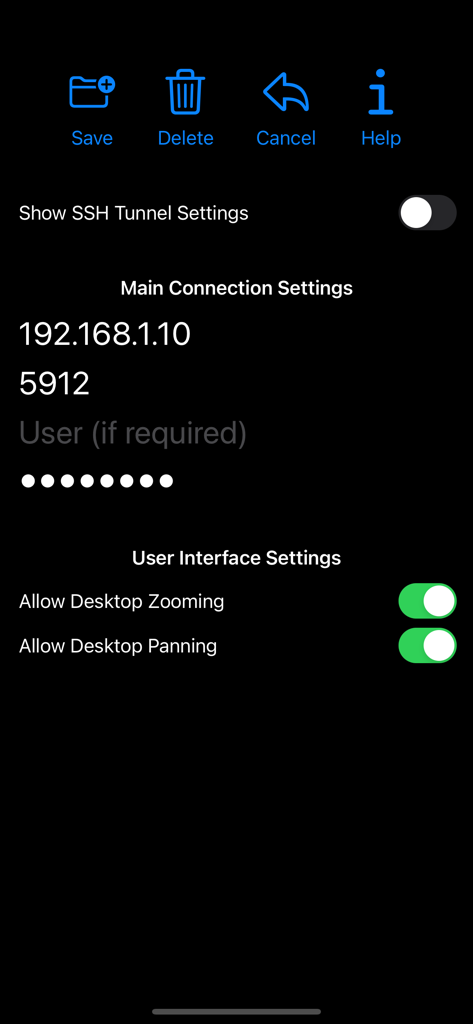
aSPICE Pro - oVirt Proxmox - リモートデスクトップ設定のためのaSPICE Proのメイン接続設定画面

リモートデスクトップ設定のためのaSPICE Proのメイン接続設定画面

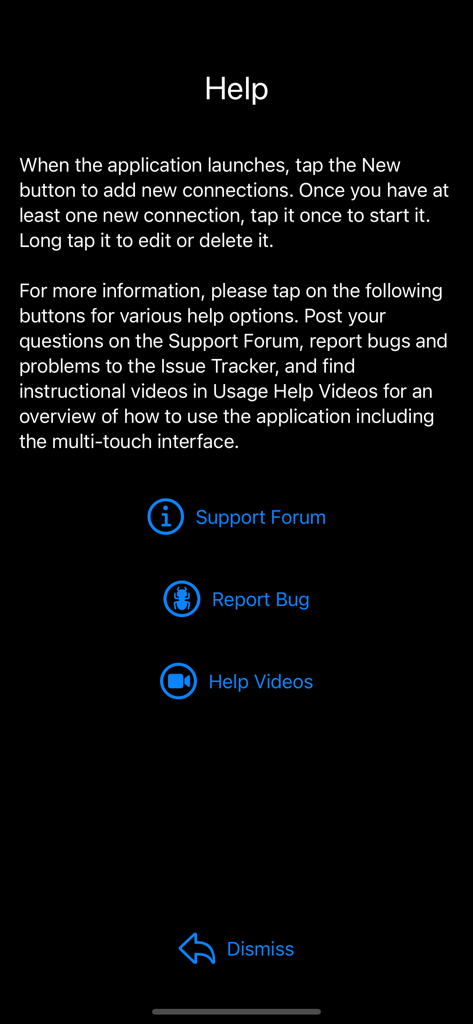
aSPICE Pro - oVirt Proxmox - 接続手順とサポートフォーラム、バグトラッカー、ヘルプビデオへのリンクを示すaSPICE Proアプリのヘルプ画面

接続手順とサポートフォーラム、バグトラッカー、ヘルプビデオへのリンクを示すaSPICE Proアプリのヘルプ画面

aSPICE Pro - oVirt Proxmox - 新しい接続、ヘルプ、ログのオプションが表示されたaSPICE Proアプリの初期画面
新しい接続、ヘルプ、ログのオプションが表示されたaSPICE Proアプリの初期画面

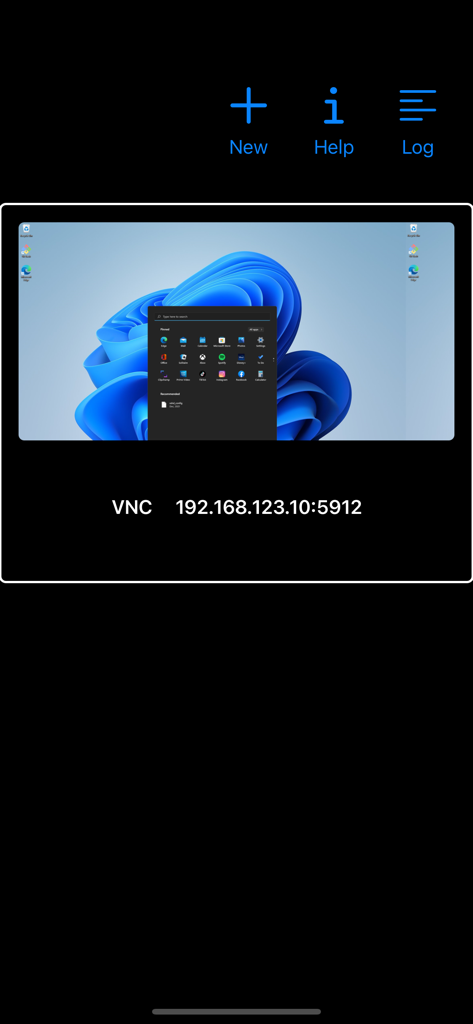
aSPICE Pro - oVirt Proxmox - Windows仮想マシン用の保存されたVNCリモートデスクトップ接続プロファイルを表示するaSPICE Proモバイルアプリインターフェース
Windows仮想マシン用の保存されたVNCリモートデスクトップ接続プロファイルを表示するaSPICE Proモバイルアプリインターフェース

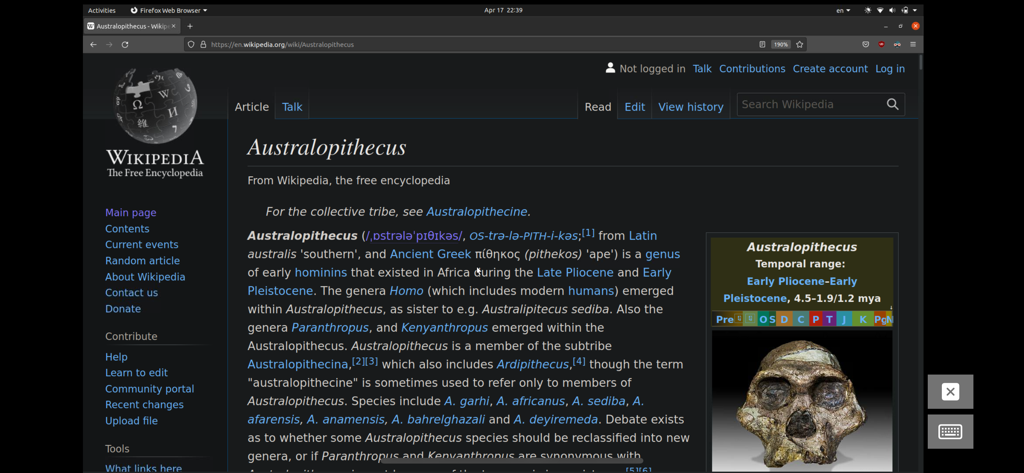
aSPICE Pro - oVirt Proxmox - Wikipediaページが表示されたWebブラウザを示す、aSPICE Pro経由でアクセスされたリモートLinuxデスクトップセッション

Wikipediaページが表示されたWebブラウザを示す、aSPICE Pro経由でアクセスされたリモートLinuxデスクトップセッション

説明

Thank you for supporting my work and GPL open-source software by buying aSPICE Pro! If you are unhappy, please don't give us a bad review, instead, request a refund and get in touch by email support _at_ morpheusly _dot_ com: https://support.apple.com/en-ca/118223 Need a VNC app for controlling your Mac remotely? https://apps.apple.com/app/bvnc-pro/id1506461202 Need an RDP app to control Windows, Ubuntu 22.04 or XRDP remotely? https://apps.apple.com/app/ardp-pro/id1620745523 If aSPICE doesn't work for you or you're unhappy, please do not ask for help in a review but do post your question in the forum by emailing bvnc-ardp-aspice-opaque-remote-desktop-clients@googlegroups.com. Alternatively, email us drectly at support _at_ morpheusly _dot_ com for help! Forum URL: https://groups.google.com/forum/#!forum/bvnc-ardp-aspice-opaque-remote-desktop-clients Report bugs: https://github.com/iiordanov/remote-desktop-clients/issues Instructions: Proxmox, oVirt, RHEV - Be sure to read the in-app Help for in-depth instructions - Direct integration with Proxmox, oVirt and RHEV allows you to create connection profiles for all your VMs right inside the app - If you prefer, you can also use console.vv files - video showing aSPICE connecting with console.vv file: https://youtu.be/scvzTMG-Jlw - Email our forum at bvnc-ardp-aspice-opaque-remote-desktop-clients@googlegroups.com for help - Email us directly at support _at_ morpheusly _dot_ com for help! Libvirt/Qemu KVM - If your mouse pointer is not in sync with where you tap, you may need to add an "EvTouch USB Graphics Tablet" to your virtual machine (when it's powered off) and then power it on. To add the Tablet: - If configuring through virt-manager, Go to the View->Details section, and select Add Hardware->Input->EvTouch USB Graphics Tablet. - If running your virtual machine on the command-line, you need an option similar to: "-device usb-tablet,id=input0" aSPICE is a secure, SSH capable, open source SPICE protocol client that makes use of the LGPL licensed native libspice library. Its features include: - Simulated Touchpad and two Direct input touch modes to choose from - External keyboard support - External mouse support - Magic Trackpad support - Multi-language support - Multi-keyboard layout support - choose your keyboard layout while setting up the connection - Console .vv file support allowing connections to Proxmox, oVirt, and Red Hat Enterprise Virtualization/RHEV frameworks - Control any SPICE-enabled qemu virtrual machine with ANY guest OS. - Audio support - Multi-touch control over the remote mouse. One finger tap left-clicks, two-finger tap right-clicks, and three-finger tap middle-clicks - Right and middle-dragging if you don't lift the first finger that tapped - Scrolling with a two-finger drag - Pinch-zooming - Dynamic resolution changes, allowing you to reconfigure your desktop while connected, and control over virtual machines from BIOS to OS - Full rotation support. Use the central lock rotation on your device to disable rotation - Multi-language support - Full desktop visibility even with soft keyboard extended - SSH tunneling for added security or to reach machines behind a firewall. - UI Optimizations for different screen sizes (for tablets and smartphones) - SSH public/private (pubkey) support - Automatic connection session saving - On-screen Ctrl, Alt, Tab, Super, Shift, Del, PageUp, PageDown, Function and Arrow keys - Available on-device help on creating a new connection in the Menu when setting up connections - Clipboard integration for copy/pasting from your device Code: https://github.com/iiordanov/remote-desktop-clients

Download

ダウンロード: App Store

このページはアプリまたはその開発者の公式ページではなく、情報提供および論評を目的として作成された独立した編集出版物です。明示的に別段の記載がない限り、アプリおよびその開発者は、MWM、Apple、Google Play、アプリのパブリッシャー、またはアプリの開発者と提携、承認、後援、認可、またはその他の公式的な関係はなく、このページのいかなる内容も、アプリがMWMのサービスを使用して開発されたことを意味するものではありません。すべての商標、ロゴ、スクリーンショット、その他のコンテンツはそれぞれの所有者の財産です。