ATracker Time Tracker

ATracker Time Tracker

ダウンロード: App Store
ロゴ: ATracker Time Tracker

ATracker時間トラッカー:あなたの人生を、ワンタップで最適化

プロフェッショナル、親、そして高業績者のための究極のライフダッシュボード。時間を可視化し、永続的な習慣を築き、楽な、全体的な記録で一日を取り戻しましょう。

開発元

WonderApps AB

カテゴリ

Productivity

ダウンロード

938K+

ユーザー評価

4.6/5

評価数

1K+

対応言語

19

あなたの人生を一目で

このインターフェースを利用する 938K+ 人のユーザー.

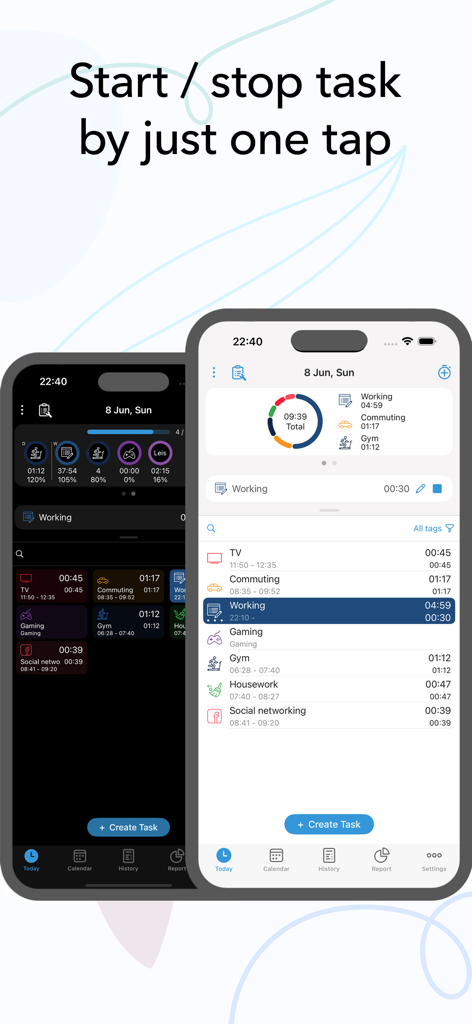
ATrackerアプリのインターフェース、ワンタップタスク記録と日々の活動ログを表示
ATrackerアプリのインターフェース、ワンタップタスク記録と日々の活動ログを表示

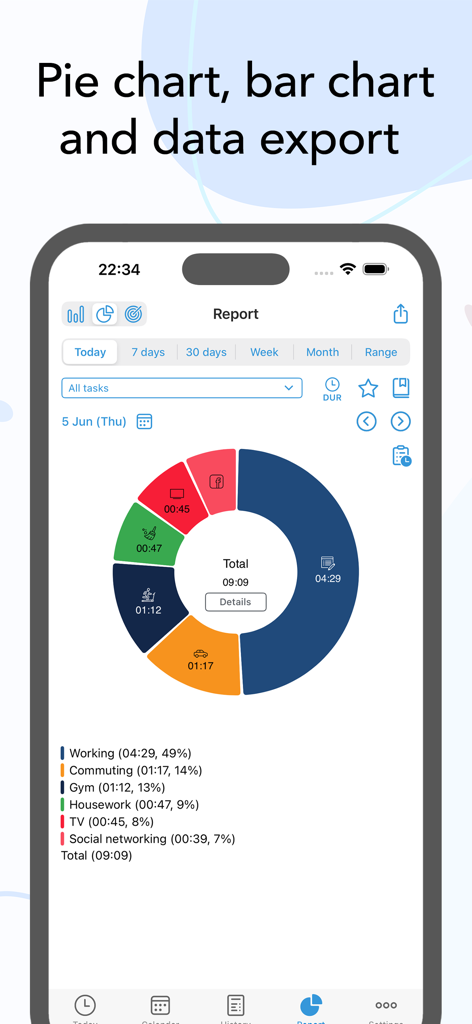
ATrackerアプリの日次レポート、仕事やジムなどのタスクのカラフルな円グラフの内訳を表示
ATrackerアプリの日次レポート、仕事やジムなどのタスクのカラフルな円グラフの内訳を表示

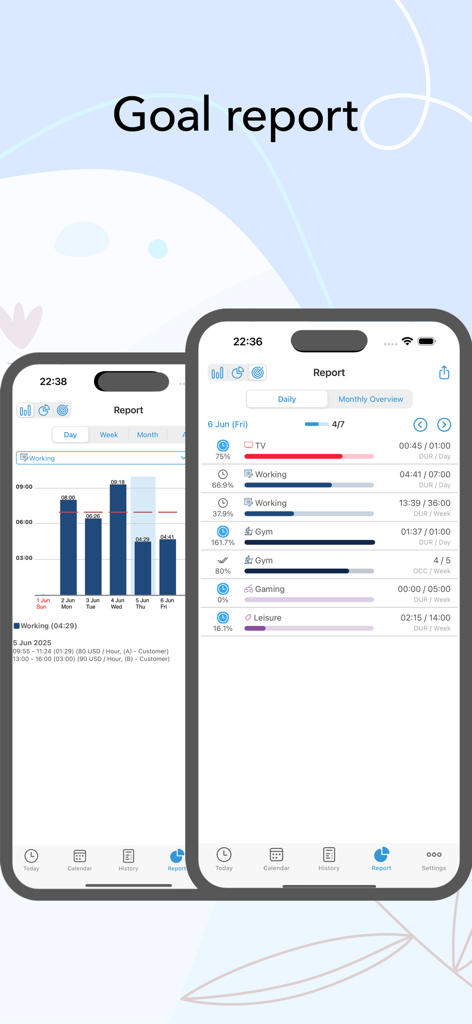
モバイルアプリのインターフェース、進捗バーとさまざまな日々の活動の棒グラフを表示する時間記録目標レポートを表示
モバイルアプリのインターフェース、進捗バーとさまざまな日々の活動の棒グラフを表示する時間記録目標レポートを表示

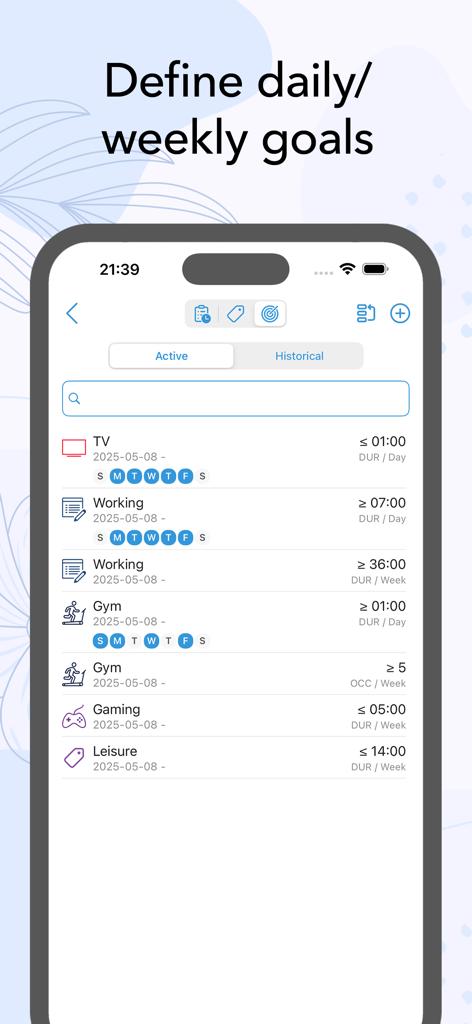
仕事、ジム、ゲームの毎日の週次の目標を表示するATrackerアプリの目標インターフェースを表示する電話画面
仕事、ジム、ゲームの毎日の週次の目標を表示するATrackerアプリの目標インターフェースを表示する電話画面

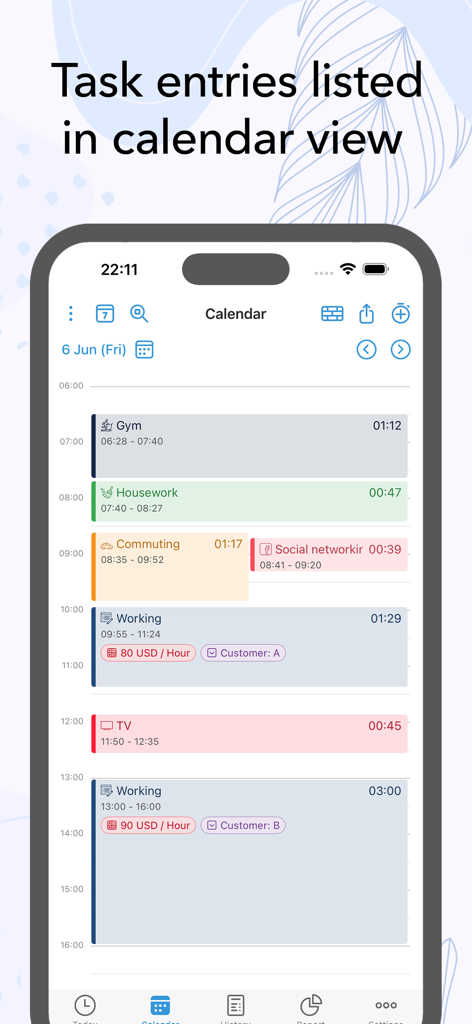
ATrackerアプリのインターフェース、カレンダービューで色分けされたタスクエントリを含む日次スケジュールを表示
ATrackerアプリのインターフェース、カレンダービューで色分けされたタスクエントリを含む日次スケジュールを表示

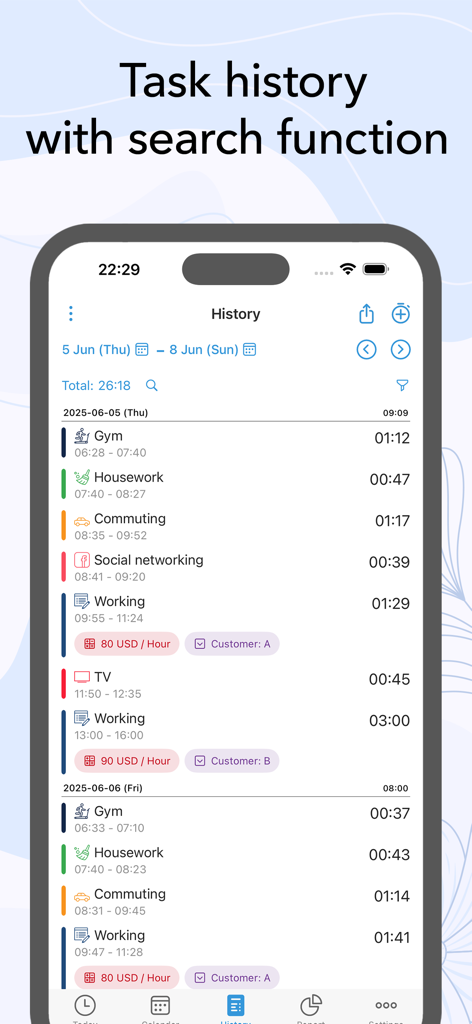
ATrackerアプリの詳細なタスク履歴ログ、さまざまな日々の活動と検索機能を表示
ATrackerアプリの詳細なタスク履歴ログ、さまざまな日々の活動と検索機能を表示

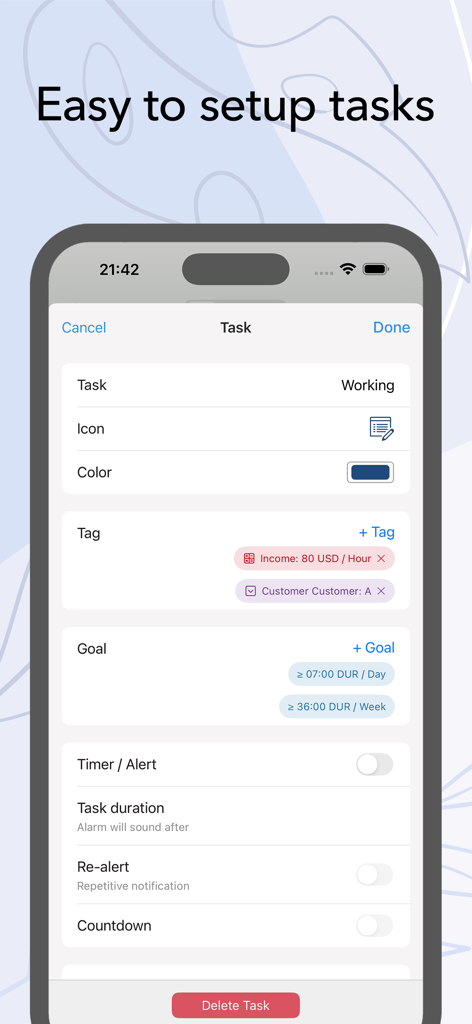
ATrackerモバイルアプリのインターフェース、タグ、目標、タイマー設定のオプションを備えた簡単なタスクセットアップを表示
ATrackerモバイルアプリのインターフェース、タグ、目標、タイマー設定のオプションを備えた簡単なタスクセットアップを表示

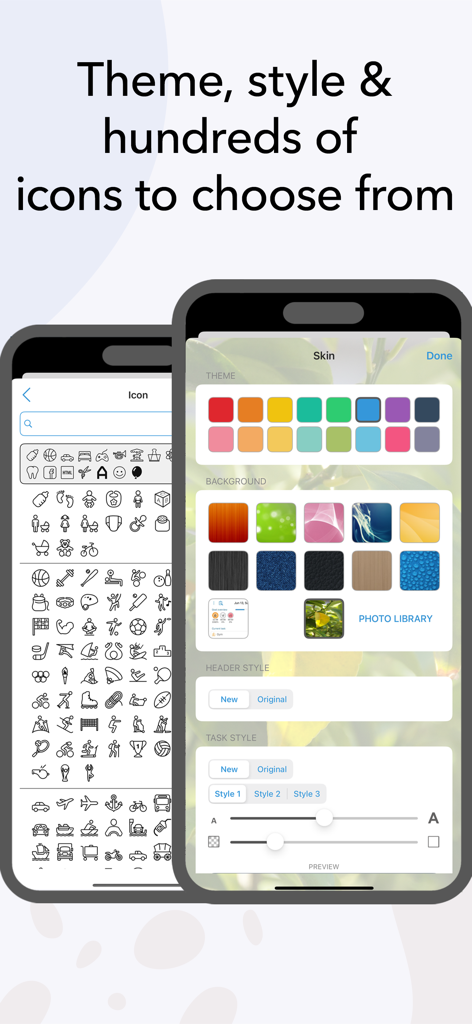
ATrackerアプリの画面、カラーテーマ、背景画像、および多数のタスクアイコンライブラリのさまざまなカスタマイズオプションを表示
ATrackerアプリの画面、カラーテーマ、背景画像、および多数のタスクアイコンライブラリのさまざまなカスタマイズオプションを表示

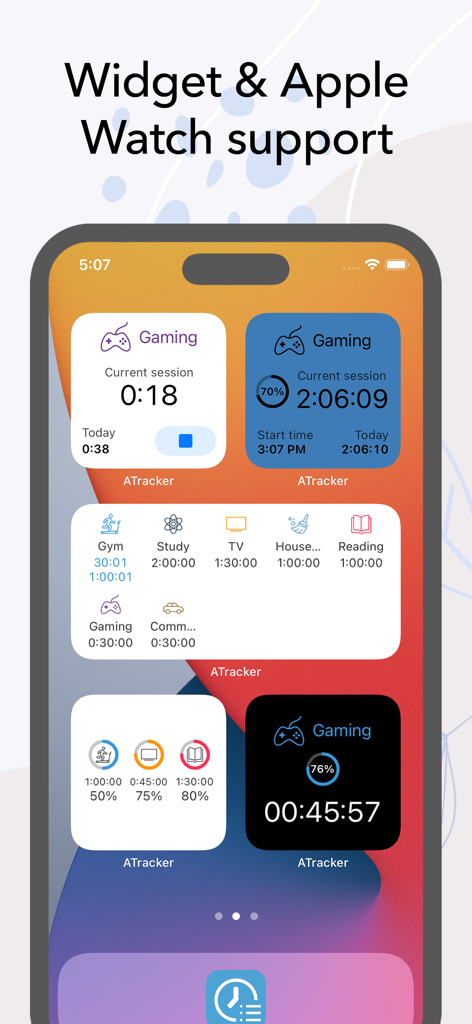
ゲーム、学習、ジムセッションなどのタスクを記録するためのさまざまなATracker生産性ウィジェットを表示するiPhoneホーム画面
ゲーム、学習、ジムセッションなどのタスクを記録するためのさまざまなATracker生産性ウィジェットを表示するiPhoneホーム画面

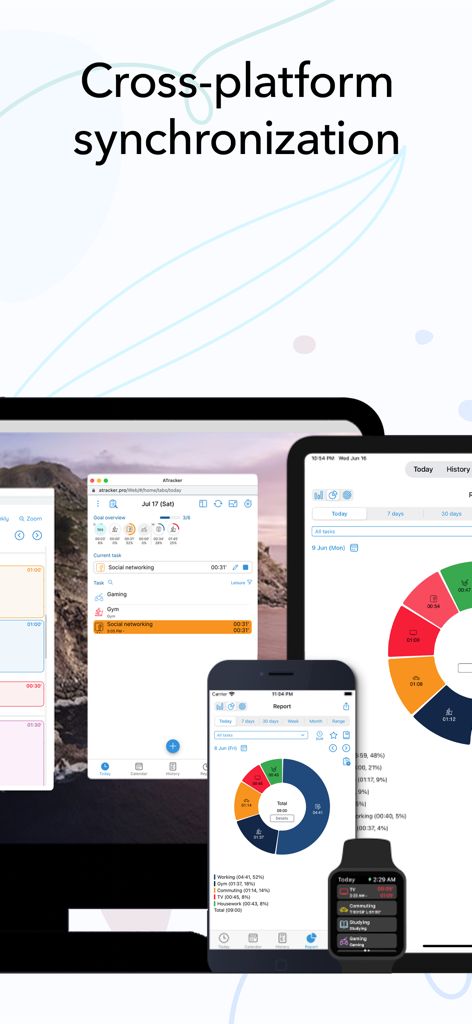
iPhone、iPad、Apple Watch、デスクトップコンピュータ間で同期されたATracker時間記録データ

iPhone、iPad、Apple Watch、デスクトップコンピュータ間で同期されたATracker時間記録データ

時間をマスターし、人生を最適化

このアプリを際立たせるツール、 938K+ 人のユーザーが選択.

瞬時のワンタップ精度

意思決定の疲労をなくし、フロー状態を維持します。ワンタップでアクティビティの記録を開始または停止—移動中のマルチタスクの速いペースに最適です。

🎨

パーソナライズされたライフダッシュボード

キャリアの節目から家族の時間まで、あなたの人生全体を可視化します。あなたの個人的なアイデンティティを反映する何百ものアイコンとカラーコードで体験をカスタマイズします。

📈

実行可能な洞察とレポート

インタラクティブなチャートとエクスポート可能なレポートで時間をデータに変えましょう。あなたの進捗の視覚的な証拠で目標を達成し、持続可能な習慣を築きましょう。

アプリについて

について知っておくべきこと ATracker Time Tracker.

説明

Life is precious and so is your time. And keeping that in mind, ATracker is here to help you achieve more of your goals, build a sustainable habit, and boost your productivity to a new height. ATracker is a simple yet very powerful time tracking app and productivity tool that allows you to use it with minimal setup. Having a track of your precious time has never been easier with our one-tap to start/stop time tracking. As the leading time tracking app, ATracker also offers bar or pie charts showcasing where your time went. Lots of features for self-development The fully customizable user interface allows you to turn this habit tracker into your own. The tracking app also comes with the option of categorizing tasks with tags; data export; sync data between multiple devices for the shortest path towards self-improvement and the perfect boost of productivity. It's a fresh way to organize your day and make the most out of it … with just a few taps. SCOPE ATracker is a clean and minimalistic approach to, • Track time of different tasks and projects at work • Track time of School studies and projects • Track time of Exercises • Track time of Socializing • Track time of Homemaking tasks • Track time of Baby or child daily activities • Hobby projects • Or any activity people want to track and control We believe that time tracking should be effortless. Here are some of the key features ATracker offers • Start and stop tracking a task with just one tap. • Overview of today's time spending on the Today tab. • Interactive goal system for self-improvement. • Complete activity log. Show activities on any given date. Add missed or modify existing activity. • Customization of activities with hundreds of unique icons to choose from. You can also color code the activities for a personalized time tracking experience. • Ability to keep notes for each task entry. • Statistics showed in bar charts and pie charts. • Group tasks by tags and allow users to filter tasks by tag on the Today tab, as well as aggregate the data by tag in reporting. • The activity timer does not stop even when the application is not running, or your mobile is in sleep mode. • Set alarm for activities. The alarm will sound even when the app is not running. • Widget to see your data on-screen at all times. • Gesture support • Full customization of UI with more skins and allow the user to use their own image as background. PRO FEATURES With an only one-time investment, you will get to enjoy, - No Ads. - Unlimited tasks - Data export with PDF and CSV file. - Able to keep notes for each task entry. - Full customization of UI with more skins and allow user to use own image as background. WEB SUBSCRIPTION With web subscription, ATracker supports sync across multiple devices. It also provides web access to ATracker services besides the app. This add-on is optional. • ATracker subscriptions purchased in-app renew monthly or yearly depending on your plan. Plan pricing may vary by country. • Payment will be charged to iTunes Account at confirmation of purchase • Subscription automatically renews unless auto-renew is turned off at least 24-hours before the end of the current period • Account will be charged for renewal within 24-hours prior to the end of the current period, and identify the cost of the renewal • Subscriptions may be managed by the user and auto-renewal may be turned off by going to the user's Account Settings after purchase • Any unused portion of a free trial period, if offered, will be forfeited when the user purchases a subscription to that publication, where applicable SUPPORT Visit https://support.wonderapps.se or contact us at support@wonderapps.se Terms of Service: https://atracker.pro/atracker_TOS_APP.html Privacy Policy: https://atracker.pro/atracker_policy_APP.html Life is precious and so is your Time. So, stop wasting your time and organize your life the right way NOW.

最新バージョン

17.21

サイズ

135.2 MB

リリース日

2012年5月1日

時間をマスターする準備はできましたか?

ワンタップで仕事、趣味、家庭生活を記録する938,000人以上のユーザーに加わりましょう。今すぐATrackerをダウンロードして、あなたの1日が本当にどこへ行くのか、ついに見つけましょう。

ダウンロード: App Store

App information, icons, screenshots, and descriptions displayed on this page are sourced from the Apple App Store and are the property of their respective developers. Download estimates and rankings are based on MWM's proprietary models and may not reflect actual figures. This page is provided for informational and analytical purposes only.

Believe this page infringes your intellectual property? File a dispute