
このページはアプリまたはその開発者の公式ページではなく、情報提供および論評を目的として作成された独立した編集出版物です。明示的に別段の記載がない限り、アプリおよびその開発者は、MWM、Apple、Google Play、アプリのパブリッシャー、またはアプリの開発者と提携、承認、後援、認可、またはその他の公式的な関係はなく、このページのいかなる内容も、アプリがMWMのサービスを使用して開発されたことを意味するものではありません。すべての商標、ロゴ、スクリーンショット、その他のコンテンツはそれぞれの所有者の財産です。

Audio Converter - Music editor
フォーマットを簡単に変換し、ビデオから高品質MP3を抽出し、数秒でカスタム着信音を作成します。精度とスピードを求めるクリエイターや効率重視のユーザーにとって究極のモバイルスタジオ。
ダウンロード
82K+ユーザー評価
評価数
500開発元
カテゴリ
Utilities対応言語
23最新バージョン
2.3.3サイズ
71.7 MBリリース日
2024年2月7日モバイルオーディオスタジオをマスターする
デスクトップ不要で、プロの精度でオーディオファイルを抽出し、変換し、編集できるオールインワンのパワーツール。
インスタントビデオからオーディオへの抽出
あらゆる画面録画やソーシャルメディアクリップを高品質MP3に変換します。自分のコンテンツ用にトレンドのサウンドをキャプチャするのに最適です。
精密編集とミキシング
0.1秒単位の精度でクリップをトリミングし、複数のトラックをマージし、プロフェッショナルなフェードインエフェクトを追加してシームレスなトランジションを実現します。
よくある質問
について知っておくべきこと Audio Converter - Music editor
「Audio Converter - Music editor」アプリとは何ですか?
「Audio Converter - Music editor」アプリは、ビデオおよびオーディオファイルからオーディオを変換および抽出するための包括的なツールです。オーディオ編集、着信音作成、オーディオマージ機能が含まれています。
「Audio Converter - Music editor」アプリはどのオーディオ形式をサポートしていますか?
「Audio Converter - Music editor」は、MP3、WAV、M4A、FLAC、AAC、OGG、ALAC、CAF、AIFF、AFICなどの一般的なオーディオ形式の変換をサポートしています。
「Audio Converter - Music editor」でオーディオ設定をカスタマイズできますか?
はい、「Audio Converter - Music editor」を使用すると、オーディオファイルを変換する前に、ビットレート、サンプルレート、チャンネル数(ステレオ/モノ)などのパラメータをカスタマイズできます。
「Audio Converter - Music editor」はオーディオファイルの編集を許可していますか?
はい、「Audio Converter - Music editor」アプリには、音楽トラックをカット、コピー、ペースト、マージ、編集するためのオーディオエディターが含まれています。バックグラウンドサウンドの追加やマルチトラック編集もサポートしています。
「Audio Converter - Music editor」はビデオから着信音を作成できますか?
はい、「Audio Converter - Music editor」は、ビデオからオーディオを抽出して着信音を作成できます。正確な0.1秒のクリッピング、フェードイン/フェードアウト、MP3およびM4R形式への変換をサポートしています。
「Audio Converter - Music editor」はどのビデオ形式からオーディオを抽出できますか?
「Audio Converter - Music editor」は、MP4、MOV、AVI、MKV、FLVなどのさまざまなビデオ形式からオーディオを抽出します。
「Audio Converter - Music editor」でオーディオを抽出するためにインターネット接続は必要ですか?
いいえ、ビデオがデバイスにダウンロードされた後、「Audio Converter - Music editor」を使用してオーディオを抽出するためにインターネット接続は必要ありません。
「Audio Converter - Music editor」のプレミアム機能にサブスクライブするにはどうすればよいですか?
「Audio Converter - Music editor」プレミアムには、月額課金プランを通じてサブスクライブします。購入確定時にiTunesアカウントに料金が請求されます。
「Audio Converter - Music editor」プレミアムサブスクリプションを管理するにはどうすればよいですか?
購入後、iTunesアカウント設定を通じて、「Audio Converter - Music editor」サブスクリプションを管理し、自動更新をオフにすることができます。
以下のスクリーンショットと説明は、アプリの公式ストアリスティングから直接取得されたものであり、アプリ開発者の所有物です。
アプリストア
スクリーンショット
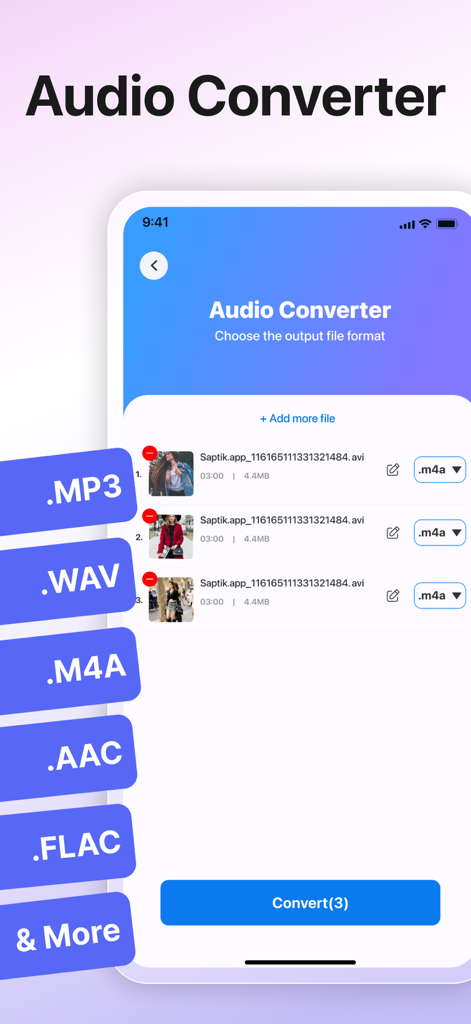
オーディオコンバーターアプリのインターフェース。バッチ変換のための複数のファイル形式オプションが表示されています。
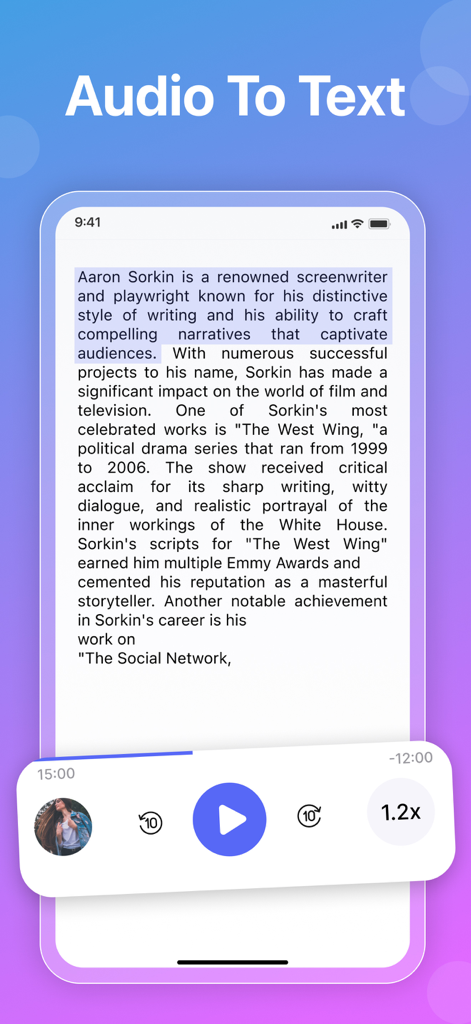
再生コントロール付きのオーディオからテキストへの変換機能のモバイルアプリインターフェース
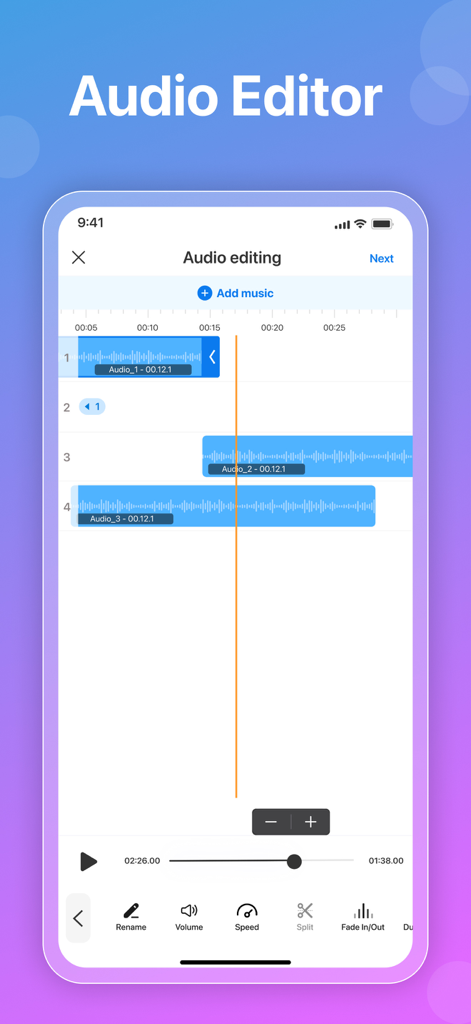
波形とツールを備えたマルチトラックオーディオ編集インターフェース
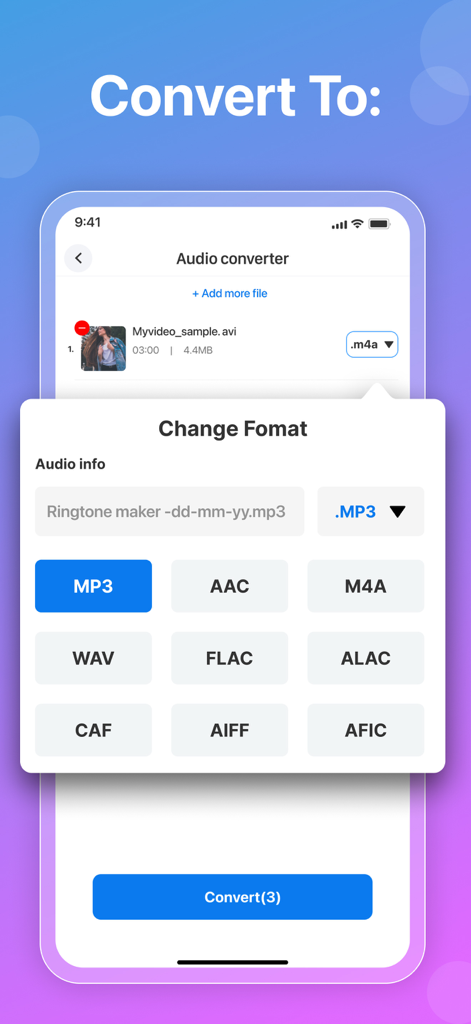
オーディオコンバーターアプリで変換用のオーディオ形式を選択しています
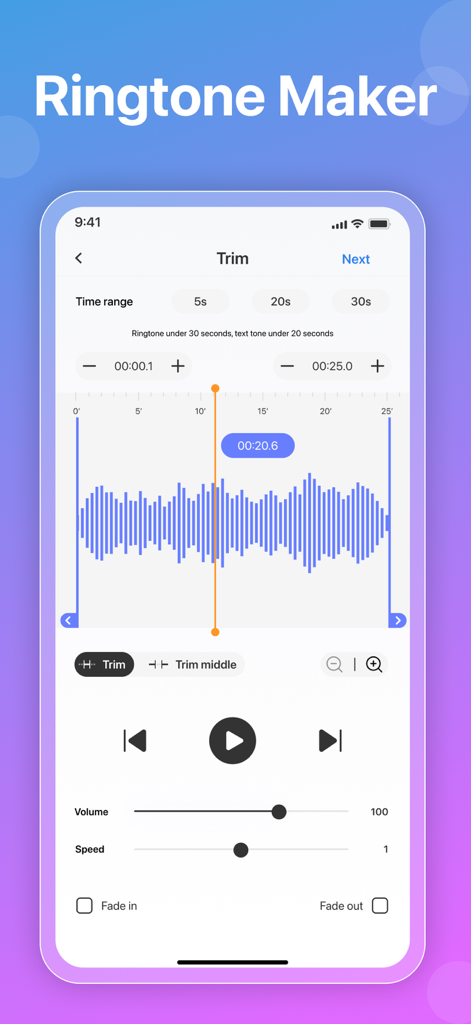
オーディオコンバーターアプリの着信音メーカー画面。波形編集と再生コントロールが表示されています。
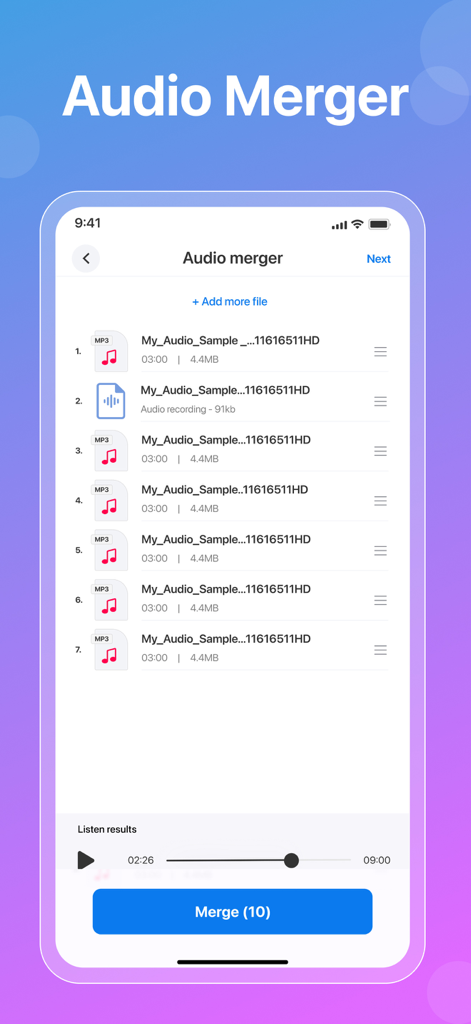
アプリで複数のオーディオトラックがマージされていることを示すインターフェース
説明
Download
類似アプリ
似た機能とユーザー体験を持つアプリ

MP3 Converter -Audio Extractor
妍 岳

Audio Editor - Music Mixer
妍 岳

MP3 Converter: Video to Audio
Fitness Labs SRL

Audio Editor: MP3 Converter
ZHN Co., Ltd.

MP3 Converter - video2mp3
ZHN Co., Ltd.

EZAudioCut - Audio Editor Lite
龙刚 李

Audio Extractor-Audio Editing
正军 刘

Audio Editor & Music Mixer
Wuhan Net Power Technology Co., Ltd

Audio Converter&Ringtone Maker
俊鹏 位
このページはアプリまたはその開発者の公式ページではなく、情報提供および論評を目的として作成された独立した編集出版物です。明示的に別段の記載がない限り、アプリおよびその開発者は、MWM、Apple、Google Play、アプリのパブリッシャー、またはアプリの開発者と提携、承認、後援、認可、またはその他の公式的な関係はなく、このページのいかなる内容も、アプリがMWMのサービスを使用して開発されたことを意味するものではありません。すべての商標、ロゴ、スクリーンショット、その他のコンテンツはそれぞれの所有者の財産です。