Audio Editor ~ MP3 Converter

Audio Editor ~ MP3 Converter

ダウンロード: App Store
ロゴ: Audio Editor ~ MP3 Converter

Audio Editor ~ MP3 Converter: iPhoneのためのオールインワンプロサウンドスタジオ

クリエイターと音楽愛好家のための究極のツールボックス。クリップをトリミングし、ビデオからオーディオを抽出し、AIを使ってボーカルやバックグラウンドノイズを削除できます。すべてをあなたの手の中で。

開発元

Changsha Shenguangyuan Technology Co., Ltd.

カテゴリ

Music

ダウンロード

66K+

ユーザー評価

4.5/5

評価数

200

対応言語

17

ポケットの中のスタジオ

このインターフェースを利用する 66K+ 人のユーザー.

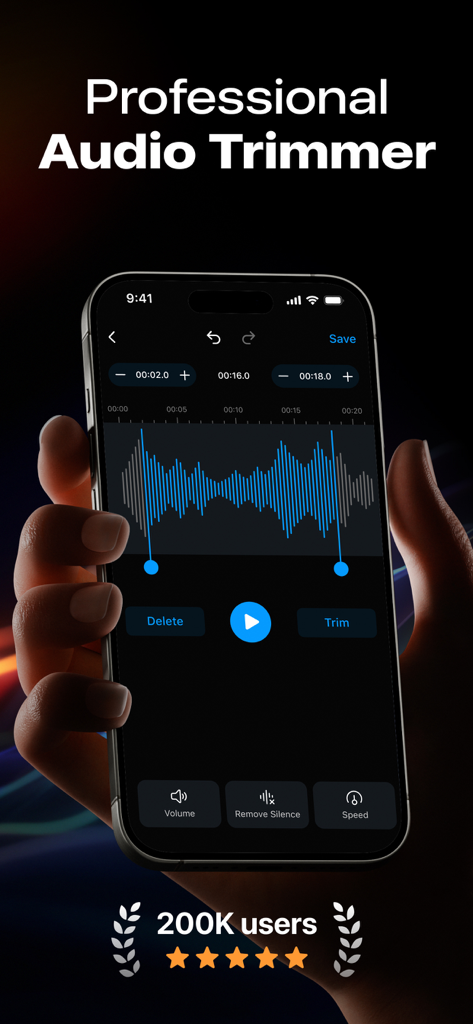
青いサウンド波形と編集ツールが表示されたプロフェッショナルオーディオトリマーインターフェイスを表示しているiPhoneを持っている人。
青いサウンド波形と編集ツールが表示されたプロフェッショナルオーディオトリマーインターフェイスを表示しているiPhoneを持っている人。

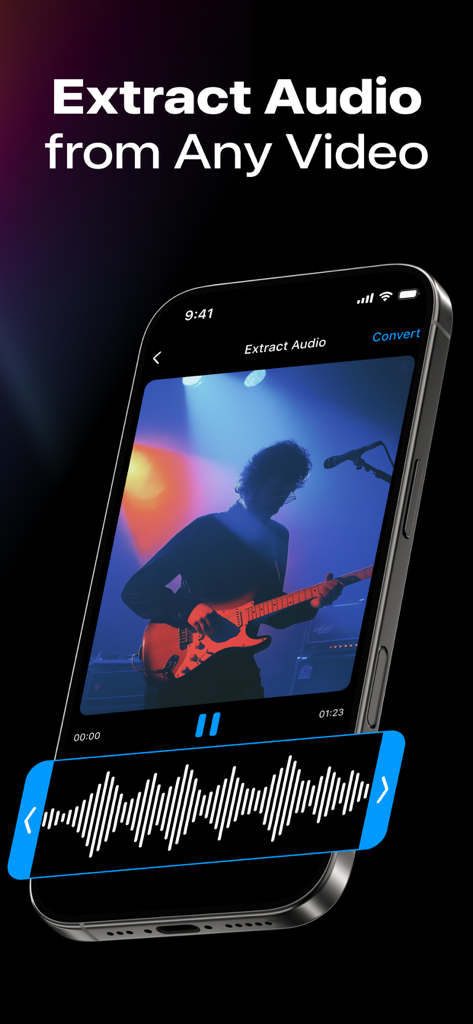
ギタリストのビデオからオーディオを抽出する方法を示しているスマートフォンの画面
ギタリストのビデオからオーディオを抽出する方法を示しているスマートフォンの画面

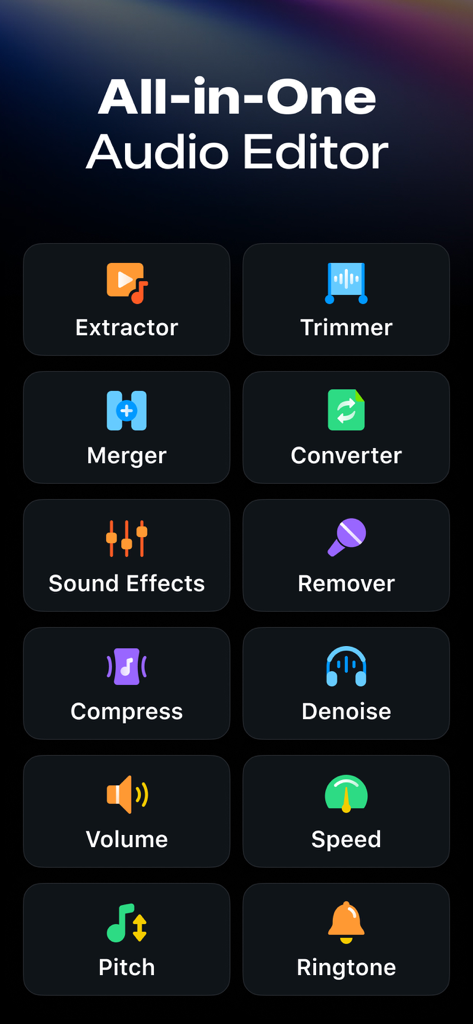
抽出、トリマー、コンバーターなどのさまざまなツールを示すオーディオエディターアプリのインターフェイス
抽出、トリマー、コンバーターなどのさまざまなツールを示すオーディオエディターアプリのインターフェイス

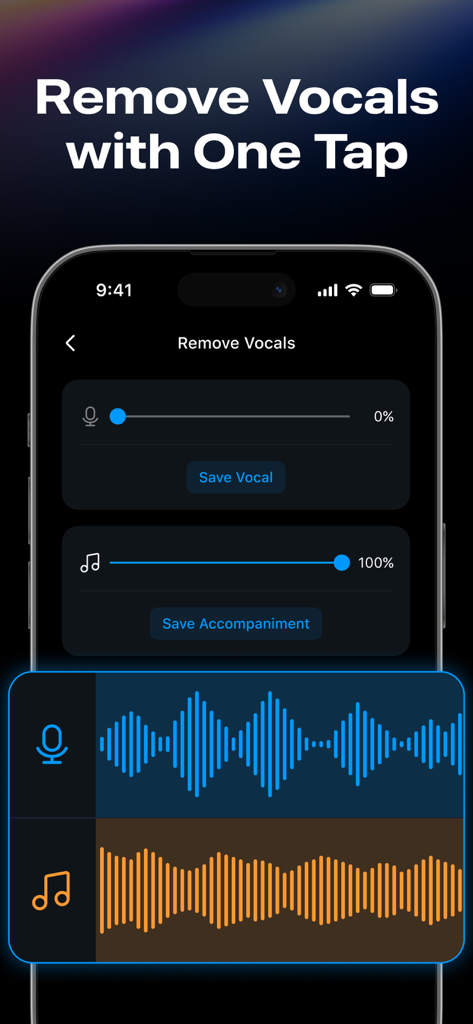
ボーカルと伴奏のスライダーでボーカル除去機能を示すオーディオエディターアプリのインターフェイス
ボーカルと伴奏のスライダーでボーカル除去機能を示すオーディオエディターアプリのインターフェイス

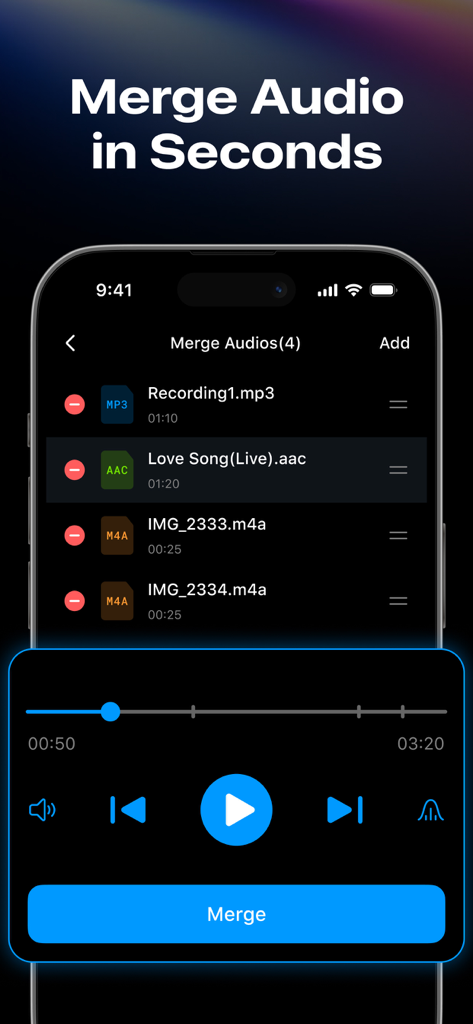
結合する準備ができているMP3およびAACファイルのリストが表示されたオーディオマージャー機能を示すスマートフォンの画面。
結合する準備ができているMP3およびAACファイルのリストが表示されたオーディオマージャー機能を示すスマートフォンの画面。

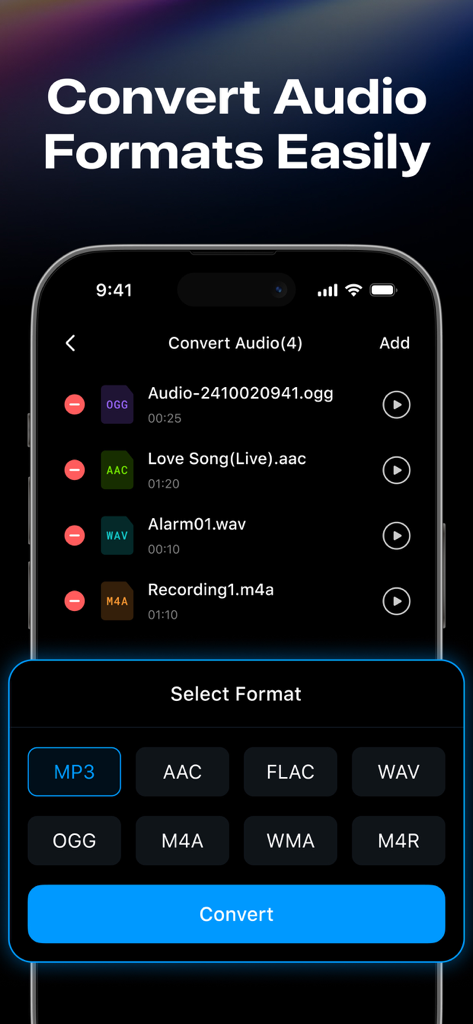
MP3およびAACなどのさまざまな形式変換オプションとファイルリストを示すオーディオエディターアプリのインターフェイス。
MP3およびAACなどのさまざまな形式変換オプションとファイルリストを示すオーディオエディターアプリのインターフェイス。

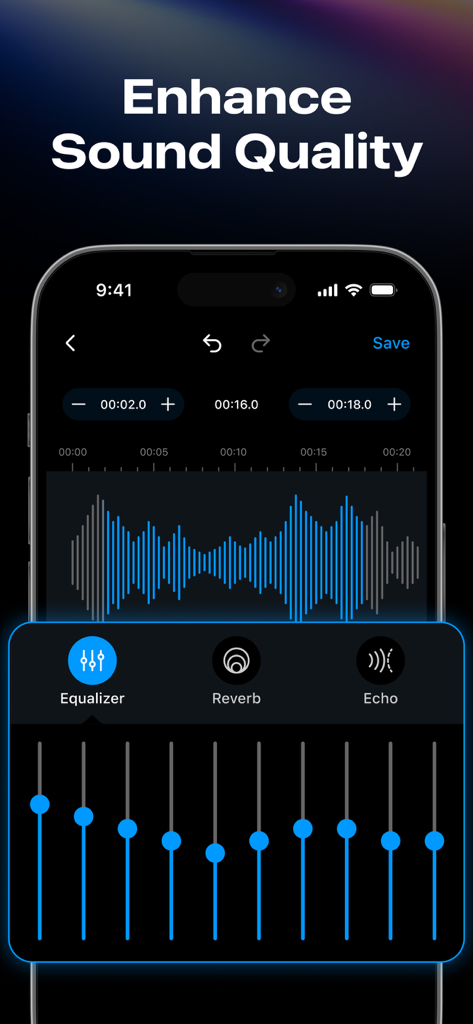
10バンドグラフィックイコライザーや波形エディターなどのオーディオ強化ツールを示すモバイルアプリのインターフェイス。
10バンドグラフィックイコライザーや波形エディターなどのオーディオ強化ツールを示すモバイルアプリのインターフェイス。

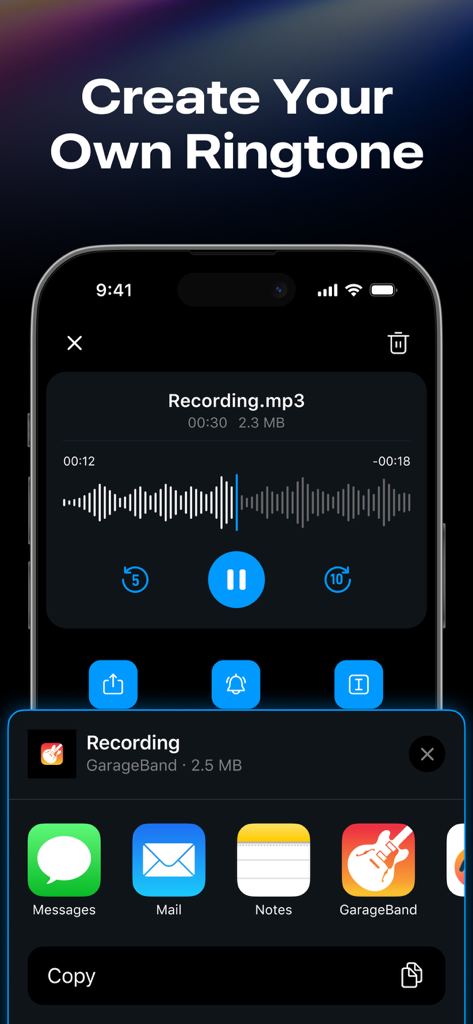
オーディオファイルからカスタムiPhone着信音を作成およびエクスポートする方法を示すモバイルインターフェイス。
オーディオファイルからカスタムiPhone着信音を作成およびエクスポートする方法を示すモバイルインターフェイス。

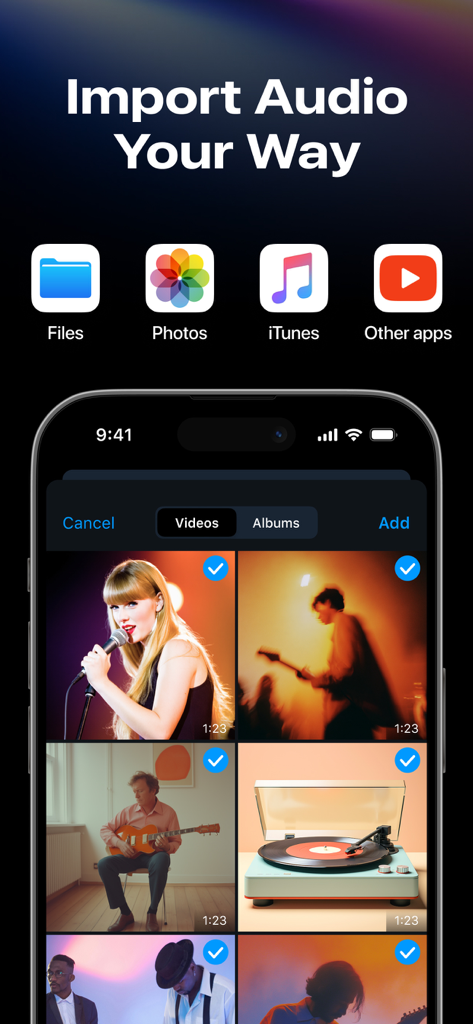
Files Photos iTunesおよびその他のアプリの複数のオーディオインポートオプションとビデオギャラリービューを示すiPhone画面

Files Photos iTunesおよびその他のアプリの複数のオーディオインポートオプションとビデオギャラリービューを示すiPhone画面

ポケットの中のプログレードオーディオツール

このアプリを際立たせるツール、 66K+ 人のユーザーが選択.

🎙️

AI搭載ボーカル分離

高度なローカルAIを使用して、完璧なミックスやカラオケセッションのために、あらゆるトラックからボーカルを剥がしたり、バックグラウンドノイズを即座にクリーンアップしたりできます。

📲

インスタントビデオ抽出

ワンタップで任意のビデオを高音質のMP3に変換できます。TikTokでトレンドのサウンドを取得したり、講義をポッドキャストにしたりするのに最適です。

バッチ変換とトリミング

すべてのフォーマットでバッチ処理を行って時間を節約し、フレーム精度編集でカスタムiPhone着信音を作成できます。

アプリについて

について知っておくべきこと Audio Editor ~ MP3 Converter.

説明

Edit, convert, and enhance your audio — all in one powerful audio editor. This powerful audio editor lets you trim MP3 files, merge clips, convert formats, remove vocals, create iPhone ringtones, and more. Whether you're a music editor, voice editor, podcaster or musician, this sound editor is built for you. Audio Editor Features - Audio Extractor: Convert videos into audio in various formats. Supports batch audio extraction for faster processing. - Audio Trimmer: Precisely trim audio clips with this built-in MP3 cutter. Adjust playback speed, volume, and apply fade-in/fade-ou while editing music. - Remove Audio Silence: Automatically detect and remove silent parts to streamline your song editing process. - Audio Merger: Merge multiple audio files into one with this smart audio joiner — supports all major formats. - Ringtone Maker: Quickly turn your favorite audio or video files into free iPhone ringtones. Audio Converter Tools - Audio Converter: Supports format conversion between MP3, AAC, FLAC, WAV, OGG, M4A, WMA, M4R, and more. - Video to Audio: Extract audio from any video file in just one tap. - Batch Audio Processing: Add and convert multiple audio files at once with background support for seamless editing. - Easy Audio Import: Add audio from files, photos, Apple Music, airdrop, other apps, or via Wi-Fi transfer. Audio Editor Toolbox: - Remove vocals:Separate vocals and accompaniment from any song using AI, running locally without uploading. - Audio Effects:Supports equalizer, reverb, echo adjustment, and multiple presets. - Background Noise Remover: Remove background noise with smart one-tap filters. - More Audio Tools: Amplify vocals, compress audio, loudness normalization (LUFS) and use the song editor like a pro. Why you'll love this audio editor? - All-in-one audio editing solution for iPhone - Beginner-friendly, pro-level audio tools - Fast, smooth, and reliable performance - Ideal for music creators, MP3 editors, and audio lovers Ready to master your audio? Try our audio maker! Edit audio your way with a powerful audio editor — professionally, efficiently, and effortlessly. Download this free audio editor tool now and start editing music like a pro. Note: If you subscribe through Apple, payment will be charged to your App Store account at confirmation of purchase. Subscription automatically renews unless auto-renew is turned off at least 24 hours before the end of the current period. The account will be charged for renewal at the selected plan rate within 24 hours before the end of the current period. Subscriptions and auto-renewal can be managed after purchase by going to your App Store account settings. Feedback —If you like Audio Editor - MP3 Converter, please rate it 5 stars and give us a good review. —If you have any suggestions or usage questions, please email changshashenguangyuan@gmail.com. Privacy policy: https://audio.musicstateforspotify.com/privacy.html Terms of services: https://audio.musicstateforspotify.com/terms.html

最新バージョン

1.1.4

サイズ

256.8 MB

リリース日

2024年11月13日

オーディオをマスターする準備はできましたか?

iPhone用の最も強力なオールインワンエディターを使用している66,000人以上のクリエイターや音楽愛好家にご参加ください。今すぐダウンロードして、プロのようにサウンドをトリミング、変換、強化しましょう。

ダウンロード: App Store

App information, icons, screenshots, and descriptions displayed on this page are sourced from the Apple App Store and are the property of their respective developers. Download estimates and rankings are based on MWM's proprietary models and may not reflect actual figures. This page is provided for informational and analytical purposes only.

Believe this page infringes your intellectual property? File a dispute