
このページはアプリまたはその開発者の公式ページではなく、情報提供および論評を目的として作成された独立した編集出版物です。明示的に別段の記載がない限り、アプリおよびその開発者は、MWM、Apple、Google Play、アプリのパブリッシャー、またはアプリの開発者と提携、承認、後援、認可、またはその他の公式的な関係はなく、このページのいかなる内容も、アプリがMWMのサービスを使用して開発されたことを意味するものではありません。すべての商標、ロゴ、スクリーンショット、その他のコンテンツはそれぞれの所有者の財産です。

Audio Editor - Music editor
バイラルTikTokマッシュアップからクリスタルクリアなポッドキャストまで、AIボーカル分離、ノイズリダクション、スタジオグレードのエフェクトでサウンドをマスターしましょう。ストレージを節約する軽量アプリで、すべてが1つに。
ダウンロード
8M+ユーザー評価
評価数
129K+開発元
カテゴリ
Music対応言語
17最新バージョン
2.0.27サイズ
57.5 MBリリース日
2020年1月2日プロフェッショナルに聞こえるために必要なすべて
バイラルTikTokボイスオーバーから高忠実度の音楽編集まで、モバイルライフスタイルと電話ストレージに最適化されたプログレードのオーディオツールのフルスイートをアンロックしましょう。
AI搭載ボーカル分離
ワンタップでボーカルを即座に分離したり、バックグラウンドミュージックを除去したりできます。リミックス、マッシュアップ、インパクトのあるソーシャルメディアコンテンツを作成するための究極のツールです。
高速精密編集
直感的なドラッグアンドドロップコントロールでトラックをスプライス、ミックス、ループできます。他のプロフェッショナル編集アプリのストレージサイズの3分の1で、デスクトップレベルの結果を得られます。
よくある質問
について知っておくべきこと Audio Editor - Music editor
"Audio Editor - Music editor" アプリとは何ですか?
"Audio Editor - Music editor"は、iPhoneとiPad向けのシンプルでパワフルなオーディオ編集ツールです。編集、エフェクトの適用、さまざまなオーディオ特性の活用を含む、プロフェッショナルなオーディオクリップ作業を可能にします。
"Audio Editor - Music editor" アプリはどのデバイスをサポートしていますか?
"Audio Editor - Music editor"アプリは、iPhoneとiPadの両方のデバイスをサポートしています。これらのAppleモバイルプラットフォームでプロフェッショナルなオーディオクリップ作業を完了するために設計されています。
"Audio Editor" アプリはオーディオを録音できますか?
はい、"Audio Editor" アプリはオーディオを録音できます。AirPodsやAirPods Proを含む有線またはワイヤレスイヤホンでの録音をサポートし、録音中の伴奏再生も可能です。
"Audio Editor - Music editor" アプリには特別なサウンドエフェクトが含まれていますか?
はい、"Audio Editor - Music editor"アプリには、ピッチ、リバーブ、ディストーション、ディレイ、および10バンドイコライザーのような特別なサウンドエフェクトが含まれています。これらのエフェクトは、声、空間、トーンなどのオーディオ特性を変更します。
ユーザーは「Audio Editor」アプリにどのようにオーディオをインポートできますか?
「Audio Editor」アプリは、ビデオ抽出、WiFi転送、UTI、Apple Music、ファイル、クリップボードなど、6つ以上のオーディオインポート方法をサポートしています。これにより、多様なオーディオソースの統合が保証されます。
"Audio Editor - Music editor" はオーディオ形式を変換できますか?
はい、"Audio Editor - Music editor"アプリはオーディオ形式を変換できます。mp3、m4a、m4r、wav、aiffなどのさまざまな形式間での無料変換をサポートしています。
"Audio Editor" アプリはノイズリダクションを提供していますか?
はい、「Audio Editor」アプリはオーディオツールボックス内にノイズリダクション機能を提供しています。このツールは不要なオーディオノイズを除去し、サウンドの明瞭度を高めるのに役立ちます。
"Audio Editor - Music editor" はボーカルを伴奏から分離できますか?
はい、「Audio Editor - Music editor」アプリはボーカルと伴奏を分離できます。この機能はオーディオツールボックスで利用可能で、ユーザーはボーカルトラックを分離できます。
"Audio Editor - Music editor" のサブスクリプションの自動更新機能はどのように機能しますか?
"Audio Editor - Music editor" のサブスクリプションは、月ごとまたは年ごとに自動更新されます。支払いはApple iTunesアカウントに請求され、サブスクリプションが失効する24時間前に自動的に更新されます。
ユーザーは「Audio Editor - Music editor」サブスクリプションをどのようにキャンセルできますか?
ユーザーは、サブスクリプション期間が失効する少なくとも24時間前に、Apple IDアカウント設定で自動更新を手動でオフにする必要があります。更新を停止した後、課金は発生しません。
"Audio Editor" アプリはテキスト読み上げをサポートしていますか?
はい、「Audio Editor」アプリはテキスト読み上げ変換をサポートしています。この機能は、言語、国、話者、音量、速度、ピッチのオプションを使用して、テキストを自然な人間の声に変換します。
Audio Editorで複数のオーディオファイルに一度に複数のエフェクトや編集を適用できますか?
はい、Audio Editorアプリはバッチ処理を提供しています。この機能により、ユーザーはクリッピング、レート調整、音量、ピッチ変更などの複数のコマンドを、複数のオーディオファイルに同時に適用できます。
以下のスクリーンショットと説明は、アプリの公式ストアリスティングから直接取得されたものであり、アプリ開発者の所有物です。
アプリストア
スクリーンショット
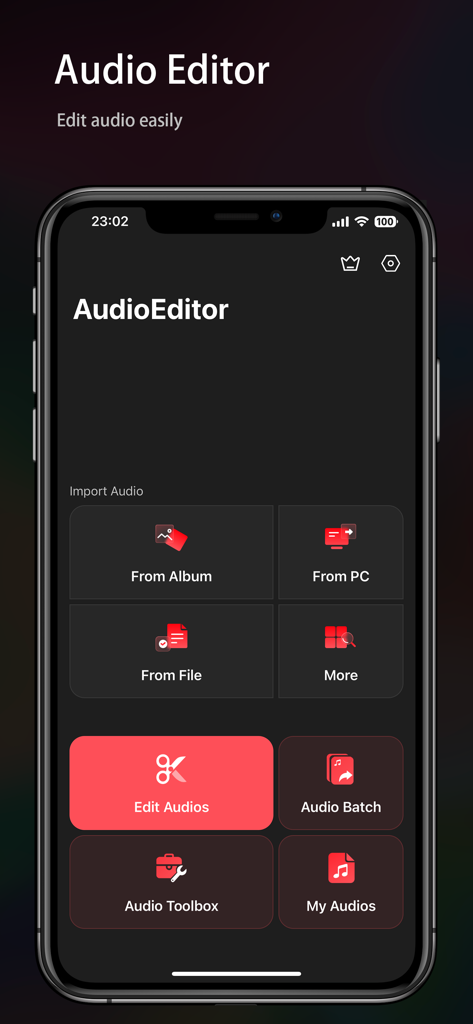
ダークインターフェースにオーディオインポートと編集ツールが表示されているAudio Editorアプリのメインメニュー。
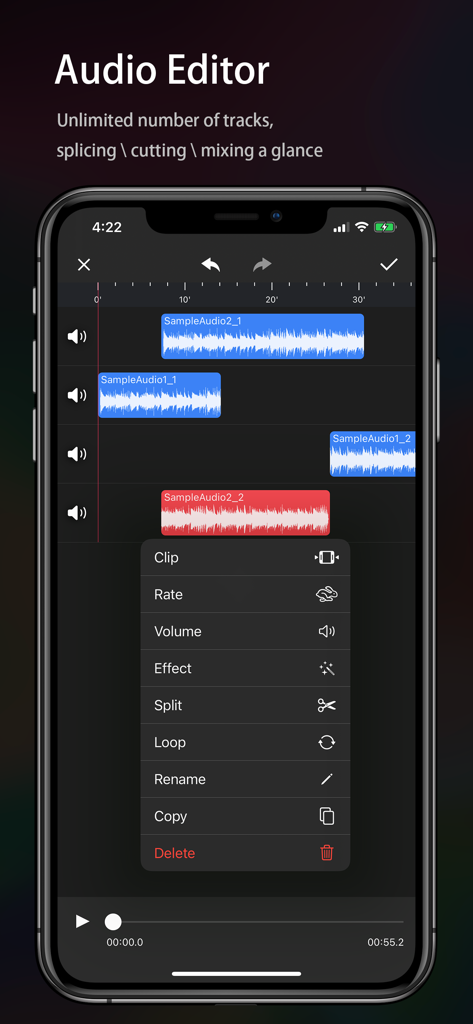
複数のサウンドトラックと、クリップや分割などの編集ツールのメニューが表示されているモバイルオーディオエディターインターフェース。
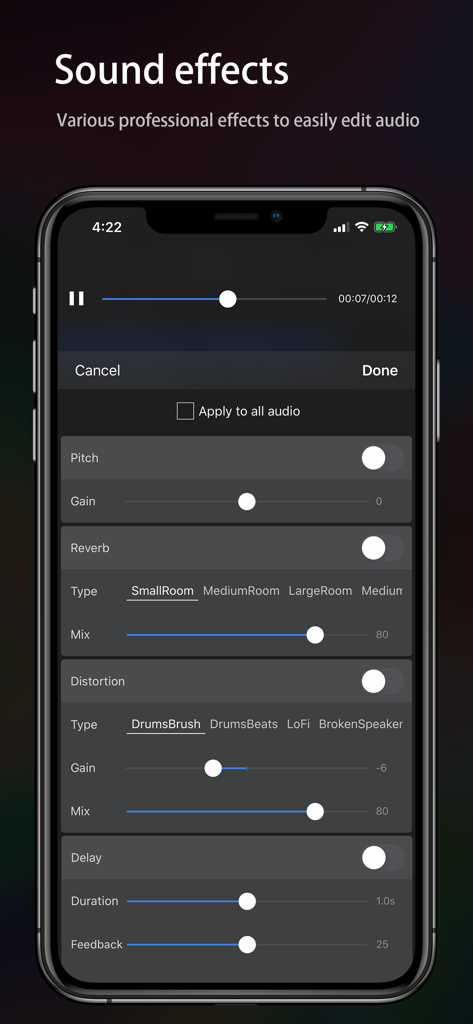
リバーブやディストーションなどのさまざまなサウンドエフェクトを備えたAudio Editorアプリのインターフェース。
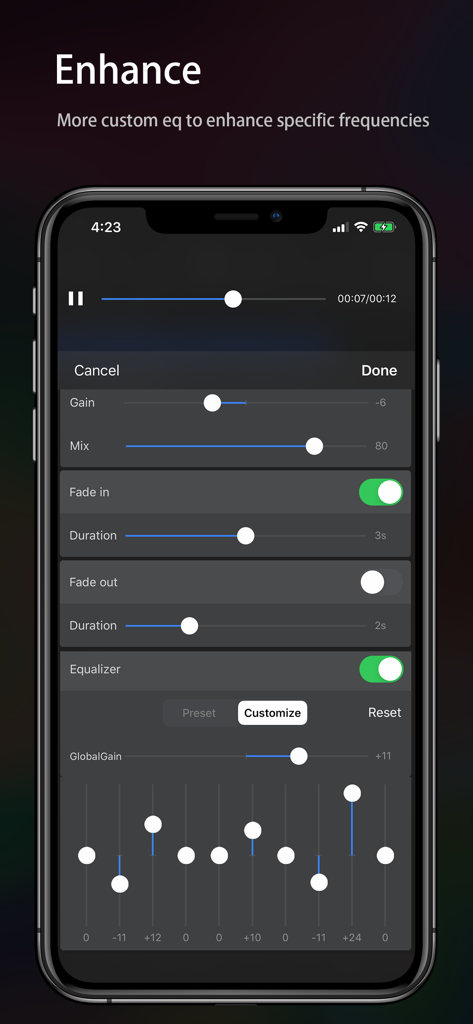
Audio Editorモバイルアプリのカスタムイコライザーとオーディオエンハンスメント設定。
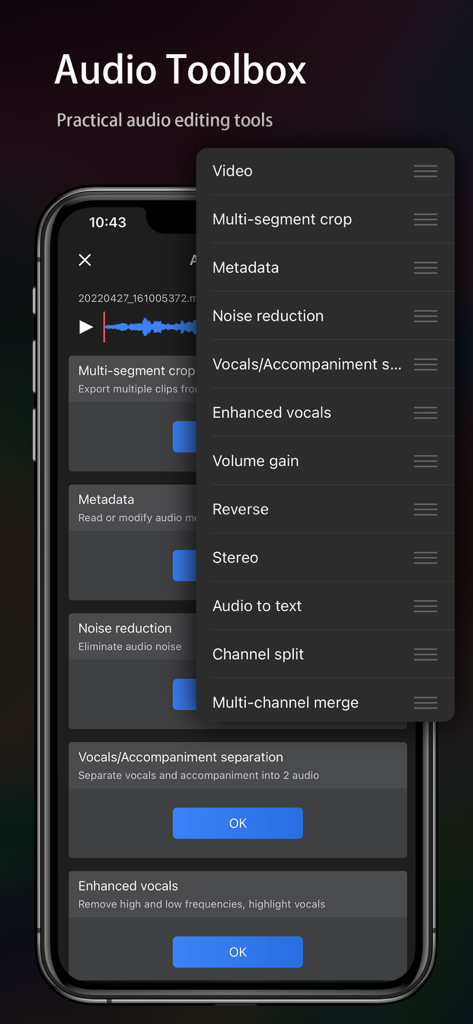
Audio Editorアプリのツールボックスにある実用的なオーディオ編集ツールのリストを表示する携帯電話画面。
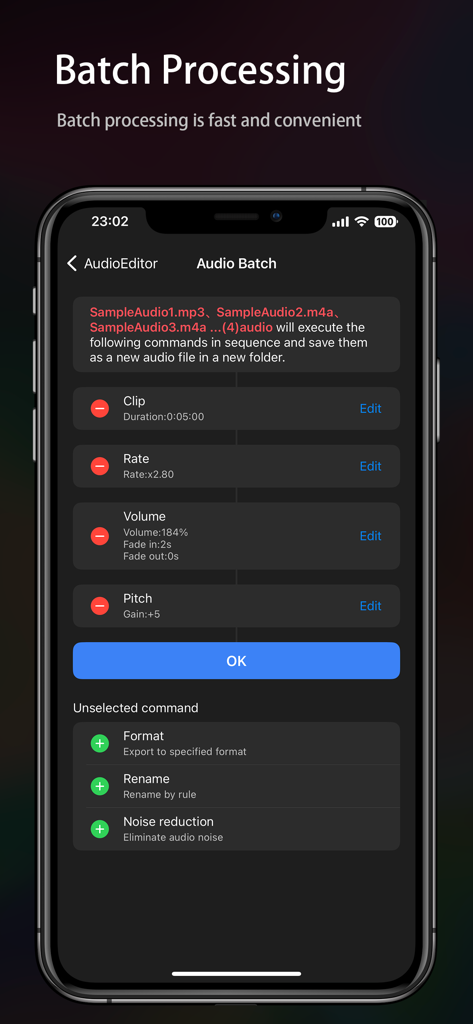
複数のオーディオファイル用のバッチ処理ツールを表示するモバイルアプリインターフェース。
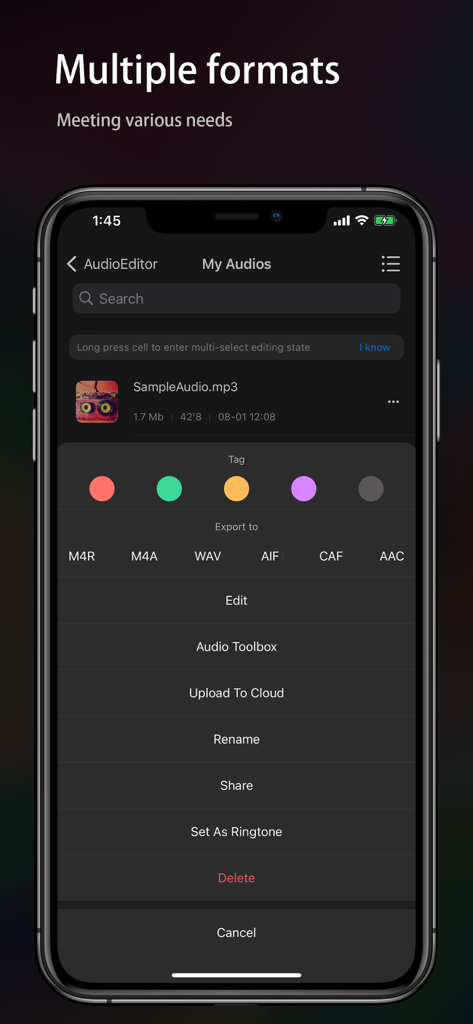
複数のエクスポート形式とファイル管理オプションを表示するAudio Editorアプリインターフェース。
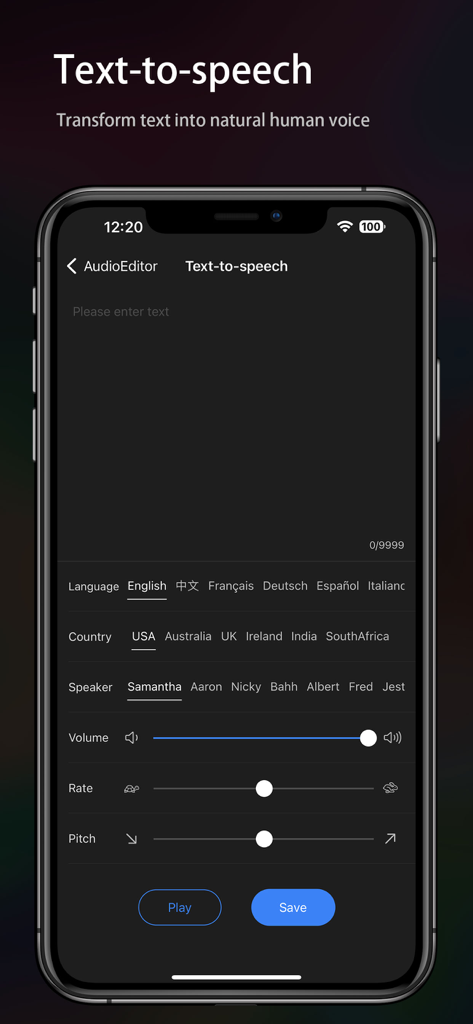
言語、国、話者、および音声調整スライダーのオプションを備えたテキスト読み上げ設定を表示するモバイルアプリインターフェース。
説明
Download
類似アプリ
似た機能とユーザー体験を持つアプリ

WavePad音频和音乐编辑器
NCH Software

SoundLab - Audio Editor
孛 刘

Microphone Live-Voice Recorder
Arpenik Katikyan

Ferrite Recording Studio
Wooji Juice Ltd

WavePad Music and Audio Editor
NCH Software

Audio Editor - AudioLab, Mixer
Innovation Software Development 360 LLC

au editor - audio cutter
龙刚 李

Audio Editor: Video to Audio
文 夏

Audio Editor:Music Editor
燕倩 费
このページはアプリまたはその開発者の公式ページではなく、情報提供および論評を目的として作成された独立した編集出版物です。明示的に別段の記載がない限り、アプリおよびその開発者は、MWM、Apple、Google Play、アプリのパブリッシャー、またはアプリの開発者と提携、承認、後援、認可、またはその他の公式的な関係はなく、このページのいかなる内容も、アプリがMWMのサービスを使用して開発されたことを意味するものではありません。すべての商標、ロゴ、スクリーンショット、その他のコンテンツはそれぞれの所有者の財産です。