Audio Editor: Video to Audio
ダウンロード: App Store

このページはアプリまたはその開発者の公式ページではなく、情報提供および論評を目的として作成された独立した編集出版物です。明示的に別段の記載がない限り、アプリおよびその開発者は、MWM、Apple、Google Play、アプリのパブリッシャー、またはアプリの開発者と提携、承認、後援、認可、またはその他の公式的な関係はなく、このページのいかなる内容も、アプリがMWMのサービスを使用して開発されたことを意味するものではありません。すべての商標、ロゴ、スクリーンショット、その他のコンテンツはそれぞれの所有者の財産です。


ロゴ: Audio Editor: Video to Audio
ダウンロード: App Store

Audio Editor: Video to Audio

AI搭載のノイズリダクション、ボーカル分離、精密編集でコンテンツをレベルアップ。ビデオから高品質オーディオを抽出し、TikTok、Reels、ポッドキャスト向けにサウンドを数秒で調整します。

主要数値

ダウンロード

549K+

ユーザー評価

4.7/5

評価数

4K+

開発元

文 夏

カテゴリ

Music

対応言語

9

最新バージョン

1.1.8

サイズ

77.2 MB

リリース日

2022年7月7日
機能

ポケットの中のプロフェッショナルオーディオスタジオ

高度なAIテクノロジーを使用して、TikTok、Reels、ポッドキャスト向けにサウンドをクリーンアップ、分離、微調整するために必要なすべてがここにあります。

ワンクリックAIノイズリダクション

録音から風の音、交通音、バックグラウンドノイズを瞬時に除去し、Vlogにクリアなオーディオを提供します。

AIボーカル&ミュージック分離

ロスレス精度でボーカルまたはバッキングトラックを分離します。リミックス、アカペラ、カラオケトラックの作成に最適なツールです。

以下のスクリーンショットと説明は、アプリの公式ストアリスティングから直接取得されたものであり、アプリ開発者の所有物です。

アプリストア

スクリーンショット
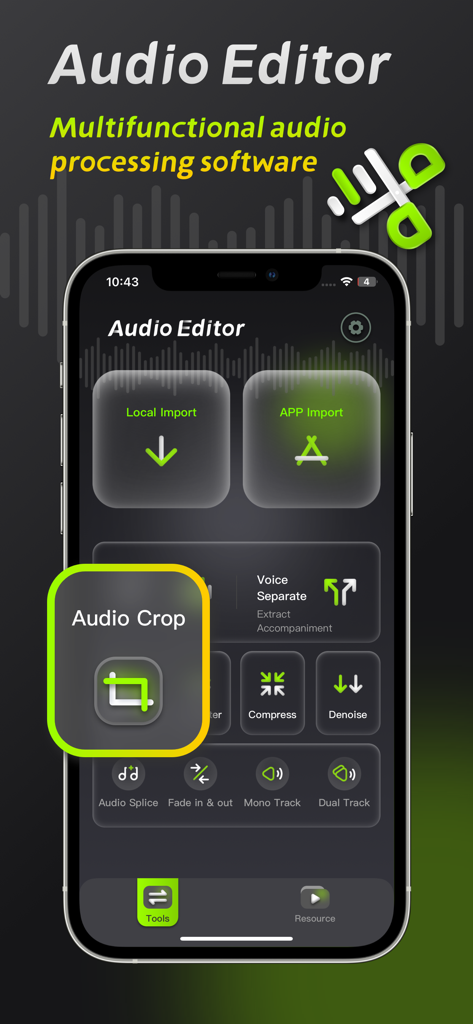
Audio Editor: Video to Audio - Audio Editorモバイルアプリのインターフェース。オーディオクロップツールとプロフェッショナルオーディオ処理機能に焦点を当てています。
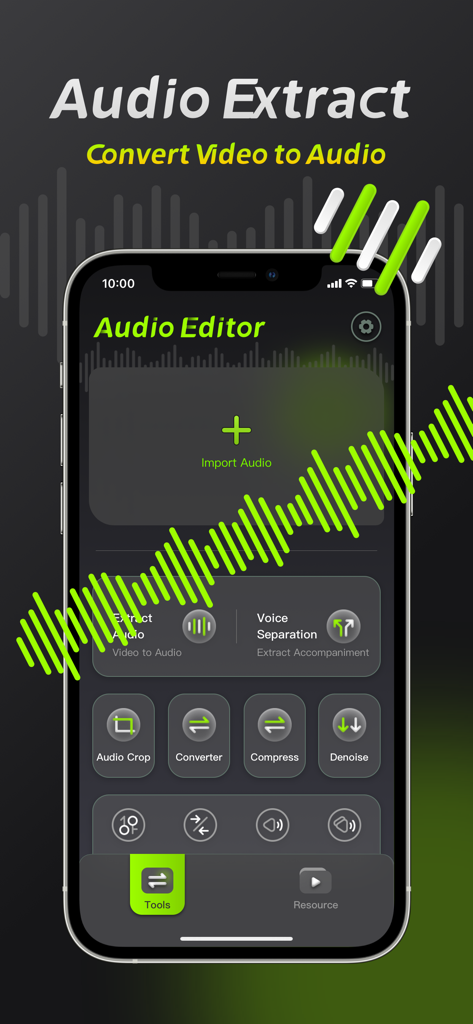
Audio Editorモバイルアプリのインターフェース。オーディオクロップツールとプロフェッショナルオーディオ処理機能に焦点を当てています。

Audio Editor: Video to Audio - Audio Editorのビデオからオーディオへの抽出およびボイス分離ツールを示すモバイルアプリのインターフェース。
Audio Editorのビデオからオーディオへの抽出およびボイス分離ツールを示すモバイルアプリのインターフェース。

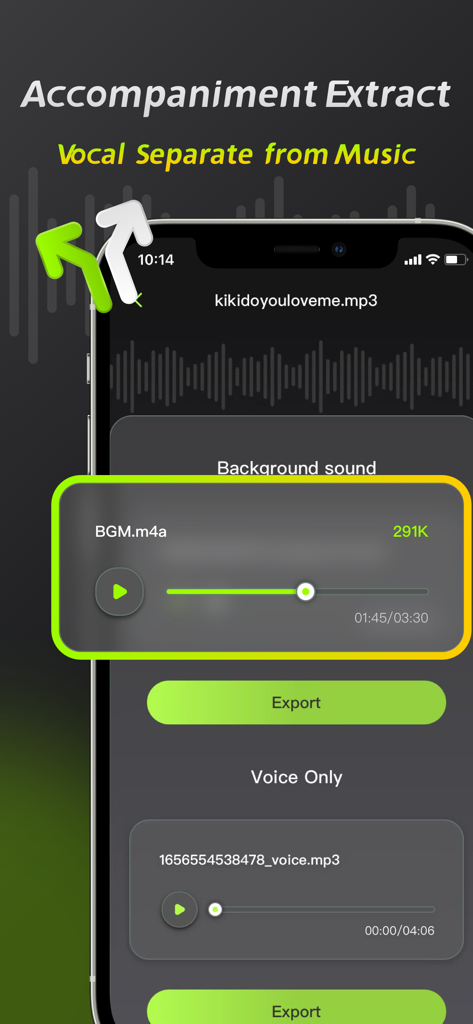
Audio Editor: Video to Audio - Audio Editorアプリのインターフェース。ボーカル分離および伴奏抽出機能を示しています。
Audio Editorアプリのインターフェース。ボーカル分離および伴奏抽出機能を示しています。

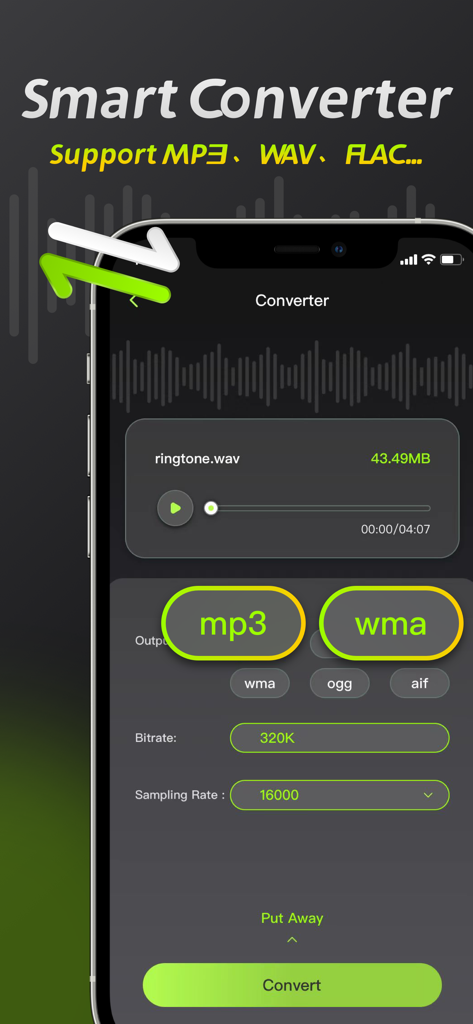
Audio Editor: Video to Audio - Audio Editorアプリのインターフェース。MP3やWAVなどのファイル形式を変更するためのスマートコンバーター機能を示しています。
Audio Editorアプリのインターフェース。MP3やWAVなどのファイル形式を変更するためのスマートコンバーター機能を示しています。

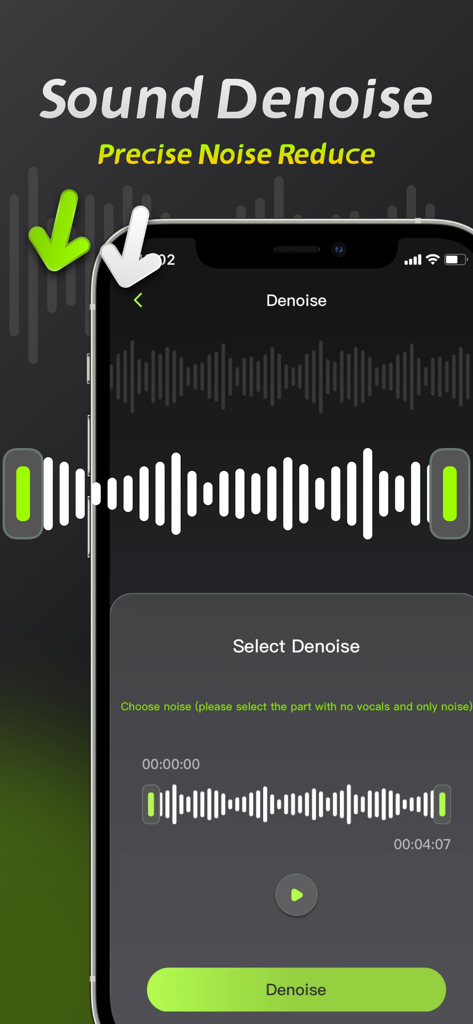
Audio Editor: Video to Audio - スマートフォン画面。Audio Editorアプリのサウンドノイズ除去機能と波形選択インターフェースを示しています。
スマートフォン画面。Audio Editorアプリのサウンドノイズ除去機能と波形選択インターフェースを示しています。

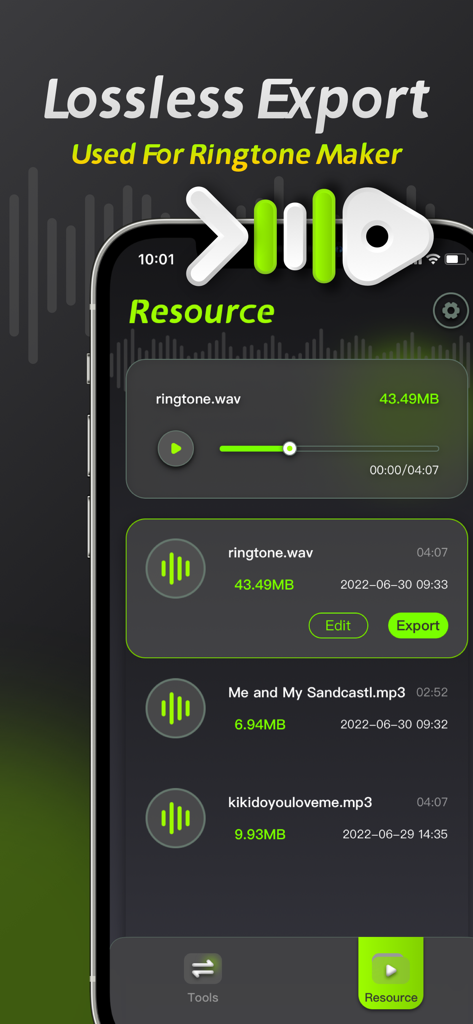
Audio Editor: Video to Audio - Audio Editorアプリのインターフェースのスクリーンショット。ロスレスエクスポートオプションと着信音作成用のオーディオリソースリストを示しています。

Audio Editorアプリのインターフェースのスクリーンショット。ロスレスエクスポートオプションと着信音作成用のオーディオリソースリストを示しています。

説明

Audio Editing is an audio processing tool that can achieve audio noise reduction, audio cropping, and vocal separation, allowing you to easily perform professional audio processing on mobile phones and iPads. 【Audio Noise Reduction】 Reduce noise interference in the audio and restore clear audio with one click. 【Vocal Separation】 Supports the separation of vocals and accompaniment in the audio, lossless export. 【Audio extraction】 Convert video to audio, extract video sound with high precision. 【Format conversion】 ●Support conversion of multiple audio formats, mp3, wav, flac, wma, ogg, aiff ●Support manual adjustment of bit rate and sampling rate 【Audio Compression】 Compress audio files with multiple options and one-click to free up phone memory. 【Audio clipping】 Manually adjust and trim the audio range, and support pinch-to-zoom time axis for precise and professional trimming. Member subscription service: 1. Payment: Weekly subscription, monthly subscription, annual subscription, the user debits the payment through the iTunes account, and the user pays after confirming the purchase. 2. Renewal: The user's iTunes account will be charged within 24 hours before expiration, and the corresponding subscription cycle will be added. 3. Cancel the renewal: To cancel the renewal, enter the App Store" and click "App ID", enter the "Account Settings" page, click "Subscription", and choose to cancel the subscription. 4. Privacy Agreement: http://static.yuanfengo.com/html/privacy/10165191112815517292_ios.html?appName=Audio Editor 5. Terms of use: http://static.yuanfengo.com/html/paymentagreement/general_en.html

Download

ダウンロード: App Store

このページはアプリまたはその開発者の公式ページではなく、情報提供および論評を目的として作成された独立した編集出版物です。明示的に別段の記載がない限り、アプリおよびその開発者は、MWM、Apple、Google Play、アプリのパブリッシャー、またはアプリの開発者と提携、承認、後援、認可、またはその他の公式的な関係はなく、このページのいかなる内容も、アプリがMWMのサービスを使用して開発されたことを意味するものではありません。すべての商標、ロゴ、スクリーンショット、その他のコンテンツはそれぞれの所有者の財産です。








