
このページはアプリまたはその開発者の公式ページではなく、情報提供および論評を目的として作成された独立した編集出版物です。明示的に別段の記載がない限り、アプリおよびその開発者は、MWM、Apple、Google Play、アプリのパブリッシャー、またはアプリの開発者と提携、承認、後援、認可、またはその他の公式的な関係はなく、このページのいかなる内容も、アプリがMWMのサービスを使用して開発されたことを意味するものではありません。すべての商標、ロゴ、スクリーンショット、その他のコンテンツはそれぞれの所有者の財産です。

Ferrite Recording Studio
ポッドキャスター、ジャーナリスト、ボイスオーバーアーティスト向けに設計された、数々の受賞歴を誇るモバイルスタジオでワークフローを効率化しましょう。効率的なレコーディングから、自動無音除去機能を備えた高度なマルチトラック編集まで、ストーリーが生まれる場所ならどこでも放送クオリティのコンテンツを作成できます。
ダウンロード
625K+ユーザー評価
評価数
100開発元
カテゴリ
Music対応言語
5最新バージョン
3.2.2サイズ
24.9 MBリリース日
2015年11月5日どこでも本格的な制作を
Ferriteは、シンプルなレコーダーと複雑なデスクトップソフトウェアの橋渡しをし、モバイルワークフローに最適化されたプロフェッショナルグレードのスタジオを提供します。
デスクトップのパワーを、タッチ操作のシンプルさで
直感的なジェスチャーでマルチトラック・プロジェクトを簡単に管理。従来のマウスでは不可能な精度とスピードで、クリップのスライス、クロップ、クロスフェードが可能です。
プロ級の仕上げを、自動で
退屈な編集時間を大幅に短縮。「Strip Silence」で瞬時に無音部分を削除し、「Automatic Ducking」でBGMと声を完璧にバランス調整します。
よくある質問
について知っておくべきこと Ferrite Recording Studio
Ferrite Recording Studioとは何ですか?
Ferrite Recording Studioは、ポッドキャスト、ラジオジャーナリズム、講義、スピーチ、ボイスオーバーの作成のために設計された受賞歴のあるアプリです。簡単な録音と多機能なマルチトラック編集を組み合わせ、プロフェッショナルなオーディオ制作のための強力なツールを提供します。
Ferrite Recording Studioはマルチトラック編集に対応していますか?
はい、Ferriteはマルチトラック編集をサポートしており、複数のオーディオクリップを配置したり、音量やパンを調整したり、フェードやクロスフェードを適用したりできます。これにより、包括的なポッドキャストや放送パッケージの制作が可能になります。
Ferrite Recording Studioのプロジェクト期間に制限はありますか?
はい、Ferriteの無料版では、録音および編集プロジェクトの期間に制限があります。Proバージョンにアップグレードすると、最大24時間のプロジェクトを編集できるようになります。
Ferrite Recording Studioでエフェクトを使用してオーディオ品質を向上できますか?
はい、Ferrite Recording Studioは、ノイズリダクション、自動レベリング、EQ、ノイズゲート、ダイナミックレンジコンプレッションなどの高度な機能(アプリ内購入経由)を提供し、プロフェッショナルな結果を得るためにオーディオ品質を向上させます。
Ferrite Recording Studioはどのようにオーディオ録音を容易にしますか?
Ferriteは、ワンタップで録音を開始し、数時間におよぶセッションを処理できる、合理化された録音機能を提供します。ユーザーは瞬間をブックマークしたり、ライブメーターでレベルを監視したり、iCloudやDropboxなどのさまざまなソースからオーディオをインポートしたりできます。
Ferrite Recording Studioでオーディオプロジェクトをどのように整理できますか?
はい、Ferriteではスマートフォルダやテンプレートを作成して録音を整理できます。ユーザーはタイトル、ブックマーク、人物、チャプターで検索したり、ファイルタイプやカスタムタグでフィルタリングしたりできます。
Ferrite Recording Studioはオーディオ設定の自動化をサポートしていますか?
はい、Ferriteはオーディオオートメーションをサポートしており、ユーザーは時間とともに音量、パン、エフェクト設定を自動化できます。これは、個々のトラックと最終ミックスに適用され、ダイナミックなサウンドコントロールを実現します。
Ferrite Recording Studioは録音から無音部分を削除するのに役立ちますか?
はい、Ferrite Recording Studioには「Strip Silence」(無音部分を削除)や「Tighten Audio」(不自然なポーズやギャップを自動的に排除)などの機能が含まれており、編集時間を節約できます。
ポッドキャストにチャプターやカバーアートを追加できますか?
はい、Ferriteでは、カバーアートを追加し、MP3チャプターを作成してポッドキャストを準備できます。これにより、リスナー向けのオーディオコンテンツを構造化し、プロフェッショナルな仕上がりを加えることができます。
Ferrite Recording Studioには元に戻す/やり直し機能がありますか?
はい、Ferrite Recording Studioは、包括的な元に戻す/やり直し履歴を備えています。これにより、ユーザーはアプリを終了して後で再度開いた後でも、変更を元に戻すことができます。
以下のスクリーンショットと説明は、アプリの公式ストアリスティングから直接取得されたものであり、アプリ開発者の所有物です。
アプリストア
スクリーンショット
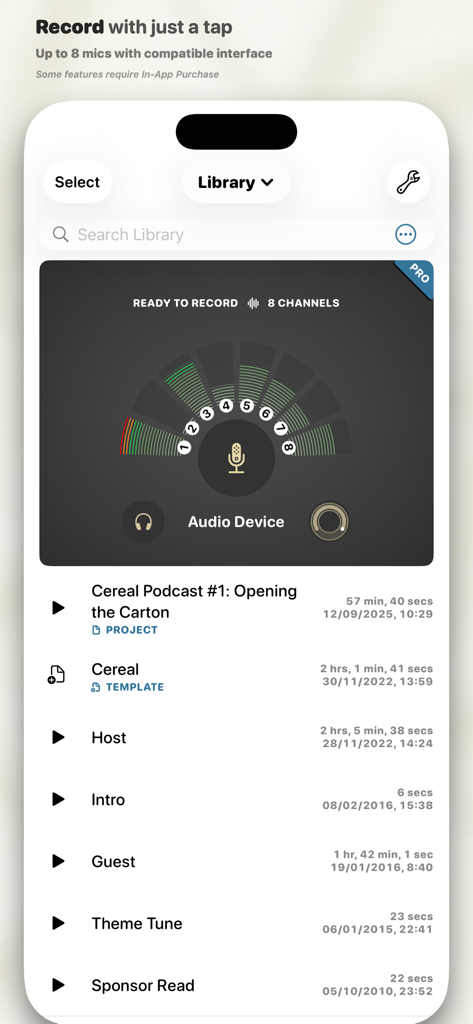
ポッドキャストのプロジェクトリストと8チャンネルの録音メーターを表示する、Ferrite Recording Studioアプリのインターフェース
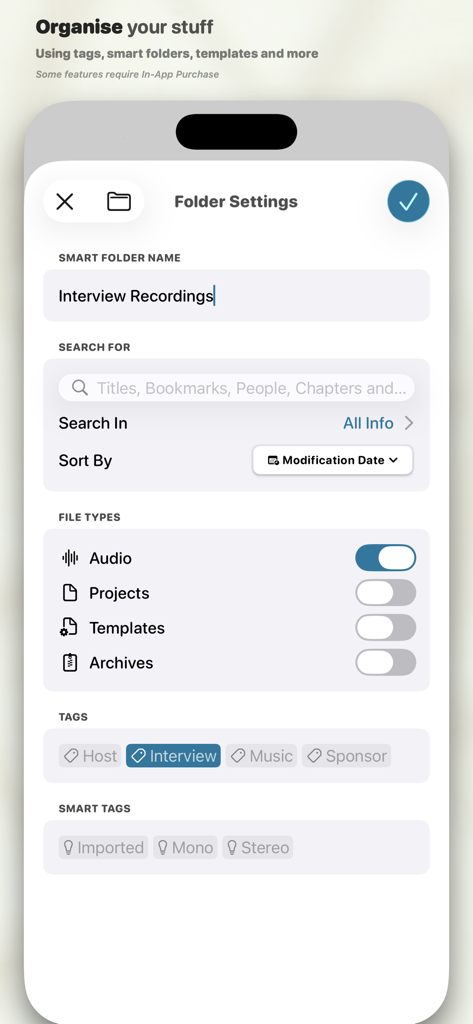
インタビュー録音用のタグが付いたスマートフォルダー設定を表示する、Ferrite Recording Studioのインターフェース
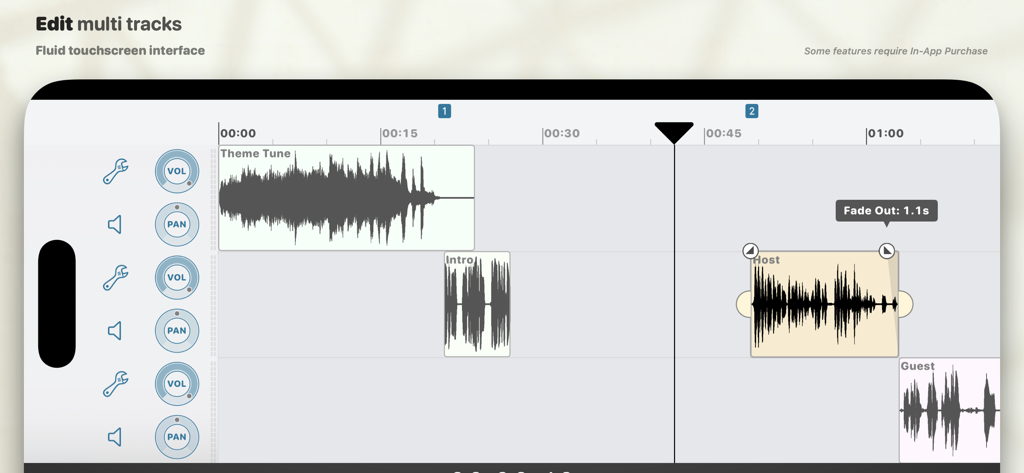
テーマ曲、ホスト、ゲストの波形クリップと、音量およびパンのコントロールを表示する、Ferrite Recording Studioのマルチトラック・オーディオ編集タイムライン
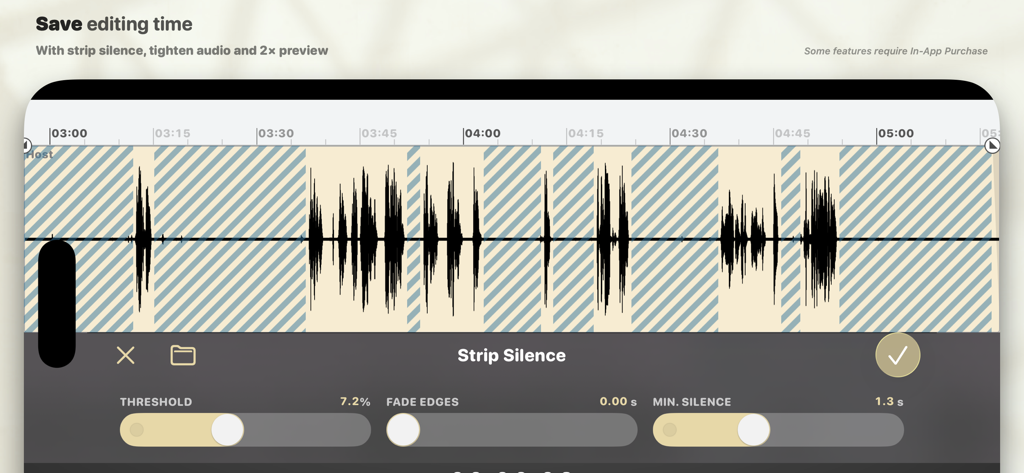
オーディオ録音内の無音部分を自動的に除去する、Ferrite Recording Studioアプリの「Strip Silence」機能
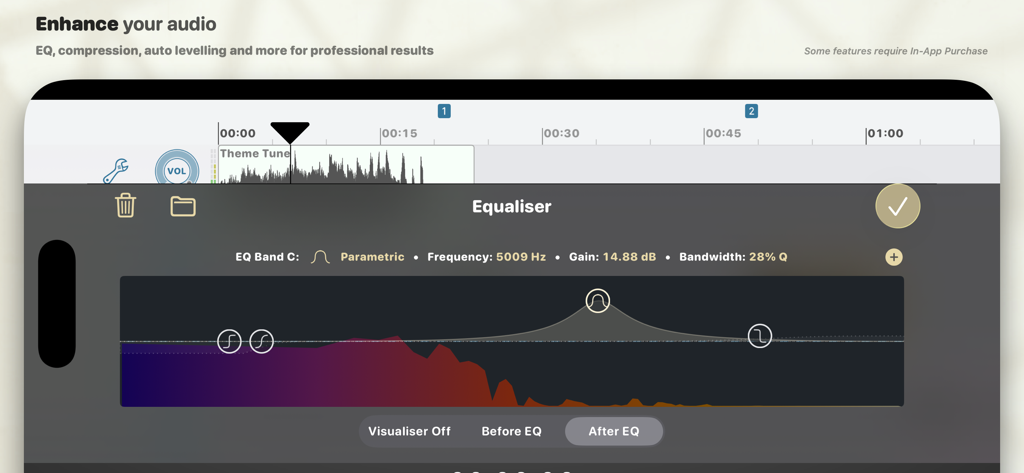
モバイルオーディオ編集用の、Ferrite Recording Studioにあるプロ仕様のパラメトリック・イコライザー・ツール
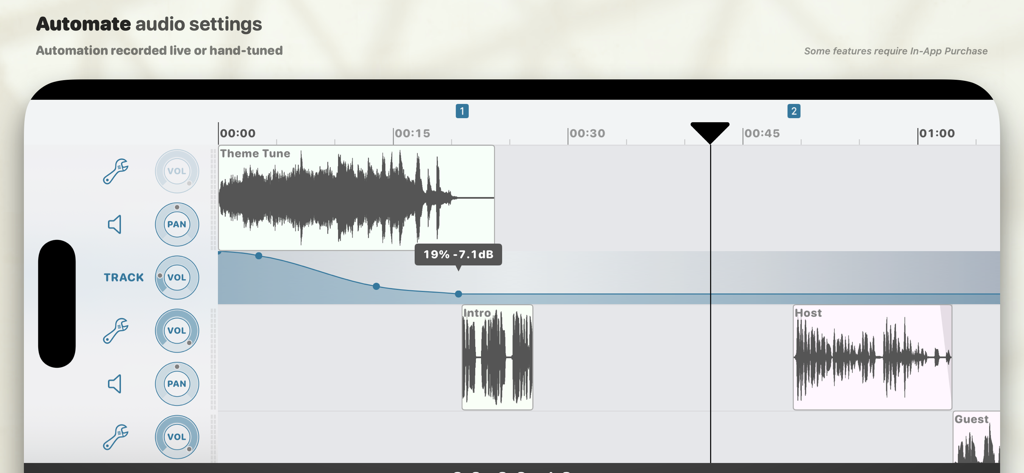
プロ仕様のポッドキャスト制作のための、ボリューム・オートメーション曲線を表示するマルチトラック・オーディオ編集インターフェース
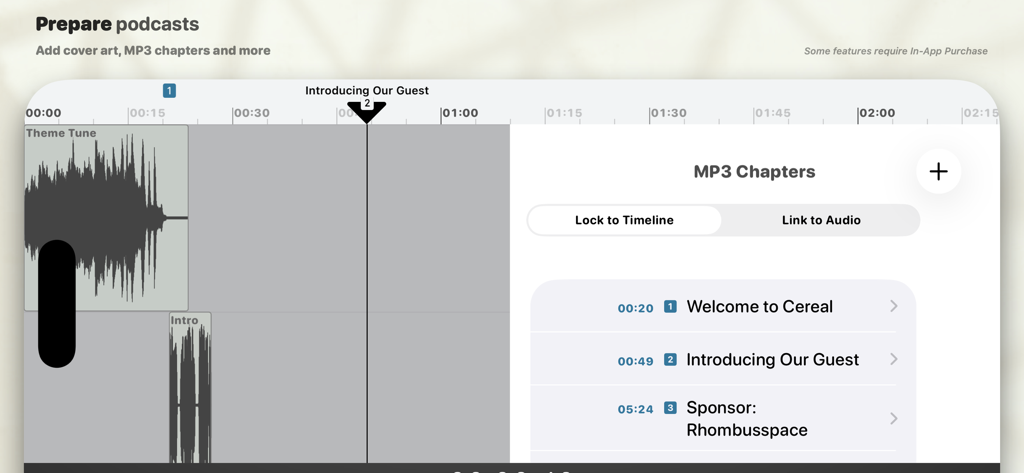
ポッドキャスト・エピソードのタイムスタンプ付きタイトルを備えた、MP3チャプター編集ツールを表示するFerrite Recording Studioのインターフェース
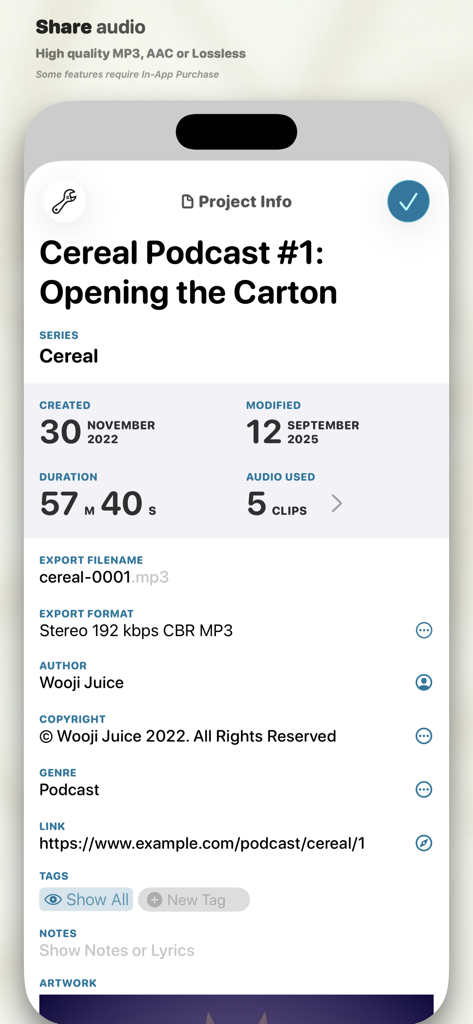
ポッドキャストのメタデータと書き出し設定を表示する、Ferrite Recording Studioのプロジェクト情報画面
説明
Download
類似アプリ
似た機能とユーザー体験を持つアプリ

WavePad音频和音乐编辑器
NCH Software

Audio Editor - Music editor
苏娟 陈

SoundLab - Audio Editor
孛 刘

Microphone Live-Voice Recorder
Arpenik Katikyan

WavePad Music and Audio Editor
NCH Software

Audio Editor - AudioLab, Mixer
Innovation Software Development 360 LLC

au editor - audio cutter
龙刚 李

Audio Editor: Video to Audio
文 夏

Audio Editor:Music Editor
燕倩 费
このページはアプリまたはその開発者の公式ページではなく、情報提供および論評を目的として作成された独立した編集出版物です。明示的に別段の記載がない限り、アプリおよびその開発者は、MWM、Apple、Google Play、アプリのパブリッシャー、またはアプリの開発者と提携、承認、後援、認可、またはその他の公式的な関係はなく、このページのいかなる内容も、アプリがMWMのサービスを使用して開発されたことを意味するものではありません。すべての商標、ロゴ、スクリーンショット、その他のコンテンツはそれぞれの所有者の財産です。