
このページはアプリまたはその開発者の公式ページではなく、情報提供および論評を目的として作成された独立した編集出版物です。明示的に別段の記載がない限り、アプリおよびその開発者は、MWM、Apple、Google Play、アプリのパブリッシャー、またはアプリの開発者と提携、承認、後援、認可、またはその他の公式的な関係はなく、このページのいかなる内容も、アプリがMWMのサービスを使用して開発されたことを意味するものではありません。すべての商標、ロゴ、スクリーンショット、その他のコンテンツはそれぞれの所有者の財産です。


Authenticator App | 2FA Auth
Authenticator App | 2FA Authは、複雑なセキュリティを不要にし、ユーザーにデジタル世界の支配権を取り戻させる。パスワードが漏洩しても、アカウントは安全だ。
ダウンロード
100k+ユーザー評価
評価数
331開発元
カテゴリ
Utilities対応言語
77最新バージョン
2.3.0サイズ
84.3 MBリリース日
2024年9月13日デジタルセキュリティを強化し、オンラインアカウント管理を簡素化する主要な特徴。
Authenticator App | 2FA Auth アプリの主要機能分析
幅広いサービス互換性
このアプリは、Google、Instagram、Facebookなど、数千もの人気オンラインサービスと互換性があり、ユーザーは多様なプラットフォームで複数アカウントを一元的に保護できます。
強力な2FA(二段階認証)とTOTP
このアプリは、業界標準のTOTP(Time-Based One-Time Password)方式を採用し、オンラインアカウントにセキュリティの追加レイヤーを提供します。30秒ごとに一意のコードを生成することで、不正アクセスを大幅に削減します。
強固なデータ保護
ユーザーのアカウント情報は安全に保存され、暗号化されるため、プライバシーが保護されます。デジタルアイデンティティと資産の安全性を確保します。
アカウントのインポート/エクスポート
ユーザーはQRコードまたは秘密鍵を通じて、2FAアカウントを容易に追加および管理できます。これにより、新しいデバイスへの移行やアカウントのバックアップが簡素化されます。
パスワード管理機能
このアプリはパスワードを安全に保存し、自動入力機能を備えているため、ユーザーは複雑なパスワードを記憶する手間から解放され、ログイン作業を効率化できます。
オフライン対応
インターネット接続がない環境でも、ユーザーはアカウントの保護を継続できます。外出先でも、中断のないセキュリティ保護が保証されます。
よくある質問
について知っておくべきこと Authenticator App | 2FA Auth
What is the Authenticator App?
The Authenticator App is a two-factor authentication (2FA) solution that secures online accounts by generating unique Time-Based One-Time Passwords (TOTP). It ensures only authorized users can access accounts.
How does the Authenticator App enhance account security?
The Authenticator App uses Time-Based One-Time Passwords (TOTP) that change every 30 seconds. This adds an extra layer of security, significantly reducing unauthorized access risk even if your password is compromised.
Is the Authenticator App free to use?
Yes, the Authenticator App is completely free to download and use. This ensures that enhanced security features are accessible to everyone without any cost.
Can Authenticator App be used without an internet connection?
Yes, the Authenticator App includes an Offline Capability feature. It continues to protect your accounts even without an active internet connection, ensuring uninterrupted protection.
Does Authenticator App support password management?
Yes, Authenticator App offers password management. It securely stores and autofills your passwords for effortless and quick logins, eliminating the need to remember complex credentials.
How can users add accounts to the Authenticator App?
Users can easily add new accounts to the Authenticator App by scanning QR codes or entering private keys. This feature streamlines the process of managing 2FA accounts.
What online services are compatible with Authenticator App?
Authenticator App is compatible with thousands of popular online services, including Google, Instagram, Facebook, Twitter, LinkedIn, Dropbox, Snapchat, Github, Tesla, Coinbase, and Bitcoin wallets.
Does Authenticator App store user data on external servers?
No, the Authenticator App explicitly states 'NO Data JUST Security.' It secures all online accounts on your device, ensuring local storage and protection of user information through encryption.
Does Authenticator App offer account backup and sync features?
Yes, the Authenticator App provides seamless account sync and backup capabilities. This ensures your 2FA accounts are protected and available across all your devices.
How does Authenticator App protect access to the app itself?
Authenticator App protects access to the app itself using Face ID, Fingerprint, or PIN Lock. Users must authenticate to open the application, adding an extra layer of security.
以下のスクリーンショットと説明は、アプリの公式ストアリスティングから直接取得されたものであり、アプリ開発者の所有物です。
アプリストア
スクリーンショット
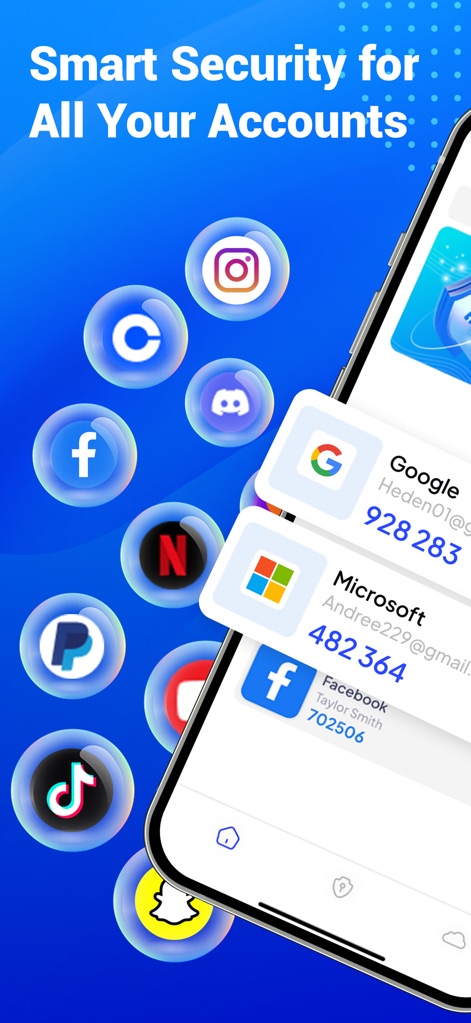
複数のオンラインアカウント(GoogleやFacebookなど)のセキュリティコードが一覧で表示されており、ユーザーは多様なサービスアイコンから本アプリの広範な互換性を視覚的に確認できます。
統合セキュリティ管理
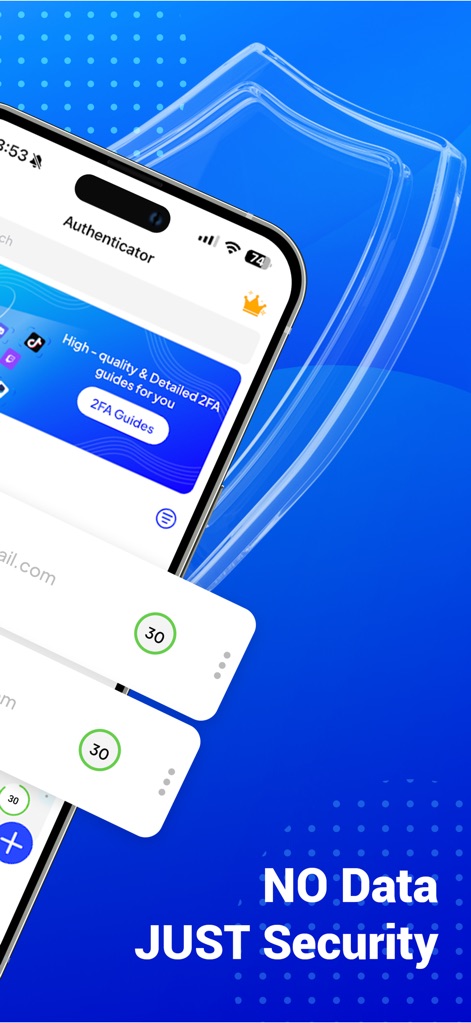
本アプリは、各アカウントに割り当てられた時限式ワンタイムパスワード(TOTP)の秒数表示を提供し、常に新しいコードが生成されていることを示します。また、背景のシールドアイコンは、高度なデータセキュリティへの取り組みを視覚的に強調しています。
強固な二段階認証
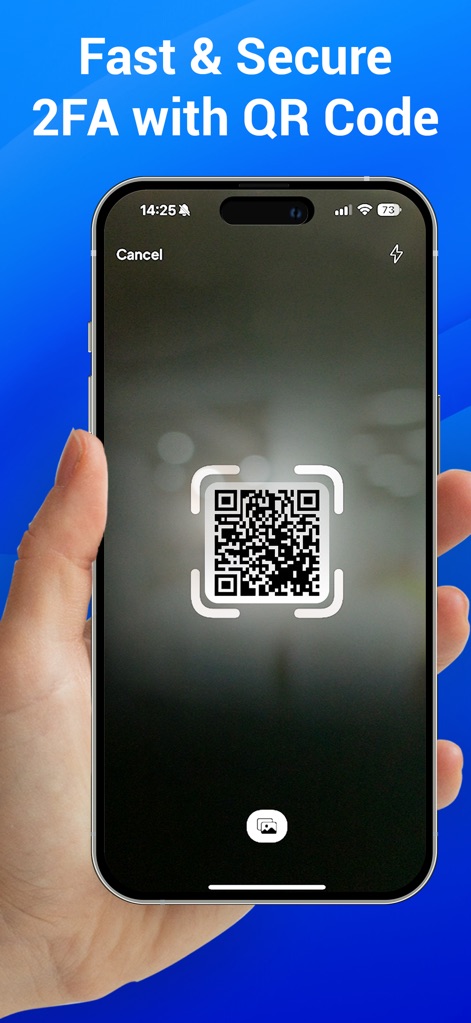
ユーザーはスマートフォンをかざすだけでQRコードをスキャンし、迅速かつ安全に新しいアカウントを二段階認証に追加できます。この機能は、手動入力の手間を省き、シームレスなセットアップを可能にします。
QRコードで簡単追加
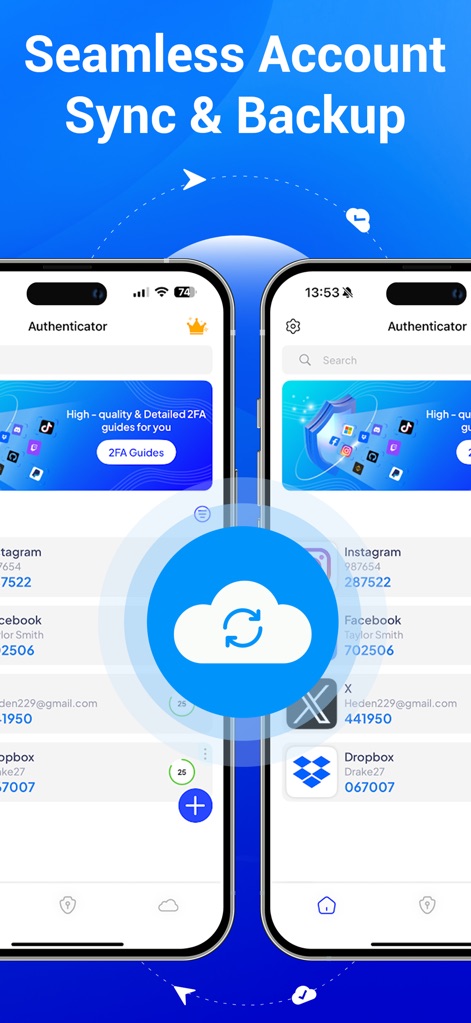
本アプリは、中央のクラウドアイコンで表現されるアカウントのクラウド同期機能により、複数のデバイス間で認証情報を一貫して管理できることを示しています。これにより、ユーザーはデータ移行やバックアップを簡単に行うことが可能です。
アカウント同期・バックアップ
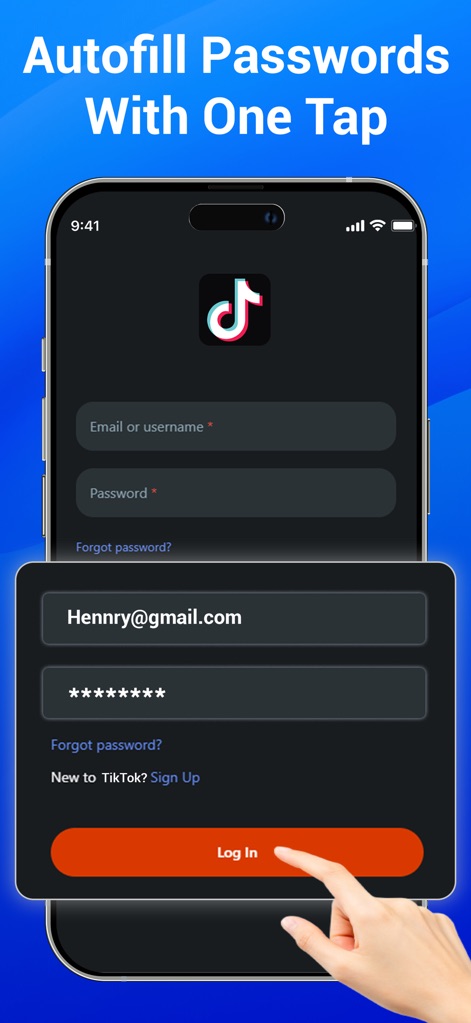
ユーザーはログインフォーム(例: TikTok)において、自動入力機能を利用することで、登録済みの認証情報(メールアドレスと伏せられたパスワード)をワンタップで簡単に入力できます。これにより、ログインプロセスが迅速化され、手間が軽減されます。
パスワード自動入力
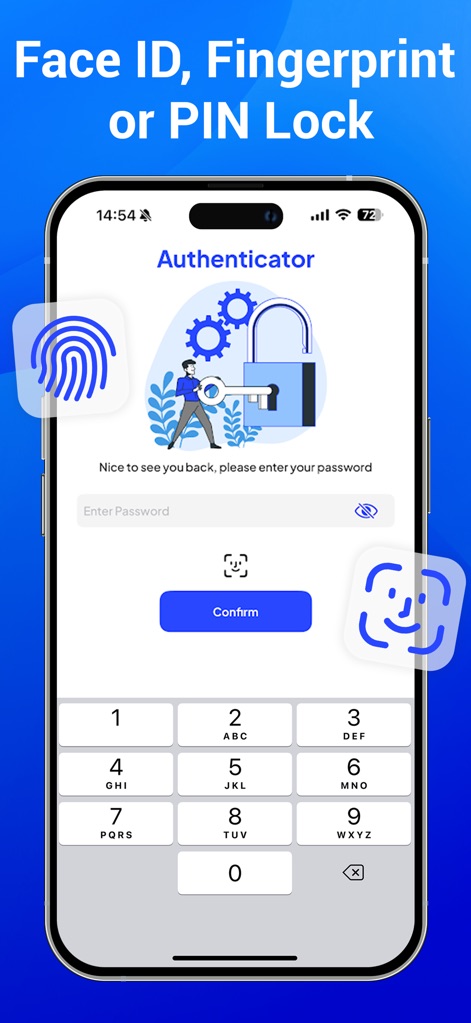
本アプリは、顔認証、指紋認証、およびPINコード入力に対応した複数のロックオプションを提供します。これにより、ユーザーはアプリ自体のセキュリティを強化し、機密情報への不正アクセスを効果的に防止できます。
高度なアプリロック
説明
Download
類似アプリ
似た機能とユーザー体験を持つアプリ

Google Authenticator
Google LLC

Duo Mobile
Duo Security LLC

Authenticator App - 2FA &. MFA
APPLY DIJITAL HIZMETLER TICARET LIMITED SIRKETI

authenticator . app
Mustafa Uz

SafeNet MobilePASS+
Thales DIS (Singapore) Pte Ltd

Čítačka
Tatra banka, a.s.

Authenticator App - SafeAuth
Brilliant App Limited

Authenticator App - 2FA Auth
UNIVERSE DIJITAL HIZMETLER LIMITED SIRKETI

Authenticator App : Scan & 2FA
XSOFT GLOBAL LIMITED
このページはアプリまたはその開発者の公式ページではなく、情報提供および論評を目的として作成された独立した編集出版物です。明示的に別段の記載がない限り、アプリおよびその開発者は、MWM、Apple、Google Play、アプリのパブリッシャー、またはアプリの開発者と提携、承認、後援、認可、またはその他の公式的な関係はなく、このページのいかなる内容も、アプリがMWMのサービスを使用して開発されたことを意味するものではありません。すべての商標、ロゴ、スクリーンショット、その他のコンテンツはそれぞれの所有者の財産です。