
このページはアプリまたはその開発者の公式ページではなく、情報提供および論評を目的として作成された独立した編集出版物です。明示的に別段の記載がない限り、アプリおよびその開発者は、MWM、Apple、Google Play、アプリのパブリッシャー、またはアプリの開発者と提携、承認、後援、認可、またはその他の公式的な関係はなく、このページのいかなる内容も、アプリがMWMのサービスを使用して開発されたことを意味するものではありません。すべての商標、ロゴ、スクリーンショット、その他のコンテンツはそれぞれの所有者の財産です。


Authenticator App 2FA
iPhoneのための完全なセキュリティボルト。2FAコードを簡単に管理し、パスワードを保存し、暗号化されたiCloudバックアップとインスタントFace IDアクセスで、完全な安心感をお楽しみください。
ダウンロード
54K+ユーザー評価
評価数
0開発元
カテゴリ
Productivity対応言語
10最新バージョン
3.1.4サイズ
77.3 MBリリース日
2023年4月6日オールインワン セキュリティ コマンドセンター
Appleエコシステムのために設計された、最も直感的な2FAおよびパスワード管理スイートで、デジタルアイデンティティを保護し、毎日のログインを効率化しましょう。
安心のiCloud同期
ロックアウトされる恐怖をなくしましょう。データはiPhoneとiPad間で自動的にバックアップおよび同期され、デバイスを紛失した場合でもアクセスを失うことはありません。
Face IDとスマート自動入力
時間を節約し、安全を保ちましょう。Face IDで瞬時にボルトにアクセスし、アプリがWebサイトやアプリにパスワードを自動入力して、シームレスなログイン体験を提供します。
よくある質問
について知っておくべきこと Authenticator App 2FA
Authenticator App 2FA - Password Managerとは何ですか?
Authenticator App 2FA - Password Managerは、Apple Storeで提供される多機能なセキュリティおよびアカウント管理アプリケーションで、2FA、パスワード管理、安全なデータストレージを提供します。
Authenticator App 2FAは、二要素認証のためにQRコードスキャンをサポートしていますか?
はい、Authenticator App 2FA - Password Managerは2FAのためのQRコードスキャンをサポートしており、アカウントログインをより簡単かつ安全にします。この機能は、Binanceの例で視覚的に確認されています。
Authenticator App 2FAは、iCloudバックアップをデータに提供していますか?
はい、Authenticator App 2FA - Password ManagerにはiCloudバックアップと同期が含まれています。これにより、データの保護が保証され、デバイス間でのシームレスな復元や転送が可能になります。
Authenticator App 2FAは、パスワードを保存および管理できますか?
はい、Authenticator App 2FA - Password Managerにはパスワードマネージャー機能があり、FacebookやSpotifyなどのさまざまなアカウントのパスワードを安全に保存および管理します。
Authenticator App 2FAは、ログイン情報に自動入力機能を提供していますか?
はい、Authenticator App 2FA - Password Managerには自動入力機能が含まれています。ウェブサイトにログイン情報を自動入力し、時間を節約し、入力エラーを減らします。
Authenticator App 2FAは、不正アクセスからアプリケーションをどのように保護しますか?
Authenticator App 2FAは、マスターパスワードとFace IDを使用してアプリを保護します。これらの機能により、他のユーザーからの不正アクセスを防ぎます。
他の認証アプリからAuthenticator App 2FAにデータをインポートできますか?
はい、Authenticator App 2FA - Password Managerはインポート機能を提供しています。Google Authenticatorなどのさまざまな認証アプリからのデータインポートをサポートしており、ユーザーに柔軟性を提供します。
Authenticator App 2FA - Password Managerはダークモードをサポートしていますか?
はい、Authenticator App 2FA - Password Managerはダークモードをサポートしています。これにより、低照度環境での快適なアプリ使用が可能になります。インターフェースで示されています。
パスワード以外に、Authenticator App 2FAはどのような機密情報を保存できますか?
パスワード以外に、Authenticator App 2FA - Password Managerはクレジットカード情報と重要な身分証明書を保存します。これにより、ユーザーは機密情報を安全かつ便利に保存できます。
Authenticator App 2FAからデータをエクスポートできますか?
はい、Authenticator App 2FA - Password Managerにはデータのインポートとエクスポート機能が含まれています。これにより、ユーザーはデバイス間でデータを簡単かつ柔軟に移動できます。
Authenticator App 2FAのサブスクリプション更新はどのように機能しますか?
Authenticator App 2FAのサブスクリプションは、現在の期間が終了する24時間前に自動更新をオフにしない限り、自動的に更新されます。アカウントには更新の24時間前までに請求されます。
ユーザーはAuthenticator App 2FAのサブスクリプションをどのように管理できますか?
ユーザーは、購入後にアカウント設定にアクセスすることで、Authenticator App 2FAのサブスクリプションを管理し、自動更新をオフにすることができます。
以下のスクリーンショットと説明は、アプリの公式ストアリスティングから直接取得されたものであり、アプリ開発者の所有物です。
アプリストア
スクリーンショット
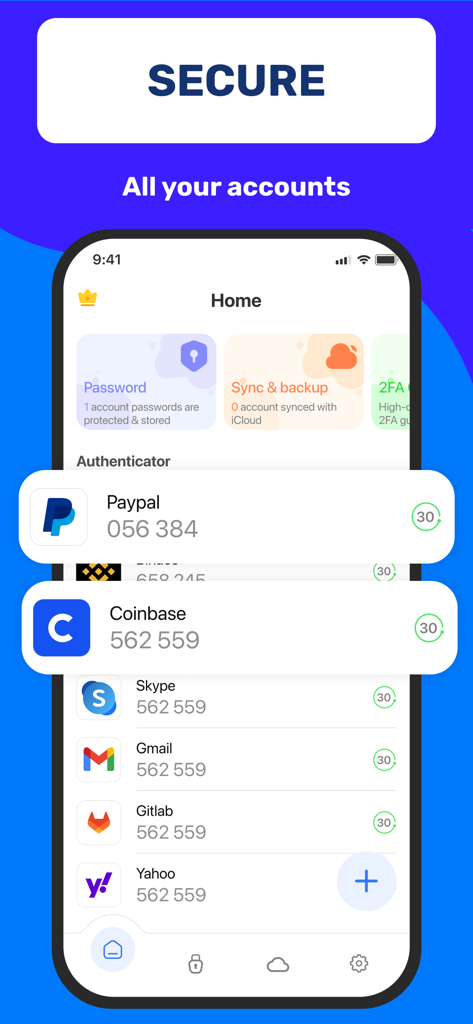
Authenticator Appのインターフェース。PaypalやCoinbaseなどの複数のデジタルアカウントの2FAコードが表示されています。
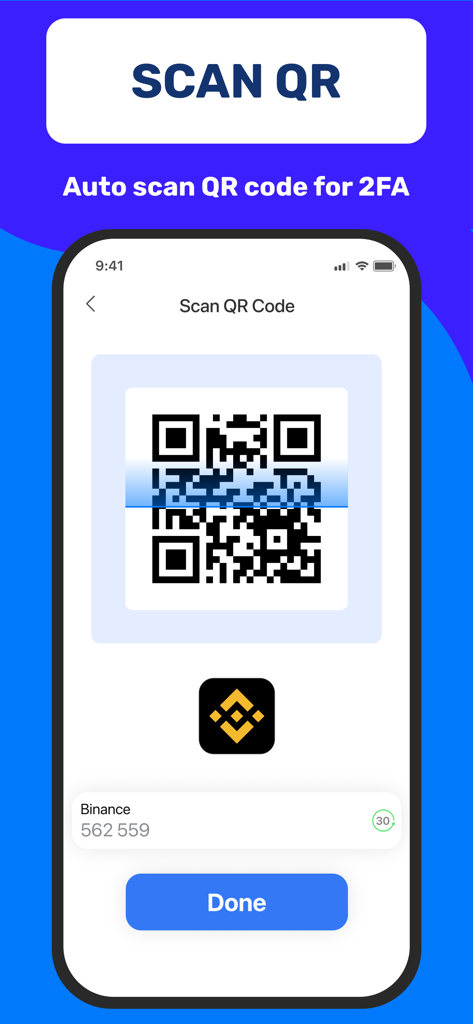
iPhoneに2FAアカウント設定用のQRコードスキャナーが表示されています。
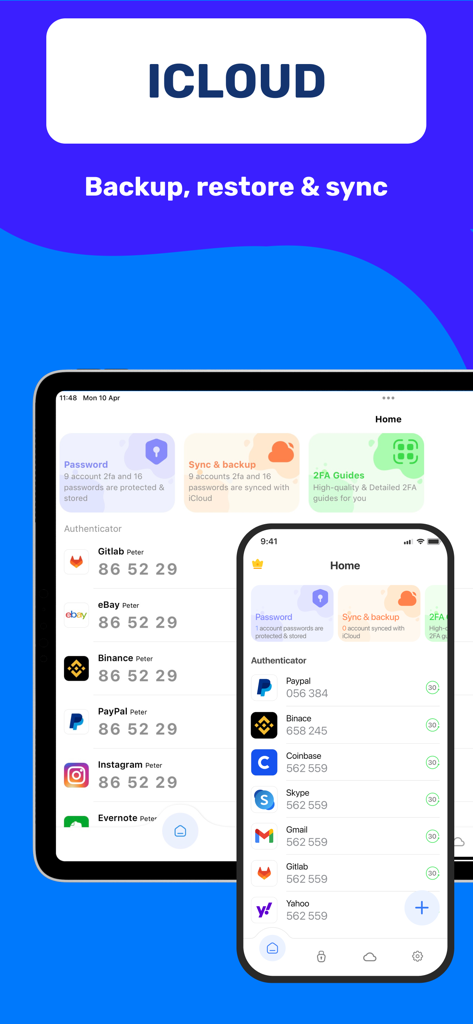
iPhoneとiPadのAuthenticatorアプリのダッシュボード。iCloudバックアップと同期機能を搭載しています。
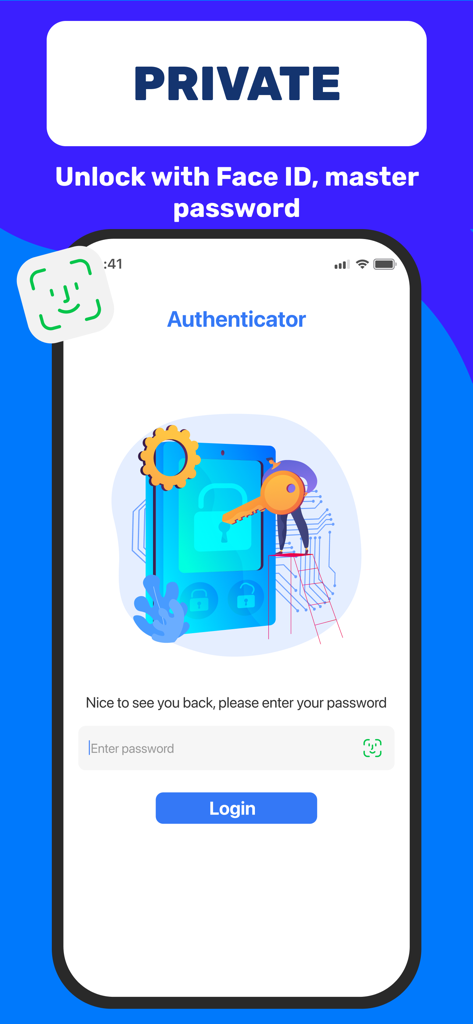
Authenticatorアプリのログイン画面。Face IDとマスターパスワードによる解除オプションが表示されています。
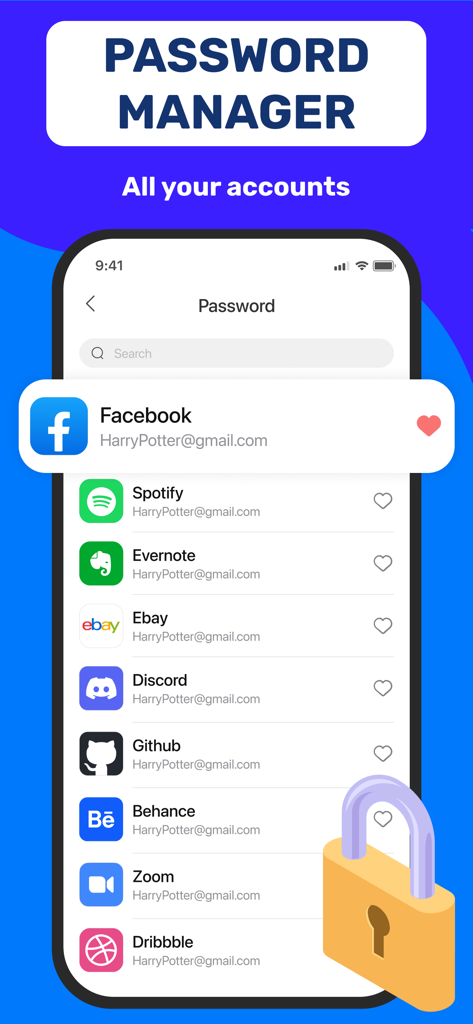
スマートフォンの画面。Authenticatorアプリのパスワードマネージャーセクションで、FacebookやSpotifyなどの管理対象アカウントのリストが表示されています。
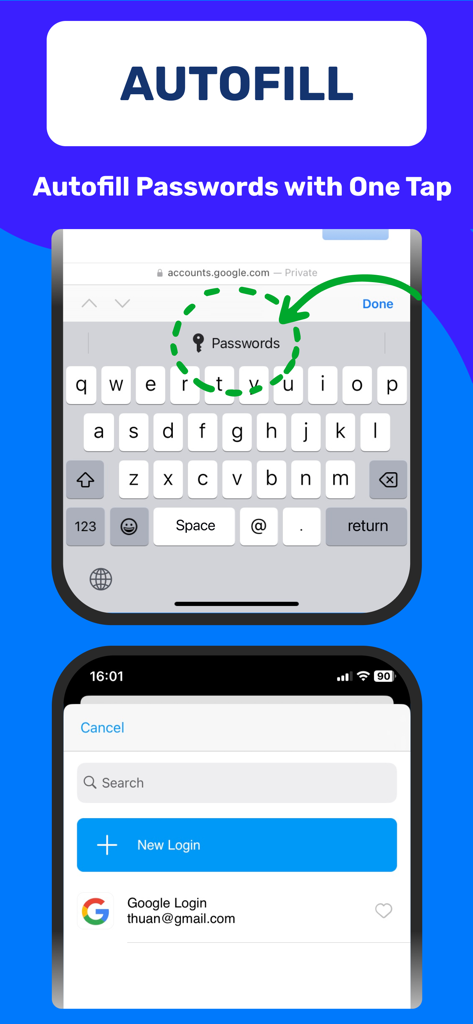
Authenticator App 2FAのワンタップパスワード自動入力機能を実演するiPhone画面。
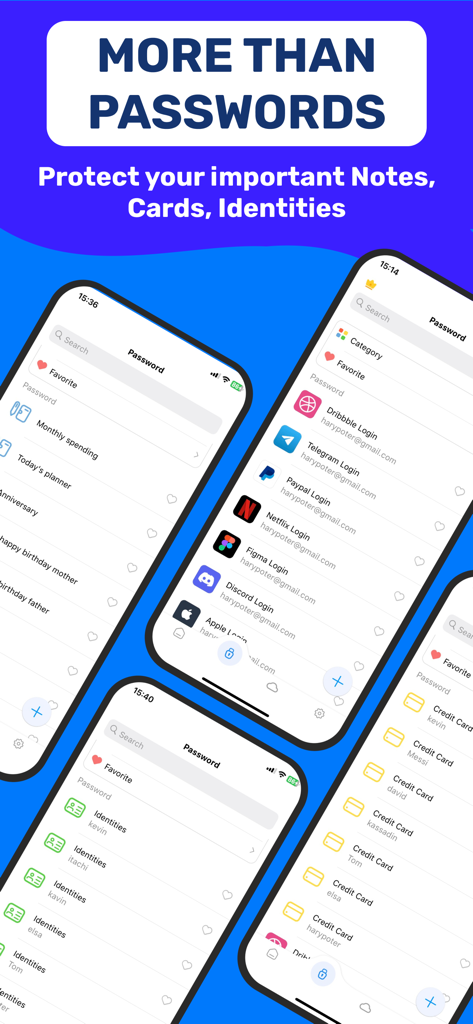
Authenticatorアプリの画面。パスワードマネージャー、セキュアノート、ID、クレジットカードボルトの機能を紹介しています。
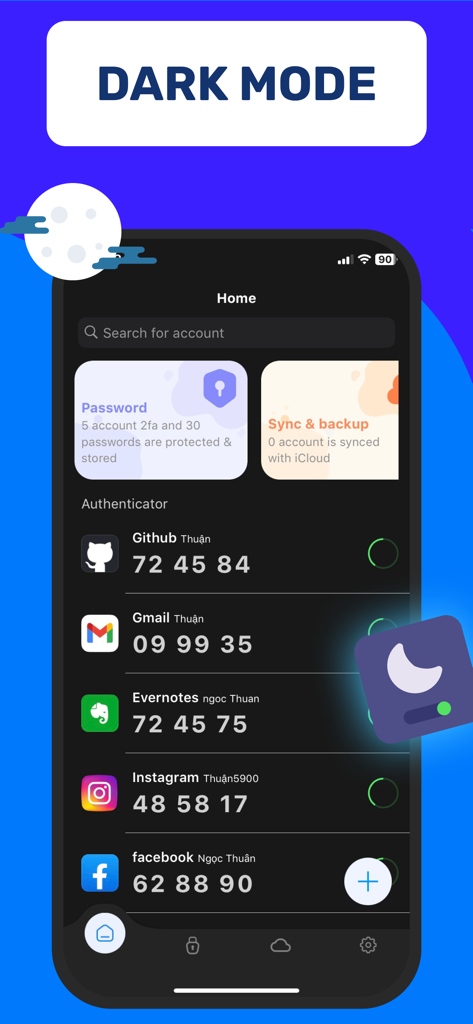
Authenticator App 2FAのインターフェース。ダークモードで、GitHubやGmailなどの様々なアカウントのセキュリティコードが表示されています。
説明
Download
類似アプリ
同じカテゴリのトップランクアプリ

ChatGPT
OpenAI OpCo, LLC

Google Gemini
Google LLC

Grok
X.AI Corporation

Gmail - Email by Google
Google LLC

千问 - 阿里最强大模型官方AI助手
Shanghai Zhixin Puhui Technology Co., Ltd.

Google Drive
Google LLC

Microsoft Authenticator
Microsoft Corporation

Google Sheets
Google LLC

Google Docs
Google LLC
このページはアプリまたはその開発者の公式ページではなく、情報提供および論評を目的として作成された独立した編集出版物です。明示的に別段の記載がない限り、アプリおよびその開発者は、MWM、Apple、Google Play、アプリのパブリッシャー、またはアプリの開発者と提携、承認、後援、認可、またはその他の公式的な関係はなく、このページのいかなる内容も、アプリがMWMのサービスを使用して開発されたことを意味するものではありません。すべての商標、ロゴ、スクリーンショット、その他のコンテンツはそれぞれの所有者の財産です。