
このページはアプリまたはその開発者の公式ページではなく、情報提供および論評を目的として作成された独立した編集出版物です。明示的に別段の記載がない限り、アプリおよびその開発者は、MWM、Apple、Google Play、アプリのパブリッシャー、またはアプリの開発者と提携、承認、後援、認可、またはその他の公式的な関係はなく、このページのいかなる内容も、アプリがMWMのサービスを使用して開発されたことを意味するものではありません。すべての商標、ロゴ、スクリーンショット、その他のコンテンツはそれぞれの所有者の財産です。

ダウンロード
679K+ユーザー評価
評価数
108K+開発元
カテゴリ
Utilities対応言語
31最新バージョン
4.2.0サイズ
198.9 MBリリース日
2016年9月28日デジタルセキュリティを極める
OneAuthは、Appleエコシステム全体で、ビジネスグレードの保護と手間のかからない整理を2段階認証アカウントに提供します。
フォルダで整理整頓
延々と続くリストをスクロールするのはもうやめましょう。仕事用と個人用のアカウントをカスタムフォルダにグループ化し、カテゴリ別に即座にアクセスできます。
シームレスなAppleの連携
安全なクラウド同期とタイムリーなウィジェットにより、iPhone、Mac、またはApple Watchからワンタイムパスワード(OTP)に即座にアクセスできます。
よくある質問
について知っておくべきこと Authenticator App - OneAuth
Zoho OneAuthとは何ですか?
OneAuthはZohoが開発した認証アプリです。パスワードだけでなく、追加のセキュリティ層でオンラインアカウントやZohoサービスを保護するために、二要素認証(TFA)と多要素認証(MFA)を有効にします。
OneAuthはどのオンラインアカウントで二要素認証をサポートしていますか?
OneAuthは、Twitter、Facebook、LinkedIn、Google、Instagram、Amazonなどの人気プラットフォームや、すべてのZohoアカウントを含む1000以上のオンラインアカウントで二要素認証をサポートしています。
OneAuthからオフラインで時間ベースのOTPにアクセスできますか?
はい、OneAuthはオフラインでもアクセス可能な時間ベースのワンタイムパスワード(OTP)を提供します。これにより、インターネット接続に関係なく、アカウントへの継続的なアクセスが保証されます。
OneAuthは認証アカウントのバックアップと復元を提供しますか?
はい、OneAuthはすべてのオンラインアカウントに対して暗号化されたバックアップを提供します。これらのバックアップは、ユーザーのみが知っている一意のパスフレーズを使用して安全に復元でき、デバイスの紛失や破損時の復旧に役立ちます。
OneAuthは複数のデバイス間でOTPシークレットを同期しますか?
はい、OneAuthはすべてのデバイス間でOTPシークレットを同期します。この機能により、ユーザーは認証済みのどのデバイスからでもワンタイムパスワードに簡単にアクセスできます。
OneAuth認証アプリはどのプラットフォームで利用できますか?
OneAuthは、すべての主要なAppleプラットフォームで利用できます。iOS、iPadOS、macOS、watchOSデバイスをサポートしており、Appleエコシステム全体で安全な認証を提供します。
OneAuth内で二要素認証アカウントを整理できますか?
はい、OneAuthではユーザーはフォルダーを作成してTFAアカウントを整理できます。ユーザーは個人用フォルダーや仕事用フォルダーを作成して並べ替え、簡単にアクセスできるようにフォルダー間でアカウントを移動できます。
アカウントを作成せずにOneAuthを使用できますか?
はい、ゲストユーザーはアカウントを作成せずにOneAuthの可能性を最大限に活用できます。アプリは、ゲストユーザーが新しいデバイスに切り替える際の移行のためにエクスポートおよびインポートオプションを提供します。
Google AuthenticatorからOneAuthにアカウントを移行できますか?
はい、ユーザーはGoogle AuthenticatorからOneAuthに既存のオンラインアカウントを簡単に移行できます。アプリはこの移行プロセスのための明確な手順を提供します。
OneAuthはZohoアカウントのパスワードレスサインインをサポートしていますか?
はい、OneAuthはすべてのZohoアカウントのパスワードレスサインインをサポートしています。ユーザーは、プッシュ通知、QRコード、時間ベースのOTPなど、複数のオプションから安全な認証を選択できます。
OneAuthはアカウントセキュリティのために生体認証を提供しますか?
はい、OneAuthは、ユーザーが生体認証(Face IDやTouch IDなど)を有効にできるようにすることで、アカウントセキュリティを強化します。これにより、承認されたユーザーのみがアカウントにアクセスできるようになります。
OneAuth認証アプリは無料で利用できますか?
はい、OneAuth認証アプリは永久に無料です。Zohoは、データプライバシーとセキュリティをビジネスの中核として重視しており、すべての人に安全なインターネットアクセスを提供することを目指しています。
OneAuthはZohoアカウントの多要素認証を提供できますか?
はい、OneAuthは特にすべてのZohoアカウントの多要素認証(MFA)を有効にします。これにより、標準的なパスワードを超えた追加のセキュリティ層が追加され、Zohoサービスが保護されます。
OneAuthはOTPへのクイックアクセス用のウィジェットを提供しますか?
はい、OneAuthはiOSデバイス用のウィジェットをサポートしています。これらのウィジェットは、ホーム画面またはApple Watchから直接ワンタイムパスワードにすばやくアクセスでき、ログインプロセスを合理化します。
以下のスクリーンショットと説明は、アプリの公式ストアリスティングから直接取得されたものであり、アプリ開発者の所有物です。
アプリストア
スクリーンショット
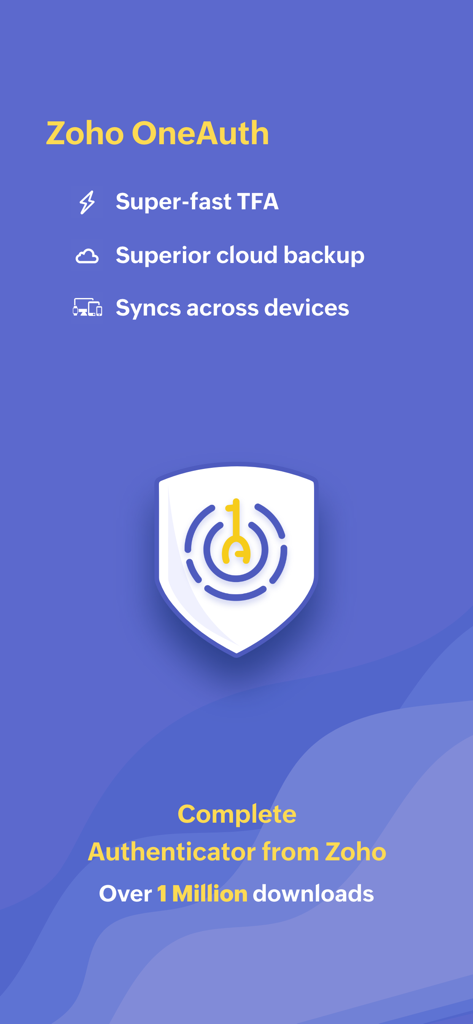
TFAのクラウドバックアップとクロスデバイス同期機能を表示するZoho OneAuth認証アプリの画面。
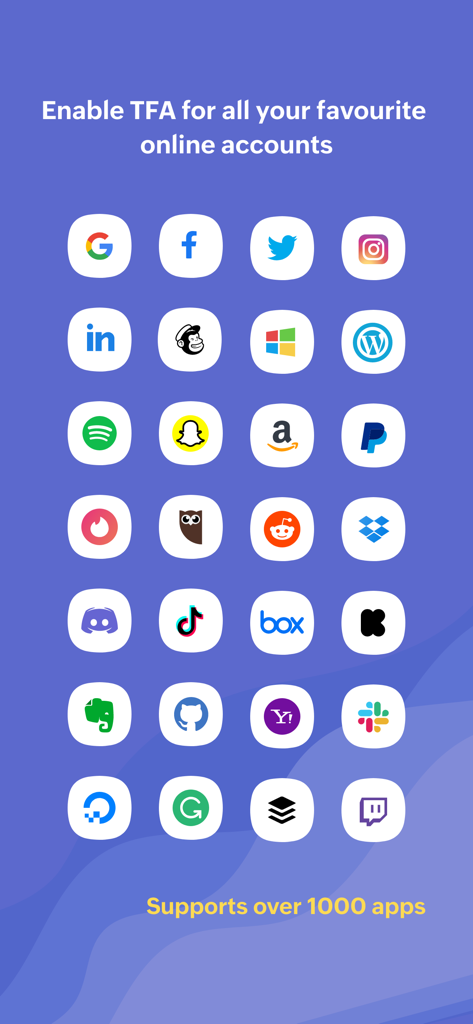
Google、Facebook、Twitterを含む、OneAuthが2段階認証に対応している一般的なオンラインサービスのロゴのグリッド。
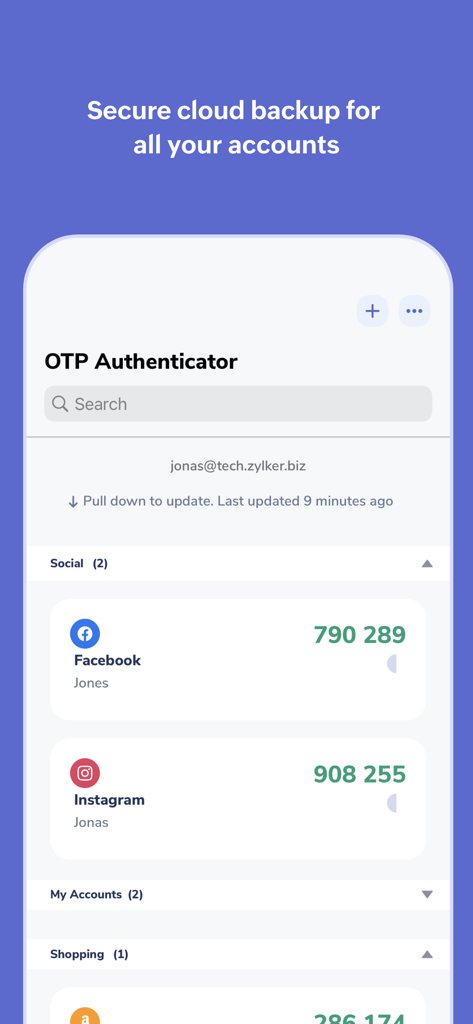
フォルダに整理されたFacebookとInstagramアカウントのOTPコードを表示するOneAuthアプリのインターフェース。
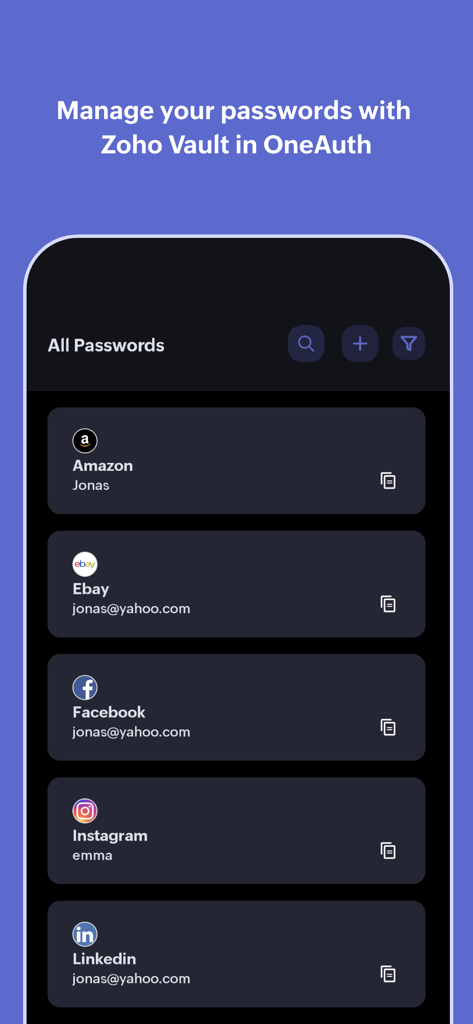
Amazon、eBay、Facebookのブランドロゴとともに、管理されたパスワードのリストを表示するOneAuth by Zohoアプリのインターフェース。
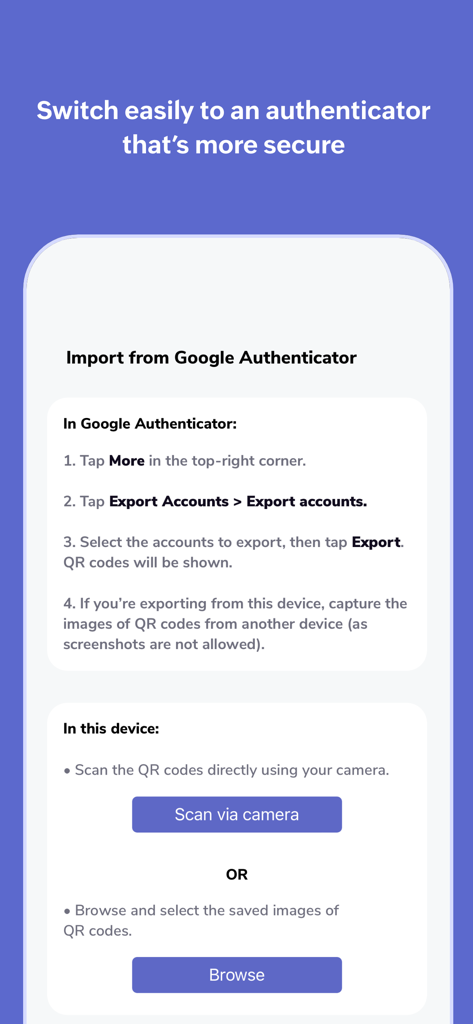
Google 認証システムからZoho OneAuthにアカウントをインポートするための手順。
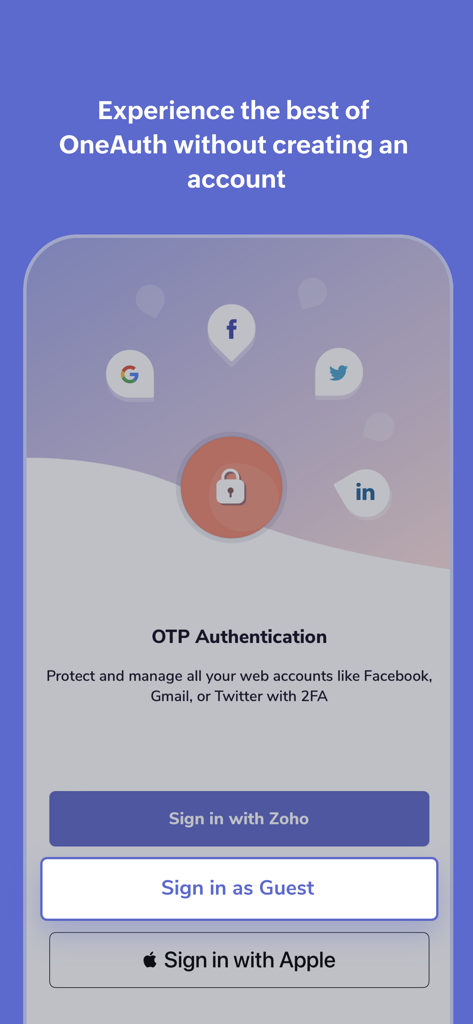
Zoho、Apple、およびOTP認証用のゲストモードのサインインオプションを表示するOneAuthアプリの画面。
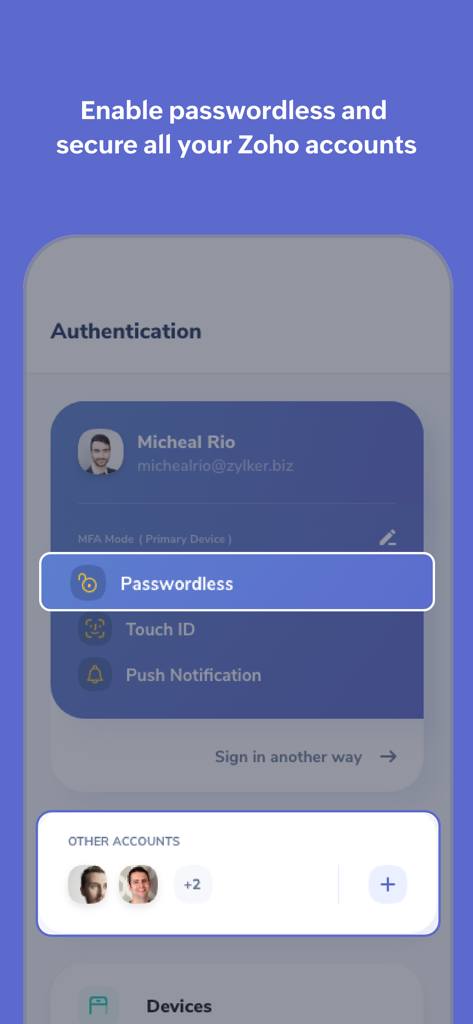
パスワードレスサインインとアカウント管理を表示するOneAuthアプリのインターフェース。
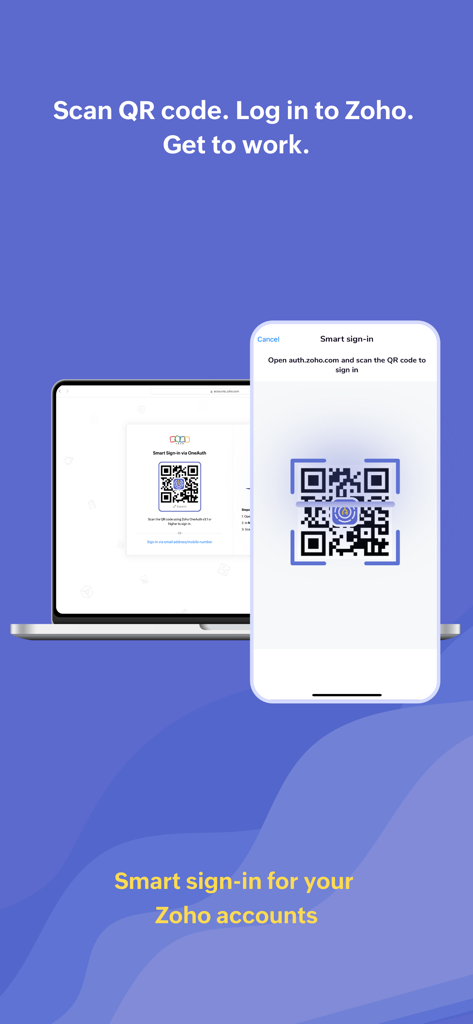
OneAuthを使用してZohoアカウントにスマートサインインするために、ノートパソコンの画面上のQRコードをスキャンしているiPhone。
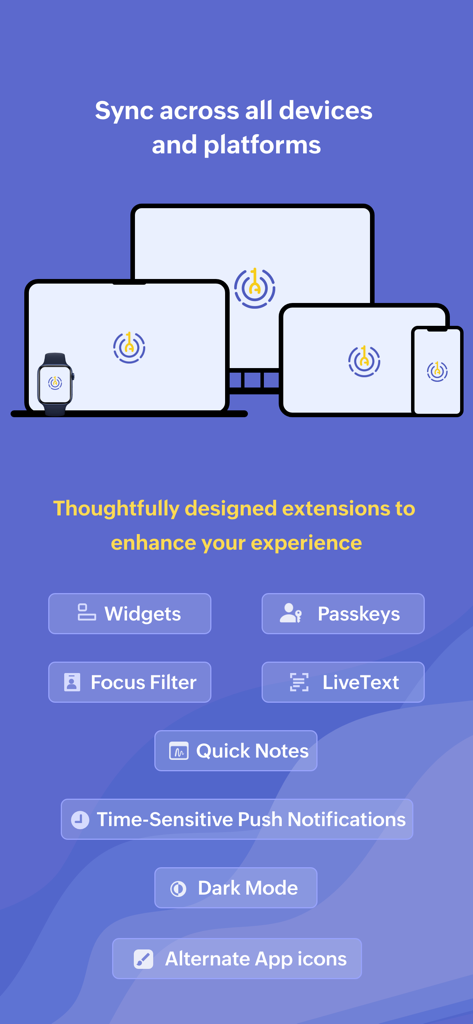
ウィジェットやパスキーなどのiOS拡張機能のリストとともに、ノートパソコン、デスクトップ、タブレット、スマートフォン、ウォッチ間で同期されるOneAuthを示すグラフィック。
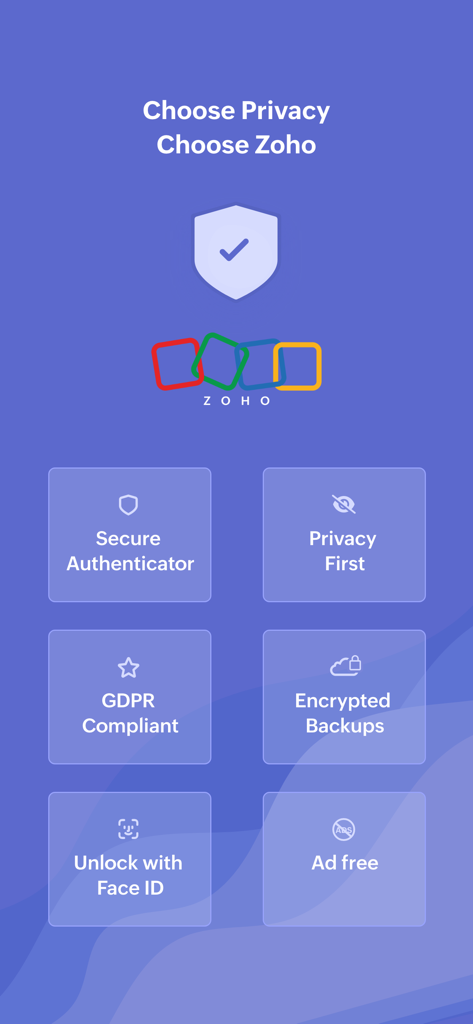
安全な認証、プライバシー重視、GDPRコンプライアンス、暗号化されたバックアップ、Face IDロック解除、広告なしの体験などのセキュリティ機能を表示するOneAuth by Zohoアプリの画面。
説明
Download

類似アプリ
似た機能とユーザー体験を持つアプリ

Google Authenticator
Google LLC

Duo Mobile
Duo Security LLC

Authenticator App - 2FA &. MFA
APPLY DIJITAL HIZMETLER TICARET LIMITED SIRKETI

authenticator . app
Mustafa Uz

SafeNet MobilePASS+
Thales DIS (Singapore) Pte Ltd

Čítačka
Tatra banka, a.s.

Authenticator App - SafeAuth
Brilliant App Limited

Authenticator App - 2FA Auth
UNIVERSE DIJITAL HIZMETLER LIMITED SIRKETI

Authenticator App : Scan & 2FA
XSOFT GLOBAL LIMITED
このページはアプリまたはその開発者の公式ページではなく、情報提供および論評を目的として作成された独立した編集出版物です。明示的に別段の記載がない限り、アプリおよびその開発者は、MWM、Apple、Google Play、アプリのパブリッシャー、またはアプリの開発者と提携、承認、後援、認可、またはその他の公式的な関係はなく、このページのいかなる内容も、アプリがMWMのサービスを使用して開発されたことを意味するものではありません。すべての商標、ロゴ、スクリーンショット、その他のコンテンツはそれぞれの所有者の財産です。