
このページはアプリまたはその開発者の公式ページではなく、情報提供および論評を目的として作成された独立した編集出版物です。明示的に別段の記載がない限り、アプリおよびその開発者は、MWM、Apple、Google Play、アプリのパブリッシャー、またはアプリの開発者と提携、承認、後援、認可、またはその他の公式的な関係はなく、このページのいかなる内容も、アプリがMWMのサービスを使用して開発されたことを意味するものではありません。すべての商標、ロゴ、スクリーンショット、その他のコンテンツはそれぞれの所有者の財産です。


ダウンロード
250k+ユーザー評価
評価数
853開発元
カテゴリ
Productivity対応言語
7最新バージョン
1.1.31サイズ
216.3 MBリリース日
2024年7月10日主要機能の徹底分析とデジタルセキュリティへの貢献度
Authenticator App - 2FA MFAの機能評価
強力な2FA/MFAとオフラインOTP生成
本アプリは、時間ベースのワンタイムパスワード(TOTP)およびOTPコードを生成し、インターネット接続がない状況でも安全で迅速なログインを提供します。
エンドツーエンド暗号化による高度なプライバシー保護
ユーザーの認証データは、デバイス内およびiCloud上でローカルにエンドツーエンドで暗号化され、最高レベルのセキュリティとプライバシーを保証します。
統合されたパスワードマネージャー
本ツールは、2FA機能だけでなく、安全なパスワードマネージャーとしても機能し、ログイン情報を一元的に管理し保護します。
暗号化されたバックアップとデバイス間同期
ユーザーの2FAコード、TOTPアカウント、およびパスワードはiCloudに安全にバックアップされ、iPhoneやiPadなど複数のデバイス間でシームレスに同期されます。
他アプリからのインポートとデータのエクスポート
Google AuthenticatorやMicrosoft AuthenticatorからのQRコード、CSV、または手動での簡単なインポートに対応し、ユーザーはいつでも認証データをエクスポートしてコントロールを維持できます。
広範なサービス互換性
Google、Microsoft、Instagram、Facebook、Amazon、PayPalなど、主要なオンラインサービス全てに対応し、広範なアカウント保護を可能にします。
アプリロックと生体認証による保護
PIN、Face ID、またはTouch IDによるアプリロック機能が提供され、自動ロック設定により、認証コードやパスワードが不正アクセスから保護されます。
ウィジェットとApple Watch対応による迅速なアクセス
ホーム画面のウィジェットやApple Watchから、OTPコードや認証トークンに素早くアクセスでき、ログインプロセスを効率化します。
よくある質問
について知っておくべきこと Authenticator App - 2FA MFA
What is Authenticator App ℗?
Authenticator App ℗ protects accounts with two-factor and multi-factor authentication. It securely manages 2FA codes, passwords, and login credentials using a user-friendly, encrypted system focused on privacy.
Is Authenticator App ℗ secure and private?
Yes, Authenticator App ℗ encrypts all data locally and in iCloud using end-to-end encryption. This ensures only you can access your codes and passwords, guaranteeing complete privacy and security.
Does Authenticator App ℗ include a password manager?
Yes, Authenticator App ℗ features a built-in password manager. It stores and manages all your passwords, provides alerts for leaked credentials, and offers password health reports for enhanced account safety.
Can Authenticator App ℗ back up 2FA codes?
Yes, Authenticator App ℗ automatically backs up 2FA codes, secret keys, and passwords to iCloud with secure encryption. This allows for easy restoration and seamless access across multiple devices.
Does Authenticator App ℗ sync across devices?
Yes, Authenticator App ℗ synchronizes authentication codes and passwords across all your devices. Data is securely shared across iPhone, iPad, and other supported devices once online accounts are linked.
How can I import 2FA codes into Authenticator App ℗?
Users can import 2FA codes into Authenticator App ℗ from other apps like Microsoft or Google Authenticator. This is accomplished easily via QR code scanning or CSV file upload in one tap.
Can I export my 2FA codes from Authenticator App ℗?
Yes, Authenticator App ℗ allows users to export all 2FA codes and accounts. This can be done via QR code or CSV file, providing full data control and backup capabilities.
Does Authenticator App ℗ have a Home Screen Widget?
Yes, Authenticator App ℗ provides a Home Screen Widget. It allows instant viewing and copying of 2FA codes directly from your device's Home Screen for faster, one-tap authentication without opening the app.
Is Authenticator App ℗ compatible with Apple Watch?
Yes, Authenticator App ℗ supports Apple Watch. Users can access their 2FA codes directly on their watch, providing instant authentication access without needing to retrieve another device.
How can I organize accounts in Authenticator App ℗?
Authenticator App ℗ allows users to organize 2FA accounts and passwords into folders. It features a simple drag-and-drop interface for managing, moving, and sorting data efficiently.
Does Authenticator App ℗ support custom icons for accounts?
Yes, Authenticator App ℗ supports custom icons and automatically fetches service icons. This feature aids quick recognition of accounts for streamlined management within the app.
How does Authenticator App ℗ secure the application itself?
Authenticator App ℗ secures access with a 4-digit PIN, Face ID, or Touch ID. It also includes auto-lock after inactivity, ensuring only authorized users can access codes and the password manager.
What services does Authenticator App ℗ support for 2FA?
Authenticator App ℗ supports thousands of platforms for 2FA. These include major services such as Google, Facebook, Instagram, Amazon, Microsoft, Twitter, Dropbox, Reddit, PayPal, Zoom, and Uber.
以下のスクリーンショットと説明は、アプリの公式ストアリスティングから直接取得されたものであり、アプリ開発者の所有物です。
アプリストア
スクリーンショット
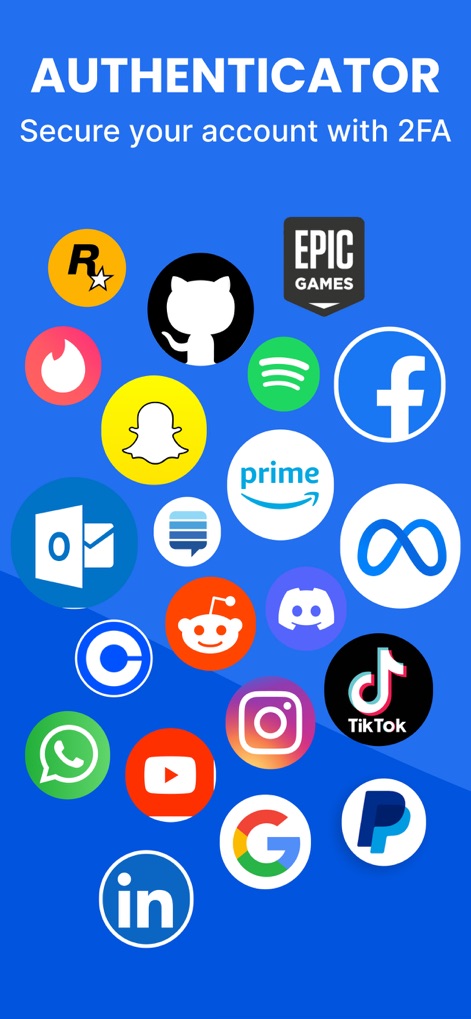
このアプリは、GoogleやFacebookなど人気のある複数のサービスアイコンを網羅し、「Secure your account with 2FA」のキャッチフレーズと共に、多くのプラットフォームで利用できることを示しています。
幅広い連携サービス

この画面では、InstagramやGoogleなどのアカウントに対応するタイムベースのワンタイムパスワードが一覧表示され、各コードの有効期限を示すプログレスバーにより、ユーザーは時間管理が可能です。
安全な認証コード

本スクリーンショットは、GoogleやFacebookといった複数のサービスで保存されたパスワード一覧表示を提供し、各エントリーの横にあるコピーボタンにより、ユーザーは簡単にログイン情報を取得できます。
パスワード管理機能

この画面は、新規アカウントの追加を迅速に行うQRコードスキャンインターフェースを提示しており、下部には「Enter Manually」オプションも用意され、柔軟な設定が可能です。
簡単設定、QRスキャン

アプリのセキュリティを強化するため、Face ID有効化のプロンプトが表示されており、生体認証の視覚的アイコンと共に、ユーザーは安全なアクセスを実現できます。
高度な生体認証

この画面では、アカウントのフォルダ分け機能によって多数の2FAコードを効率的に管理でき、「Social Media」フォルダに32のコードが整理され、その横に日付が表示されています。
整理整頓、フォルダ機能
説明
Download
類似アプリ
似た機能とユーザー体験を持つアプリ

Proton Pass - Password Manager
Proton AG

Dashlane Password Manager
Dashlane

Password Manager - mSecure
mSeven Software, LLC

Kepttor Password Manager
MACREL SRL SEMPLIFICATA

DataVault Manager - Encrypted
MIKHAIL SHERSHNEV

Authenticator ·
SMM service, s.r.o.

Bitwarden Password Manager
Bitwarden Inc

Authenticator App ⁸
AGILE CODE LIMITED

NordPass: Password Manager
Nordvpn S.A.
このページはアプリまたはその開発者の公式ページではなく、情報提供および論評を目的として作成された独立した編集出版物です。明示的に別段の記載がない限り、アプリおよびその開発者は、MWM、Apple、Google Play、アプリのパブリッシャー、またはアプリの開発者と提携、承認、後援、認可、またはその他の公式的な関係はなく、このページのいかなる内容も、アプリがMWMのサービスを使用して開発されたことを意味するものではありません。すべての商標、ロゴ、スクリーンショット、その他のコンテンツはそれぞれの所有者の財産です。