
このページはアプリまたはその開発者の公式ページではなく、情報提供および論評を目的として作成された独立した編集出版物です。明示的に別段の記載がない限り、アプリおよびその開発者は、MWM、Apple、Google Play、アプリのパブリッシャー、またはアプリの開発者と提携、承認、後援、認可、またはその他の公式的な関係はなく、このページのいかなる内容も、アプリがMWMのサービスを使用して開発されたことを意味するものではありません。すべての商標、ロゴ、スクリーンショット、その他のコンテンツはそれぞれの所有者の財産です。

Authenticator App+
iPhone、Mac、Apple Watch全体での暗号化されたiCloudバックアップ、Face IDセキュリティ、シームレスな2FA同期でデジタルアイデンティティを保護しましょう。
ダウンロード
6M+ユーザー評価
評価数
23K+開発元
カテゴリ
Productivity対応言語
13最新バージョン
3.1.1サイズ
144.9 MBリリース日
2022年5月10日妥協のないセキュリティをシンプルに
Appleエコシステム専用に設計されたプロフェッショナルグレードの認証アプリで、あなたのアイデンティティと資産を保護しましょう。銀行、仕事、ソーシャルメディアの2FAを完全に安心して安全に管理できます。
金庫グレードのプライバシー
あなたのセキュリティが最優先事項です。すべてのトークンはエンドツーエンドの暗号化で保護され、Face IDによって保護されているため、最も機密性の高いアカウントコードにアクセスできるのはあなただけです。
シームレスなiCloud同期
ロックアウトされる心配をなくしましょう。iPhone、iPad、Mac、Apple Watch全体でコードを自動的にバックアップおよび同期し、どのデバイスでも簡単に復旧できます。
よくある質問
について知っておくべきこと Authenticator App+
Authenticator App+とは何ですか?
Authenticator App+は、2要素認証および多要素認証(2FA & MFA)コードをスキャン、生成、保存することでオンラインアカウントを保護します。Google、Facebook、Microsoftなどの人気サービスに対応しています。
Authenticator App+はどのサービスに対応していますか?
Authenticator App+は、Microsoft、Facebook、Instagram、Google、Amazon、Coinbase、Authy、Robloxなどの人気サービスに対応しています。時間ベースのワンタイムパスワード(TOTP)を完全にサポートしています。
Authenticator App+はオフラインで動作しますか?
はい、Authenticator App+はオフラインで動作します。認証コードの生成や使用にインターネット接続は必要ありません。
Authenticator App+で複数のAppleデバイス間で2FAコードを同期できますか?
はい、Authenticator App+はすべてのAppleデバイス間で2FAコードを安全に同期します。iPhone、iPad、Mac、Apple Watchで動作します。
Authenticator App+はどのように私のコードを保護しますか?
Authenticator App+は、保存されているすべてのコードに対してエンドツーエンド暗号化を使用します。また、セキュリティ強化のためにFace IDとTouch IDでのロック解除オプションも提供しています。
Authenticator App+はホーム画面ウィジェットを提供していますか?
はい、Authenticator App+はホーム画面ウィジェットを提供しており、デバイスのホーム画面から直接、認証コードにすばやくアクセスできます。
Authenticator App+に新しい認証コードを追加するにはどうすればよいですか?
QRコードをスキャンするか、コードを手動で入力することで、Authenticator App+に新しい認証コードを追加できます。
Authenticator App+はロック解除にFace IDをサポートしていますか?
はい、Authenticator App+はFace IDでのロック解除をサポートしています。この機能により、アプリ起動時にパスワードが不要になり、時間を節約できます。
Authenticator App+のPRO機能を使用するには何が必要ですか?
Authenticator App+のすべてのPRO機能にアクセスするには、アクティブな自動更新月額または年額サブスクリプションが必要です。支払いはiTunesアカウントに請求されます。
デバイスを切り替えたり紛失したりした場合、コードを復元できますか?
はい、Authenticator App+を使用すると、デバイスを切り替えたり紛失したりした場合でも、コードを簡単に復元できます。iCloudへの暗号化バックアップを提供しています。
Authenticator App+はダークモードインターフェースを提供していますか?
はい、Authenticator App+はダークモードインターフェースを提供しています。これにより、アプリケーションの代替ビジュアルテーマが提供されます。
以下のスクリーンショットと説明は、アプリの公式ストアリスティングから直接取得されたものであり、アプリ開発者の所有物です。
アプリストア
スクリーンショット
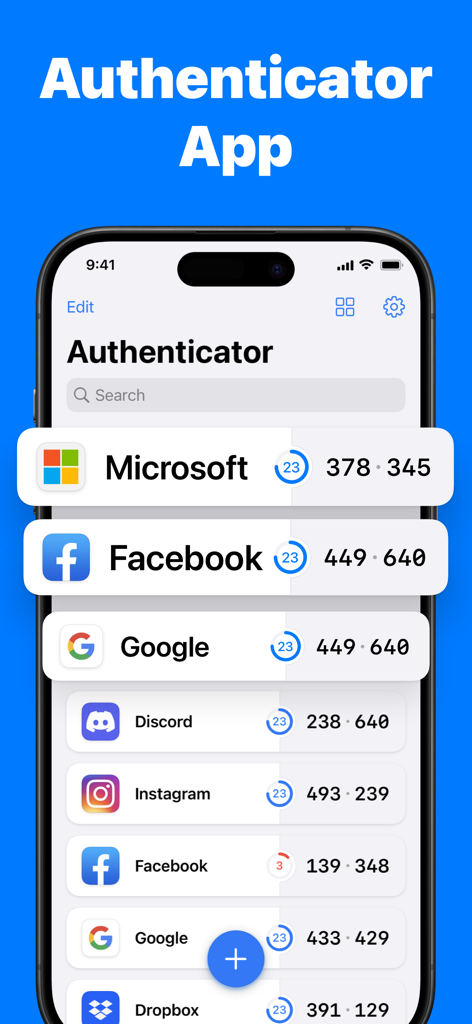
Authenticator App plusのインターフェースで、MicrosoftおよびFacebookのセキュリティコードが表示されています
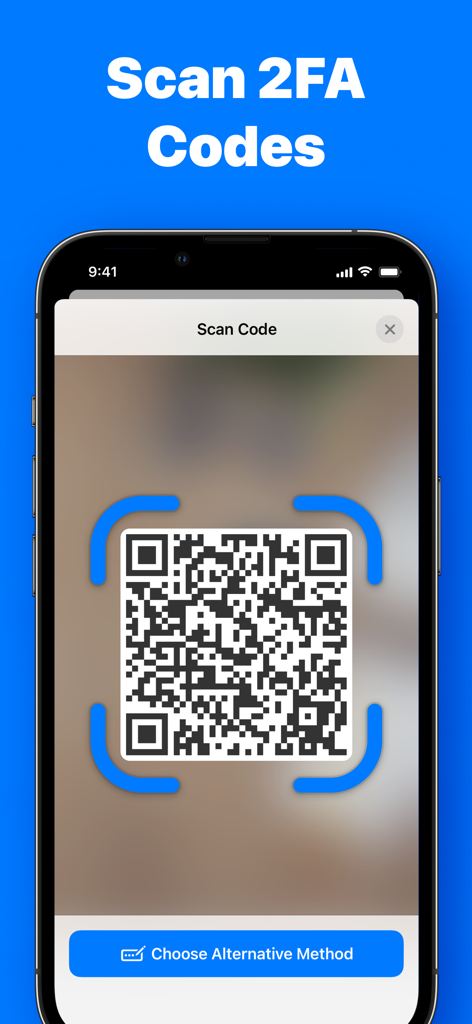
Authenticator App+の2FAセキュリティコード用のQRコードスキャン機能を表示するスマートフォンの画面
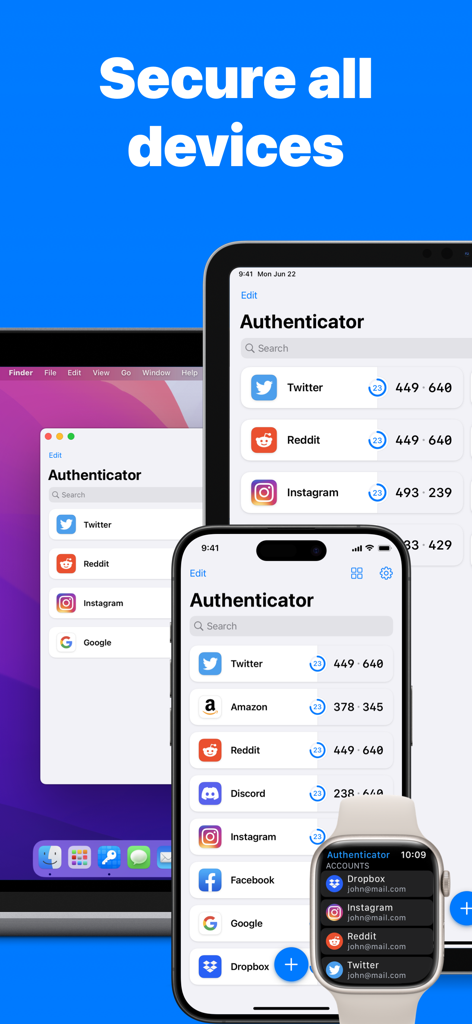
iPhone、iPad、Mac、Apple Watchに表示されたAuthenticator Appのインターフェース
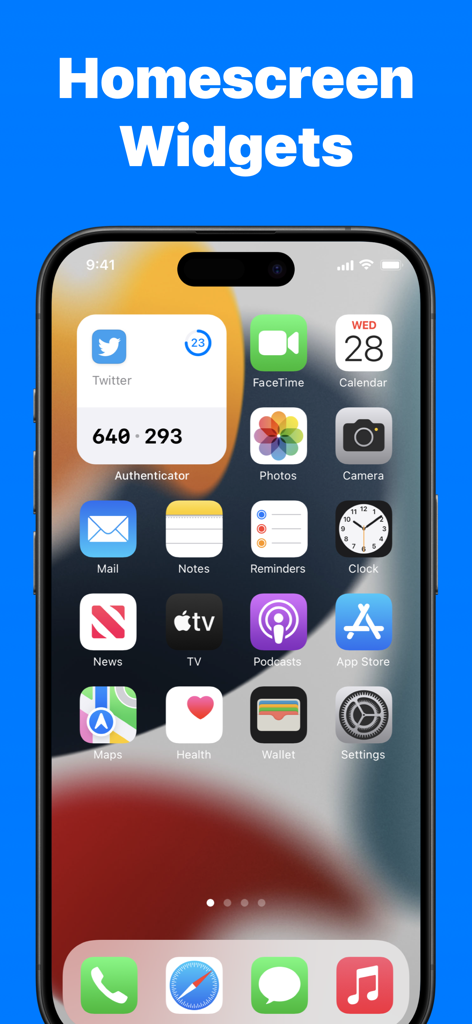
iPhoneのホーム画面に、Authenticator App plusウィジェットを介して2FAコードが表示されています
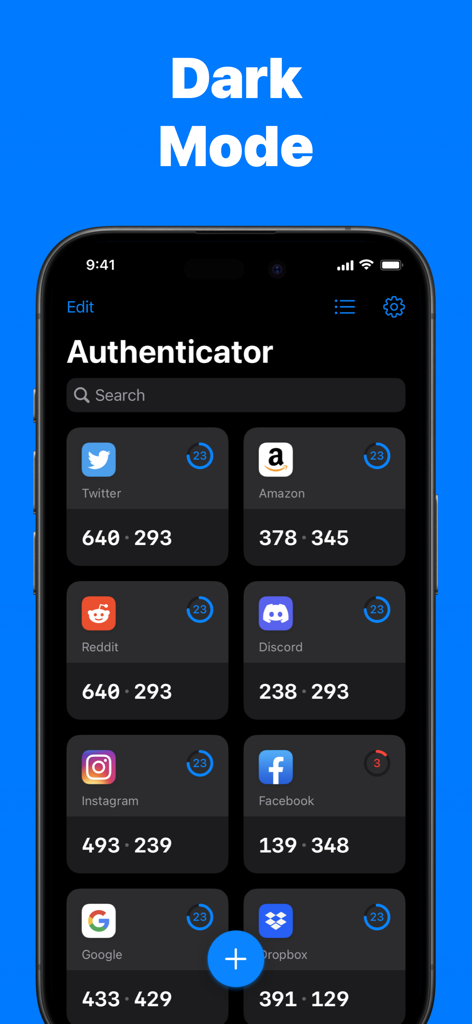
Authenticator Appのダッシュボードに、ダークモードでTwitter、Amazon、Redditなどのさまざまなアカウントの2FAコードが表示されています
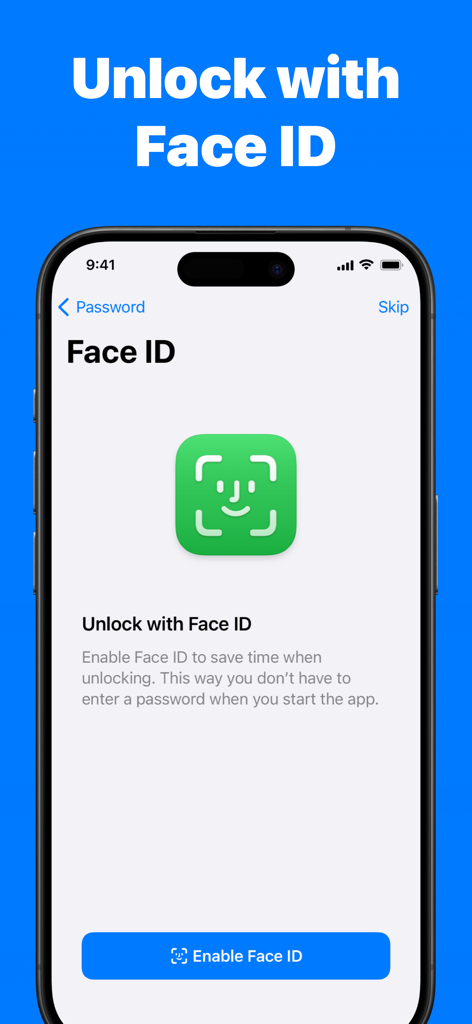
Authenticator AppのFace IDロック解除機能を表示するスマートフォンの画面
説明
Download
類似アプリ
似た機能とユーザー体験を持つアプリ

Google Authenticator
Google LLC

Duo Mobile
Duo Security LLC

Authenticator App - 2FA &. MFA
APPLY DIJITAL HIZMETLER TICARET LIMITED SIRKETI

authenticator . app
Mustafa Uz

SafeNet MobilePASS+
Thales DIS (Singapore) Pte Ltd

Čítačka
Tatra banka, a.s.

Authenticator App - SafeAuth
Brilliant App Limited

Authenticator App - 2FA Auth
UNIVERSE DIJITAL HIZMETLER LIMITED SIRKETI

Authenticator App : Scan & 2FA
XSOFT GLOBAL LIMITED
このページはアプリまたはその開発者の公式ページではなく、情報提供および論評を目的として作成された独立した編集出版物です。明示的に別段の記載がない限り、アプリおよびその開発者は、MWM、Apple、Google Play、アプリのパブリッシャー、またはアプリの開発者と提携、承認、後援、認可、またはその他の公式的な関係はなく、このページのいかなる内容も、アプリがMWMのサービスを使用して開発されたことを意味するものではありません。すべての商標、ロゴ、スクリーンショット、その他のコンテンツはそれぞれの所有者の財産です。