
このページはアプリまたはその開発者の公式ページではなく、情報提供および論評を目的として作成された独立した編集出版物です。明示的に別段の記載がない限り、アプリおよびその開発者は、MWM、Apple、Google Play、アプリのパブリッシャー、またはアプリの開発者と提携、承認、後援、認可、またはその他の公式的な関係はなく、このページのいかなる内容も、アプリがMWMのサービスを使用して開発されたことを意味するものではありません。すべての商標、ロゴ、スクリーンショット、その他のコンテンツはそれぞれの所有者の財産です。


Auto Clicker - Tap Assistant
指先一つでゲームもタスクも支配する。このアプリは、ユーザーに時間と効率という究極のチートコードを提供する。
ダウンロード
500k+ユーザー評価
評価数
5.1K開発元
カテゴリ
Productivity対応言語
9最新バージョン
1.0.6サイズ
35.8 MBリリース日
2025年2月28日モバイルゲーマーと生産性重視のユーザーを対象とした主要機能の評価
「Auto Clicker - Tap Assistant」機能分析
自動クリッカー
ユーザーは、カスタムの頻度とタイミングで画面上のタップを自動的に実行できます。
ゲームブースト
このアプリは、アイドルゲームやクリッカーゲーム向けに、正確な自動タッピングでゲーム体験を向上させます。
タップスクリプト
本ツールは、ユーザーがクリックスクリプトを保存および再利用し、迅速で手間のかからない自動化を可能にします。
自動更新・スクロール
ユーザーは、ページを自動的に更新したり、コンテンツをハンズフリーでスクロールしたりすることができ、ブラウジングや記事の読書に最適です。
スクリーンカウンター
本ツールは、ユーザーがクリック数を数えたり、アクションを簡単に追跡したりすることを可能にします。
プライベートブラウザ
このアプリは、安全で匿名なブラウジングを保証する内蔵ブラウザで、ユーザーのプライバシーを保護します。
よくある質問
について知っておくべきこと Auto Clicker - Tap Assistant
What is Auto Clicker - Tap Assistant?
Auto Clicker - Tap Assistant is an automation tool that performs automatic taps on your screen. It streamlines repetitive tasks and enhances gaming experiences, offering features like custom frequency and timing.
Does Auto Clicker - Tap Assistant offer a private browsing feature?
Yes, Auto Clicker - Tap Assistant includes a built-in Private Browser. This feature ensures safe and anonymous browsing by protecting user privacy during online activities.
Can I save custom click sequences with Auto Clicker - Tap Assistant?
Yes, Auto Clicker - Tap Assistant allows users to save and reuse click scripts. This Tap Scripts feature enables fast and hassle-free automation for various tasks.
How much does Auto Clicker - Tap Assistant subscription cost?
Auto Clicker - Tap Assistant offers two auto-renewing subscriptions: $4.99 per week or $6.99 per month. The monthly option includes a 3-day free trial.
Does Auto Clicker - Tap Assistant support game automation?
Yes, Auto Clicker - Tap Assistant includes a Game Boost feature. It provides precise, automatic tapping specifically for idle and clicker games, enhancing the overall gaming experience.
How do I cancel my Auto Clicker - Tap Assistant subscription?
Users manage or cancel their Auto Clicker - Tap Assistant auto-renewable subscription via iTunes user settings after purchase. Cancellation must occur at least 24 hours before the subscription period ends.
What are the customization options for automatic clicks in Auto Clicker - Tap Assistant?
Auto Clicker - Tap Assistant provides customization for click count (up to 10), intervals (minimum 40ms), and repeat mode. Users choose between infinitely, limiting by time, or by a specific number of cycles.
Can Auto Clicker - Tap Assistant automatically scroll web pages?
Yes, Auto Clicker - Tap Assistant features Auto Refresh & Scroll. This function allows users to refresh pages or scroll content hands-free, ideal for browsing or reading articles efficiently.
Is there a free trial for Auto Clicker - Tap Assistant?
Yes, Auto Clicker - Tap Assistant offers a 3-day free trial. This trial is specifically available with the monthly subscription option.
Does Auto Clicker - Tap Assistant include a random number generator?
Yes, Auto Clicker - Tap Assistant includes a Random Number Generator. This tool creates random numbers for various purposes, such as games, raffles, or other fun activities.
以下のスクリーンショットと説明は、アプリの公式ストアリスティングから直接取得されたものであり、アプリ開発者の所有物です。
アプリストア
スクリーンショット
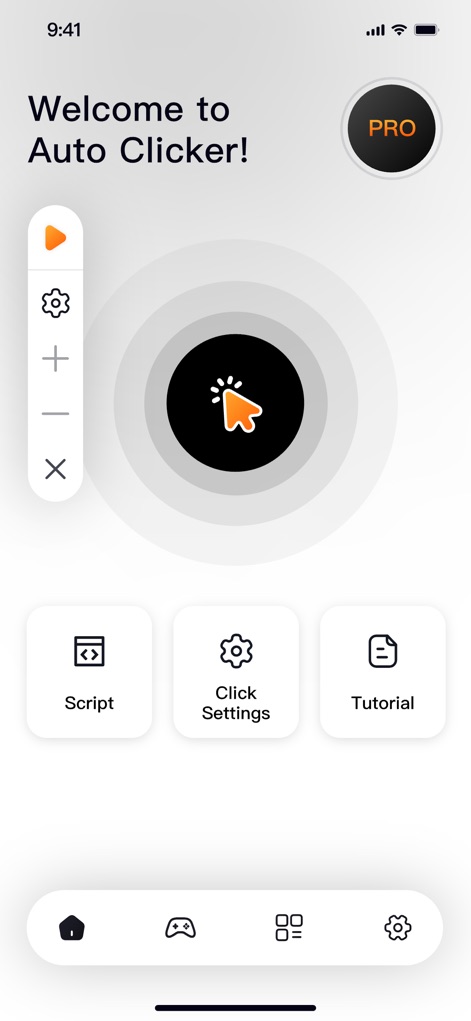
本アプリのホーム画面では、中心に配置された「自動タップインジケーター」で主要機能を視覚的に提示し、下部のナビゲーションから「スクリプト」や「クリック設定」へ迅速にアクセスできます。
直感的な操作
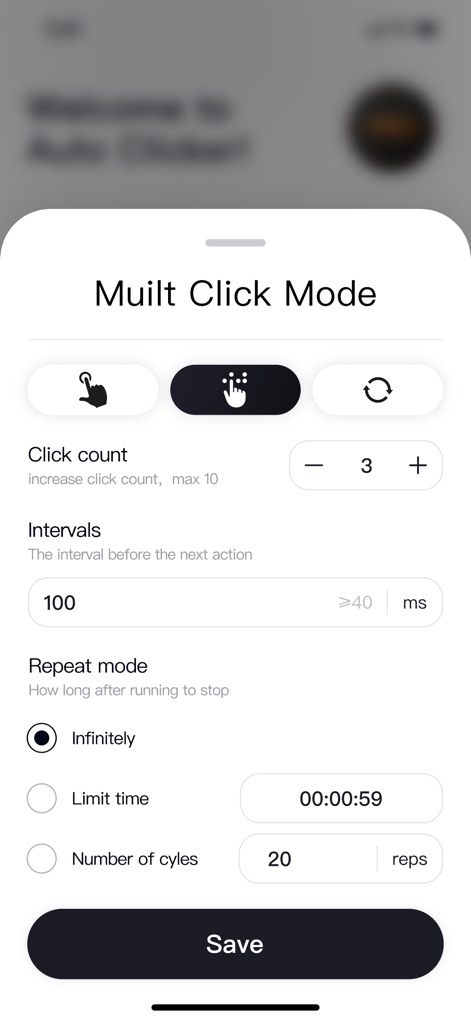
「クリック回数」の調整によりタップの頻度を細かく設定でき、「繰り返しモード」ではタップ動作を無限または指定回数に制御できます。
詳細設定でカスタマイズ
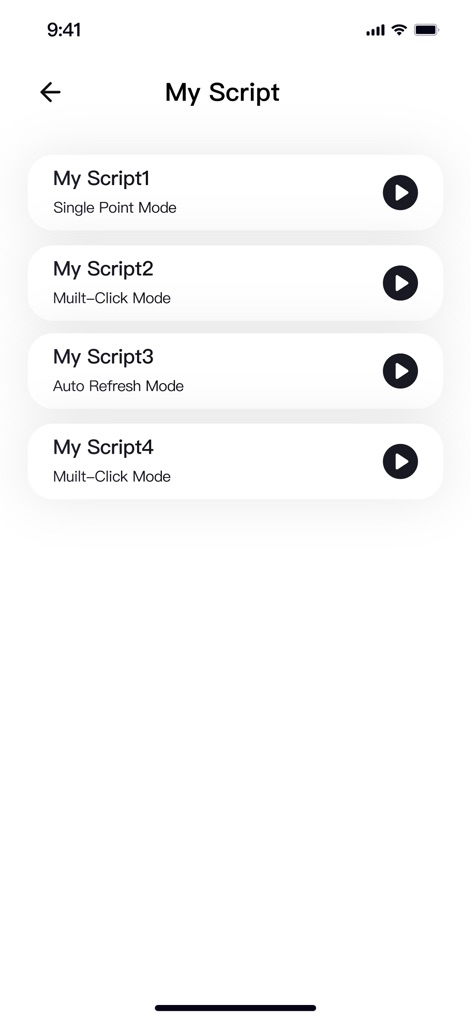
ユーザーは「My Script」リストから保存済みの自動化設定を一覧で確認でき、各スクリプトの横にある「再生ボタン」をタップするだけで簡単に実行できます。
スクリプトを管理
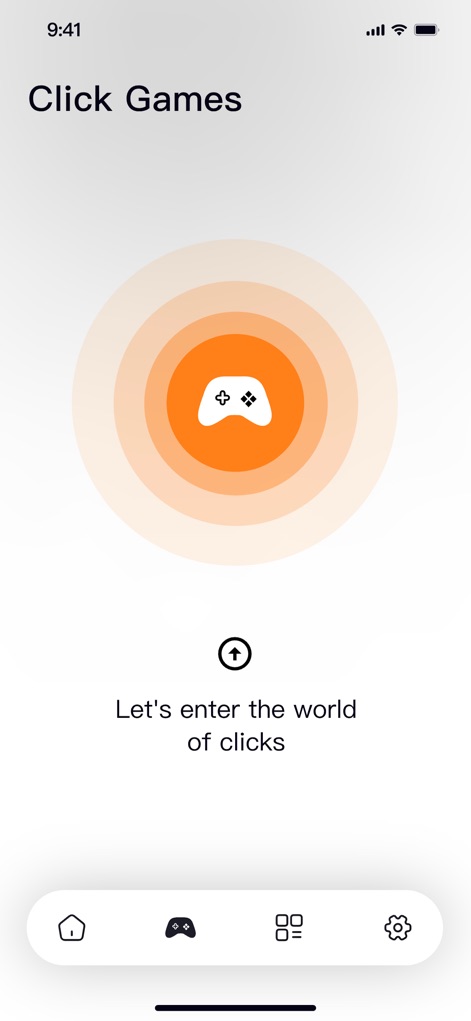
中央の「ゲームコントローラー」アイコンはゲームプレイの自動化を示唆し、「クリックの世界へ」というメッセージがユーザーを楽しい体験へと誘います。
ゲーム体験を強化
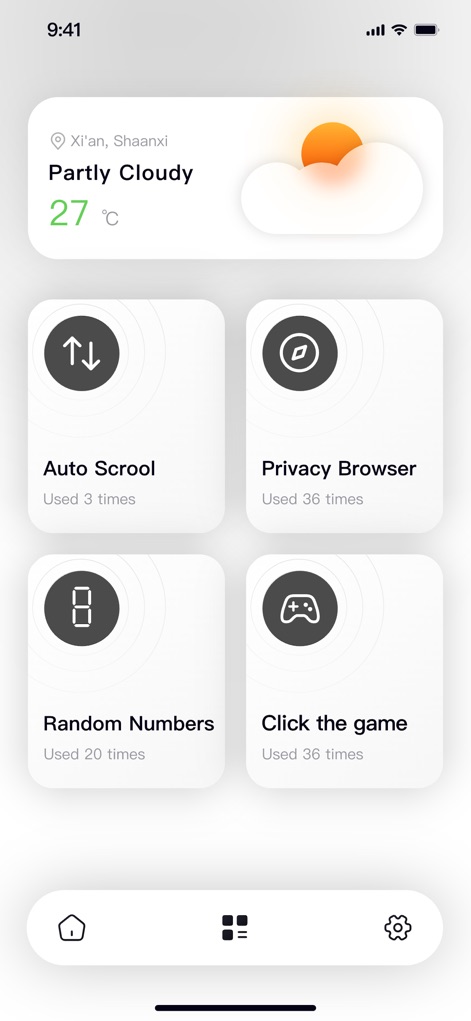
「Auto Scrool(自動スクロール)」機能でコンテンツ閲覧を自動化し、内蔵の「Privacy Browser(プライベートブラウザ)」で安全かつ匿名でのウェブブラウジングが可能です。
多彩な便利機能
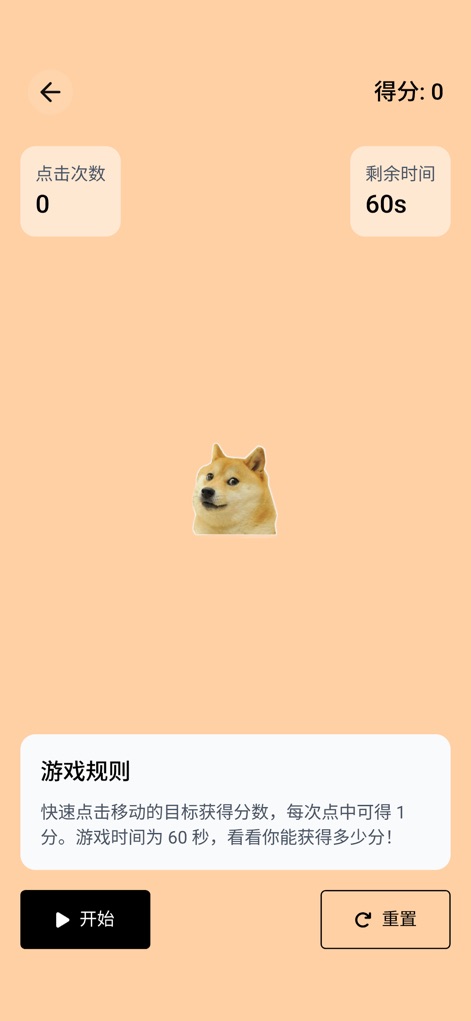
ゲーム中に「クリック回数」をリアルタイムで表示し、「残り時間」のカウントダウンによりプレイヤーは自分のパフォーマンスを追跡できます。
シンプルクリックゲーム
説明
Download
類似アプリ
似た機能とユーザー体験を持つアプリ

自动ּ连点器 - 自动点击器
壮壮 彭

连点器-高效自动点击按键辅助工具
和圆 魏

连点器 - 自动点击持续滚动刷新&旋转指针工具
源 韦

自动点击器·连点器
磊 赵

Auto Clicker-Auto Tapper tool
佳豪 张

Auto Clicker: Click Automatic
RH LANDSCAPING LLC

连点器-自动连点神器&点赞抢购助手
倩格 刘

Auto Tapper Assistant App
KUPERTINO BIL. YAZ. HALIL IBRAHIM KARAHAN SAFFET ARSLAN MUSTAFA AYTEN MUHAMMET YALCIN OZDEMIR K. S.

Auto Clicker - Automatic Tap Q
家豪 魏
このページはアプリまたはその開発者の公式ページではなく、情報提供および論評を目的として作成された独立した編集出版物です。明示的に別段の記載がない限り、アプリおよびその開発者は、MWM、Apple、Google Play、アプリのパブリッシャー、またはアプリの開発者と提携、承認、後援、認可、またはその他の公式的な関係はなく、このページのいかなる内容も、アプリがMWMのサービスを使用して開発されたことを意味するものではありません。すべての商標、ロゴ、スクリーンショット、その他のコンテンツはそれぞれの所有者の財産です。