
このページはアプリまたはその開発者の公式ページではなく、情報提供および論評を目的として作成された独立した編集出版物です。明示的に別段の記載がない限り、アプリおよびその開発者は、MWM、Apple、Google Play、アプリのパブリッシャー、またはアプリの開発者と提携、承認、後援、認可、またはその他の公式的な関係はなく、このページのいかなる内容も、アプリがMWMのサービスを使用して開発されたことを意味するものではありません。すべての商標、ロゴ、スクリーンショット、その他のコンテンツはそれぞれの所有者の財産です。


ダウンロード
250k+ユーザー評価
評価数
1.9K開発元
カテゴリ
Productivity対応言語
1最新バージョン
1.0.5サイズ
126.1 MBリリース日
2025年11月19日テックアナリストによる主要機能の評価
Auto Tapper Assistant App 分析
自動クリック(シングル&マルチターゲット)
このアプリは、単一点での反復操作や複雑なワークフローのために、シングルポイントまたは複数ターゲットのタップ経路を作成する機能を提供します。ユーザーは、間隔、ホールド時間、繰り返し回数を調整し、プロファイルを保存して再利用することができます。
スマートタップモード(アクセシビリティ対応)
このアプリは、iOSのアクセシビリティ機能を活用することで、対応アプリ内で正確なタップシーケンスを実行するスマートタップモードを提供します。ガイド付きセットアップにより、権限付与やタッチポイントの調整が支援され、予測可能で一貫した精度を実現します。
高度なコントロールとプリセット
本ツールは、複数のカーソルの同時タップ、クリック速度の調整、および人間のようなタイミングのためのタップ間隔の微調整を可能にします。ユーザーはこれらの設定を再利用可能なプロファイルとして保存し、異なるアプリやワークフローに合わせて簡単に切り替えることができます。
プライベートブラウザ(プライバシー重視)
本ツールは、プライバシーを重視するユーザーのために、内蔵のプライベートブラウザを備えています。アカウントや履歴が残らず、アプリ内での閲覧に活動が限定され、クッキーやサイトデータをワンステップで消去できます。
よくある質問
について知っておくべきこと Auto Tapper Assistant App
What is the Auto Tapper Assistant App?
The Auto Tapper Assistant App is an iOS precision tap assistant. It automates repetitive tap actions in apps or websites, saving time and performing with human-like timing.
Does Auto Tapper Assistant App support single and multi-click actions?
Yes, the Auto Tapper Assistant App supports both single-point taps for simple tasks and multi-target paths for complex, intricate tap flows.
How can I customize the Auto Tapper Assistant App's auto-clicker?
Users can customize the Auto Tapper Assistant App by choosing the number of cursors, setting clicks per second, and fine-tuning the interval between taps. These settings can be saved as reusable profiles.
Does Auto Tapper Assistant App require iOS Accessibility?
Yes, the Auto Tapper Assistant App's Smart Tap Mode requires enabling iOS Accessibility to run precise tap sequences in supported applications, ensuring predictable behavior and consistent accuracy.
Does Auto Tapper Assistant App include a private browser?
Yes, the Auto Tapper Assistant App includes a built-in private browser. It offers no account, no sync, and no history, allowing users to browse privately within the app and clear data.
How do I control the Auto Tapper Assistant App's autoclicker?
The Auto Tapper Assistant App features a floating panel to start/stop with a long-press pause. It also offers per-step delays and global loop counts for precise control over autoclicker routines.
Is Auto Tapper Assistant App safe for third-party apps and games?
Yes, the Auto Tapper Assistant App does not modify or interfere with any third-party apps, games, or accounts, ensuring safe and non-intrusive use.
Can I save click settings in Auto Tapper Assistant App?
Yes, the Auto Tapper Assistant App allows users to configure intervals, hold durations, and repeat counts, then save these settings as reusable profiles for future use.
以下のスクリーンショットと説明は、アプリの公式ストアリスティングから直接取得されたものであり、アプリ開発者の所有物です。
アプリストア
スクリーンショット
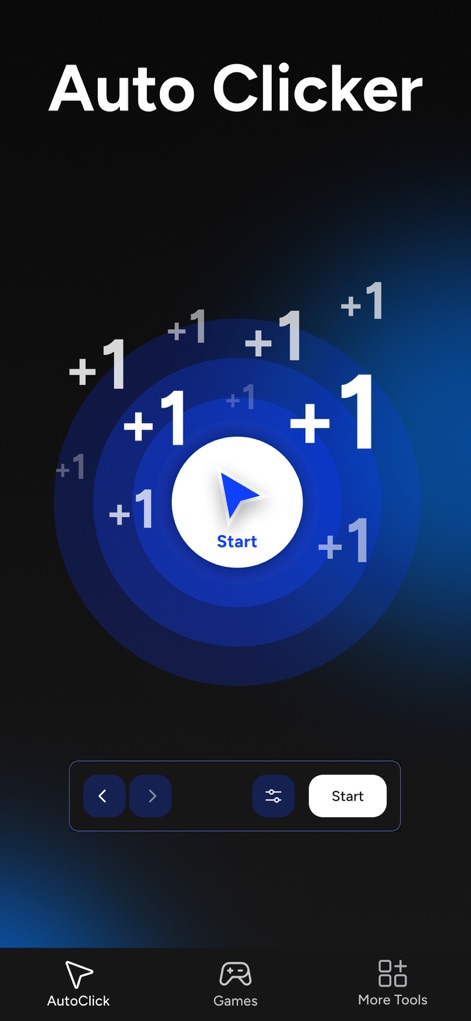
このアプリは、画面中央の「Start」ボタンを中心に広がるタップアニメーションと、下部のナビゲーションバーから他の機能へ簡単にアクセスできるUIを提示しています。
オートクリッカー始動
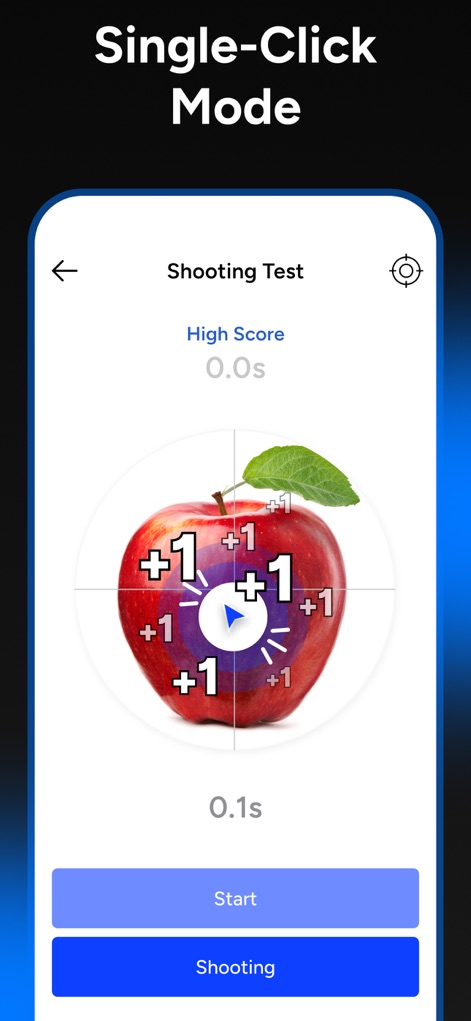
シングルクリックモードの例として、ターゲットであるリンゴに正確な「+1」タップが自動で実行される様子と、画面下部に操作を制御する「Start」および「Shooting」ボタンが表示されています。
精密なワンタップ
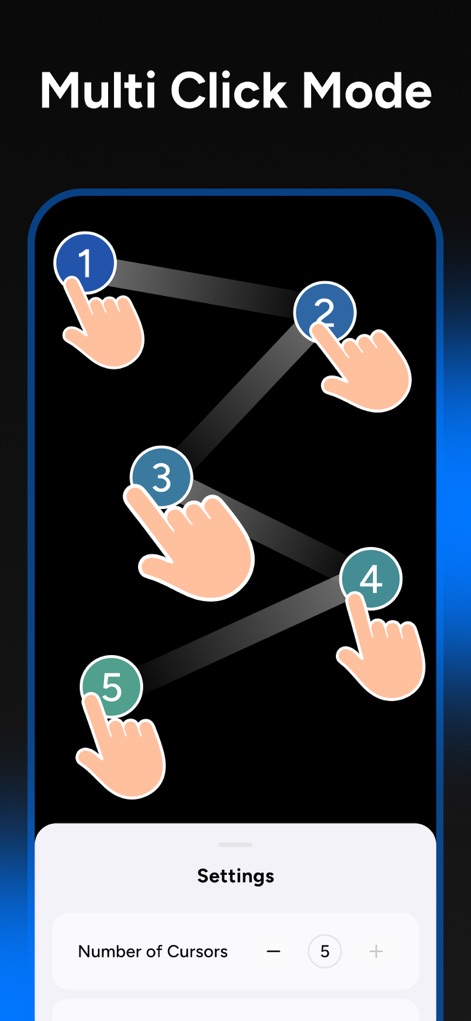
複数のターゲットに対してシーケンシャルなタップアクションを視覚的に表現しており、画面下部には設定パネルから「Number of Cursors」を調整できる機能が示されています。
マルチタップ操作
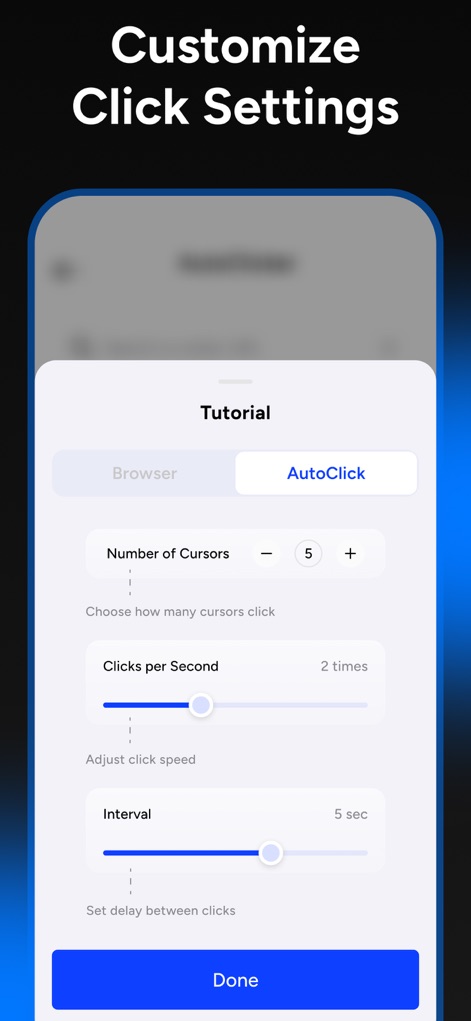
ユーザーは「Number of Cursors」と「Clicks per Second」でタップの挙動を詳細に設定でき、スライダーを用いてタップ間の「Interval」を直感的に調整するインターフェースが表示されています。
クリック設定をカスタマイズ
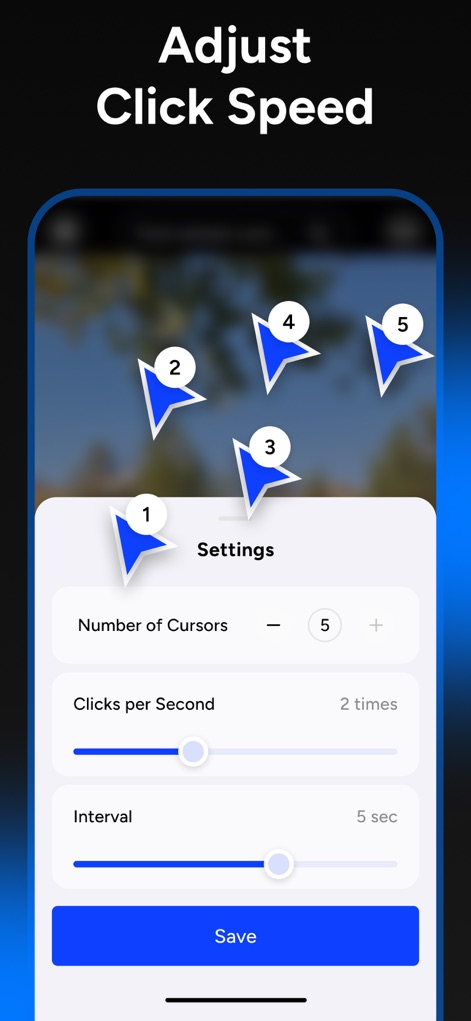
複数の番号付きカーソルが画面上でどのように動作するかを視覚的に示し、同時に「Clicks per Second」と「Interval」のスライダーでタップ速度と間隔を微調整できる設定画面が展開されています。
タップ速度を調整
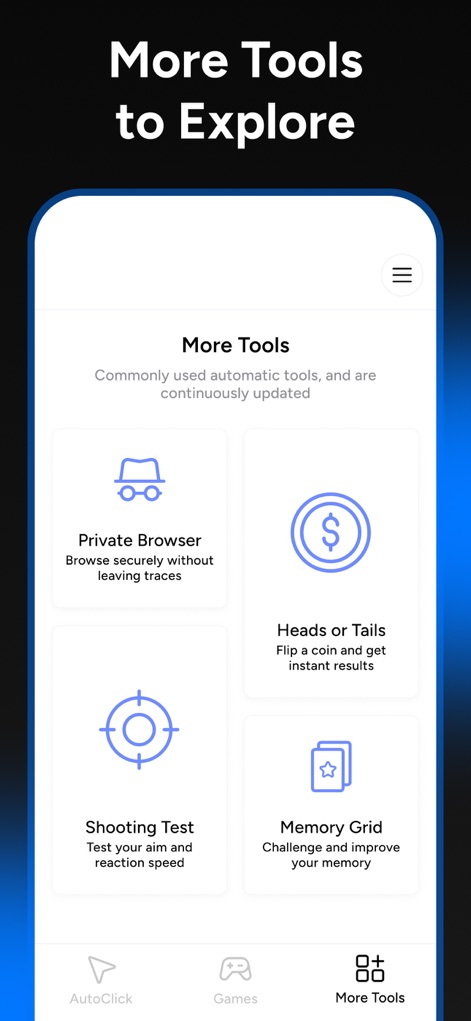
この画面では、プライバシー保護に特化した「Private Browser」や、ミニゲームとして「Heads or Tails」を含む豊富な追加ツールがカード形式で一覧表示されており、下部ナビゲーションバーの「More Tools」アイコンが強調されています。
拡張機能を探る
説明
Download
類似アプリ
似た機能とユーザー体験を持つアプリ









このページはアプリまたはその開発者の公式ページではなく、情報提供および論評を目的として作成された独立した編集出版物です。明示的に別段の記載がない限り、アプリおよびその開発者は、MWM、Apple、Google Play、アプリのパブリッシャー、またはアプリの開発者と提携、承認、後援、認可、またはその他の公式的な関係はなく、このページのいかなる内容も、アプリがMWMのサービスを使用して開発されたことを意味するものではありません。すべての商標、ロゴ、スクリーンショット、その他のコンテンツはそれぞれの所有者の財産です。