aWallet Cloud Password Manager

aWallet Cloud Password Manager

ダウンロード: App Store
ロゴ: aWallet Cloud Password Manager

aWallet Cloudパスワードマネージャー:一度限りの支払いでプロフェッショナルグレードのセキュリティ

AES-256暗号化を使用して、パスワード、銀行情報、個人データを安全に保管。DropboxまたはGoogle Driveとのシームレスなクラウド同期を楽しみ、永久に所有できる金庫でサブスクリプションの罠から逃れましょう。

開発元

Petr Synek

カテゴリ

Productivity

ダウンロード

204K+

ユーザー評価

4.9/5

評価数

1K+

対応言語

10

あなたの安全な金庫の中

このインターフェースを利用する 204K+ 人のユーザー.

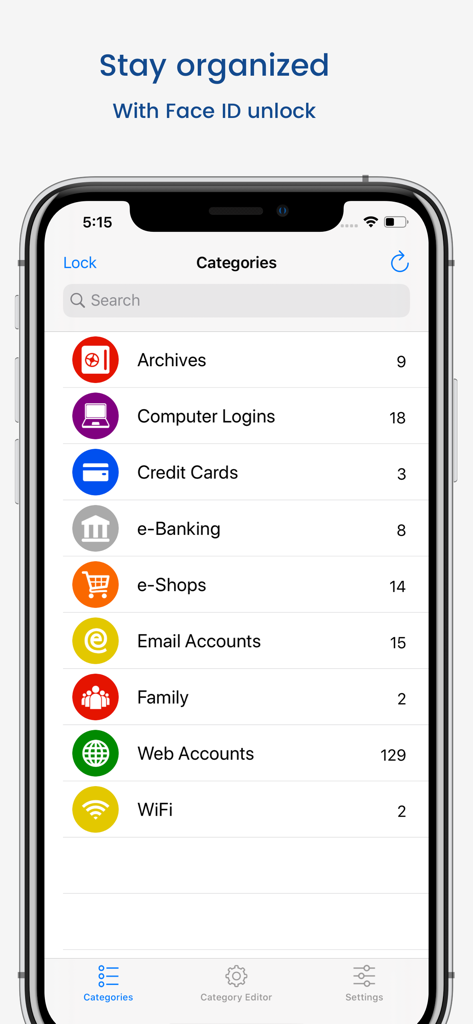
aWallet Cloudパスワードマネージャーアプリのカテゴリ画面。iPhoneにアーカイブ、クレジットカード、ウェブアカウントが表示されています。
aWallet Cloudパスワードマネージャーアプリのカテゴリ画面。iPhoneにアーカイブ、クレジットカード、ウェブアカウントが表示されています。

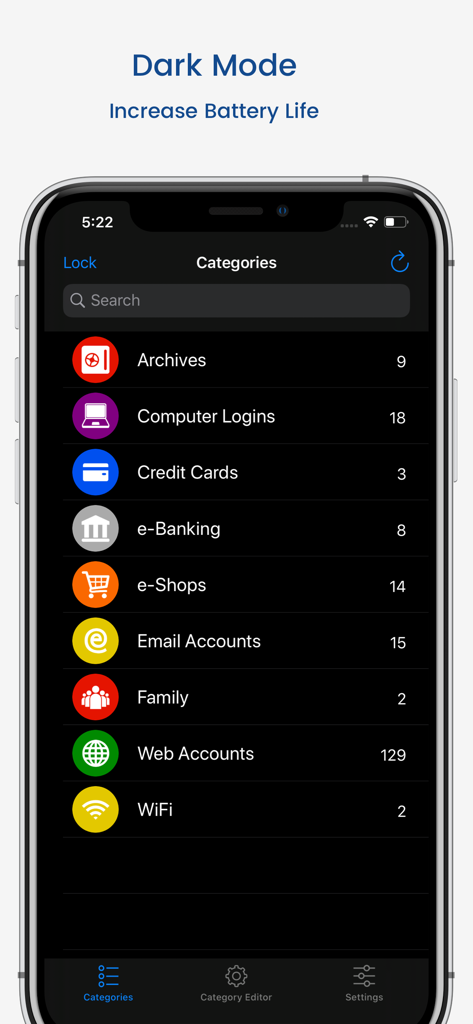
aWallet Cloudパスワードマネージャーアプリのダークモードインターフェース。iPhone画面にクレジットカードやEバンキングアカウントなどの複数のカテゴリが表示されています。
aWallet Cloudパスワードマネージャーアプリのダークモードインターフェース。iPhone画面にクレジットカードやEバンキングアカウントなどの複数のカテゴリが表示されています。

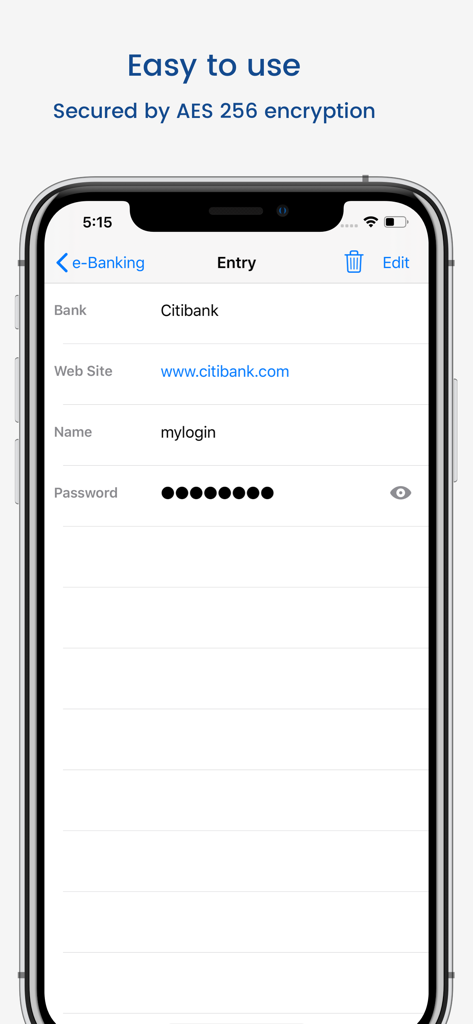
AES 256暗号化メッセージが表示されたaWallet Cloudパスワードマネージャーの銀行口座入力画面。
AES 256暗号化メッセージが表示されたaWallet Cloudパスワードマネージャーの銀行口座入力画面。

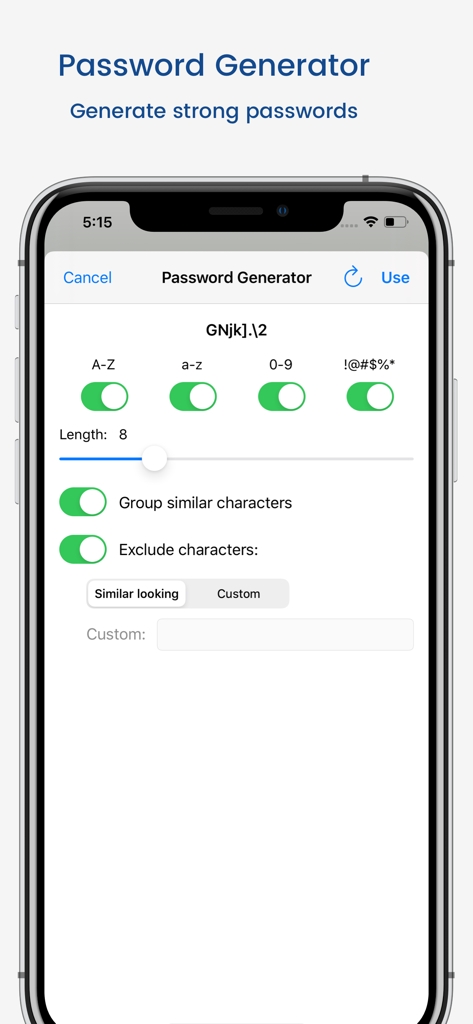
aWallet Cloudパスワードマネージャーのパスワードジェネレーター設定。
aWallet Cloudパスワードマネージャーのパスワードジェネレーター設定。

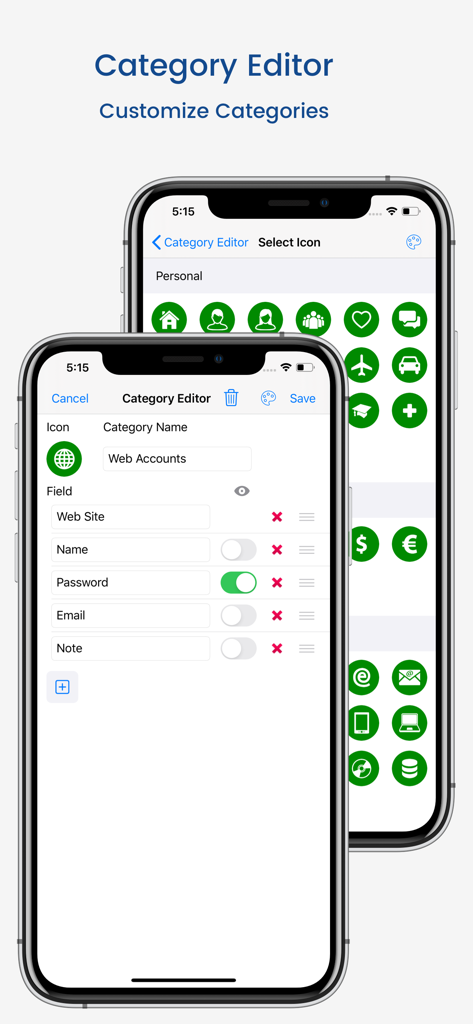
aWalletカテゴリエディターのインターフェース。データフィールドのカスタマイズとアイコンの選択ができます。
aWalletカテゴリエディターのインターフェース。データフィールドのカスタマイズとアイコンの選択ができます。

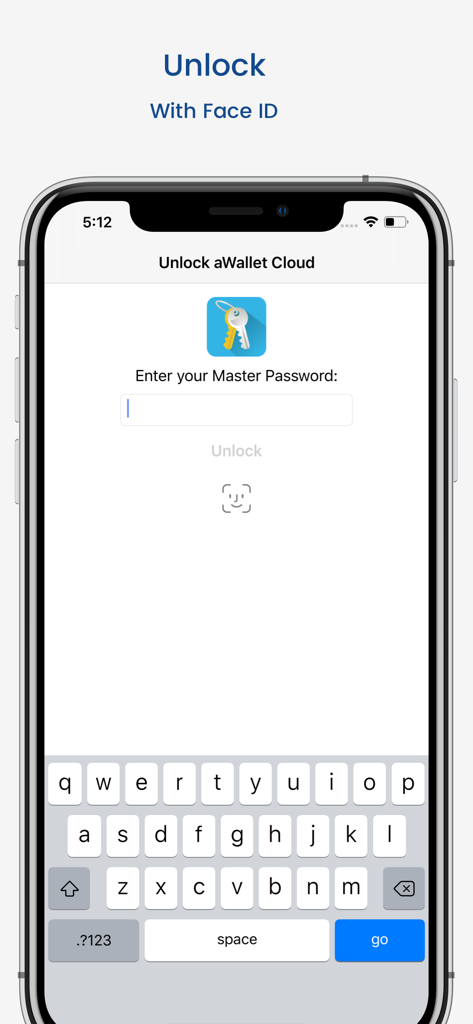
マスターパスワード入力とFace IDオプションが表示されたaWallet Cloudパスワードマネージャーのロック解除画面。

マスターパスワード入力とFace IDオプションが表示されたaWallet Cloudパスワードマネージャーのロック解除画面。

あなたの条件でデジタルライフを安全に

このアプリを際立たせるツール、 204K+ 人のユーザーが選択.

🏷️

一度限りの支払い、生涯価値

サブスクリプションのサイクルから解放されましょう。Face ID解除やパスワードジェネレーターなどのすべてのプレミアム機能に、一度の明確な購入でアクセスできます。

☁️

完全なデータ主権

あなたの金庫の鍵はあなたが握っています。未検証のプロプライエタリサーバーではなく、ご自身のDropboxまたはGoogle Driveアカウントを使用して暗号化されたデータを同期します。

🛡️

高度な技術的防御

256ビットAES暗号化とソルト付きSHA-256ハッシュで安心してください。最も高度な攻撃にも耐えるように設計されたプロフェッショナルグレードの保護です。

アプリについて

について知っておくべきこと aWallet Cloud Password Manager.

説明

• Securely stores your passwords, credit card information, e-banking credentials, web accounts and other custom data. • Synchronizes encrypted data with the Cloud: Dropbox or Google Drive. • There is a built in Editor for changing or creating new data Categories. • Search within fields. • Contains no advertisements. • One time payment - forever. • Supports backup and restore of the encrypted data file to the iTunes File Sharing folder. • Export of unencrypted data in CSV format to the iTunes File Sharing folder. • There is an Auto lock feature that can be preconfigured for a specific period of time. PRO FEATURES, included: • Cloud synchronization • Unlock with Face ID • Unlock with Touch ID • Password Generator • CSV Import SECURITY FEATURES • All data is encrypted, including Entry names, Category definitions and the data itself. • Encrypts data using AES or Blowfish algorithms with key sizes of 256, 192 or 128 bits. • When the data file is decrypted, up to all combinations of algorithm and key size are tried with the Master password to unlock the data file. The app itself does not store any hint to the actual cipher or key size. • Uses a randomly generated 'salt' combined with the Master password. Salt helps to protect from off-line dictionary attacks. • The key to open the data file is created by combining your master password with the 512-bit 'salt'. The result is hashed 1000 times by SHA-256. Repetitive hashing makes a brute force attack more difficult. • Supports auto destruction of the data file after a predefined number of unsuccessful unlocks have been tried. For more info see http://www.awallet.org/ If you like this App, rate it in the App Store. If you have any suggestions, just let me know.

最新バージョン

11.0.0

サイズ

43.3 MB

リリース日

2017年1月24日

一度の支払いであなたのデジタルな未来を確保

プライバシーのために毎月支払うのはやめましょう。銀行グレードの暗号化、クラウド主権、そして生涯のセキュリティのためにaWalletを信頼する20万人以上のユーザーに加わりましょう—サブスクリプションは不要です。

ダウンロード: App Store

App information, icons, screenshots, and descriptions displayed on this page are sourced from the Apple App Store and are the property of their respective developers. Download estimates and rankings are based on MWM's proprietary models and may not reflect actual figures. This page is provided for informational and analytical purposes only.

Believe this page infringes your intellectual property? File a dispute