Beastcam - Pro Camera

Beastcam - Pro Camera

ダウンロード: App Store
ロゴ: Beastcam - Pro Camera

Beastcam - Pro Camera:シネマティッククリエイターのためのプロ仕様マニュアルコントロール

10ビットProRes、高ビットレート記録、そして最も要求の厳しいプロシューマーワークフローのために設計された高度な映画製作ツールで、iPhoneの可能性を最大限に引き出しましょう。

開発元

Beastgrip, Co.

カテゴリ

Photo & Video

ダウンロード

231K+

ユーザー評価

4.0/5

評価数

600

対応言語

1

ディレクターズビューポート

このインターフェースを利用する 231K+ 人のユーザー.

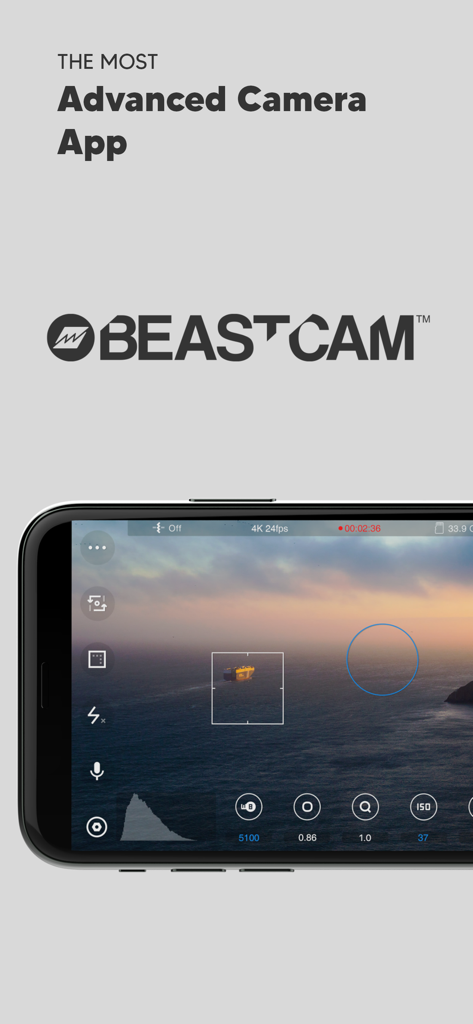
Beastcam Pro Cameraアプリのインターフェース(iPhone上)、マニュアルシネマトグラフィーコントロールとシネマティックな夕日の表示
Beastcam Pro Cameraアプリのインターフェース(iPhone上)、マニュアルシネマトグラフィーコントロールとシネマティックな夕日の表示

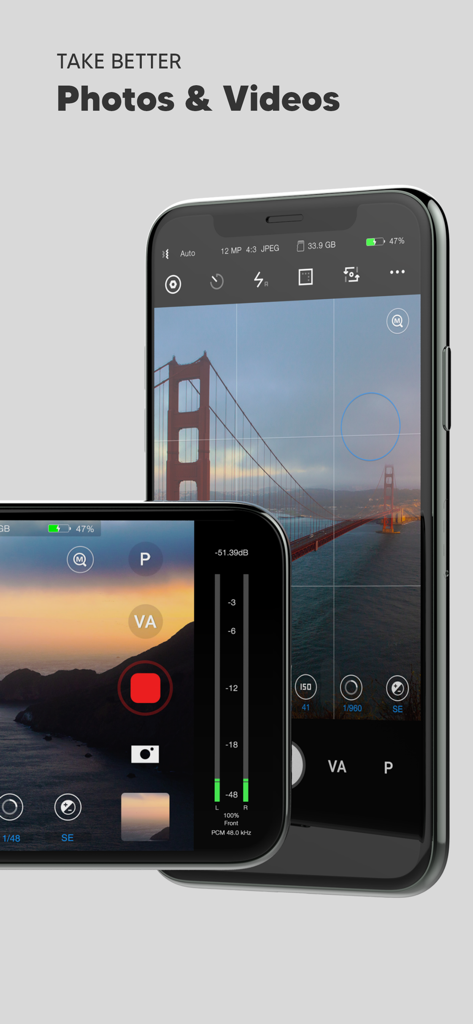
Beastcam Pro Cameraアプリのインターフェース(iPhone上)、プロの写真およびビデオ撮影用のマニュアルコントロール
Beastcam Pro Cameraアプリのインターフェース(iPhone上)、プロの写真およびビデオ撮影用のマニュアルコントロール

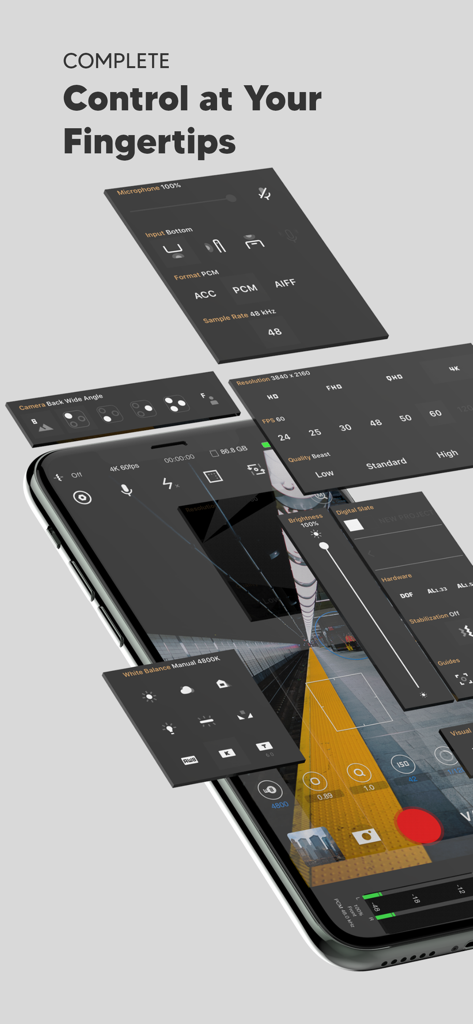
Beastcamアプリインターフェースのアイソメトリックビュー、プロのマニュアルカメラおよびオーディオコントロールパネルを表示
Beastcamアプリインターフェースのアイソメトリックビュー、プロのマニュアルカメラおよびオーディオコントロールパネルを表示

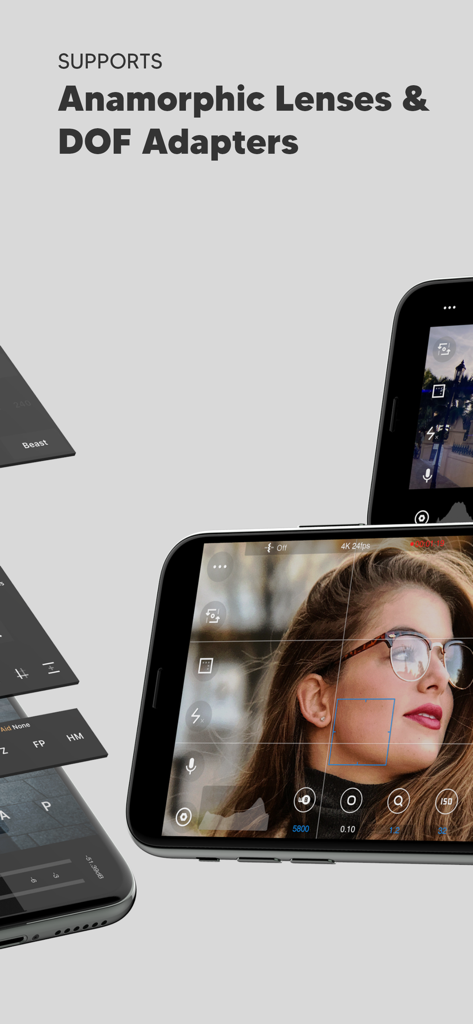
Beastcamアプリ画面、アナモルフィックレンズとDOFアダプターのサポートを強調表示、マニュアルカメラコントロール付き
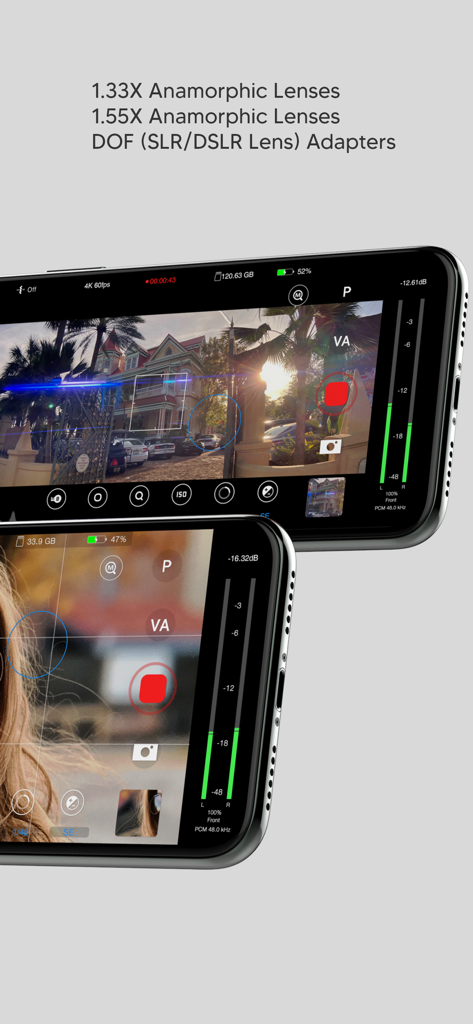
Beastcamアプリ画面、アナモルフィックレンズとDOFアダプターのサポートを強調表示、マニュアルカメラコントロール付き

Beastcamアプリインターフェース、アナモルフィックレンズとDOFアダプターのサポートを強調表示、マニュアルプロカメラコントロール付き
Beastcamアプリインターフェース、アナモルフィックレンズとDOFアダプターのサポートを強調表示、マニュアルプロカメラコントロール付き

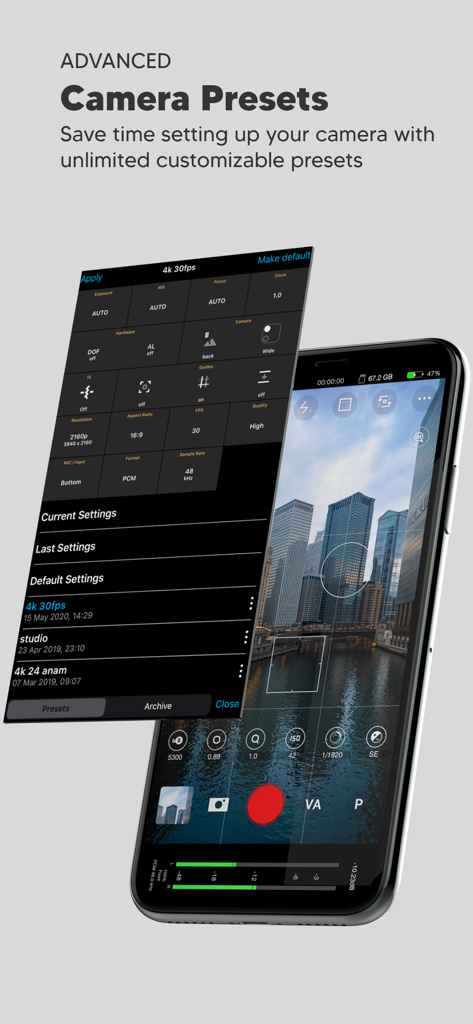
Beastcamアプリのインターフェースを示すスマートフォン画面、都市のスカイラインビューをオーバーレイするカスタマイズ可能なカメラプリセットメニュー
Beastcamアプリのインターフェースを示すスマートフォン画面、都市のスカイラインビューをオーバーレイするカスタマイズ可能なカメラプリセットメニュー

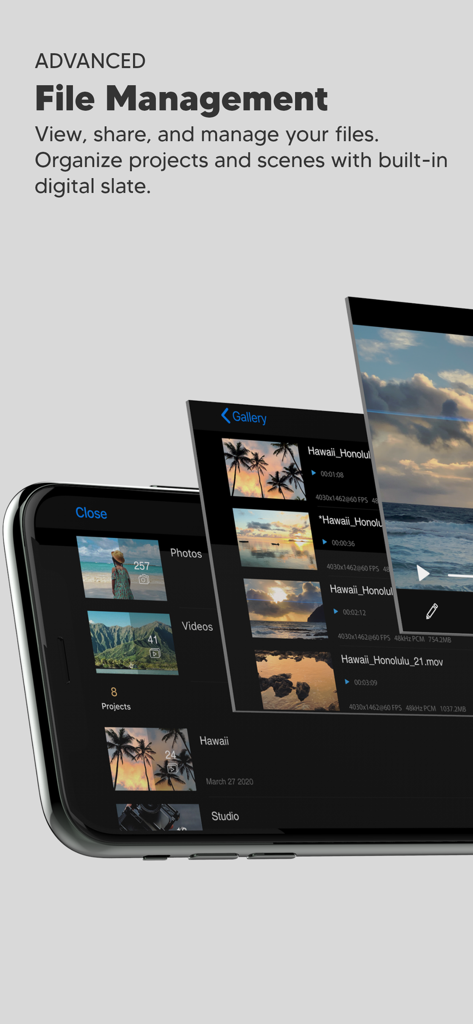
Beastcam Pro Cameraアプリのインターフェース、整理されたビデオプロジェクトとシーンのための高度なファイル管理ギャラリーを表示
Beastcam Pro Cameraアプリのインターフェース、整理されたビデオプロジェクトとシーンのための高度なファイル管理ギャラリーを表示

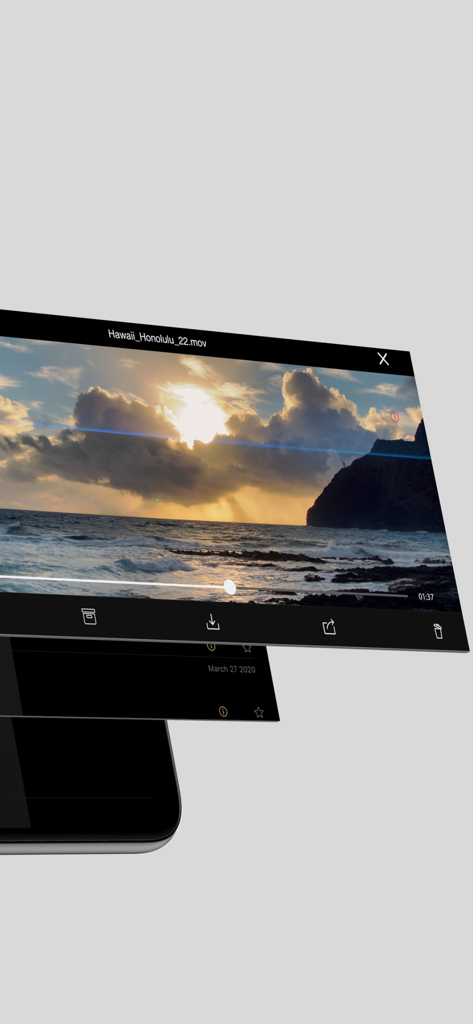
Beastcamアプリインターフェース、整理された映画製作ワークフローのためのビデオ再生およびファイル管理オプションを表示
Beastcamアプリインターフェース、整理された映画製作ワークフローのためのビデオ再生およびファイル管理オプションを表示

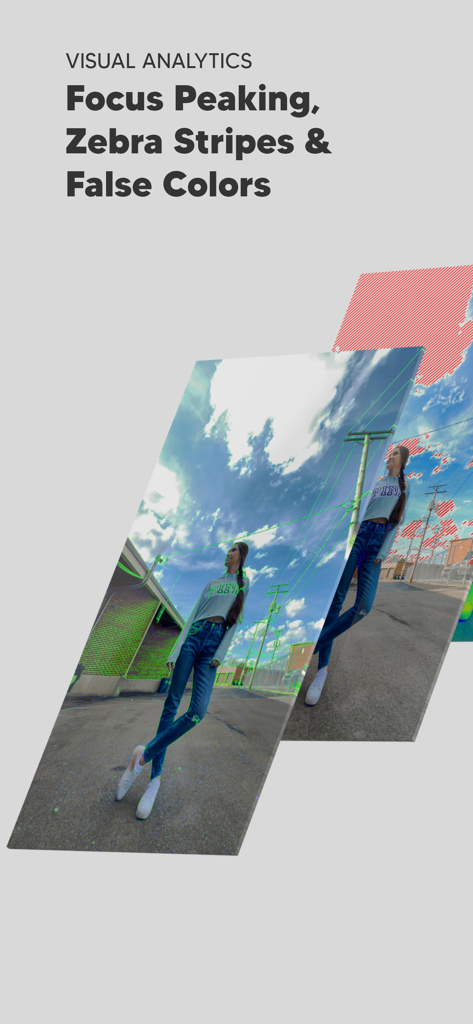
Beastcamアプリのフォーカスピーキングやゼブラストライプなどのプロフェッショナルなビジュアル分析ツール
Beastcamアプリのフォーカスピーキングやゼブラストライプなどのプロフェッショナルなビジュアル分析ツール

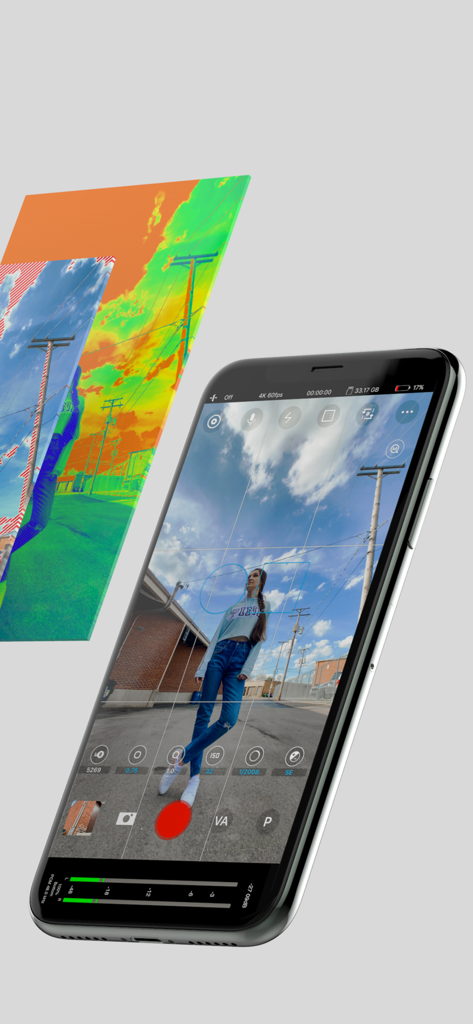
Beastcamアプリのインターフェース(iPhone上)、マニュアルカメラコントロールと偽色などのプロフェッショナルな露出ツールを表示

Beastcamアプリのインターフェース(iPhone上)、マニュアルカメラコントロールと偽色などのプロフェッショナルな露出ツールを表示

妥協のない映像撮影

このアプリを際立たせるツール、 231K+ 人のユーザーが選択.

⚙️

完全なマニュアル精度

プロのモバイルフィルムメーカーのために設計された直感的なインターフェースを使用して、ISO、シャッタースピード、フォーカスピーキングの詳細なコントロールで、すべてのショットをマスターしましょう。

🎞️

シネマティックな画質

アナモルフィックレンズとSSDへの直接記録を完全にサポートし、10ビットProResとApple Log記録を解放して、最大限のプロダクション柔軟性を実現しましょう。

🎬

プロダクション対応ワークフロー

自動ファイル命名、スマートプロジェクト編成、最大160 Mbit/sの高速Beastビットレートにより、ポストプロダクションの時間を節約しましょう。

アプリについて

について知っておくべきこと Beastcam - Pro Camera.

説明

Beastcam makes it easier than ever to capture the best possible photos and videos on your iPhone. It’s fast and easy-to-use, but powerful and customizable as a professional camera when you need it. We believe Beastcam is the most intuitive and advanced camera app ever created for capturing life’s special moments, expanding the capabilities of your iPhone camera to its fullest potential, and taking your #iPhoneography to the next level! *Complete control Easily set, fine-tune, and lock the most important settings you need in seconds, such as focus, exposure, zoom, white balance, and more using Beastcam’s intuitive design, quick-access buttons, precise value sliders, focus, and exposure reticles. All are available with a single tap on the home screen. *Hardware support Enhance your creativity with built-in support for DOF adapters, 1.33X & 1.55X anamorphic lenses in both photo and video mode. Improve your sound quality with external microphones and dial in the perfect settings for your environment, such as gain, audio format, sample rates. *Advanced presets Speed up and organize your workflow with shareable presets for every available setting. Save time setting up your camera with unlimited customizable presets for all available settings that can be applied at any time. Perfect for multi-phone setups, DOF Adapters, 1.33X & 1.55X anamorphic lenses, and other commonly used settings like frame rate, resolution, etc. *File management Save time finding your files by creating projects and scenes that auto-generate readable file names based on the project name, scene name and take # and prioritize your best footage (or delete your worst) with a single tap as soon as you’ve finished recording, or later in the built-in gallery. Conveniently manage and share all of your organized photos and videos with the built-in gallery. -SSD recording support on iPhone 15 and 16 Pro Series # Features - Set and lock focus and exposure with reticles - Precisely adjust white balance, focus, zoom, and exposure settings right from the home screen - Analyze your shots accurately focus peaking, false colors, zebras, and histogram - Take steadier shots with standard or cinematic image stabilization - De-squeeze footage to 2.39:1 for 1.33X anamorphic lenses and 2.76:1 for 1.55X anamorphic lenses - Rotate orientation for DOF lens adapters - quick zoom, perfect for manual focus - Switch between any of your iPhone cameras - Monitor audio levels, microphone type, format, and sample rate right on the home screen - Compose your shots with 1:1, 2.39:1, and 2.76:1 aspect ratio guides and grids - Show/hide all of the menus from your home screen - Built-in flash/torch control - Create projects and scenes that auto-generate easy to read folder and file names based on the project name, scene name, take # - Prioritize your best footage (or delete your worst) with a single tap as soon as you’ve finished recording or later in the gallery - View, rename, move, share or delete files with the built-in gallery - Custom local presets for white balance, zoom, focus - Create sharable global presets for all available settings (video mode only) - Custom settings/rules for a fresh start - Easily adjust exposure, focus, zoom with gesture controls # Video - 4K 3840x2160, QHD 2560x1440, FHD 1920x1080 or HD 1280x720 resolutions - 24, 25, 30, 48, 50, 60, 120, or 240 FPS options - Bit rates: Low, Standard, High, Beast (up to 160 Mbit/s) - 10-bit Dolby Vision HDR - 10-bit SDR - ProRes (+Apple Log on iPhone 15 and 16 Pro Series) Note: Some resolution and FPS options are not available on older iPhone models. The bit rate may vary depending on the resolution, FPS, and scene of your video # Audio - ACC, PCM, AIFF audio formats - 44.1kHz and 48kHz audio sample rates (device-dependent) - Supports built-in and external microphones - Control gain for external microphones #Photo - JPEG, HEIF, RAW, file formats - 1:1 , 4:3, 3:2, and 16:9 aspect ratios

最新バージョン

1.23

サイズ

25.8 MB

リリース日

2020年6月17日

iPhoneをプロ仕様のシネマカメラに変える

エリートモバイルフィルムメーカーコミュニティに参加しましょう。今日、マニュアルコントロール、10ビットProRes記録、プログレードのワークフローツールを解放しましょう。

ダウンロード: App Store

App information, icons, screenshots, and descriptions displayed on this page are sourced from the Apple App Store and are the property of their respective developers. Download estimates and rankings are based on MWM's proprietary models and may not reflect actual figures. This page is provided for informational and analytical purposes only.

Believe this page infringes your intellectual property? File a dispute