
このページはアプリまたはその開発者の公式ページではなく、情報提供および論評を目的として作成された独立した編集出版物です。明示的に別段の記載がない限り、アプリおよびその開発者は、MWM、Apple、Google Play、アプリのパブリッシャー、またはアプリの開発者と提携、承認、後援、認可、またはその他の公式的な関係はなく、このページのいかなる内容も、アプリがMWMのサービスを使用して開発されたことを意味するものではありません。すべての商標、ロゴ、スクリーンショット、その他のコンテンツはそれぞれの所有者の財産です。


Billit Expenses
フリーランサーや中小企業経営者が管理業務を数秒で処理できるように支援します。AIでレシートをスキャンし、請求可能な時間を追跡し、外出先でプロフェッショナルな請求書を送信します。
ダウンロード
70K+ユーザー評価
評価数
0開発元
カテゴリ
Business対応言語
1最新バージョン
2.0.4サイズ
13.7 MBリリース日
2023年11月11日ビジネス管理を簡素化
フリーランサーや中小企業経営者が請求書作成、経費追跡、時間登録を楽に処理できる、オールインワンのモバイルツールキット。
即座にプロフェッショナルな請求書を作成
クライアントに安全なデジタル請求書をその場で作成・送信できます。どこからでもプロフェッショナルなイメージを高め、キャッシュフローを加速させましょう。
スマートなレシート管理
レシートの写真を撮るだけで、OCRテクノロジーが処理します。紙のレシートの混沌を、数秒で構造化された税務対応デジタルデータに変換します。
よくある質問
について知っておくべきこと Billit Expenses
What are the main features of the Billit Expenses app?
Billit Expensesアプリは、ユーザーがデジタル請求書を作成・送信したり、物理的な領収書をデジタル形式に処理したり、プロジェクトおよびクライアントごとの作業時間を追跡したりすることを可能にします。
Can I create and send invoices with the Billit Expenses app?
はい、Billit Expensesアプリを使用すると、スマートフォンから直接デジタル請求書を作成して送信できます。クライアントや製品リストにアクセスできるため、迅速に請求書を作成できます。
What e-invoicing networks does the Billit Expenses app support?
Billit Expensesアプリは、Peppolまたはその他の利用可能な電子請求書ネットワークを介して、安全に請求書を送信することをサポートしています。
How does the Billit Expenses app digitize receipts?
Billit Expensesアプリは、物理的な領収書を構造化されたデジタル形式に変換します。ユーザーは画像やドキュメントをアップロードしたり、スマートフォンカメラを使用して領収書をスキャンしたりできます。
Does Billit Expenses use OCR technology for receipt processing?
はい、Billit Expensesは高度なOCR技術を使用して、スキャンまたはアップロードされた領収書のデータを構造化されたデジタル形式に変換し、効率的な処理を可能にします。
Can I share my digital receipts with an accountant through Billit Expenses?
はい、Billit Expensesを使用すると、ユーザーはデジタル領収書をBillitアカウントに送信でき、その後、ワンクリックで会計士と共有できます。
Does the Billit Expenses app offer time tracking?
はい、Billit Expensesアプリには時間登録機能が含まれています。プロジェクトおよびクライアントごとの作業時間を追跡でき、タイマーベースと手動入力の両方をサポートしています。
How do I activate the time registration module in Billit Expenses?
Billit Expensesで時間登録を有効にするには、まずBillitのオンラインプラットフォームの「設定 > 一般」でモジュールを有効にする必要があります。マルチユーザー環境では、「設定 > ユーザー」でユーザー権限の調整が必要です。
Is it possible to add time entries manually in Billit Expenses?
はい、Billit Expensesアプリは手動での時間入力もサポートしています。タイマーを起動し忘れた場合でも、数秒単位で時間入力を追加できます。
Are invoices created in the Billit Expenses mobile app available online?
はい、Billit Expensesモバイルアプリで作成された請求書はすべて、Billitのオンラインプラットフォームで即座に利用可能になり、データの同期が保証されます。
Where can I find a guide for Billit Expenses app features?
Billit Expensesアプリの機能に関する情報をお探しのユーザーは、包括的なサポートのために提供されているクイックスタートガイドを参照してください。
以下のスクリーンショットと説明は、アプリの公式ストアリスティングから直接取得されたものであり、アプリ開発者の所有物です。
アプリストア
スクリーンショット
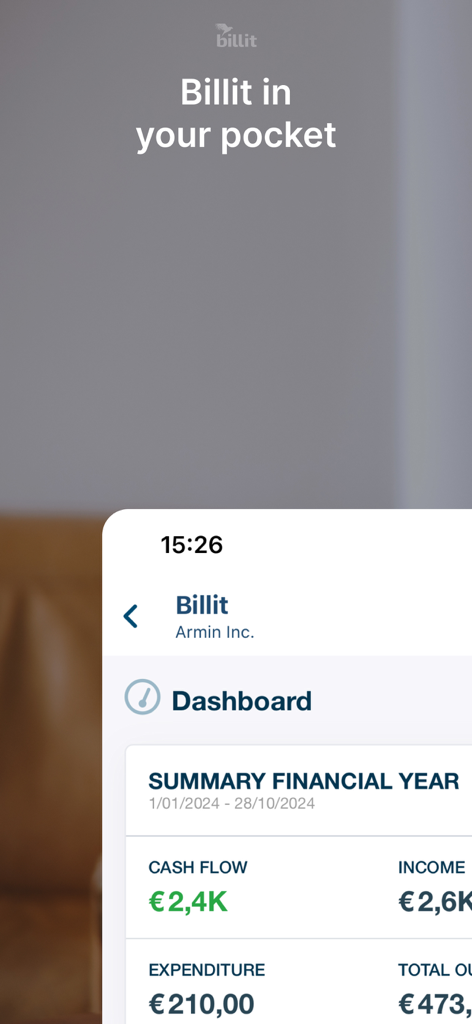
Billit Expensesモバイルアプリのダッシュボード。キャッシュフローと収益指標を含む財務年度の概要が表示されています。
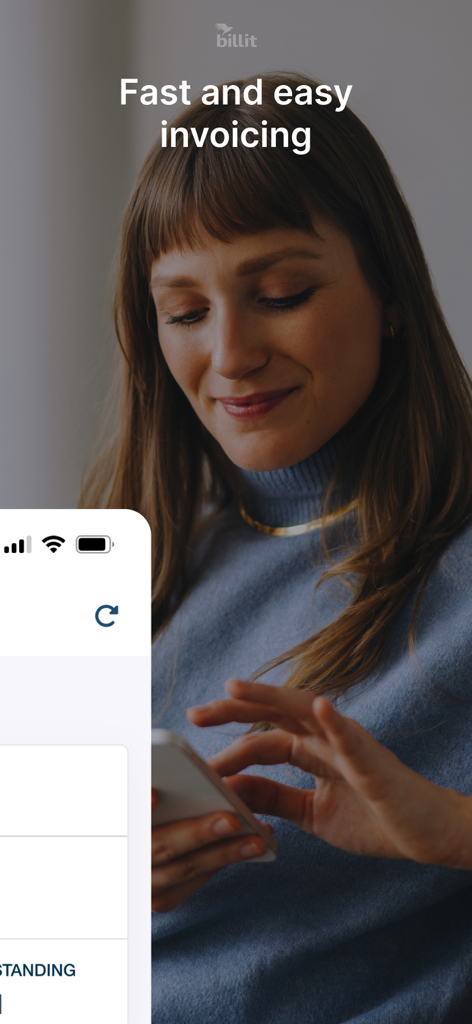
Billit Expensesアプリをスマートフォンで使って、迅速かつ簡単に請求書を作成している女性が笑顔で映っています
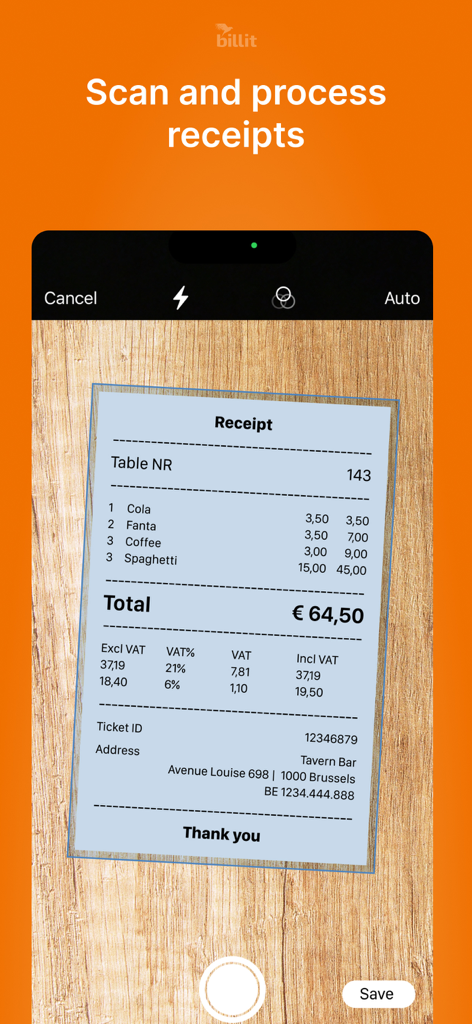
Billit Expensesアプリがスマートフォンカメラを使用してレストランのレシートをスキャンしています
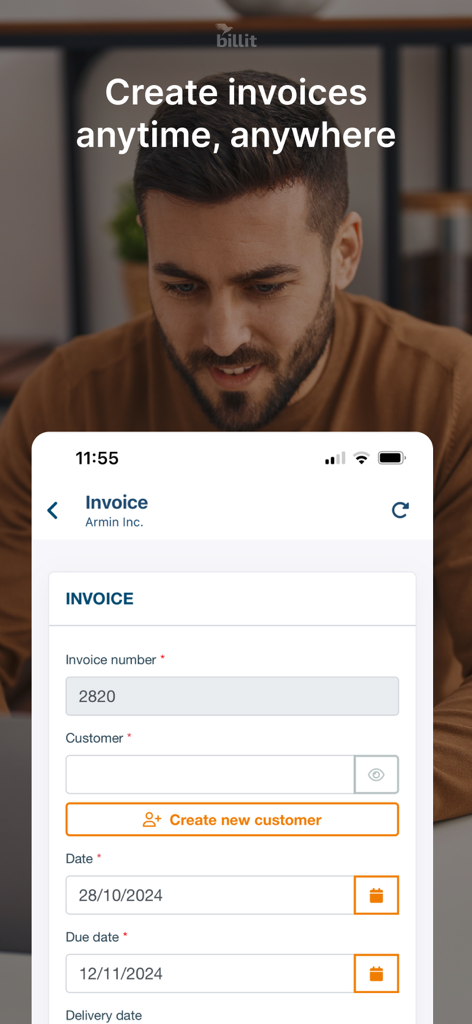
Billit Expensesアプリのモバイルインターフェース。新しいデジタル請求書を作成するためのフォームが表示されています。
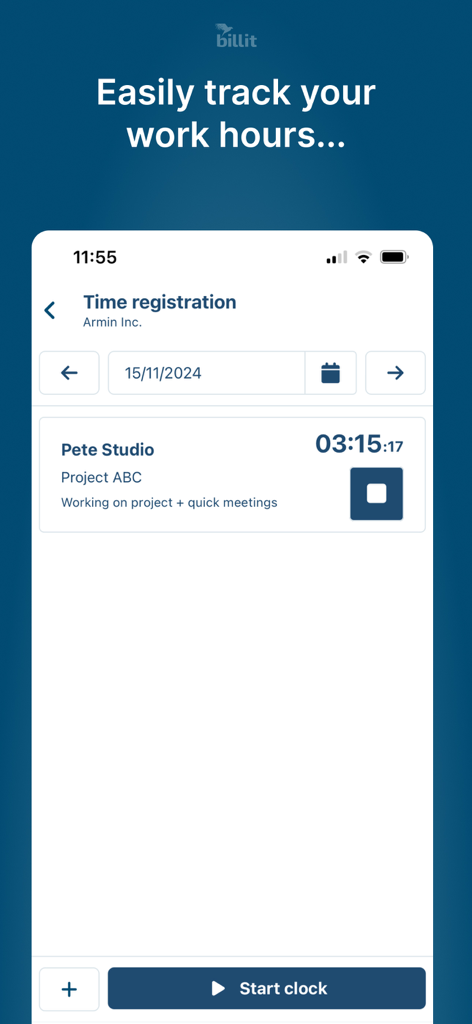
請求可能な作業時間とプロジェクト時間登録を追跡するためのBillit Expensesモバイルアプリインターフェース
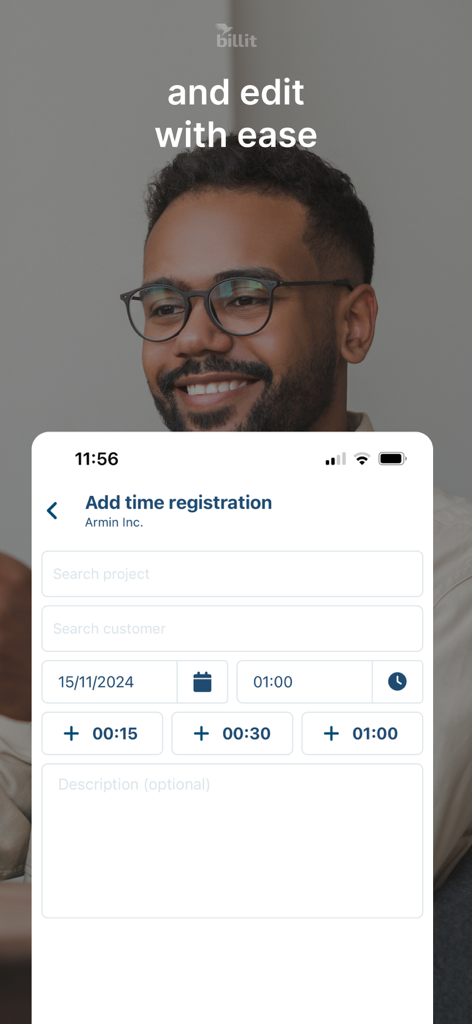
Billit Expensesでの時間登録エントリの追加と編集のためのモバイルアプリインターフェース
説明
Download
類似アプリ
似た機能とユーザー体験を持つアプリ

Gridwise: Gig Driver Assistant
Gridwise, Inc.

Ualett
Cabicash Solutions, Inc

ServerLife - Tip Tracker
MZBApps LLC

Solo: Your Gig Business App
Solo Technologies, Inc.

Mozen
KODE (ooo)

Foreceipt Receipt Tracker App
Relayin Corporation

Fiverr Workspace
Fiverr International Ltd.
Timesheet IO - Time Tracker
Timesheet - Mobile Time Tracking OG

Self Employed - Accounting
Protection & Security App LLC
このページはアプリまたはその開発者の公式ページではなく、情報提供および論評を目的として作成された独立した編集出版物です。明示的に別段の記載がない限り、アプリおよびその開発者は、MWM、Apple、Google Play、アプリのパブリッシャー、またはアプリの開発者と提携、承認、後援、認可、またはその他の公式的な関係はなく、このページのいかなる内容も、アプリがMWMのサービスを使用して開発されたことを意味するものではありません。すべての商標、ロゴ、スクリーンショット、その他のコンテンツはそれぞれの所有者の財産です。