ServerLife - Tip Tracker

ServerLife - Tip Tracker

ダウンロード: App Storeダウンロード: Google Play
ロゴ: ServerLife - Tip Tracker

ServerLife - チップ管理:稼いだお金をすべてコントロール

現金がどこへ消えたのか悩むのはもうおしまい。50万人以上のサービス業やギグワークのプロフェッショナルが愛用するNo.1ツールで、チップの記録、シフトの分析、そして変動所得の管理をマスターしましょう。

開発元

MZBApps LLC

カテゴリ

Finance

ダウンロード

398K+

ユーザー評価

4.8/5

評価数

8K+

対応言語

1

あなたの努力を可視化

このインターフェースを利用する 398K+ 人のユーザー.

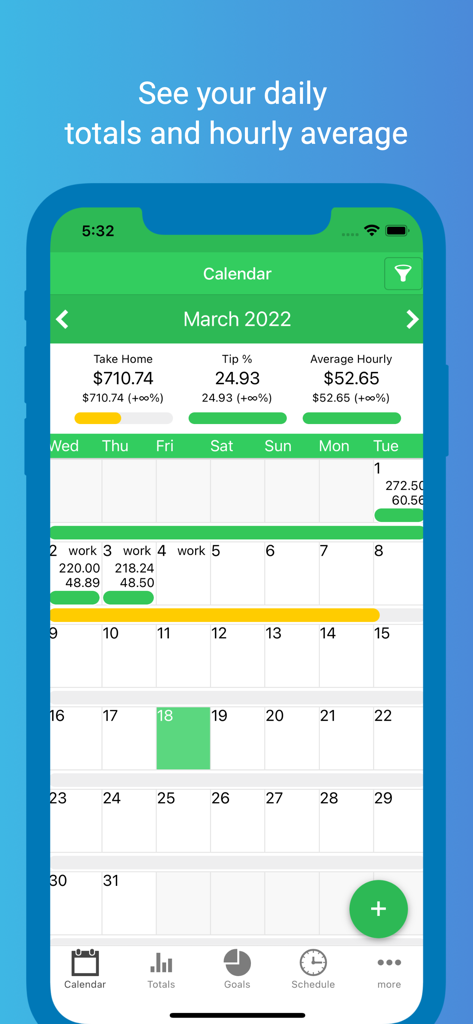
ServerLifeアプリの月間カレンダー表示。日次チップ合計と時給平均を表示。
ServerLifeアプリの月間カレンダー表示。日次チップ合計と時給平均を表示。

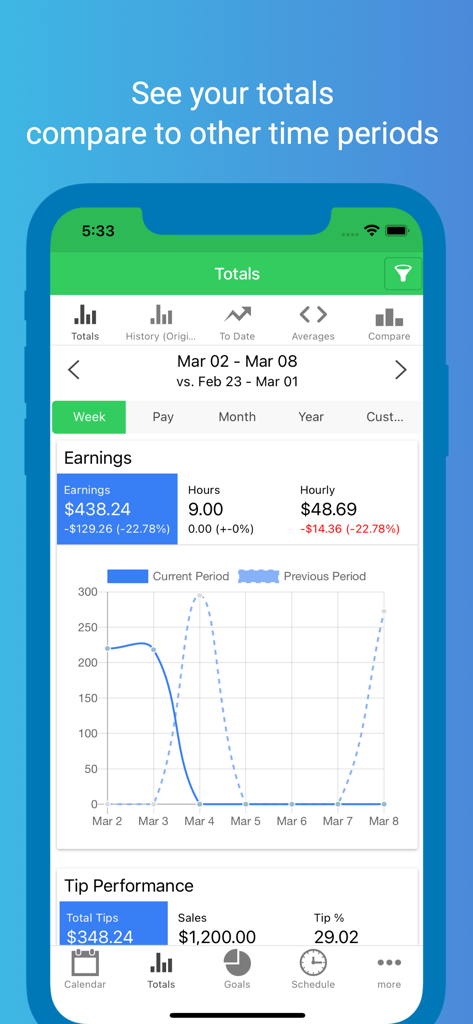
ServerLifeアプリのスクリーンショット。週間収益合計とチップパフォーマンス比較チャートを表示。
ServerLifeアプリのスクリーンショット。週間収益合計とチップパフォーマンス比較チャートを表示。

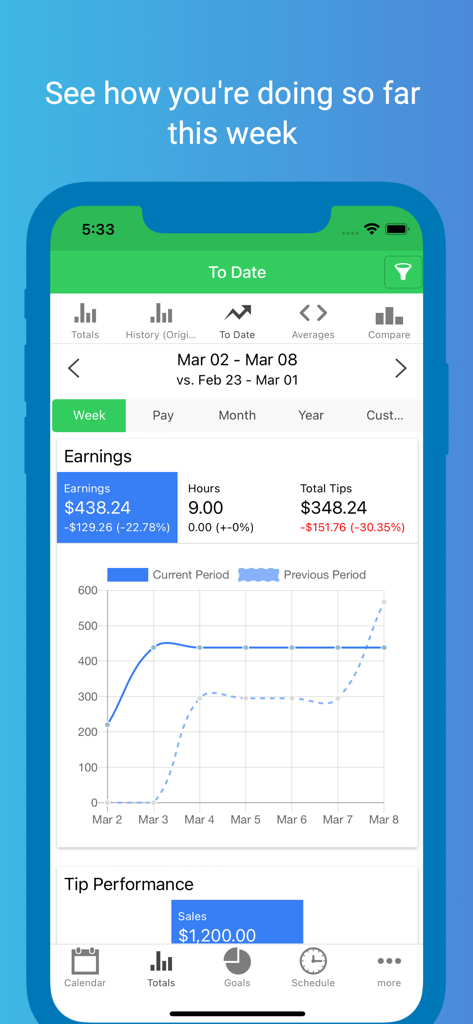
ServerLifeの週間収益トラッカー画面。週間収益の概要と、チップと時間の比較グラフを表示。
ServerLifeの週間収益トラッカー画面。週間収益の概要と、チップと時間の比較グラフを表示。

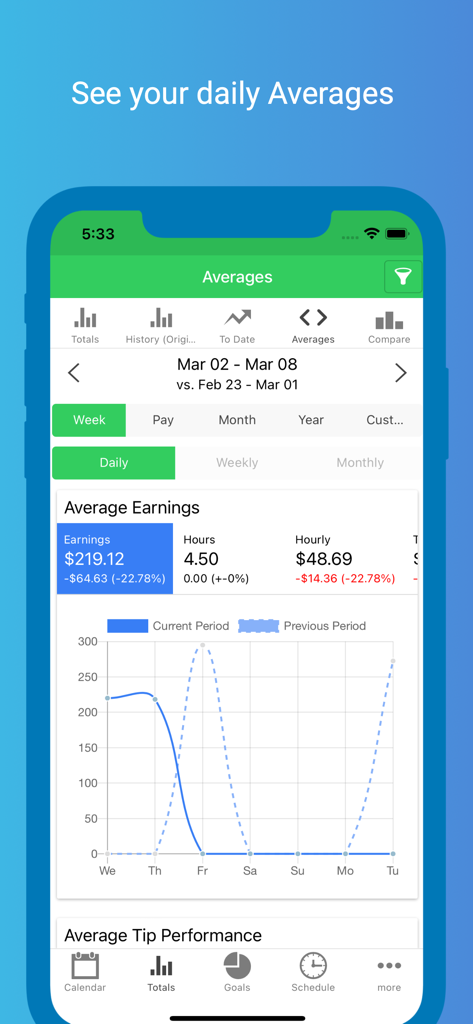
ServerLifeアプリのスクリーンショット。日次平均収益、時給、パフォーマンス比較チャートを含むダッシュボードを表示。
ServerLifeアプリのスクリーンショット。日次平均収益、時給、パフォーマンス比較チャートを含むダッシュボードを表示。

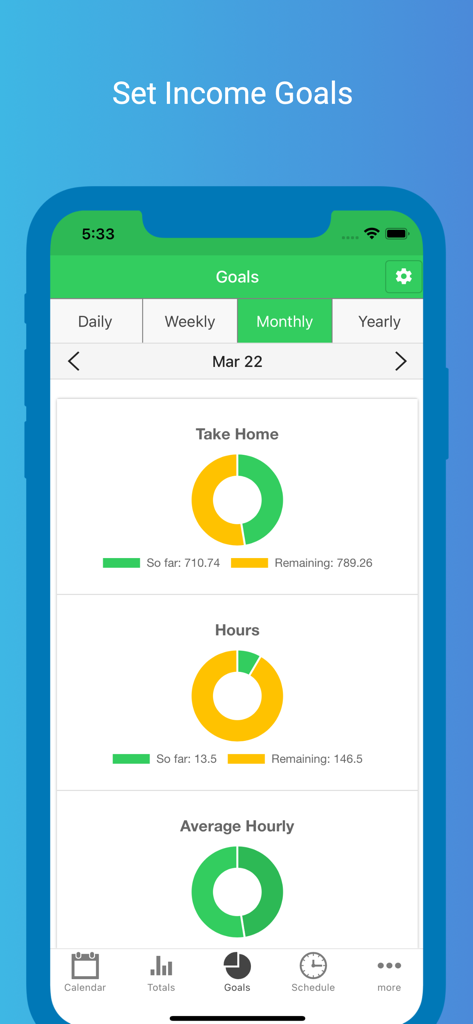
ServerLifeアプリのインターフェース。月間収入と労働時間の目標、および進捗を示すドーナツチャートを表示。
ServerLifeアプリのインターフェース。月間収入と労働時間の目標、および進捗を示すドーナツチャートを表示。

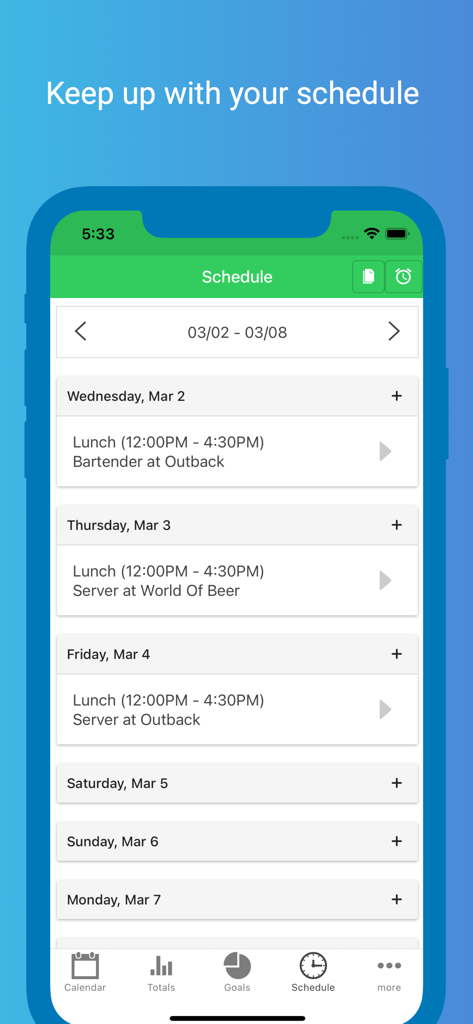
ServerLifeアプリ内の週間勤務スケジュール。シフト時間と勤務場所を表示。

ServerLifeアプリ内の週間勤務スケジュール。シフト時間と勤務場所を表示。

ServerLifeアプリのヘルプセンターのスクリーンショット。ライブチャットとサポート記事のオプションを表示。

ServerLifeアプリのヘルプセンターのスクリーンショット。ライブチャットとサポート記事のオプションを表示。

お金の流れをマスターする

このアプリを際立たせるツール、 398K+ 人のユーザーが選択.

💰

リアルタイムで収入を可視化

すべての仕事でどれだけ稼いだかを即座に確認。いつの間にかお金がなくなっていることはもうありません。手元にあるすべてのお金を明確に把握できます。

📈

スマートなシフト比較

最も稼げる日、セクション、役割を特定。強力なフィルタリング機能を使って、稼げる場所で働き、時間を最大限に活用しましょう。

🎯

目標設定でモチベーションアップ

日次または月次の目標を設定し、進捗をリアルタイムで確認。仕事をゲーム感覚で楽しみながら、経済的な節目をより早く達成しましょう。

アプリについて

について知っておくべきこと ServerLife - Tip Tracker.

説明

ServerLife is the best Tip Tracker app that enables you to clearly see the money you earn. Half a million people like you have entered over 30 Million tips! Are you tired of never knowing exactly how much money you make because it ends up as cash in your pocket? ServerLife will solve that. ServerLife is perfect for anyone whose income is variable and fluctuates from week to week. Hospitality Industry (Servers, Bartenders, Hosts) Gaming Dealers Uber & Lyft Drivers Shoppers (Shipt, Instacart) Hair Stylist, Barbers, Makeup Artists Fitness and Yoga Instructors, Personal Trainers Real Estate Agents Freelancers & Entrepreneurs Small Business Owners Self Employed Individuals Independent Contractors Enter your earnings at the end of your shift and easily see your totals. You'll be able to clearly see which days pay the best with our powerful filtering and comparison logic. You can easily track the following values for each entry: - Tips - Hours - Notes HISTORY The History page will show you the total tips and wages you earned for the any week, 2 weeks, semimonthly, month and year. DAILY AVERAGES Want to see the daily average for any month and year - head over to the Averages page. This page breaks down the daily averages for any month and the entire year. REMINDERS You can configure ServerLife to remind you to enter your tips. We all get busy and forget important things sometimes. Have ServerLife remind you to enter your tips at the same time every day. START OF WEEK Does your pay week start on a Tuesday? No problem you can change the start of the week so that the charts and totals will align with how you get paid. NEXT LEVEL Want even more from the app? Take your tracking to the next level with the in app purchase of the Advanced features. With the in app purchase you'll be able to see: - Work Schedule - Pictures - Credit/Cash Tips - Expenses - Sales Total/Tip % - Hourly Wage - Covers - Tips/Sales per Cover - Miles/Deliveries - Mile and Delivery Fee - Tip Out (Tips to others) - Tip In (Tips to you) - Weekly and Monthly Averages WORK SCHEDULE Tired of always referring back to the picture you took of the schedule? Quickly enter your weekly schedule and add default reminders so you're never late again. EXPENSES Have additional expenses that you payout to work, i.e. childcare, meals at work, transportation, or Tip Out multiple positions? Track them with Expense categories. HOURLY WAGE Want to include your hourly wage with your tips? Track your hourly wages so that your earnings are more accurate. GOALS Studies have shown that when you set a goal for yourself you are more likely to progress faster towards that goal. You can set daily, weekly, and monthly goals with any of the 17 fields the app calculates. TRACK MULTIPLE JOBS Work multiple Jobs or different Positions that have a different hourly wage? You can track the following with the in app purchase: - Multiple Jobs, Positions (with different hourly wage), Sections, and Shifts (save the typical start and end time and it'll populate when you enter your tip) COMPARE Compare all of these on the Compare page. Here you can compare your Jobs, Positions, Sections, or Shifts to see which one you're making the most money. FILTER Once you start tracking your Jobs, Positions, Sections or Shifts you can filter any of the pages to show any combination of these. You can also filter to show Paychecks or Tips. IMPORT YOUR DATA Upgrading from the Just the Tips or TipSee app? Email us your latest backup file and we'll import it for you. Step by step instructions are located on the Import button on the Settings page. SAFE AND SECURE Your data is always safe and secure. All of your data is saved to our private cloud securely every time you make a change. It is available on all of your devices. Even if you lose and get a new phone your data will always be safe. Terms and Conditions: https://www.iubenda.com/terms-and-conditions/30944670

最新バージョン

2.1.24

サイズ

53.9 MB

リリース日

2016年4月13日

シフト収入を完璧に管理する準備はできましたか?

日々のチップを確かな成長へと変えている50万人以上のプロフェッショナルの仲間入りをしましょう。今すぐServerLifeをダウンロードして、あなたの経済的な未来を完全にコントロールしましょう。

ダウンロード: App Storeダウンロード: Google Play

App information, icons, screenshots, and descriptions displayed on this page are sourced from the Apple App Store and are the property of their respective developers. Download estimates and rankings are based on MWM's proprietary models and may not reflect actual figures. This page is provided for informational and analytical purposes only.

Believe this page infringes your intellectual property? File a dispute