
このページはアプリまたはその開発者の公式ページではなく、情報提供および論評を目的として作成された独立した編集出版物です。明示的に別段の記載がない限り、アプリおよびその開発者は、MWM、Apple、Google Play、アプリのパブリッシャー、またはアプリの開発者と提携、承認、後援、認可、またはその他の公式的な関係はなく、このページのいかなる内容も、アプリがMWMのサービスを使用して開発されたことを意味するものではありません。すべての商標、ロゴ、スクリーンショット、その他のコンテンツはそれぞれの所有者の財産です。

BoardNotes: Notes&PDF&Mindmap
手書き、PDF注釈、マインドマッピング、フラッシュカードを統合したオールインワン スイートで、学習とクリエイティブ プロジェクトをマスターしましょう。すべてを 1 つの強力な iPad ファースト ワークスペースでキャプチャ、接続、記憶します。
ダウンロード
171K+ユーザー評価
評価数
7K+開発元
カテゴリ
Productivity対応言語
3最新バージョン
1.2.1サイズ
190.4 MBリリース日
2023年5月18日知識サイクル全体のための 1 つのワークスペース
アプリ間の切り替えはやめましょう。BoardNotesは、ホワイトボード、PDFエディタ、マインドマップ、間隔反復フラッシュカードのパワーを、単一のシームレスな「セカンドブレイン」に統合します。
無限のキャンバス
線形ノートから解放されます。ホワイトボードを使用して、ビデオ、Web スナップショット、手書きを接続し、境界のないアイデアのビジュアルマップを作成します。
精密な PDF & リンクされたノート
Appleネイティブのペン技術で複雑なドキュメントに注釈を付け、フォルダー全体にノートを接続する双方向リンクを使用して知識ネットワークを構築します。
よくある質問
について知っておくべきこと BoardNotes: Notes&PDF&Mindmap
BoardNotes: Notes&PDF&Mindmapとは何ですか?
BoardNotesは、ホワイトボード、ノートブック、PDF、マインドマップ、フラッシュカード機能を統合したオールインワンの手書きノートアプリで、ほとんどのノート作成シナリオをカバーします。
BoardNotes: Notes&PDF&Mindmapは無料のアプリケーションですか?
はい、BoardNotesはiPad、iPhone、Macデバイスで無料でダウンロードできます。ユーザーは追加料金なしでその機能にアクセスできます。
BoardNotes: Notes&PDF&Mindmapはどのデバイスに対応していますか?
BoardNotesはiPad、iPhone、Macを含むAppleデバイスに対応しています。ユーザーはこれらのプラットフォーム全体でアプリをダウンロードして利用できます。
BoardNotesではどのような種類の手書きペンが利用できますか?
BoardNotesでは、Appleのネイティブペンテクノロジーに加え、万年筆、レーザーポインター、テープペン、ボールペン、鉛筆、マーカー、水彩、クレヨンなど、さまざまなペンが提供されています。
BoardNotes: Notes&PDF&Mindmapでホワイトボードの背景をカスタマイズできますか?
はい、BoardNotesのホワイトボード機能では、背景色とグリッドテンプレートをカスタマイズできます。これにより、断片的な知識を整理し、効果的なブレインストーミングを行うことができます。
BoardNotes: Notes&PDF&MindmapはPDF注釈をサポートしていますか?
はい、BoardNotesではアプリ内でPDFに注釈を付けたり、マークアップしたりできます。また、インポートしたPDFのアウトラインを作成したり、ブックマークを追加したりすることもできます。
BoardNotes: Notes&PDF&Mindmapはマインドマップをどのようにサポートしていますか?
BoardNotesは、主要なホワイトボード機能としてマインドマップを統合しています。3つの構造、18の配色、ノード形式を提供し、手書きのマインドマップをサポートしています。
BoardNotes: Notes&PDF&Mindmapのフラッシュカードはどのように機能しますか?
BoardNotesのフラッシュカードはSuperMemoアルゴリズムを使用して最適な復習間隔を自動的にスケジュールし、記憶効率を最大化します。テキスト、画像、手書きをサポートしています。
BoardNotes: Notes&PDF&Mindmapでノートブック内のページを整理できますか?
はい、サムネイル表示で長押ししてドラッグすることでページの順序を変更できます。BoardNotesでは、ノートブック内のページを複製、回転、削除することもできます。
BoardNotes: Notes&PDF&Mindmapにはノートの検索機能が含まれていますか?
はい、BoardNotesには、ホワイトボード、ノートブック、PDF内のノートをすばやく見つけるための検索機能があり、テキストと手書きの両方のノートをサポートしています。
以下のスクリーンショットと説明は、アプリの公式ストアリスティングから直接取得されたものであり、アプリ開発者の所有物です。
アプリストア
スクリーンショット
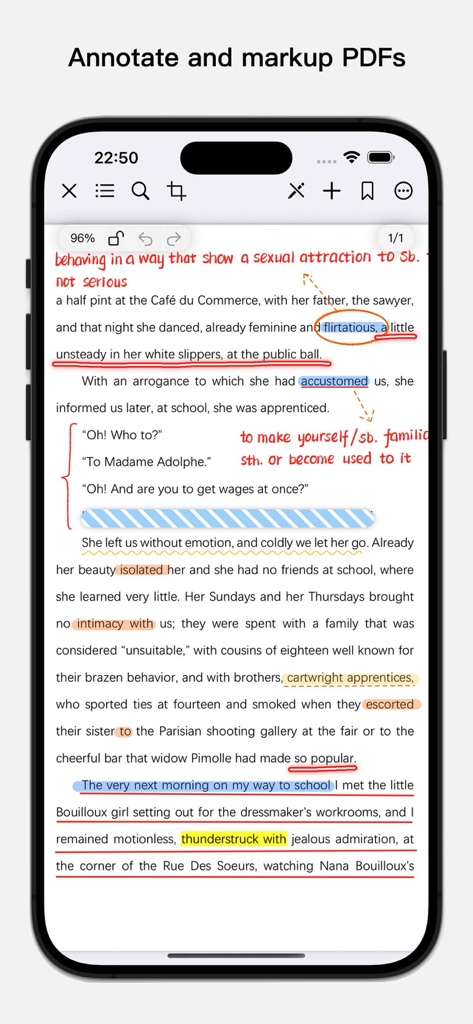
BoardNotesアプリで、カラフルなハイライト、下線、手書きの注釈が付いたPDFドキュメントを示すiPhone画面
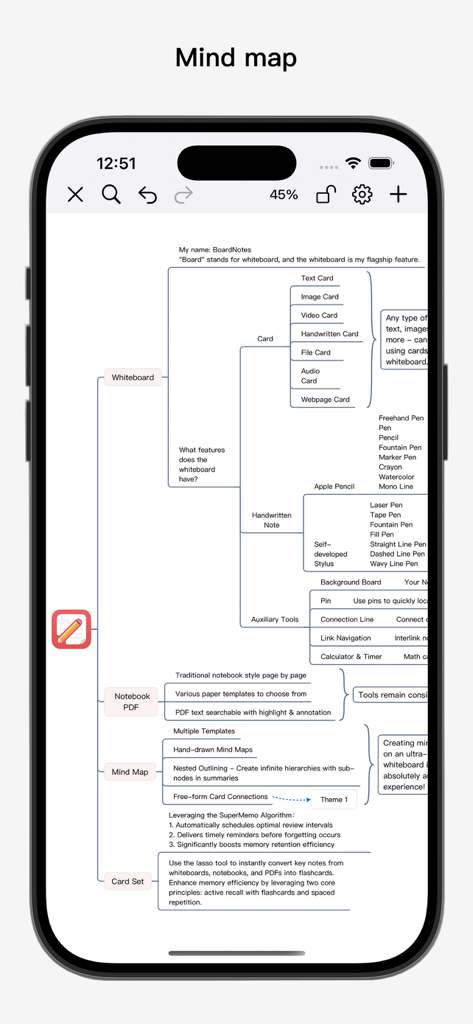
BoardNotesアプリの機能(ホワイトボードやカードセットなど)を示す、詳細なマインドマップのiPhone画面。
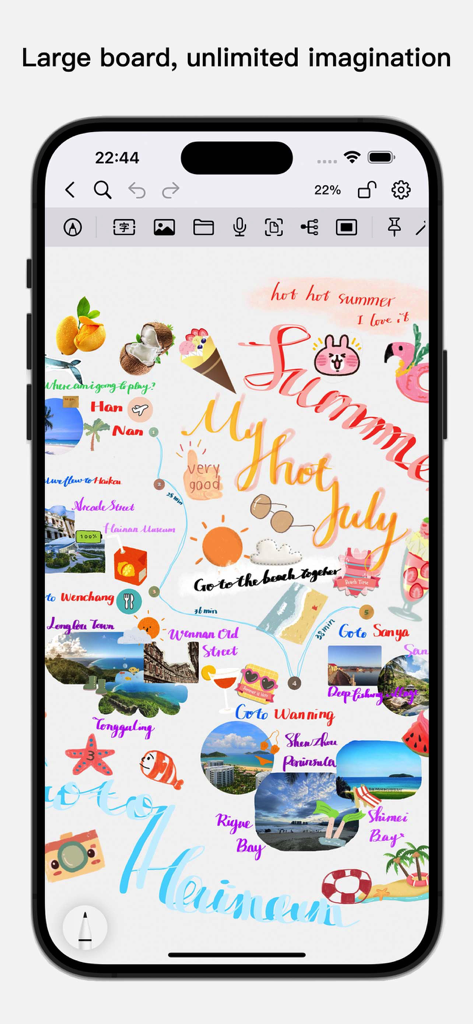
BoardNotesの画像と手書きのノートが含まれるクリエイティブなサマージャーナルを示すデジタルホワイトボード
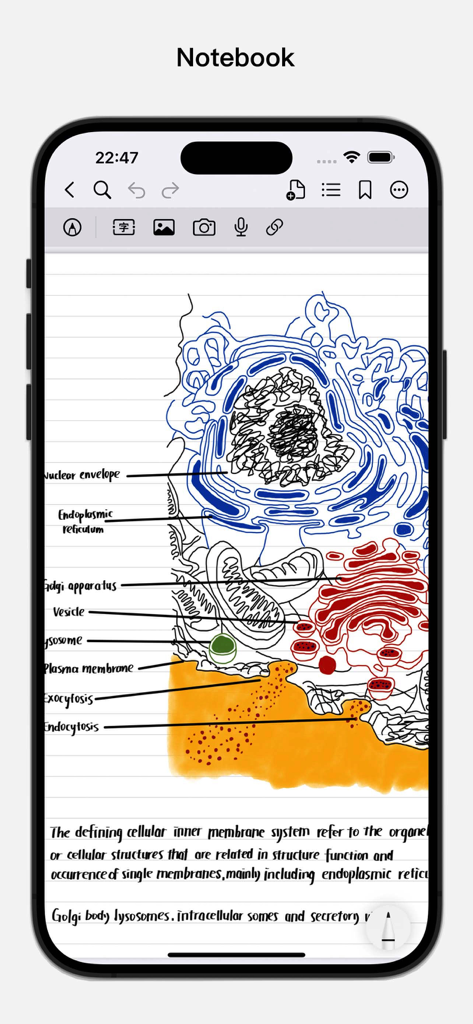
BoardNotesアプリで、ラベルと手書きのノートが付いた、手描きの細胞生物学の図
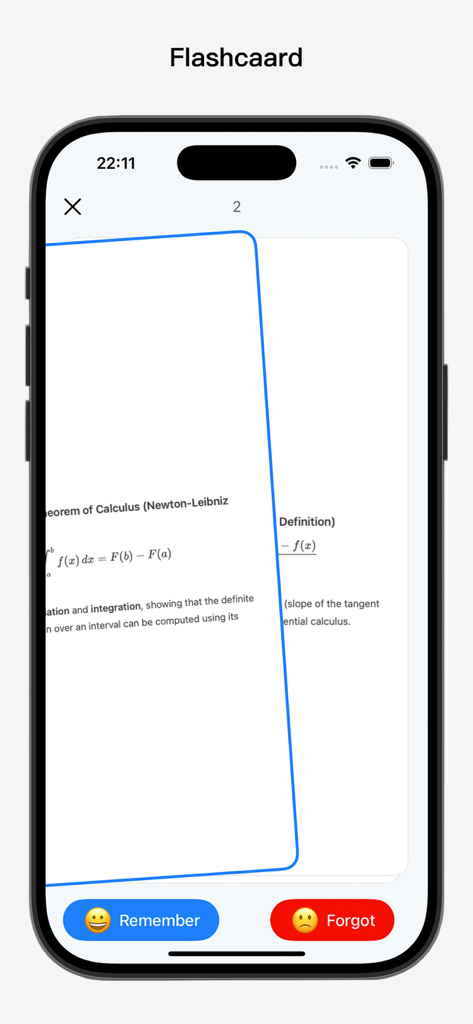
BoardNotesアプリのフラッシュカードインターフェイス(iPhone)に、記憶しました/忘却ボタン付きの微分積分学の学習資料が表示されています
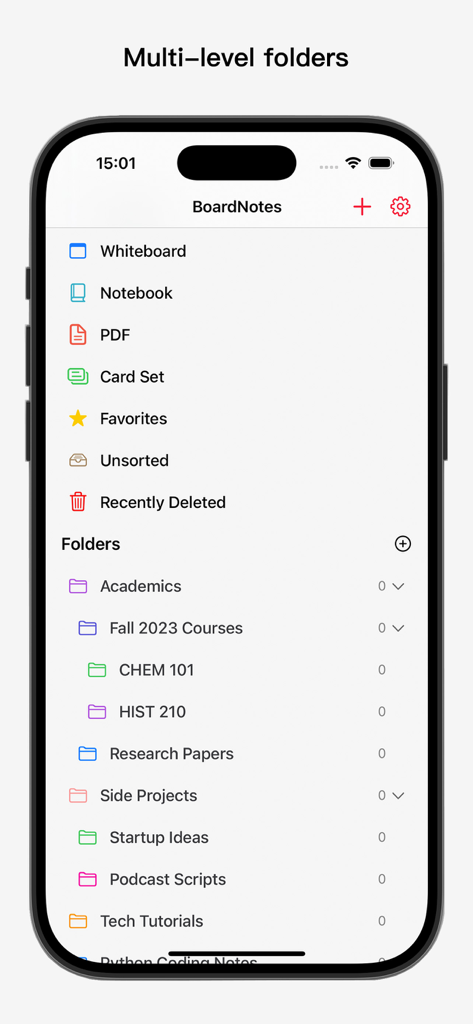
BoardNotesモバイルアプリの画面に、整理されたフォルダーとノートカテゴリのリストが表示されています
説明
Download
類似アプリ
似た機能とユーザー体験を持つアプリ

MarginNote 3
Beijing Yunsi Software Technology Co., Ltd

公文宝-公文写作
Guangzhou Weia Information Technology Co., Ltd.

Mapify: AI Mind Map Summarizer
Xmind Ltd.

Readest - eBook Reader
Bilingify LLC

LiquidText Prepaid
LiquidText, Inc.

Readwise
Readwise, Inc

Essayist: Academic Writing App
Essayist Software Inc.

Flexcil Note & Good PDF Reader
Flexcil Inc.

GitMind: AI Mind Map & Notes
Wangxu Technology Co., Ltd
このページはアプリまたはその開発者の公式ページではなく、情報提供および論評を目的として作成された独立した編集出版物です。明示的に別段の記載がない限り、アプリおよびその開発者は、MWM、Apple、Google Play、アプリのパブリッシャー、またはアプリの開発者と提携、承認、後援、認可、またはその他の公式的な関係はなく、このページのいかなる内容も、アプリがMWMのサービスを使用して開発されたことを意味するものではありません。すべての商標、ロゴ、スクリーンショット、その他のコンテンツはそれぞれの所有者の財産です。