
このページはアプリまたはその開発者の公式ページではなく、情報提供および論評を目的として作成された独立した編集出版物です。明示的に別段の記載がない限り、アプリおよびその開発者は、MWM、Apple、Google Play、アプリのパブリッシャー、またはアプリの開発者と提携、承認、後援、認可、またはその他の公式的な関係はなく、このページのいかなる内容も、アプリがMWMのサービスを使用して開発されたことを意味するものではありません。すべての商標、ロゴ、スクリーンショット、その他のコンテンツはそれぞれの所有者の財産です。

Book Creator One
iPadで美しいマルチモーダル電子書籍を作成する最も簡単な方法。何百万人もの教育者や保護者に加わり、授業をインタラクティブな物語、日記、コミックに変えましょう。
ダウンロード
1M+ユーザー評価
評価数
1K+開発元
カテゴリ
Education対応言語
11最新バージョン
5.5.6サイズ
179.3 MBリリース日
2013年8月15日白紙から公認作家へ
生徒の学習をクリエイティブな傑作に変えましょう。テキスト、音声、ビデオを組み合わせて、数分でインタラクティブな物語、日記、ポートフォリオを作成します。
すべての学習者を引きつける
テキスト、50以上のフォント、手描きの注釈にボイスレコーディングやビデオを組み合わせ、マルチモーダルな読解力をサポートします。
驚くほどシンプルなデザイン
直感的なインターフェースで要素をドラッグ&ドロップして配置でき、生徒はツールではなくコンテンツに集中できます。
よくある質問
について知っておくべきこと Book Creator One
Book Creator One は何に使われますか?
Book Creator One は電子書籍を作成するためのiPadアプリです。子供向けの絵本、フォトブック、コミックブック、日記、教科書などを作成できます。
Book Creator One で無料で何冊の本を作成できますか?
Book Creator One では、無料で1冊の本を作成できます。無制限の本作成とコミックテンプレートは、アプリ内購入で利用可能です。
Book Creator One はコミックブックのテンプレートを提供していますか?
はい、Book Creator One はコミックブックのテンプレートを提供しています。これらのテンプレートと無制限の本作成は、アプリ内購入でアンロックされます。
Book Creator One の本に音声や動画を追加できますか?
はい、Book Creator One では動画や音楽を追加できます。また、自分の声を録音して、本にナレーションを含めることもできます。
Book Creator One で作成した本を共有するにはどうすればよいですか?
Book Creator One は複数の共有オプションを提供しています。メール、AirDrop、またはクラウドサービスで本を送信できます。ePub、PDF、またはビデオとしてのエクスポートもサポートされています。
Book Creator One は学校での教育用途に適していますか?
はい、Book Creator One はオープンエンドで創造的、そしてカリキュラム横断的であるため、教育に非常に適しています。アプリ内購入なしで無制限の本作成が必要な学校には、フルバージョンの「Book Creator for iPad」アプリが推奨されます。
Book Creator One は iBooks Store に本を公開できますか?
はい、Book Creator One は国際的な ePub 標準を使用して電子書籍を作成します。本は iBooks Store への直接公開に最適化されています。
Book Creator One は固定レイアウトの電子書籍をサポートしていますか?
はい、Book Creator One は、見開き画像とサウンドトラックを含む iBooks の固定レイアウト形式をサポートしています。テキスト中心の小説の作成には適していません。
Siri は Book Creator One の本を読み上げることができますか?
はい、Book Creator One には、Siri がユーザーに本を読み上げるリーディングモードがあります。この機能は複数の言語をサポートしています。
Book Creator One の本にどのような種類の画像を追加できますか?
Book Creator One では、写真や画像を追加できます。これらは iPad のフォトライブラリ、Web、または iPad のカメラから直接追加できます。
以下のスクリーンショットと説明は、アプリの公式ストアリスティングから直接取得されたものであり、アプリ開発者の所有物です。
アプリストア
スクリーンショット
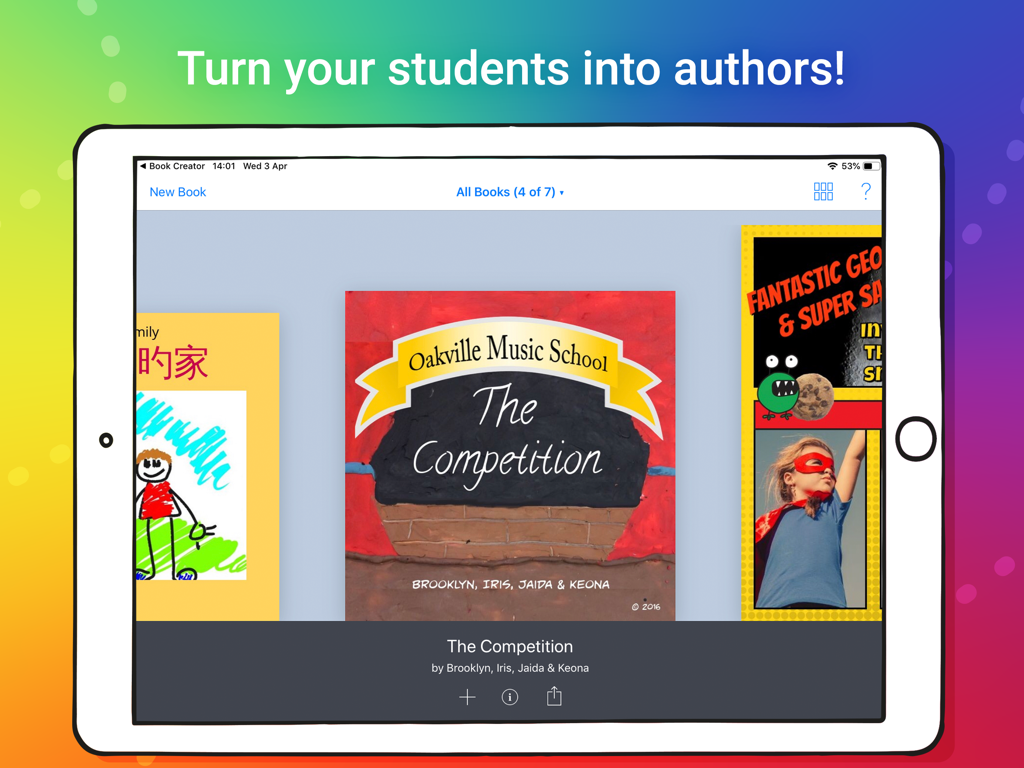
Book Creator Oneアプリで生徒が作成したクリエイティブなデジタルブックのライブラリを表示するiPad
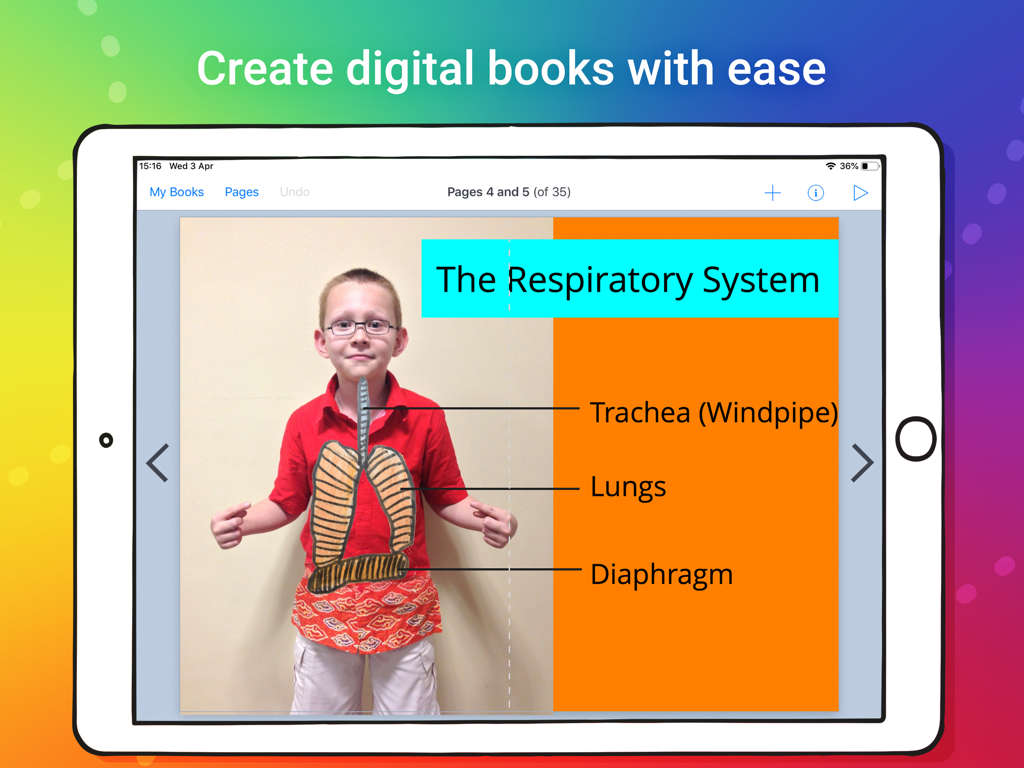
iPad上のBook Creator Oneで作成された呼吸器系に関する生徒のデジタルブック
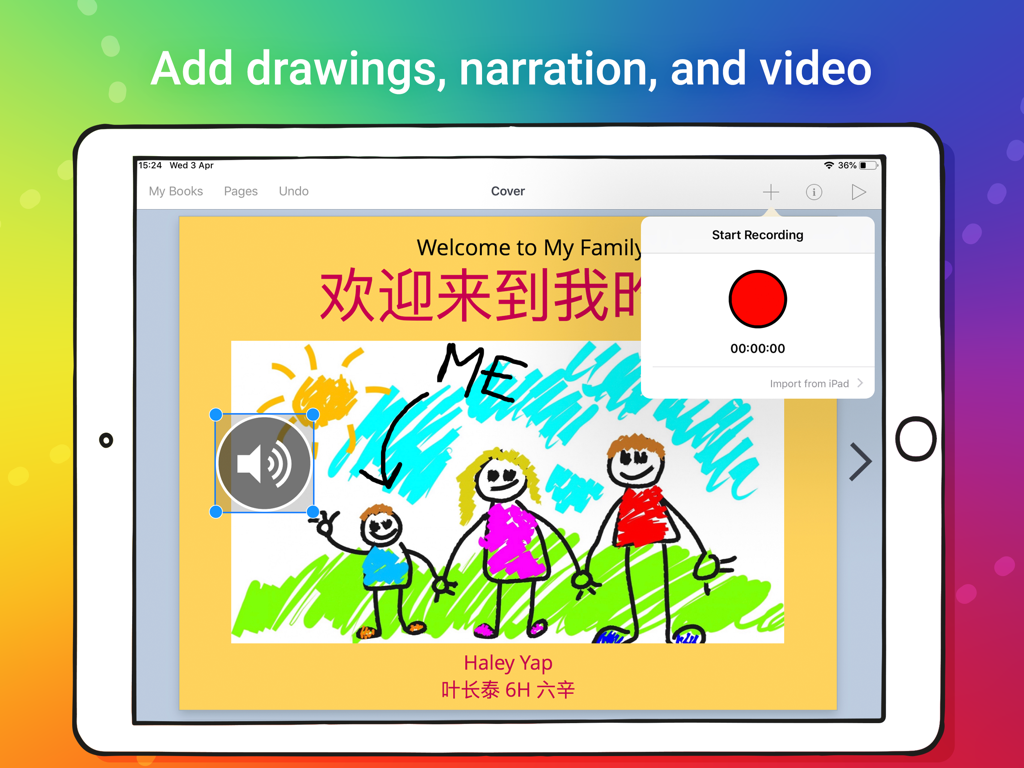
子供の描画とボイスレコーディングインターフェースが表示されたデジタルブックページを表示するiPad
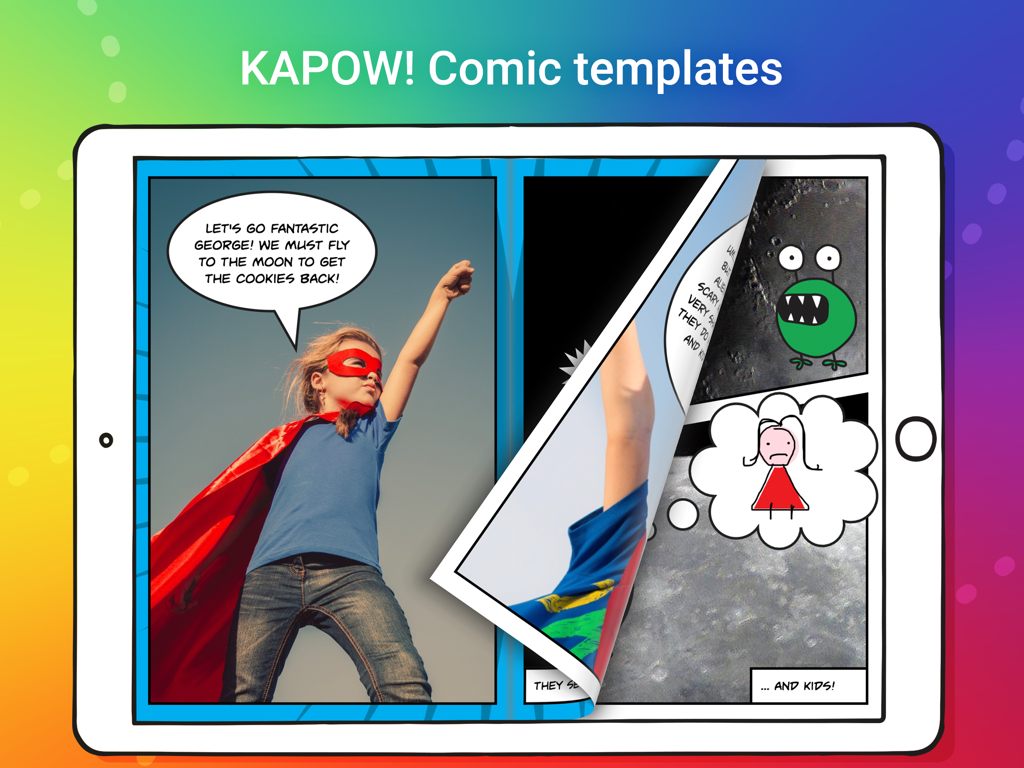
子供のスーパーヒーローと吹き出しが登場するコミックブックテンプレートを表示するBook Creator OneアプリのiPad画面
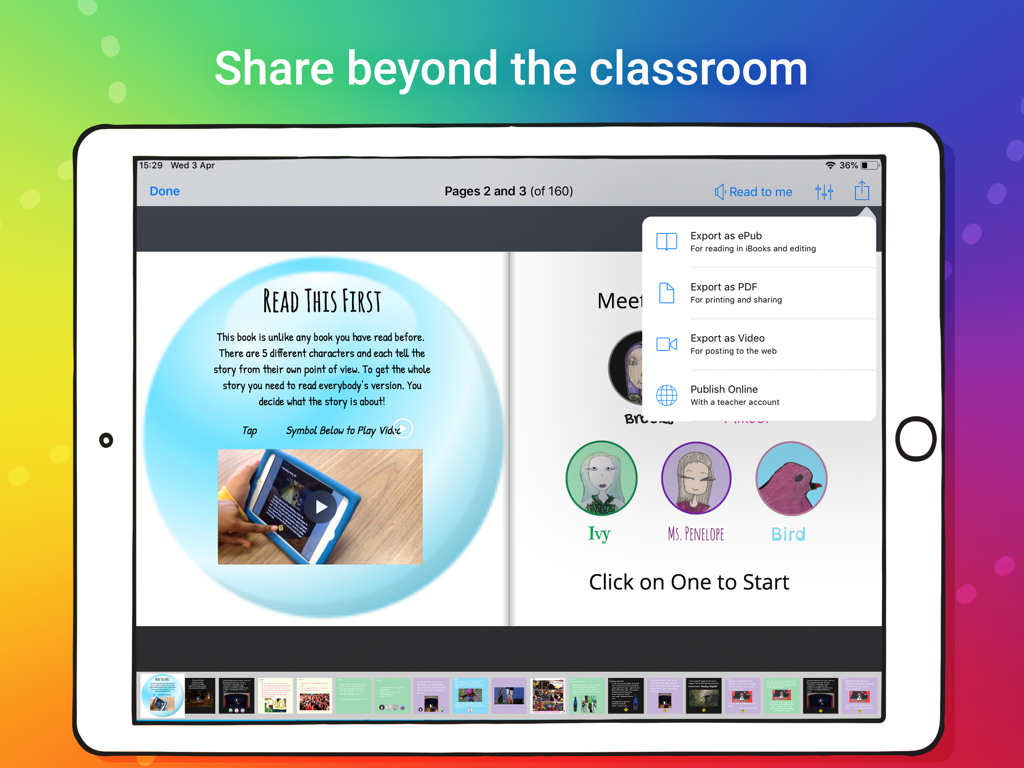
ePub、PDF、またはビデオとしてデジタルブックをエクスポートするオプションが表示されたBook Creator OneアプリのiPad画面
説明
Download
類似アプリ
似た機能とユーザー体験を持つアプリ

Affinity Publisher 2 for iPad
Serif (Europe) Ltd.

Brochure Maker, Pamphlet Maker
Bhavesh Gabani

Zine - Enjoy Writing
Aura Marker Studio Co., Ltd.

Pages: Create Documents
Apple Inc.

Price List & Menu Maker
Desygner Pty Ltd
Story Creator - Easy Story Book Maker for Kids
Innovative Mobile Apps Ltd

Book Creator for iPad
Tools for Schools Limited
このページはアプリまたはその開発者の公式ページではなく、情報提供および論評を目的として作成された独立した編集出版物です。明示的に別段の記載がない限り、アプリおよびその開発者は、MWM、Apple、Google Play、アプリのパブリッシャー、またはアプリの開発者と提携、承認、後援、認可、またはその他の公式的な関係はなく、このページのいかなる内容も、アプリがMWMのサービスを使用して開発されたことを意味するものではありません。すべての商標、ロゴ、スクリーンショット、その他のコンテンツはそれぞれの所有者の財産です。