
このページはアプリまたはその開発者の公式ページではなく、情報提供および論評を目的として作成された独立した編集出版物です。明示的に別段の記載がない限り、アプリおよびその開発者は、MWM、Apple、Google Play、アプリのパブリッシャー、またはアプリの開発者と提携、承認、後援、認可、またはその他の公式的な関係はなく、このページのいかなる内容も、アプリがMWMのサービスを使用して開発されたことを意味するものではありません。すべての商標、ロゴ、スクリーンショット、その他のコンテンツはそれぞれの所有者の財産です。


Pages: Create Documents
場所もデバイスも選ばない。本アプリは、ユーザーがAIの力で、アイデアを研ぎ澄まされた物語へと昇華させるための究極の舞台を提供する。
ダウンロード
12.5M+ユーザー評価
評価数
1.7M開発元
カテゴリ
Productivity対応言語
33最新バージョン
15.1.1サイズ
605.2 MBリリース日
2010年4月1日Pages: Create Documents アプリの主要機能分析
高品質な文書作成を支援する、AppleエコシステムとAI機能の統合
AIを活用した高度な執筆支援
本アプリは、Apple Intelligenceの執筆ツールを活用し、テキストの校正、書き換え、要約、新規作成を支援します。ユーザーは、効率的かつ高品質な文書作成を実現できます。
マルチデバイス対応
ユーザーは、iPhone、iPad、MacといったAppleデバイスはもちろん、iCloud.comを介してPCからもシームレスにドキュメントを作成および編集できます。これにより、場所を選ばずに作業を継続することが可能です。
高度な共同編集機能
iCloudやBoxを利用してドキュメントを共有し、リアルタイムでの共同編集が可能です。変更履歴の追跡やコメント機能により、チームでの作業効率が向上します。
AIによる画像生成機能
説明に基づいて独自の画像を生成できるImage Playgroundを提供します。ユーザーは、テキストコンテンツを視覚的に豊かにし、創造性を高めることができます。
Microsoft Word互換性
Microsoft Wordファイルやテキストファイルをインポートして編集し、また多種多様な形式でエクスポートする機能が備わっています。これにより、異なるプラットフォーム間でのファイル共有と作業が円滑に行われます。
Apple Pencilとの統合
iPadにおいてApple Pencilを使用することで、手書き入力、描画、注釈付けが可能です。ユーザーは、より直感的かつ表現豊かな方法でドキュメントにアイデアを盛り込めます。
豊富なメディア統合
画像、動画、音声、表、グラフ、図形、イメージギャラリーなど、多様なメディアタイプをドキュメントに簡単に挿入できます。本アプリは、視覚的に魅力的でダイナミックなコンテンツ作成を支援します。
高度なフォーマットとデザインツール
画像の背景除去、マスキング、ページテンプレートの作成、LaTeXまたはMathML表記による数式挿入など、高度なデザイン機能が利用可能です。これにより、プロフェッショナルな外観のドキュメントを細部まで調整できます。
豊富なテンプレートライブラリ
レポート、履歴書、ポスター、デジタルブックなど、Appleがデザインした多種多様なプロフェッショナルテンプレートが提供されます。ユーザーは、これらを利用して迅速かつ高品質なドキュメント作成を開始できます。
スクリーン表示最適化
iPhoneおよびiPadでは、Screen View機能がコンテンツを画面サイズに最適化し、モバイルデバイス上でのドキュメント編集作業を容易にします。これにより、外出先での効率的な作業が可能です。
以下のスクリーンショットと説明は、アプリの公式ストアリスティングから直接取得されたものであり、アプリ開発者の所有物です。
アプリストア
スクリーンショット
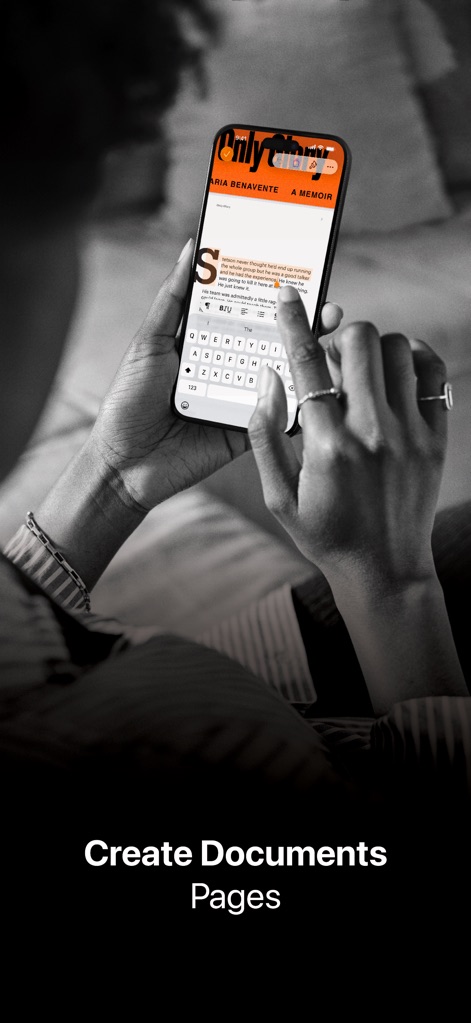
モバイル作成、いつでもどこでも
iPhone上でのドキュメント作成、直感的なキーボード入力と書式の調整で、いつでもどこでも作業を継続できます。
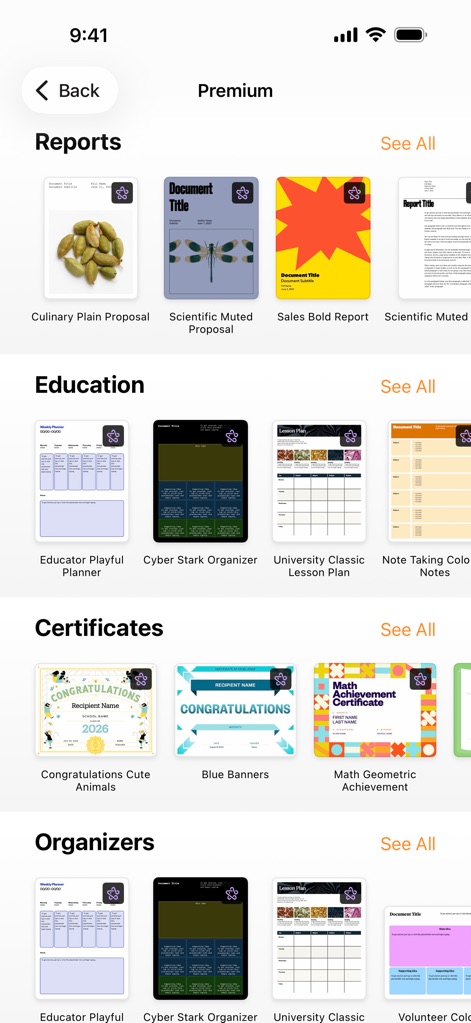
厳選テンプレート、多彩な用途
報告書や教育資料など多岐にわたるテンプレートが用意されており、目的に合わせた豊富なデザイン選択が可能です。
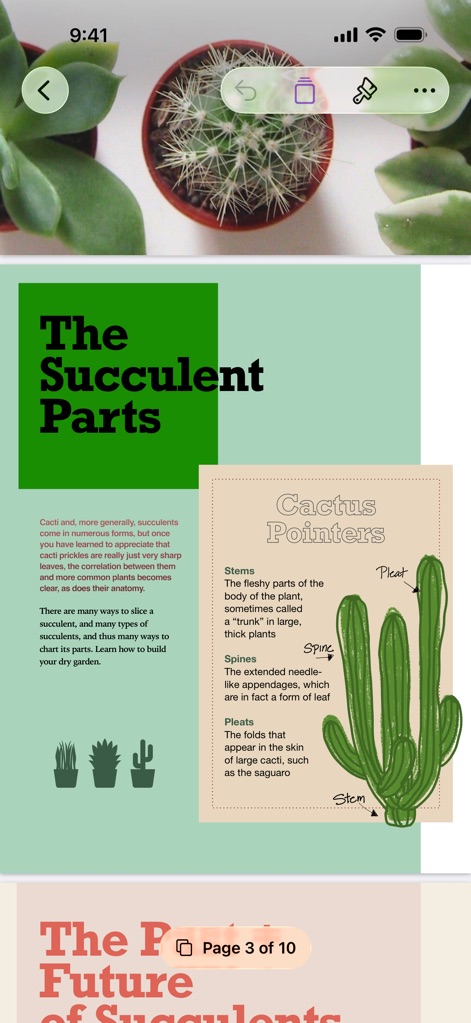
視覚的表現、魅力的な構成
画像とテキストが調和した美しいレイアウトで、専門的な図解とページ番号表示により複雑な情報も分かりやすく伝えます。
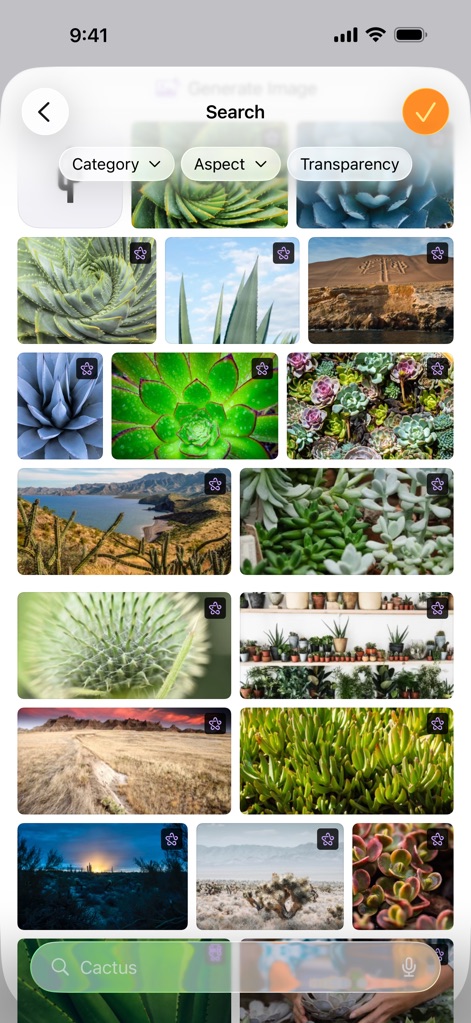
画像ライブラリ、スマート検索
豊富な画像ライブラリからの検索が可能で、カテゴリ別フィルタとキーワード入力で必要な素材を迅速に見つけ出せます。
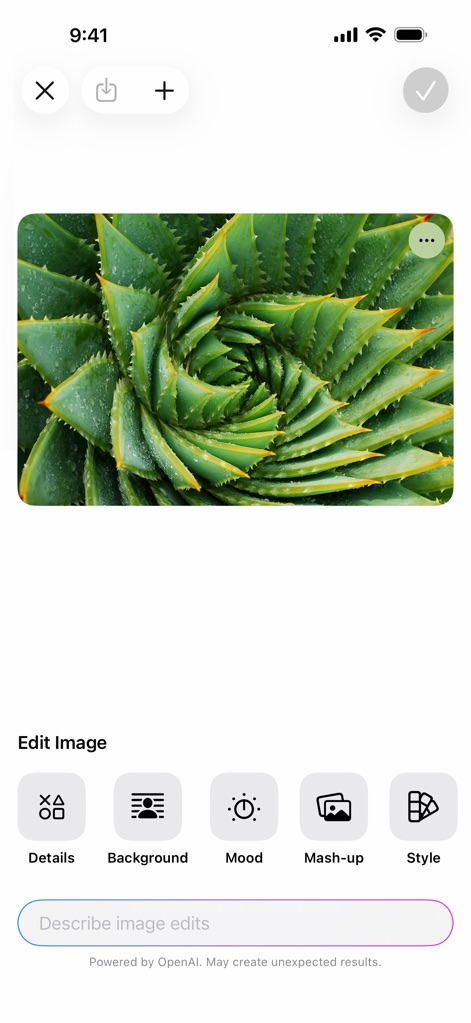
AI画像加工、クリエイティブ
OpenAIが提供するAI画像編集機能を活用し、背景削除とスタイル変換でビジュアルを強化し、印象的な画像を作成できます。
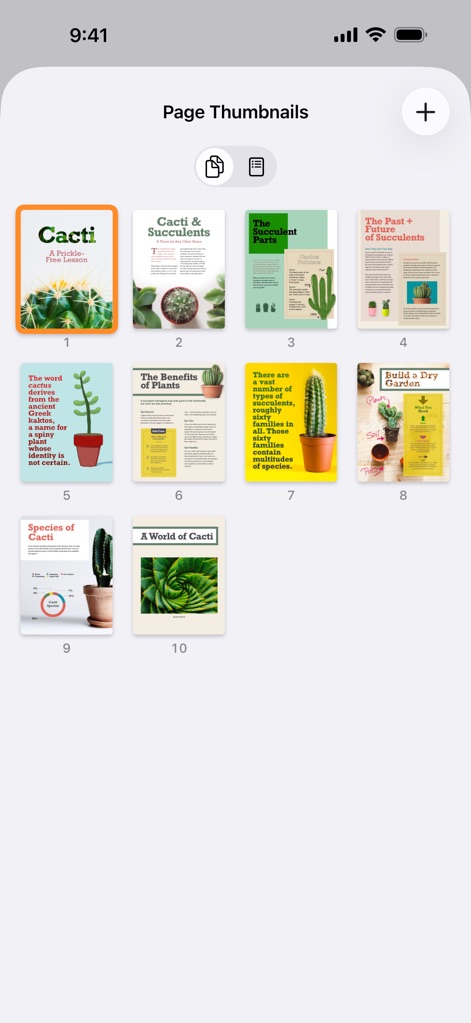
全体俯瞰、簡単ナビ
ドキュメント全体のページサムネイル表示により、視覚的なページ構成把握と高速ナビゲーションを実現します。
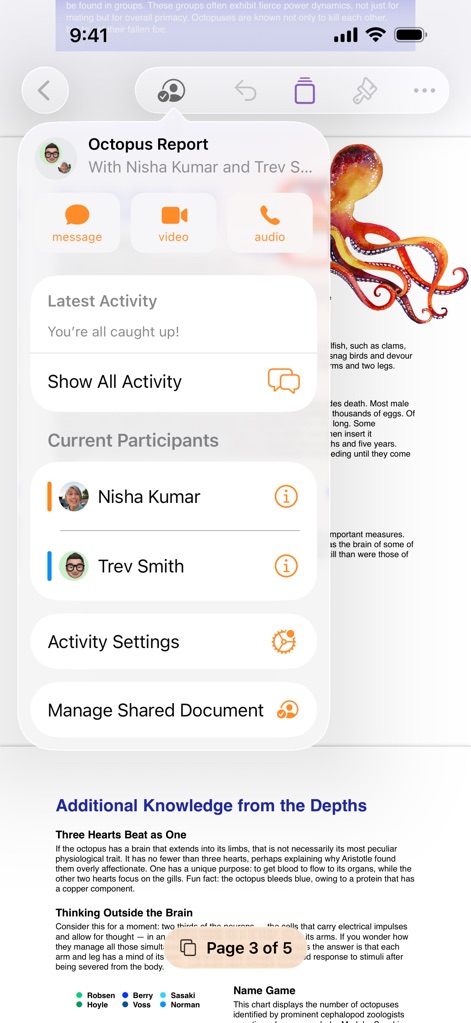
共同作業、円滑な交流
リアルタイム共同編集者リストを確認でき、メッセージとビデオ通話による円滑なコミュニケーションで共同作業を促進します。
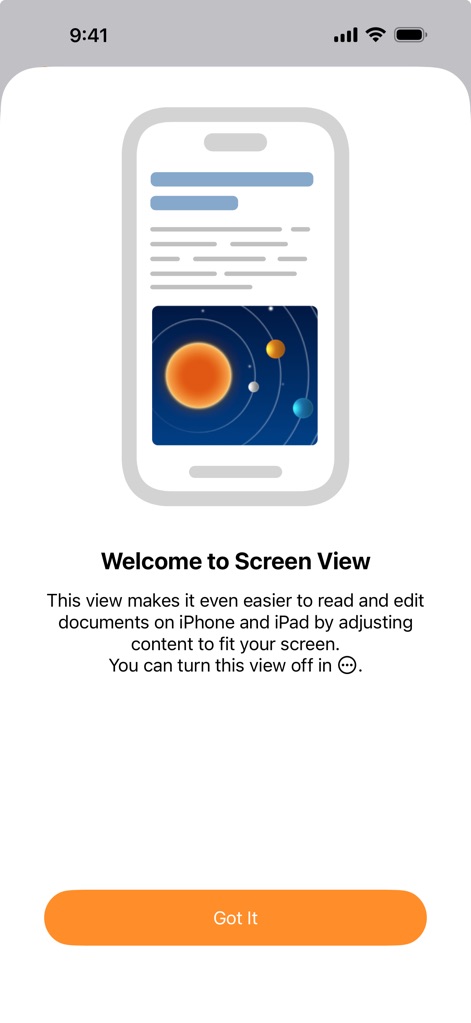
画面最適化、快適読書
モバイル画面にコンテンツを最適化するScreen View機能は、読みやすいテキスト表示と快適な編集環境を提供します。
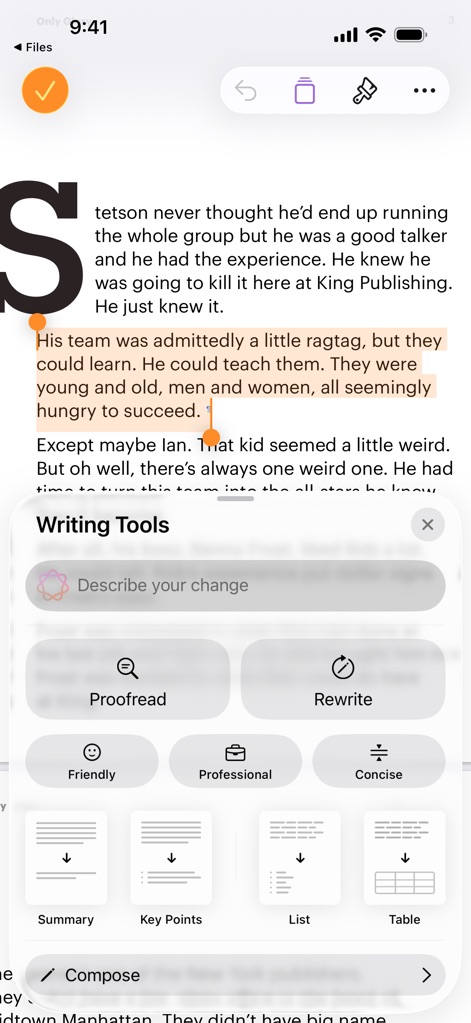
AIライティング、効率向上
AIによる文章の校正と要約機能により効率が向上し、様々なトーン選択で表現力豊かなコンテンツを作成できます。
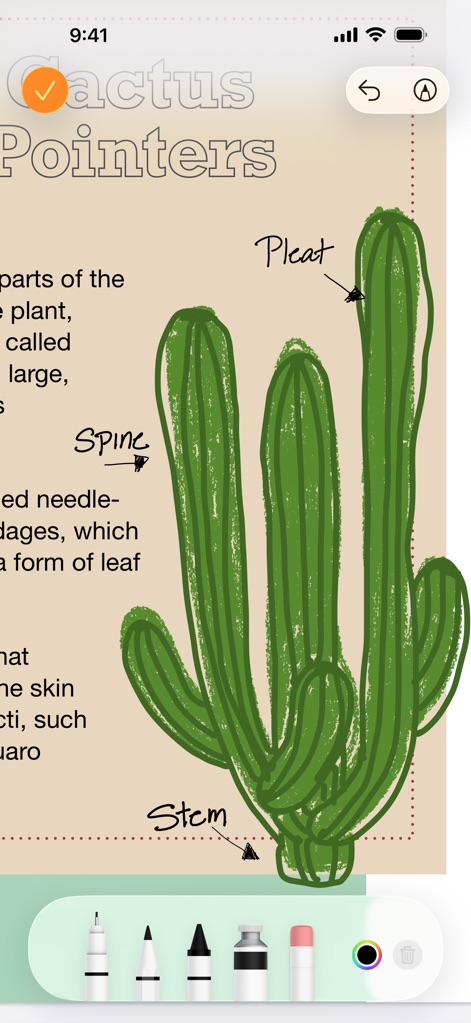
手書き入力、注釈追加
Apple Pencilによる直感的な手書き描画が可能で、多様なペンツールを用いて精密な注釈を追加できます。
説明
Download
類似アプリ
似た機能とユーザー体験を持つアプリ

Affinity Publisher 2 for iPad
Serif (Europe) Ltd.

Brochure Maker, Pamphlet Maker
Bhavesh Gabani

Zine - Enjoy Writing
Aura Marker Studio Co., Ltd.

Price List & Menu Maker
Desygner Pty Ltd

Story Creator - Easy Story Book Maker for Kids
Innovative Mobile Apps Ltd

Book Creator for iPad
Tools for Schools Limited
Book Creator One
Tools for Schools Limited
このページはアプリまたはその開発者の公式ページではなく、情報提供および論評を目的として作成された独立した編集出版物です。明示的に別段の記載がない限り、アプリおよびその開発者は、MWM、Apple、Google Play、アプリのパブリッシャー、またはアプリの開発者と提携、承認、後援、認可、またはその他の公式的な関係はなく、このページのいかなる内容も、アプリがMWMのサービスを使用して開発されたことを意味するものではありません。すべての商標、ロゴ、スクリーンショット、その他のコンテンツはそれぞれの所有者の財産です。