Brusfri
Brusfri
ダウンロード: App Store

このページはアプリまたはその開発者の公式ページではなく、情報提供および論評を目的として作成された独立した編集出版物です。明示的に別段の記載がない限り、アプリおよびその開発者は、MWM、Apple、Google Play、アプリのパブリッシャー、またはアプリの開発者と提携、承認、後援、認可、またはその他の公式的な関係はなく、このページのいかなる内容も、アプリがMWMのサービスを使用して開発されたことを意味するものではありません。すべての商標、ロゴ、スクリーンショット、その他のコンテンツはそれぞれの所有者の財産です。


ロゴ: Brusfri
ダウンロード: App Store

Brusfri

あらゆる空間をスタジオに変えましょう。ポッドキャスト、音楽、動画からヒスノイズ、ハムノイズ、バックグラウンドノイズを簡単に除去し、サウンドのあらゆるディテールを保持します。

主要数値

ダウンロード

194K+

ユーザー評価

3.7/5

評価数

200

開発元

Klevgrand Produkter AB

カテゴリ

Music

対応言語

1

最新バージョン

1.2.1

サイズ

41.0 MB

リリース日

2017年10月11日
機能

プロフェッショナルなサウンドを、どこででも録音

騒がしいアパートにいても、賑やかなカフェにいても、Brusfriはあなたの録音をワンタップでスタジオ品質のオーディオに変えます。

ワンタップでインテリジェント学習

複雑な設定は不要です。「Learn」ボタンを1秒間長押しするだけで、オーディオのバックグラウンドノイズを自動的にプロファイルして除去します。

アーティファクトのないリダクション

アマチュアツールによくある金属的な「フェージング」にさようなら。当社のマルチゲートテクノロジーは、ヒスノイズやハムノイズを除去しつつ、あなたの声や音楽を非常にクリアに保ちます。

以下のスクリーンショットと説明は、アプリの公式ストアリスティングから直接取得されたものであり、アプリ開発者の所有物です。

アプリストア

スクリーンショット
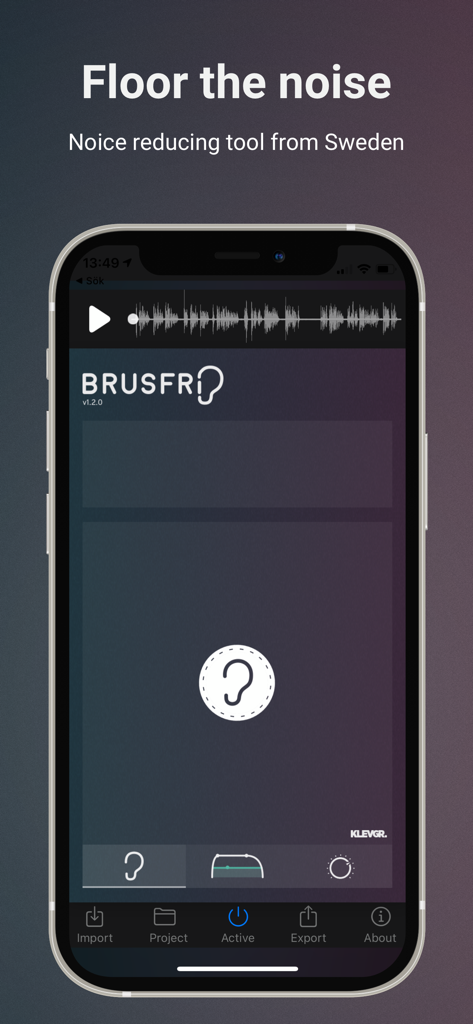
Brusfri - 耳のアイコンの学習ボタンとサウンド波形が表示された、オーディオノイズリダクション用のBrusfriモバイルアプリインターフェース
耳のアイコンの学習ボタンとサウンド波形が表示された、オーディオノイズリダクション用のBrusfriモバイルアプリインターフェース

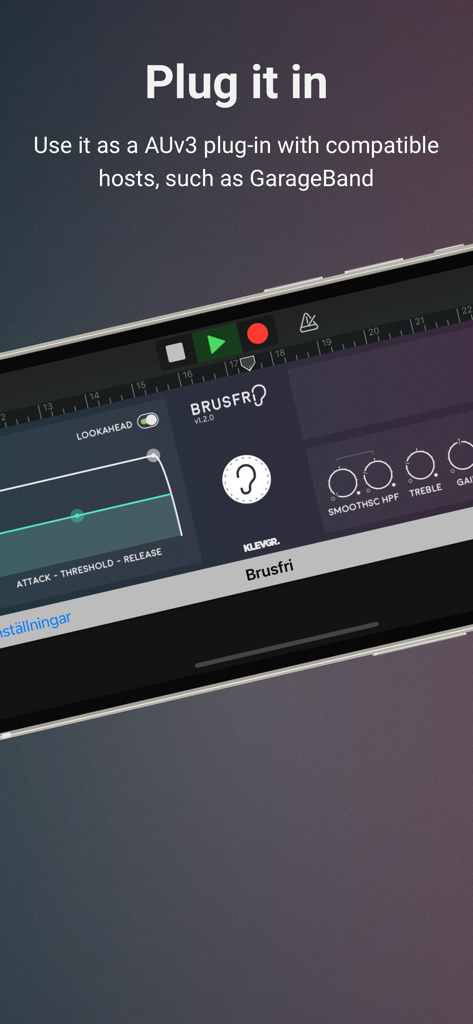
Brusfri - AUv3プラグインとして表示されるBrusfriオーディオノイズリダクションアプリインターフェース
AUv3プラグインとして表示されるBrusfriオーディオノイズリダクションアプリインターフェース

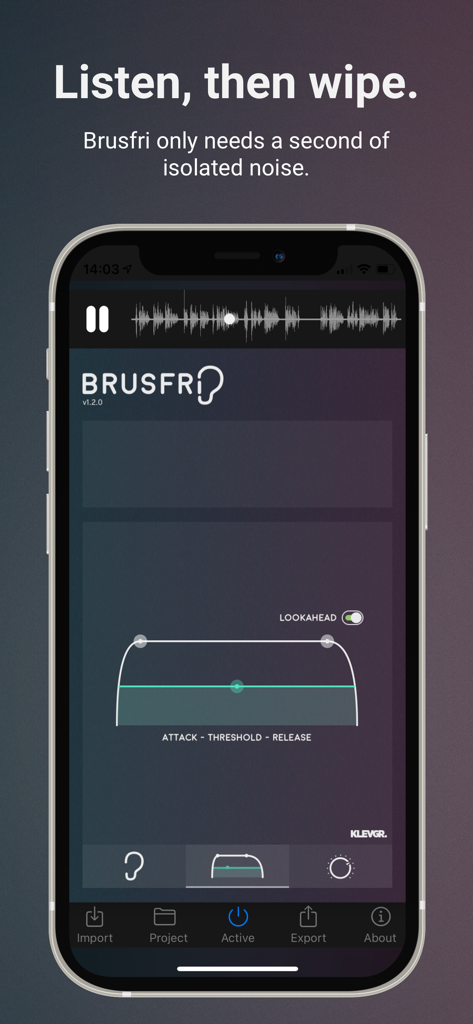
Brusfri - オーディオ処理コントロールが表示されたiPhone上のBrusfriノイズリデューサーアプリインターフェース

オーディオ処理コントロールが表示されたiPhone上のBrusfriノイズリデューサーアプリインターフェース

説明

Brusfri* is a highly advanced audio noise reducer, packed into a simple and straight-forward interface. It is very well suited for cleaning up noisy audio recordings, while retaining sound quality. Unlike many other noise reducers on the market, Brusfri doesn't mess with audio phasing to suppress noise (a technique that often comes with audible side effects). Instead, multiple fine-tuned gates are used to silence unwanted noise. Brusfri can also be used as a AUv3 plug-in in compatible hosts, for example in GarageBand. *Brusfri means "Noise free" in Swedish. Here are some examples of sound conditions that Brusfri handles well: * Guitar amp * Noisy vintage gear * Boosted pre-amp * iPhone/iPad and external mic hiss * Room reverb removal * Fan noise * Background ambiance * Mains hum / Electric hum Usage In short, press “Learn” during a couple of seconds of isolated noise to create a "profile" for noise. This may be all you need to do. Brusfri can be used in two ways, either standalone or as a AUv3 plug-in. Standalone Import the audio, either by extracting audio from a video, by importing from iTunes, or by using the “Open In…” option in any other app that can export audio. Press and hold the Learn button (the ear) while playing unwanted noise. (It’s important that the Ear is only fed with isolated noise). When Learn is released, Brusfri will start reducing noise. AUv3 plug-in Open Brusfri in any AUv3 compatible host. Find a region in the recording that only contains noise and play it. Tap and hold the “LEARN” button for a short while (a second will be enough). When the LEARN button is released, Brusfri will start reducing noise. There are a bunch of parameters available that affect the noise reduction algorithm: ATK / THRS / REL (Attack Time / Threshold / Release Time) Threshold - basically determines how much noise to be removed. A lower value means more reduction. Attack and Release sets the time it will take for the reducer to start working. LOOKAHEAD Makes transient processing a bit smoother. EDGE Controls the reduction aggressivity. A lower value gives a smoother reduction. HPF Reduces low frequencies. HIGH Compensates high frequencies by boosting them. MIX Mixes between dry and noise reduced signal. NOTE! Brusfri is CPU intensive and iPhone 6 / iPad AIR 2 or better is recommended. When used as an AUv3 plug-in, we highly recommend freezing/bouncing tracks to reduce CPU usage.

Download

ダウンロード: App Store

このページはアプリまたはその開発者の公式ページではなく、情報提供および論評を目的として作成された独立した編集出版物です。明示的に別段の記載がない限り、アプリおよびその開発者は、MWM、Apple、Google Play、アプリのパブリッシャー、またはアプリの開発者と提携、承認、後援、認可、またはその他の公式的な関係はなく、このページのいかなる内容も、アプリがMWMのサービスを使用して開発されたことを意味するものではありません。すべての商標、ロゴ、スクリーンショット、その他のコンテンツはそれぞれの所有者の財産です。