Camelot Pro
Camelot Pro
ダウンロード: App Store

このページはアプリまたはその開発者の公式ページではなく、情報提供および論評を目的として作成された独立した編集出版物です。明示的に別段の記載がない限り、アプリおよびその開発者は、MWM、Apple、Google Play、アプリのパブリッシャー、またはアプリの開発者と提携、承認、後援、認可、またはその他の公式的な関係はなく、このページのいかなる内容も、アプリがMWMのサービスを使用して開発されたことを意味するものではありません。すべての商標、ロゴ、スクリーンショット、その他のコンテンツはそれぞれの所有者の財産です。


ロゴ: Camelot Pro
ダウンロード: App Store

Camelot Pro

オールインワンのセットリストマネージャー、AUv3ホスト、MIDIルーターでステージセットアップを完全にコントロールしましょう。プロフェッショナルな信頼性のために設計されたCamelot Proは、ギャップレスなシーン切り替えと、ハードウェアおよびソフトウェアギアのシームレスな統合を保証します。

主要数値

ダウンロード

24K+

ユーザー評価

4.4/5

評価数

100

開発元

Audio Modeling Srl

カテゴリ

Music

対応言語

-

最新バージョン

2.4.0

サイズ

57.4 MB

リリース日

2018年12月13日
機能

ライブショーのための究極のコマンドセンター

プロフェッショナルな信頼性のために設計された、グリッチフリーの単一環境にハードウェア、AUv3プラグイン、バッキングトラックを統合します。

ギャップレスなシーン切り替え

ポップ音や無音なしで、複雑なレイヤーやサウンド間をオーディオの中断なく切り替えることができます。究極のパフォーマンスを体験してください。

リグ全体をマスターする

高度な技術知識なしに、ハードウェアシンセサイザーとソフトウェアプラグイン間でMIDIとオーディオを簡単にルーティングできます。

以下のスクリーンショットと説明は、アプリの公式ストアリスティングから直接取得されたものであり、アプリ開発者の所有物です。

アプリストア

スクリーンショット
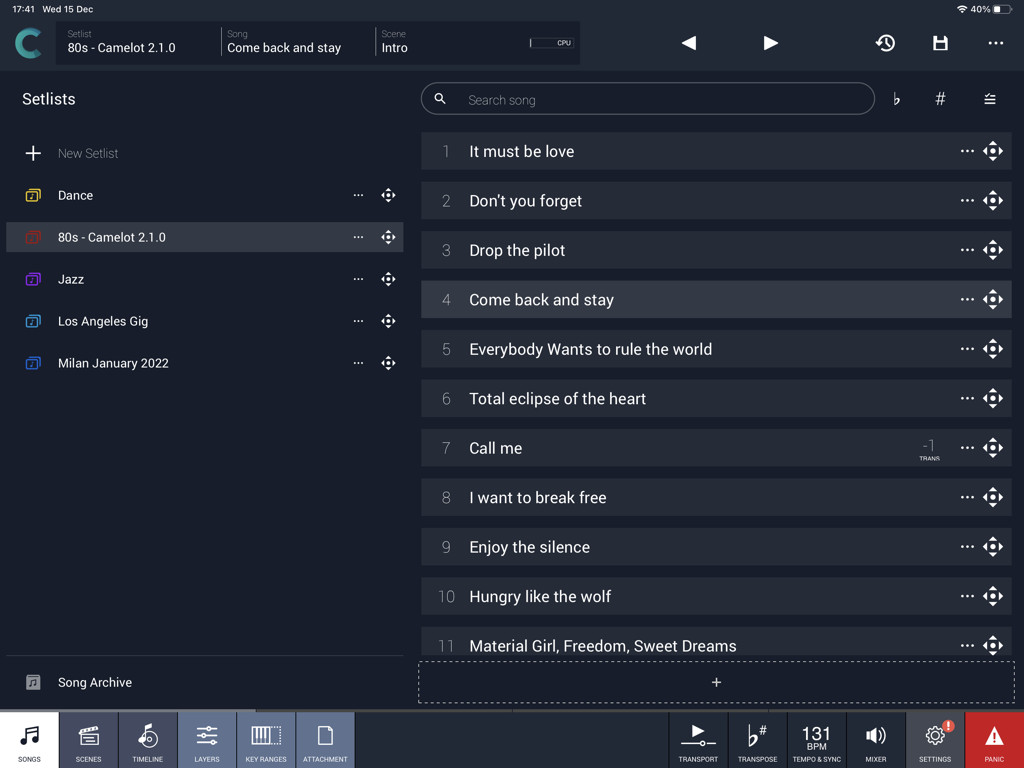
Camelot Pro - Camelot Proアプリのインターフェイス。ミュージシャン向けの曲セットリストとパフォーマンス管理を表示。
Camelot Proアプリのインターフェイス。ミュージシャン向けの曲セットリストとパフォーマンス管理を表示。

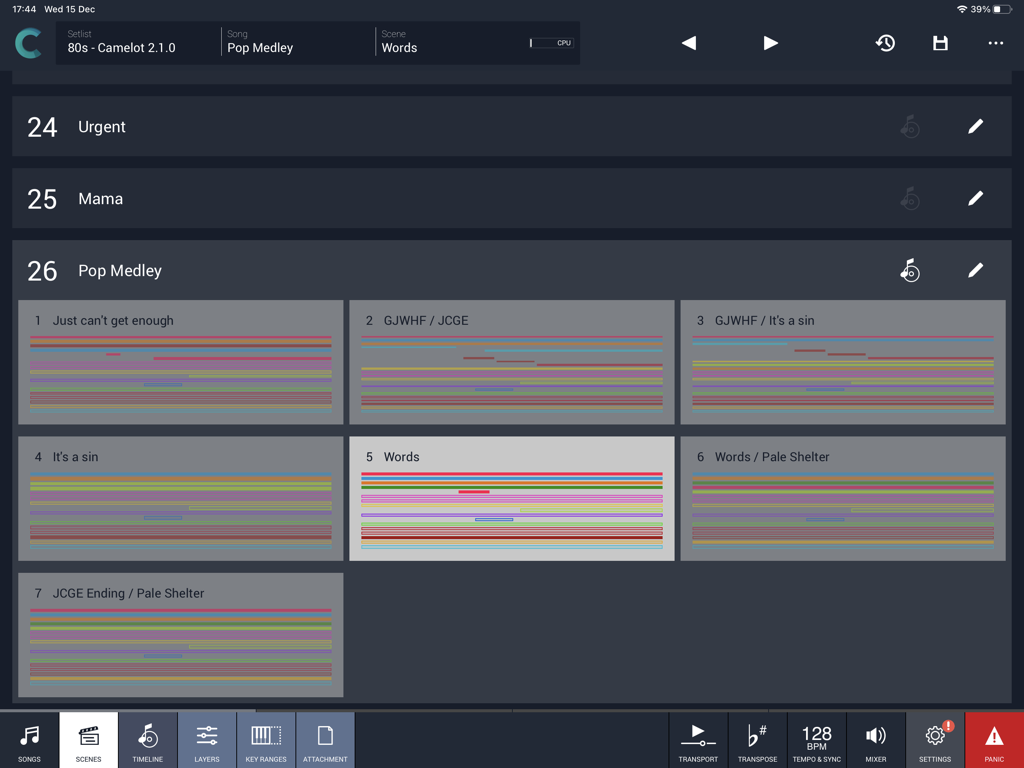
Camelot Pro - Camelot Pro iPadアプリのインターフェイス。ポップメドレーのセットリストのシーンビューを表示。
Camelot Pro iPadアプリのインターフェイス。ポップメドレーのセットリストのシーンビューを表示。

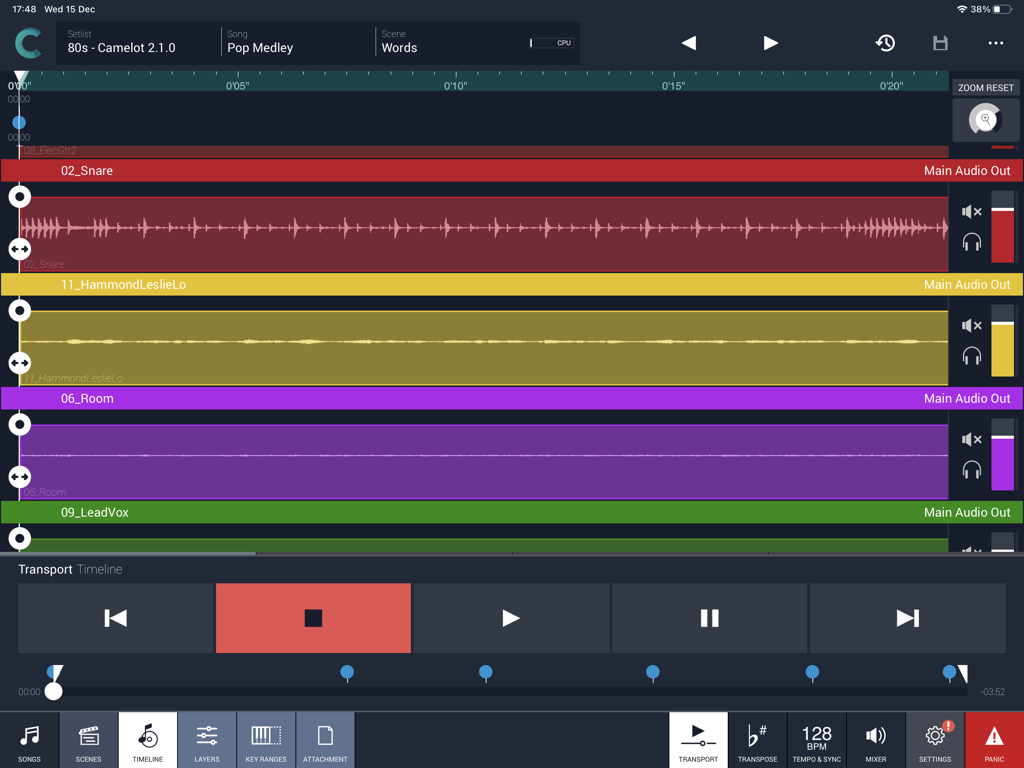
Camelot Pro - ライブ音楽パフォーマンス用のiPad上のCamelot Proマルチトラックオーディオタイムラインビュー。
ライブ音楽パフォーマンス用のiPad上のCamelot Proマルチトラックオーディオタイムラインビュー。

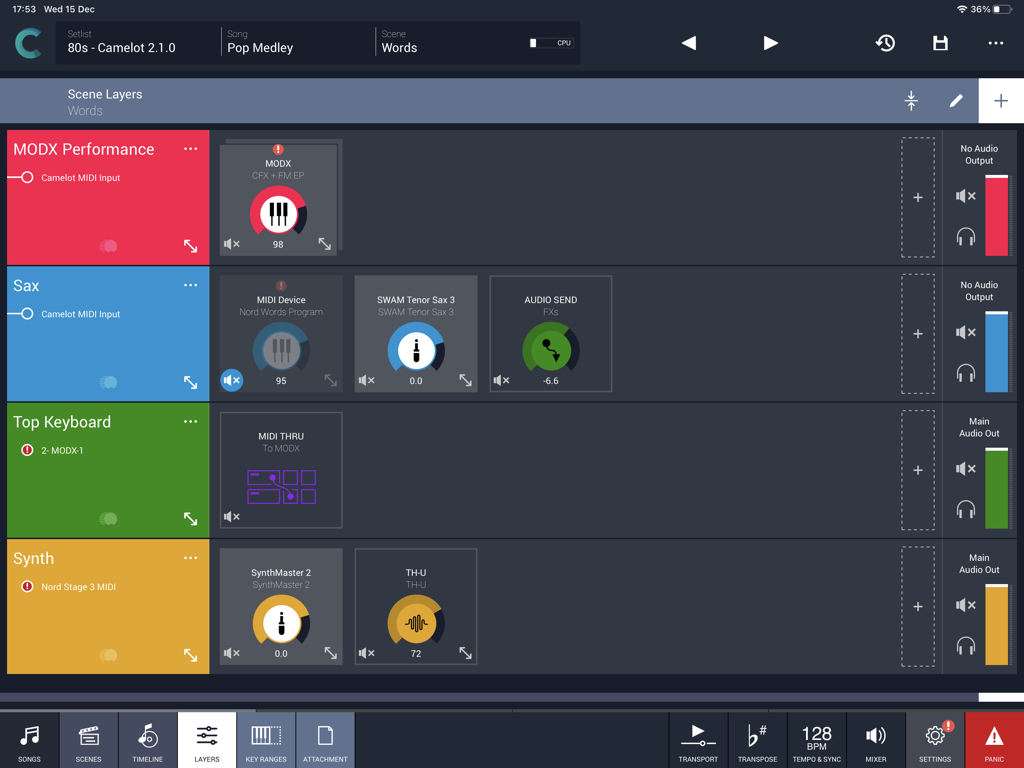
Camelot Pro - ライブ音楽パフォーマンスのシーンレイヤーを表示するCamelot Proアプリのインターフェイス。
ライブ音楽パフォーマンスのシーンレイヤーを表示するCamelot Proアプリのインターフェイス。

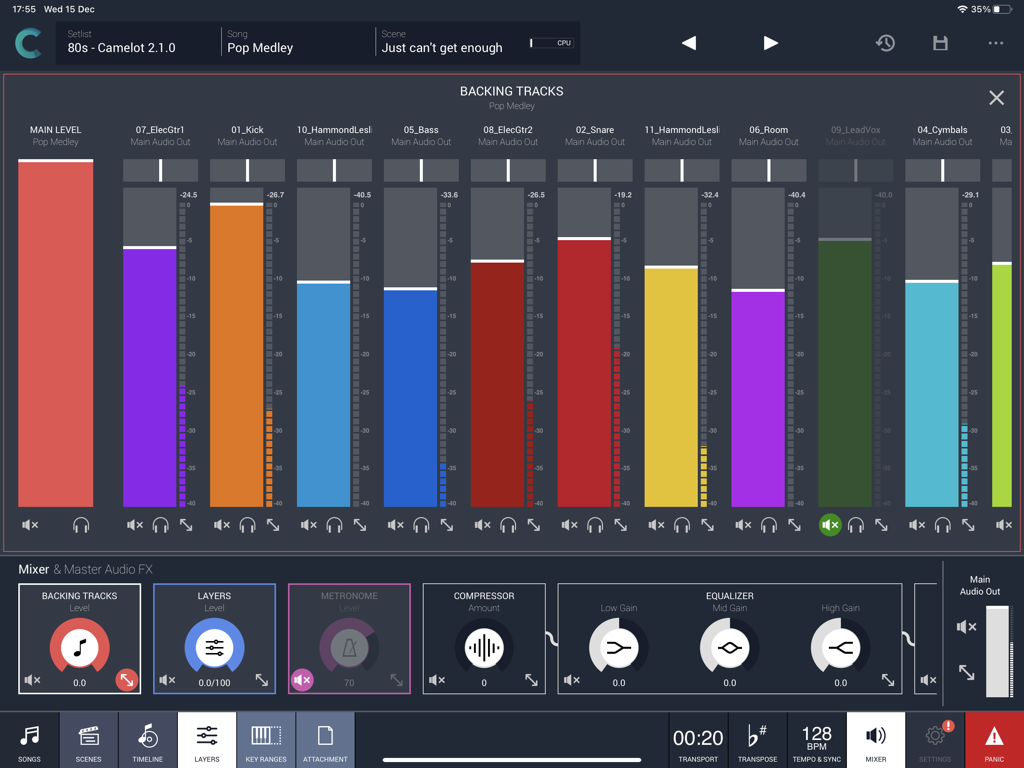
Camelot Pro - ライブパフォーマンスのバッキングトラック用のマルチトラックオーディオミキサーを表示するCamelot Proアプリのインターフェイス。

ライブパフォーマンスのバッキングトラック用のマルチトラックオーディオミキサーを表示するCamelot Proアプリのインターフェイス。
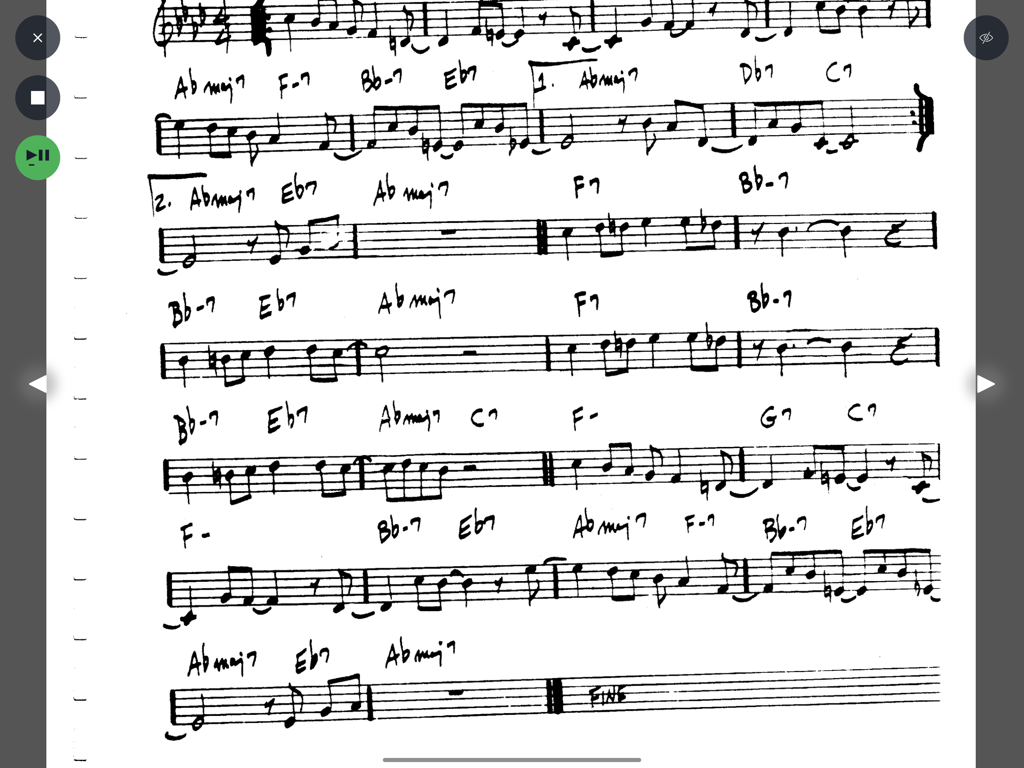
Camelot Pro - Camelot Proスコアリーダーインターフェイスに表示された、コードとノート付きの手書き楽譜。
Camelot Proスコアリーダーインターフェイスに表示された、コードとノート付きの手書き楽譜。

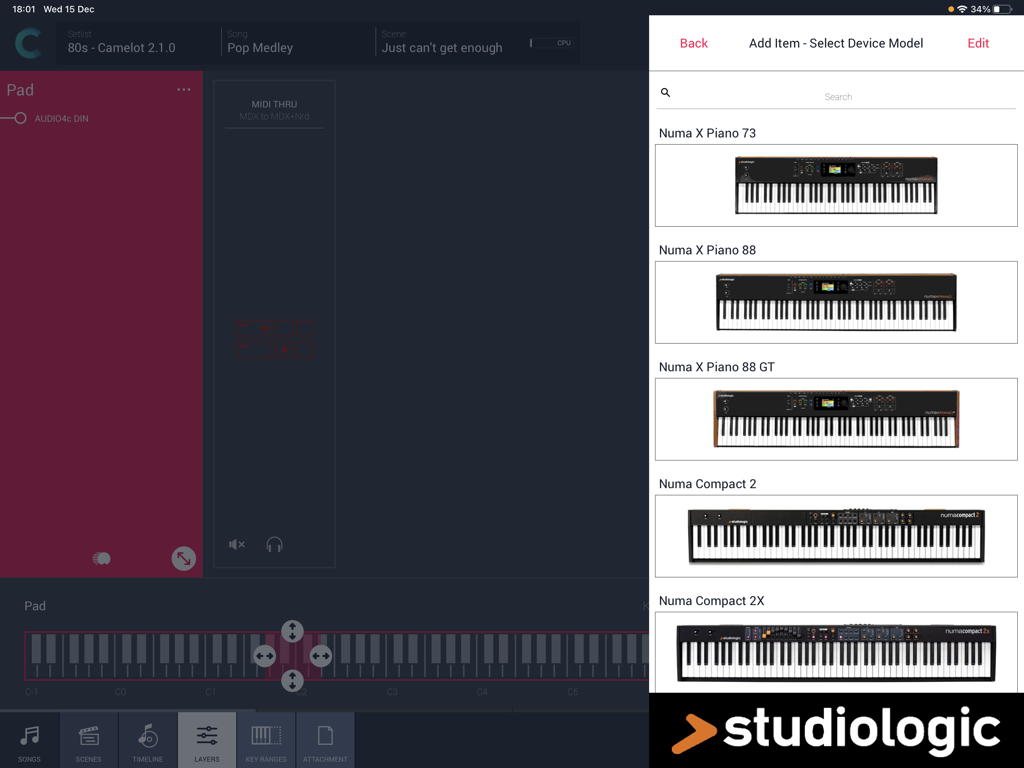
Camelot Pro - Camelot Pro iPadアプリのハードウェアセットアップメニューでStudiologicデジタルピアノモデルを選択。
Camelot Pro iPadアプリのハードウェアセットアップメニューでStudiologicデジタルピアノモデルを選択。

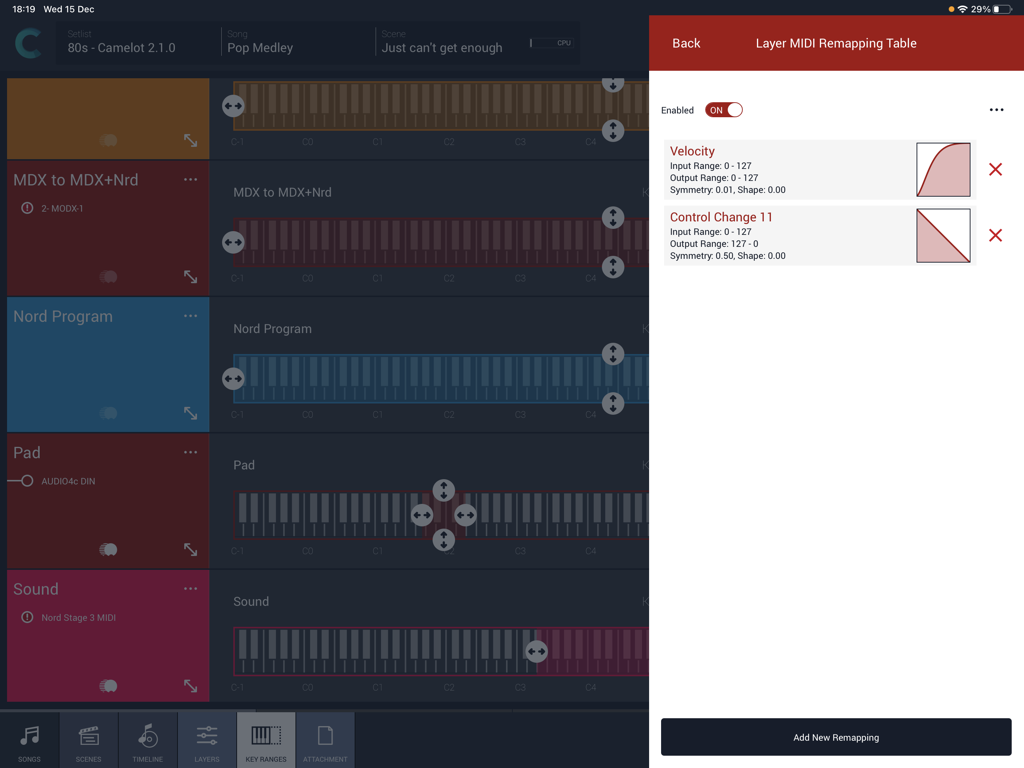
Camelot Pro - Camelot Proアプリのインターフェイス。キーボードレイヤー範囲を持つMIDIベロシティおよびコントロールチェンジアマッピングカーブを表示。
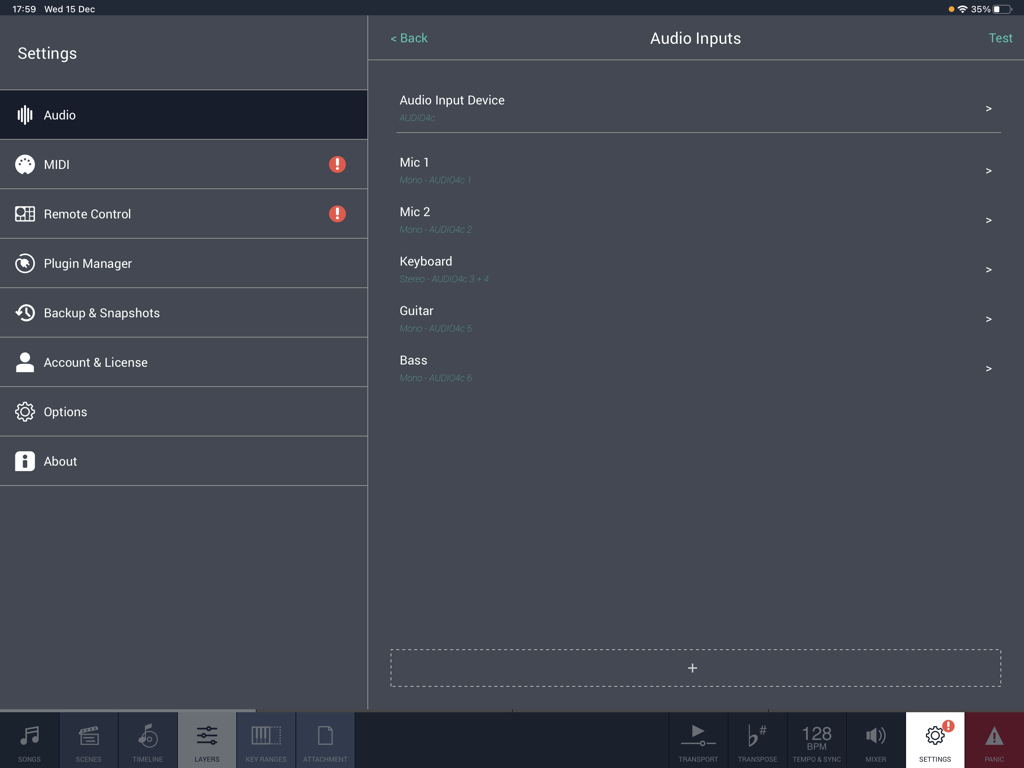
Camelot Proアプリのインターフェイス。キーボードレイヤー範囲を持つMIDIベロシティおよびコントロールチェンジアマッピングカーブを表示。

Camelot Pro - iPad用Camelot Proアプリのオーディオ入力設定画面。マイク、キーボード、ギター、ベースの設定を表示。
iPad用Camelot Proアプリのオーディオ入力設定画面。マイク、キーボード、ギター、ベースの設定を表示。

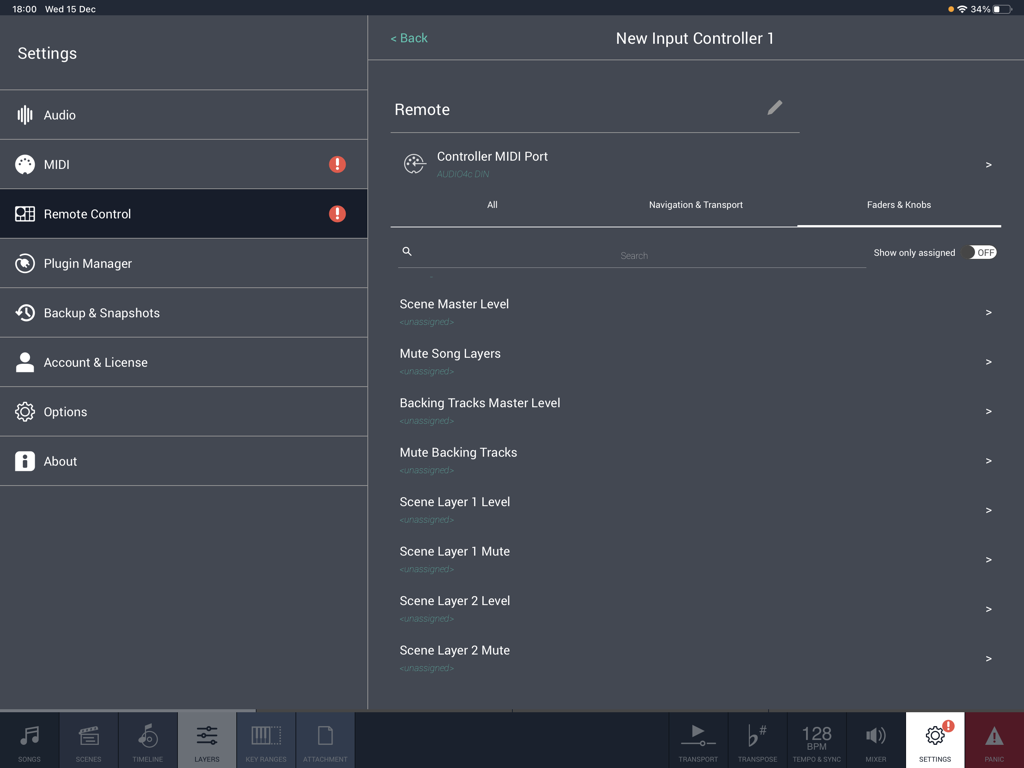
Camelot Pro - MIDIフェーダーとノブのマッピング用のリモートコントロール設定を表示するCamelot Proアプリのインターフェイス。

MIDIフェーダーとノブのマッピング用のリモートコントロール設定を表示するCamelot Proアプリのインターフェイス。

説明

Camelot is an application created to address the most complex live performance needs with a simple and guided workflow. It combines in one app, a convenient and beautifully designed digital performance workstation that in the past could only be achieved with a complex setup made of connecting different applications and devices together. Camelot is a Setlist Manager, a Software Instrument & FX Host, a PDF Music Score reader, a Multitrack Audio Player, and the most advanced Audio/MIDI Patchbay and Router. All in one piece of software: ● Hardware Instrument presets: select your instrument Smart Map and go! With no MIDI knowledge! ● Software instruments and effects (AUv3) Play with your favorite software sounds & FX (Auv3 format) and enjoy switching from one scene to another WITHOUT SOUND INTERRUPTION! ● MIDI keyboards and MPE controllers: connect any MIDI controller directly or with a USB hub; ● Advanced MIDI routing: duplicate, filter, and route any MIDI messages with ease; ● Powerful MIDI Transformers: Message Transformers convert CC messages from one number to another. Trigger a chord by pressing one note Remap/rescale any CC or velocity curve. Easily play different scales or harmonize/shift parts; ● MIDI and Bluetooth remote controls: Remote scene switching, start/stop buttons, or assign track levels to external pedals, faders, or controllers; ● Smart Scene Switching: It’s a unique feature on iOS!!! There is no AUv3 host capable of switching sound with NO AUDIO INTERRUPTION and clever MIDI messages management, that does not truncate MIDI instances & routing. Stop using production tools for live performances! ● Tempo Sync with MIDI Clock and Ableton Link, with dedicated output for metronome (click) ● Lyrics and Chords attachments with custom annotations: each Scene recalls PDF or images that you can visualize during the performance. The attached file can be saved at the desired zoom level and scroll position. Stop using paper chord, lyrics, or music score books! ● Audio backing tracks, Timeline & Automations: attach Audio Tracks, add auto-play and auto-stop markers, and even add Scene automation. You can have multiple audio tracks with separate audio outputs and, at the same time, use the Timeline to automate Scene switches at specific points in the sequence; ● Audio Inputs and Routing: Manage any audio input source: mic, guitar, bass, or hardware synth. Add effects to any internal or external audio source in Camelot. Endless audio routing options with dedicated audio send connectors; ● Manage your Performance with ease: Forget about the complications of last-minute Setlist changes. Rearrange, move and duplicate Songs with simple Drag & Drop directly on each Setlist. How Camelot is organized: ● Setlists - a collection of Songs ● Songs - can have one or more Scenes that each include a Timeline. When you select a Song in Camelot, you load all the resources needed to play that Song (i.e., Virtual Instruments, FX, and Audio Tracks). ● Scenes - recall and organize Hardware instruments presets, MIDI connections, Software plugin presets, and Music Score Attachments. You can switch freely from one Scene to another with no interruption in the sound. ● Layers - the building blocks of each Scene. Layers allow the connection between MIDI Input Controllers and the Items. Layers manage the MIDI and Audio flow for all the Items that are loaded on them. ● Items - Individual Hardware or Software Instruments and FX.

Download

ダウンロード: App Store

このページはアプリまたはその開発者の公式ページではなく、情報提供および論評を目的として作成された独立した編集出版物です。明示的に別段の記載がない限り、アプリおよびその開発者は、MWM、Apple、Google Play、アプリのパブリッシャー、またはアプリの開発者と提携、承認、後援、認可、またはその他の公式的な関係はなく、このページのいかなる内容も、アプリがMWMのサービスを使用して開発されたことを意味するものではありません。すべての商標、ロゴ、スクリーンショット、その他のコンテンツはそれぞれの所有者の財産です。