C++ Compiler

C++ Compiler

ダウンロード: App Store
ロゴ: C++ Compiler

C++ コンパイラ:どこでもコーディングできる究極のモバイルIDE

デバイスを強力な開発者ワークステーションに変えましょう。教科書から即座にコードをスキャンし、特別なコーディングレイアウトでより速く入力し、複雑なPCセットアップなしで移動中にC++をマスターしましょう。

ダウンロード: App Store

開発元

Hrishi Suthar

カテゴリ

Education

ダウンロード

147K+

ユーザー評価

1.9/5

評価数

0

対応言語

1

コードの実践

このインターフェースを利用する 147K+ 人のユーザー.

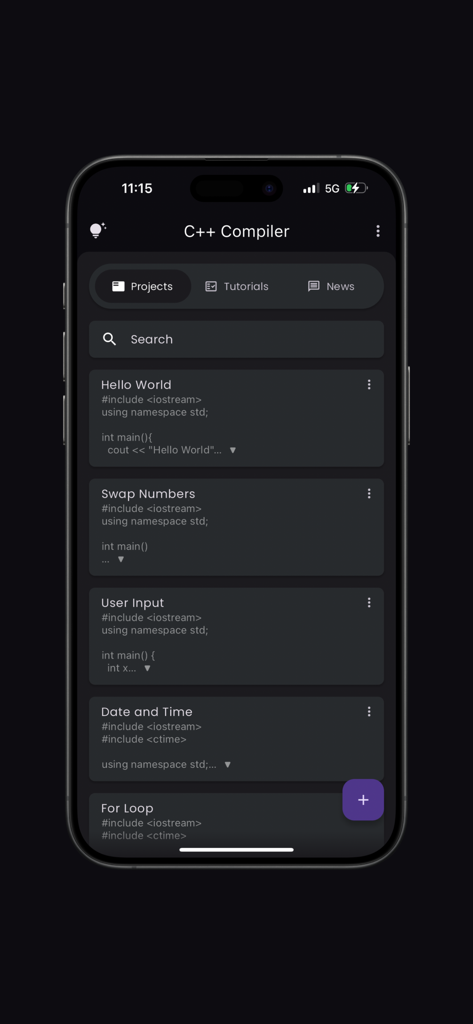
C++コンパイラアプリのダッシュボードに、モバイル画面上のさまざまなコーディングプロジェクトが表示されています
C++コンパイラアプリのダッシュボードに、モバイル画面上のさまざまなコーディングプロジェクトが表示されています

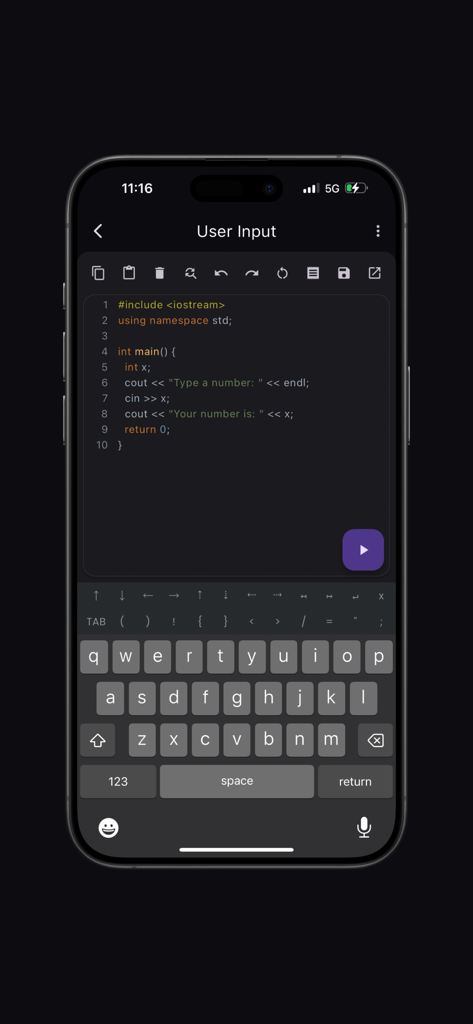
シンタックスハイライトとカスタムコーディングキーボードを備えたモバイルC++コードエディタ
シンタックスハイライトとカスタムコーディングキーボードを備えたモバイルC++コードエディタ

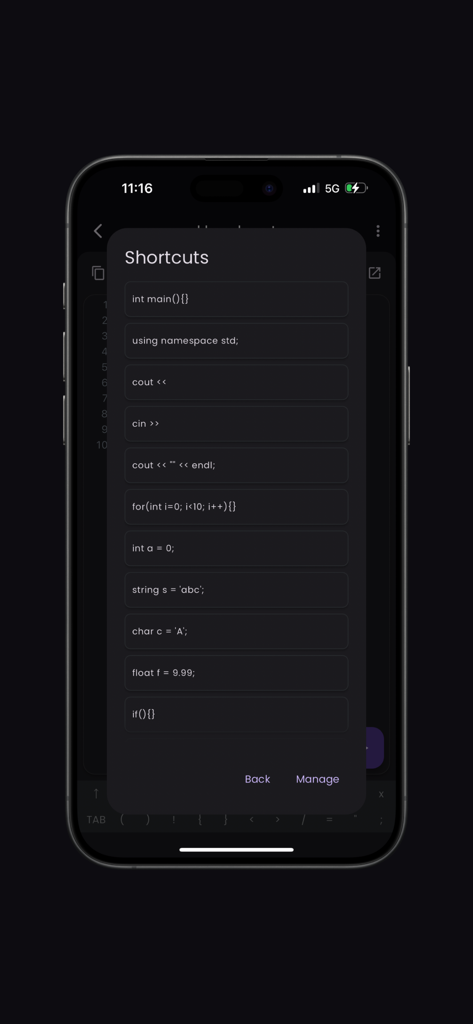
一般的なコードスニペットショートカットを表示するC++コンパイラアプリのモバイルインターフェイス
一般的なコードスニペットショートカットを表示するC++コンパイラアプリのモバイルインターフェイス

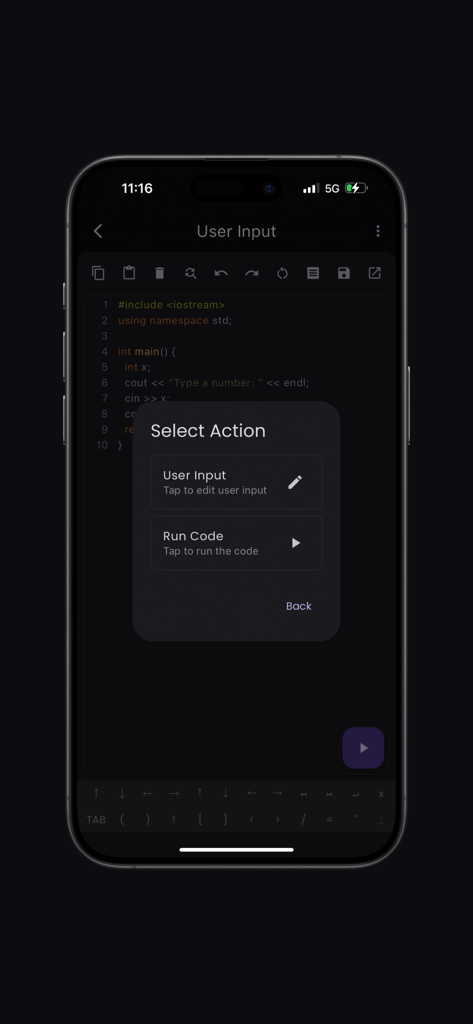
コードエディタと、コードを実行したりユーザー入力を編集したりするための選択アクションメニューを表示するC++コンパイラアプリのインターフェイス
コードエディタと、コードを実行したりユーザー入力を編集したりするための選択アクションメニューを表示するC++コンパイラアプリのインターフェイス

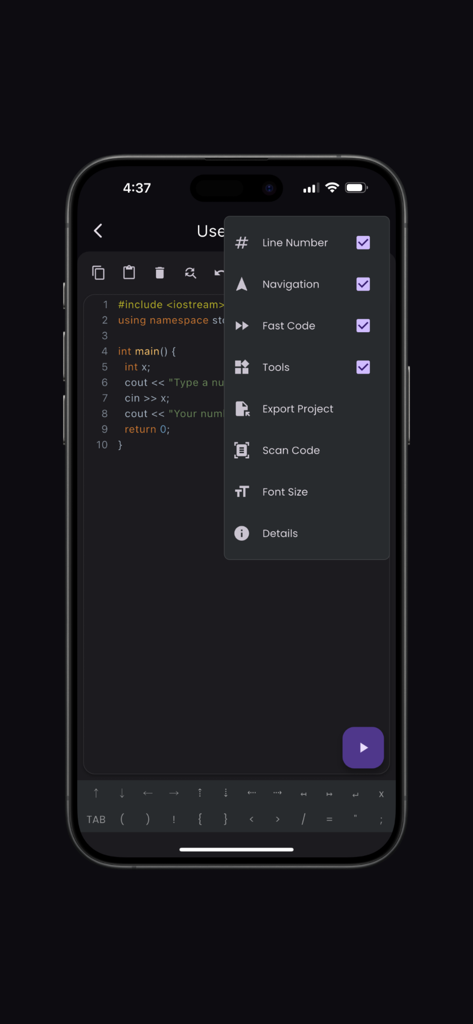
スマートフォン画面に、Scan CodeやFast Codeなどの設定メニューが開いたC++コードエディタが表示されています
スマートフォン画面に、Scan CodeやFast Codeなどの設定メニューが開いたC++コードエディタが表示されています

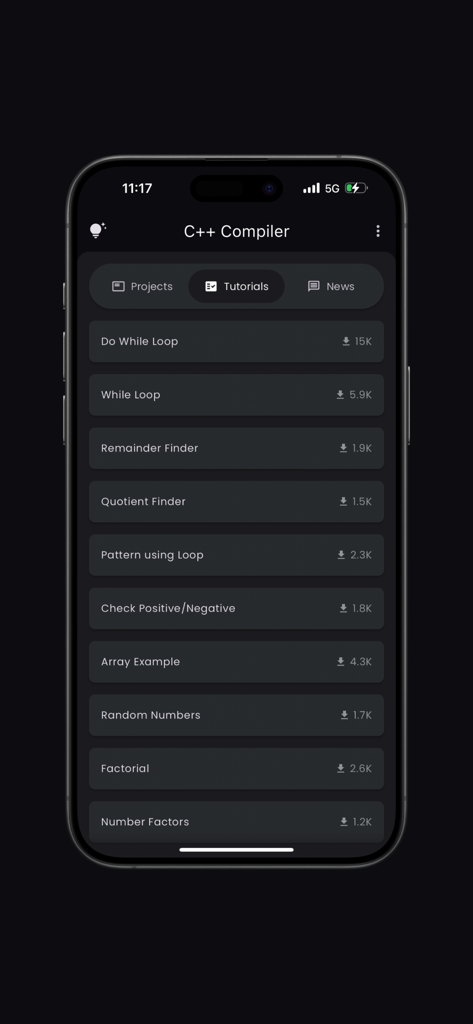
ループやロジックの例を含む、C++コンパイラアプリのコーディングチュートリアルのリスト
ループやロジックの例を含む、C++コンパイラアプリのコーディングチュートリアルのリスト

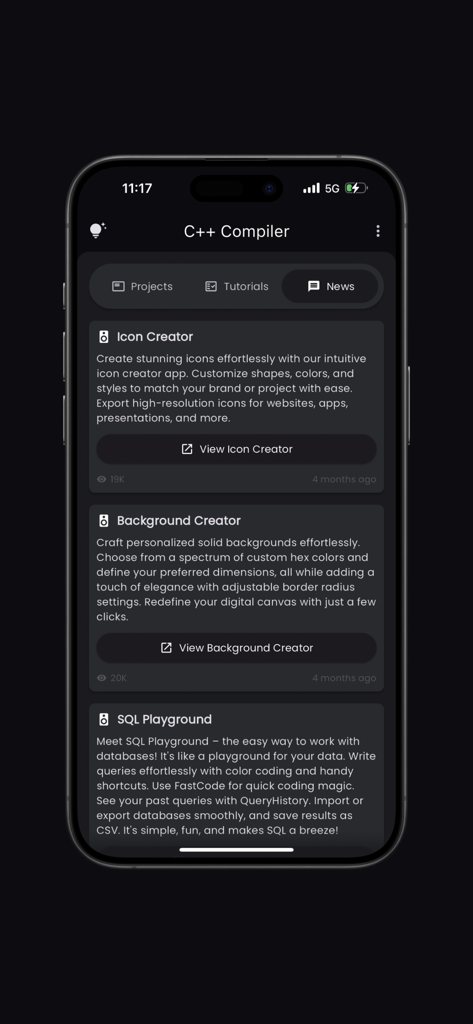
SQL PlaygroundやIcon Creatorなどの開発ツールを取り上げたC++コンパイラアプリのニュースタブのスクリーンショット

SQL PlaygroundやIcon Creatorなどの開発ツールを取り上げたC++コンパイラアプリのニュースタブのスクリーンショット

移動中にC++をマスター

このアプリを際立たせるツール、 147K+ 人のユーザーが選択.

📸

コードを即座にスキャン

教科書や講義スライドのコードを写真に撮って、すぐに実行しましょう。面倒な再入力をスキップして、すぐに実験を始めましょう。

⌨️

カスタムコーディングキーボード

セミコロンやブラケットを探すのはやめましょう。高速レイアウトは、必須の記号とナビゲーションツールを指先で利用できるようにし、スムーズなモバイルコーディングを実現します。

🚀

ゼロコンフィギュレーションコンパイラ

インストールする複雑な環境はありません。ワンタップでロジックをコンパイルおよびデバッグできるため、宿題やラボの準備に最適なコンパニオンです。

レビュー分析

ユーザーレビューの分析.

感情スコア

31%
ネガティブ

概要

This mobile app garners largely negative reviews, primarily due to an overwhelming number of intrusive advertisements that frequently interrupt the user experience, often appearing after every code execution. Users also report significant stability issues, including frequent app crashes and incompatibility with certain devices, alongside critical bugs related to input handling (e.g., "cin", "scanf") and unreliable file saving. While some users praise its core functionality as a compiler and editor, suitable for basic code testing and offering modern C++ features, the lack of offline support and missing features like file import severely detract from its utility. Overall, the app struggles with fundamental usability and stability, leading to a generally frustrating experience.

主なテーマ

Excessive Ads(23)
Core Compiler Functionality(10)
Input/Compilation Bugs(6)
App Stability(5)
Offline Availability(4)
Missing Features(4)
File Saving Issues(3)

アプリについて

について知っておくべきこと C++ Compiler.

説明

Welcome to the ultimate C++ Compiler app, designed to provide an intuitive and powerful coding experience. The app is equipped with features that cater to both beginners and seasoned developers, ensuring a seamless coding journey. Key Features: Syntax Highlighting: Enjoy a vibrant and readable code editor with color-coded syntax highlighting, making it easy to distinguish between different parts of your code. Fast Code Layout: Our fast code layout includes frequently used symbols, allowing you to code more efficiently and with fewer keystrokes. Tools Layout: Access essential shortcuts such as copy, paste, undo, redo, share, and more, all from a convenient tools layout. Customize your own shortcuts to match your workflow and enhance productivity. Navigation Layout: Move your cursor effortlessly with our navigation layout, designed to make code navigation smooth and intuitive. Scan Code Feature: Quickly scan and import code snippets using your device's camera. Perfect for grabbing code from textbooks, whiteboards, or printed documents. Tutorials and News Section: Stay updated with the latest in Python development through our integrated tutorials and news section. Learn new techniques, best practices, and keep up with industry trends. Bookmarks and Project Management: Easily bookmark important code snippets and projects for quick access. Manage your projects efficiently with our built-in project organization tools. Elevate your coding experience with the C++ Compiler app, where every feature is crafted to support your development needs. Whether you're writing your first line of code or debugging complex projects, the app is your perfect coding companion. Developed by Anvaysoft Programmer- Hrishi Suthar Made with love in India

最新バージョン

2.0.3

サイズ

68.7 MB

リリース日

2023年4月12日

プロのようにコーディングする準備はできましたか?

ラボの時間を待つのはやめましょう。究極のC++コンパイラをダウンロードして、ポケットからすぐにビルド、スキャン、学習を開始しましょう。

ダウンロード: App Store

App information, icons, screenshots, and descriptions displayed on this page are sourced from the Apple App Store and are the property of their respective developers. Download estimates and rankings are based on MWM's proprietary models and may not reflect actual figures. This page is provided for informational and analytical purposes only.

Believe this page infringes your intellectual property? File a dispute