Calculator SAFE – Protect Private Photo & Documents
ダウンロード: App Store

このページはアプリまたはその開発者の公式ページではなく、情報提供および論評を目的として作成された独立した編集出版物です。明示的に別段の記載がない限り、アプリおよびその開発者は、MWM、Apple、Google Play、アプリのパブリッシャー、またはアプリの開発者と提携、承認、後援、認可、またはその他の公式的な関係はなく、このページのいかなる内容も、アプリがMWMのサービスを使用して開発されたことを意味するものではありません。すべての商標、ロゴ、スクリーンショット、その他のコンテンツはそれぞれの所有者の財産です。

ロゴ: Calculator SAFE – Protect Private Photo & Documents
ダウンロード: App Store

Calculator SAFE – Protect Private Photo & Documents

恥ずかしい思いや、プライベートな生活を他人に知られるのをやめましょう。誰も疑わない、見えない金庫に機密性の高い写真やドキュメントを安全に保管しましょう。

主要数値

ダウンロード

22K+

ユーザー評価

1.8/5

評価数

100

開発元

Pick Technology Limited

カテゴリ

Productivity

対応言語

1

最新バージョン

1.3.0

サイズ

-

リリース日

2010年11月23日
機能

さりげなく隠れるプライバシー

完全に機能する電卓インターフェースの背後に、最も機密性の高いメディアやドキュメントを安全に保管しましょう。あなたのプライベート金庫の存在を誰も疑うことはありません。

ステルス電卓クローク

完璧なカバーとして機能する、完全に機能する数学ツールです。ホーム画面で目立たないように配置され、友人や家族からの不必要な好奇心を防ぎます。

安全なシェイク・トゥ・アンロック

シンプルなPINコードを超えましょう。秘密のコードと物理的なデバイスのシェイクを組み合わせて隠しファイルを表示し、究極のデジタル境界を確保します。

以下のスクリーンショットと説明は、アプリの公式ストアリスティングから直接取得されたものであり、アプリ開発者の所有物です。

アプリストア

スクリーンショット
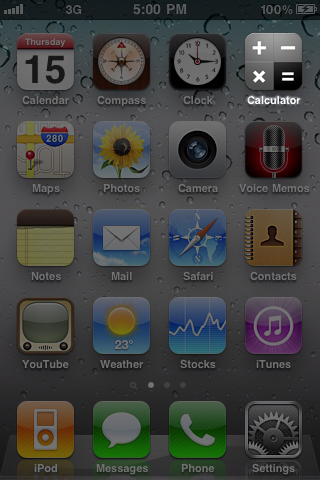
Calculator SAFE – Protect Private Photo & Documents - 秘密の金庫の偽装としてiPhoneのホーム画面に表示されるCalculator SAFEアプリのアイコン
秘密の金庫の偽装としてiPhoneのホーム画面に表示されるCalculator SAFEアプリのアイコン

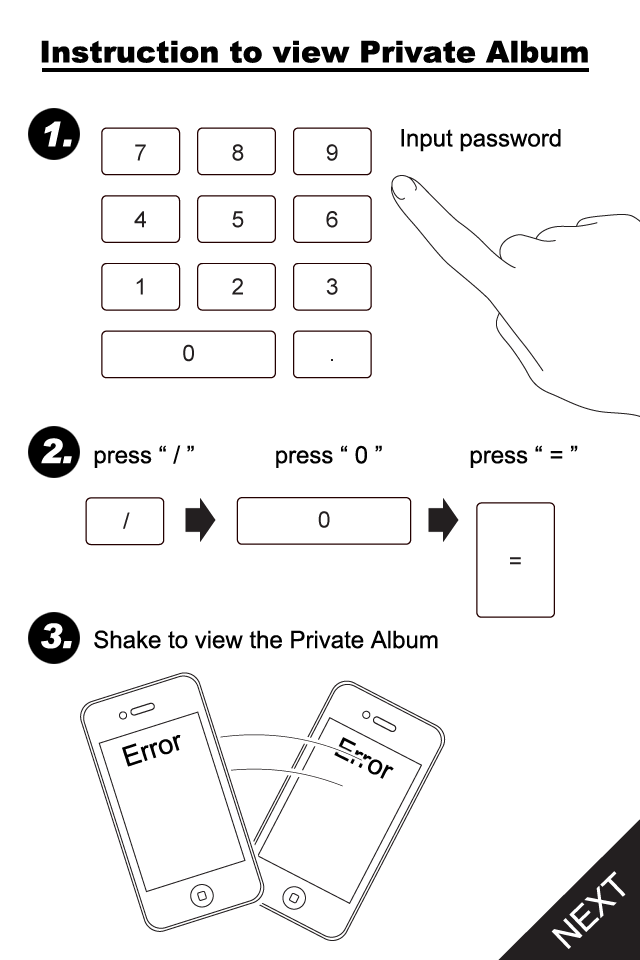
Calculator SAFE – Protect Private Photo & Documents - パスコード入力とデバイスのシェイクを含む、Calculator SAFEのプライベートアルバムへのアクセス手順
パスコード入力とデバイスのシェイクを含む、Calculator SAFEのプライベートアルバムへのアクセス手順

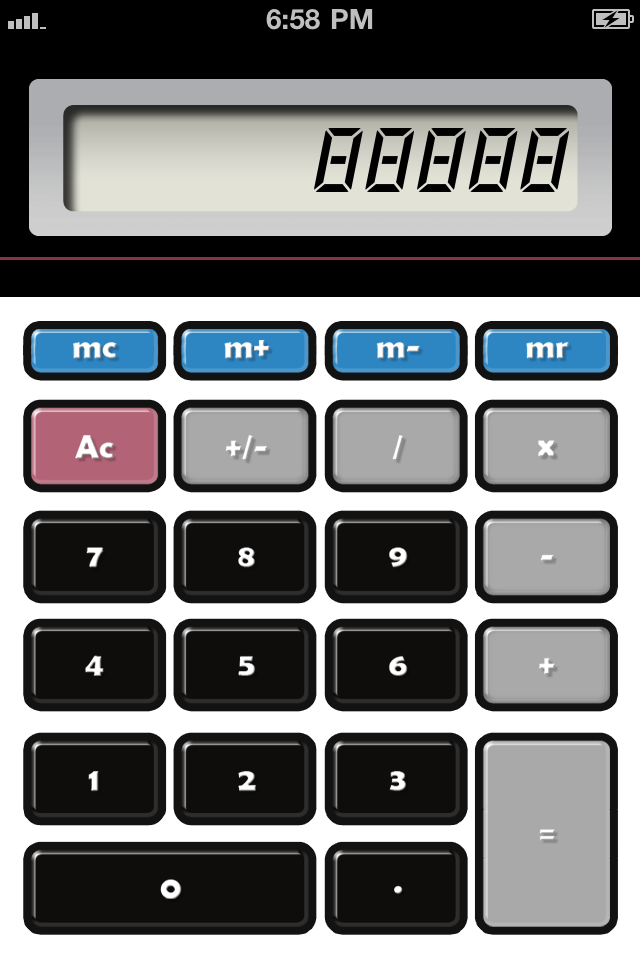
Calculator SAFE – Protect Private Photo & Documents - プライベートな写真やドキュメントの秘密の金庫として使用される標準的な電卓インターフェース
プライベートな写真やドキュメントの秘密の金庫として使用される標準的な電卓インターフェース

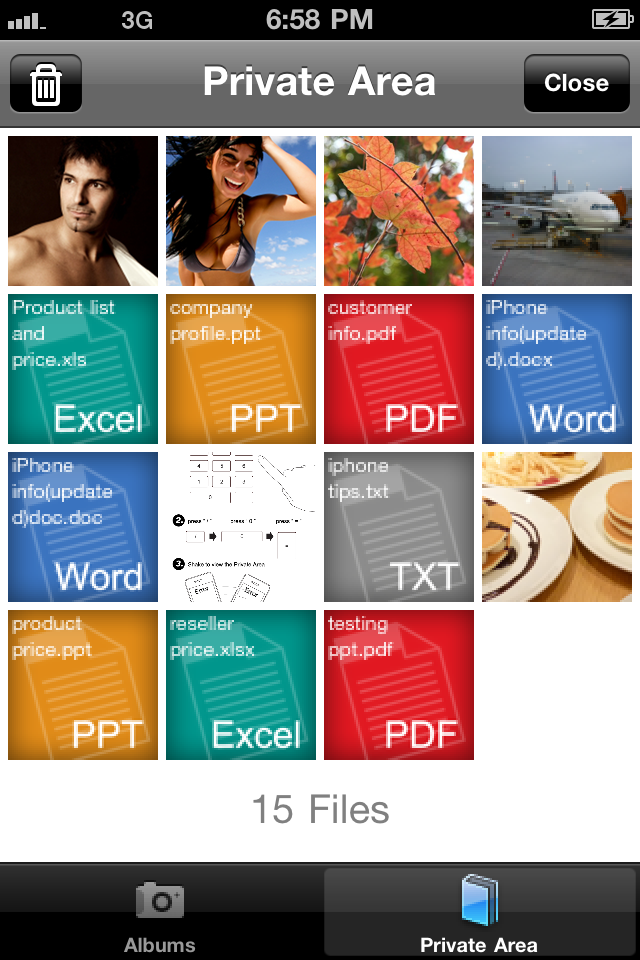
Calculator SAFE – Protect Private Photo & Documents - Calculator SAFE内の隠し写真とドキュメントを表示するプライベートエリアグリッド
Calculator SAFE内の隠し写真とドキュメントを表示するプライベートエリアグリッド

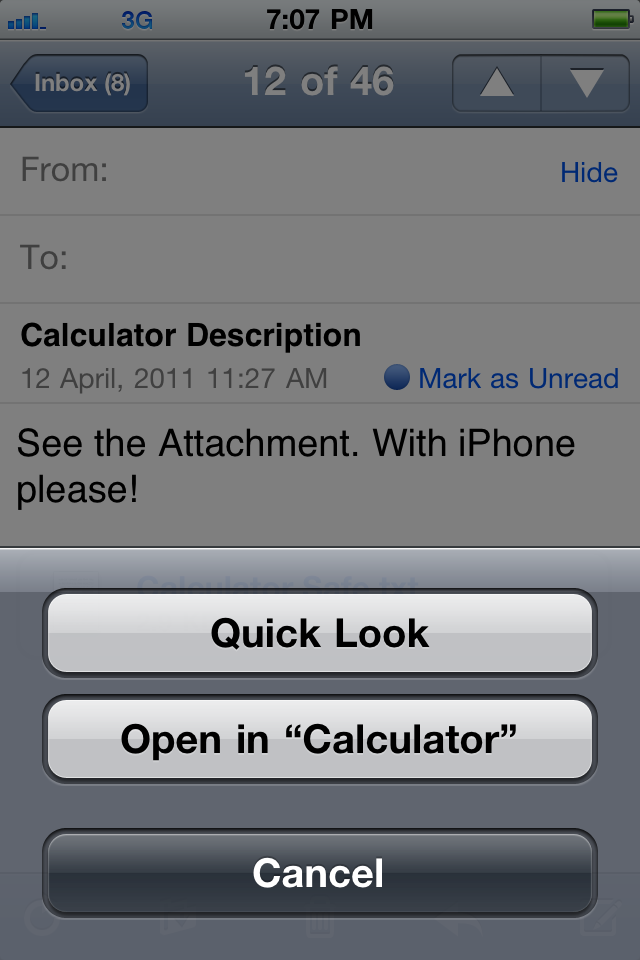
Calculator SAFE – Protect Private Photo & Documents - Calculator SAFEで添付ファイルを開くオプションを示すiOSメールインターフェース

Calculator SAFEで添付ファイルを開くオプションを示すiOSメールインターフェース

説明

iPhone is a popular toy to your friends and even your lover. They love to play with it and may view the contents. But everyone always want to keep some of their info "low profile". Stop embarrassment now! Calculator SAFE is the best app you need. - Hide your private photos, documents and other files. - An ordinary icon. No one would get noticed with it. - It acts like a normal calculator. You can really do simple Math with it. - Enter your password and shake to reveal the secret SAFE. - Directly move your photos from Camera Roll to the SAFE. No computer operations. - Secretly open files from email attachments or website downloads. - Sync with iTunes. Drag & drop files to put and get from the SAFE. - Built-in HD photo viewer. Enjoy all your eye-candies in the original taste. - Full standard document viewer support. Read PDF, DOC, XLS, PPT and a lot more without getting out the app. # IMPORTANT ADVICE # Your files can be easily reviewed through iTunes backup process while connected to a computer. Please do the followings to strictly ensure your privacy. - Setup a password to encrypt your iTunes backup files. - Setup a device lock password in your iPhone to avoid others syncing it without your proper permission. # INSTRUCTIONS # Follow the steps to reveal the private SAFE. - Enter your magic number as password 1. Press "/" 2. Press "0" 3. Press "=" - Screen displays "ERROR" - Shake your device # FIRST RUN INSTRUCTIONS # When you first run the app, do the followings to make sure the app works properly. - When Popup window asks ["Calculator" Would like to Use Your Current Location - This allows access to location information in photos and videos] >> You must select "OK" to allow the app to access your Camera Roll. - If you've accidentally selected "Don't Allow" in the previous step, or no popup at all, you may fix it by: - Quit the Calculator - Go to Settings ‚Üí General > Location Service. Make sure the setting is "ON" - Check the item "Calculator" in the menu below. Make the setting to be "ON" - Start Calculator again

Download

ダウンロード: App Store

このページはアプリまたはその開発者の公式ページではなく、情報提供および論評を目的として作成された独立した編集出版物です。明示的に別段の記載がない限り、アプリおよびその開発者は、MWM、Apple、Google Play、アプリのパブリッシャー、またはアプリの開発者と提携、承認、後援、認可、またはその他の公式的な関係はなく、このページのいかなる内容も、アプリがMWMのサービスを使用して開発されたことを意味するものではありません。すべての商標、ロゴ、スクリーンショット、その他のコンテンツはそれぞれの所有者の財産です。








