CameraPixels PRO
CameraPixels PRO
ダウンロード: App Store

このページはアプリまたはその開発者の公式ページではなく、情報提供および論評を目的として作成された独立した編集出版物です。明示的に別段の記載がない限り、アプリおよびその開発者は、MWM、Apple、Google Play、アプリのパブリッシャー、またはアプリの開発者と提携、承認、後援、認可、またはその他の公式的な関係はなく、このページのいかなる内容も、アプリがMWMのサービスを使用して開発されたことを意味するものではありません。すべての商標、ロゴ、スクリーンショット、その他のコンテンツはそれぞれの所有者の財産です。


ロゴ: CameraPixels PRO
ダウンロード: App Store

CameraPixels PRO

AI任せは卒業し、クリエイティブな主導権を取り戻しましょう。高度なProRAW撮影、15枚の露出ブラケット、エキスパートが愛用する精密ツールで、iPhoneの真の可能性を解き放ちます。

主要数値

ダウンロード

120K+

ユーザー評価

4.4/5

評価数

400

開発元

Natalya Petrenko

カテゴリ

Photo & Video

対応言語

11

最新バージョン

2025.2.2

サイズ

7.5 MB

リリース日

2016年9月11日
機能

モバイル・ビジョナリーのためのプロフェッショナルな精度

iOSで利用可能な最も高度なマニュアル操作、科学グレードのブラケット、RAW出力機能により、あなたのiPhoneをハイエンドなクリエイティブエンジンへと変貌させます。

完全なマニュアル制御

ISOおよびシャッター優先モード、リアルタイムのクリッピング警告、ライブヒストグラムにより、推測に頼ることなく完璧な露出で各フレームをマスター。

強力なブラケット機能

プロフェッショナルなHDR用に最大15枚、またはマクロスタッキング用に100のフォーカスポイントを撮影。高度なポストプロセッシングに必要な高忠実度データを提供します。

以下のスクリーンショットと説明は、アプリの公式ストアリスティングから直接取得されたものであり、アプリ開発者の所有物です。

アプリストア

スクリーンショット
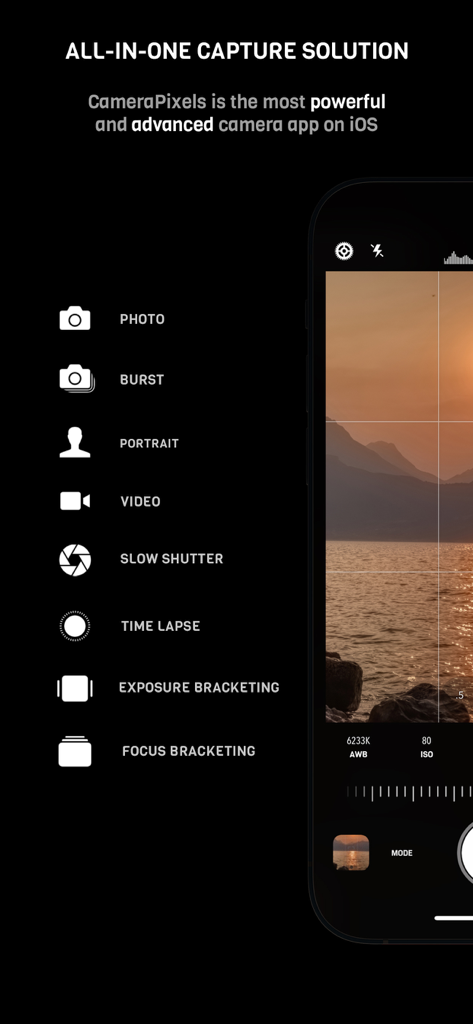
CameraPixels PRO - フォーカスや露出ブラケットなどのマニュアルカメラモードを表示するCameraPixels PROのインターフェース
フォーカスや露出ブラケットなどのマニュアルカメラモードを表示するCameraPixels PROのインターフェース

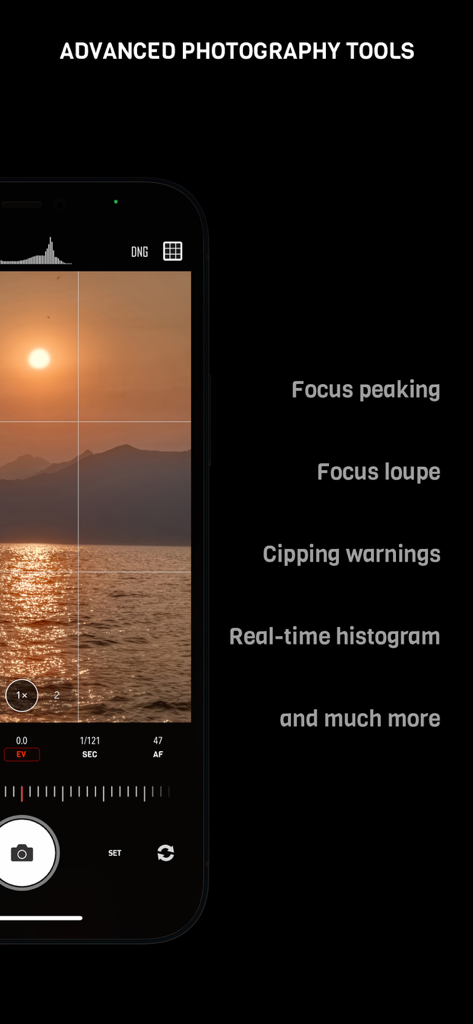
CameraPixels PRO - フォーカスピーキングとリアルタイムヒストグラムを備えたCameraPixels PROのマニュアルカメラインターフェース
フォーカスピーキングとリアルタイムヒストグラムを備えたCameraPixels PROのマニュアルカメラインターフェース

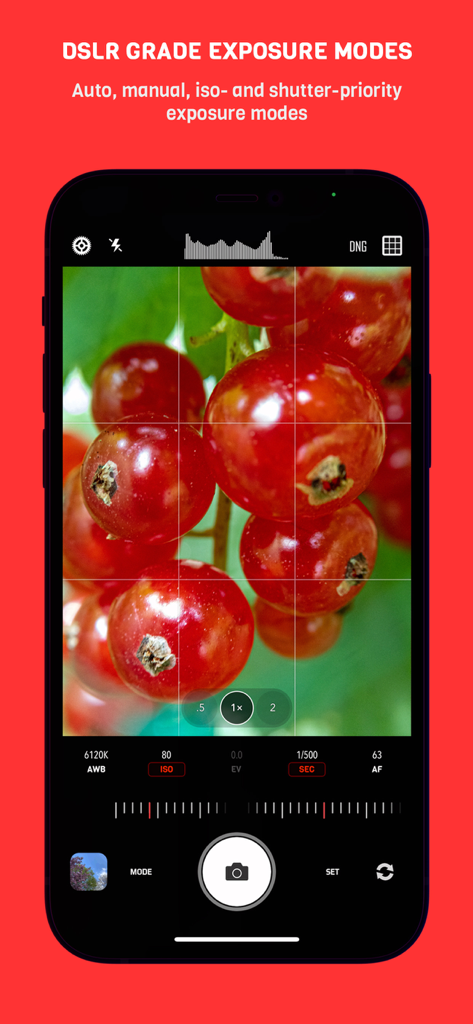
CameraPixels PRO - 赤いベリーのマクロ写真とともに、一眼レフ級のマニュアル露出モードを表示するCameraPixels PROアプリのインターフェース
赤いベリーのマクロ写真とともに、一眼レフ級のマニュアル露出モードを表示するCameraPixels PROアプリのインターフェース

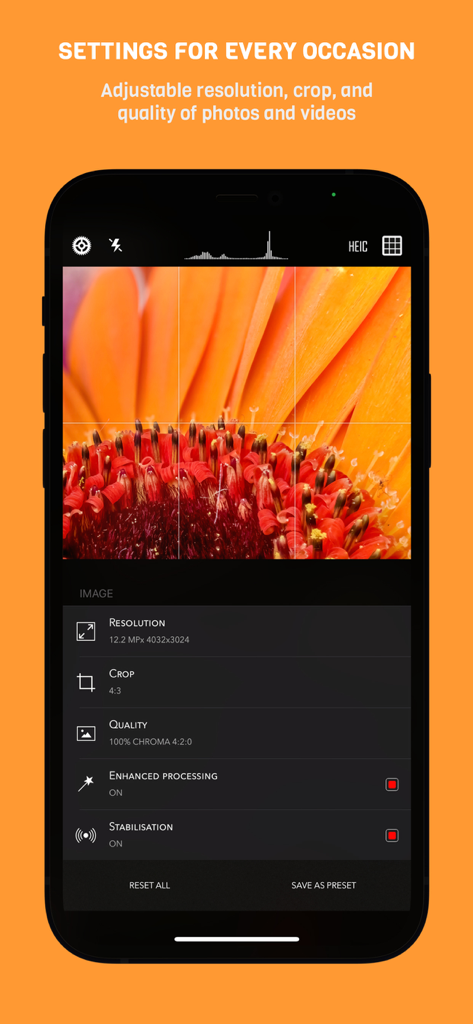
CameraPixels PRO - 花のマクロ写真の上に、解像度、クロップ、品質などのマニュアル撮影設定を表示するiPhone上のCameraPixels PROアプリインターフェース
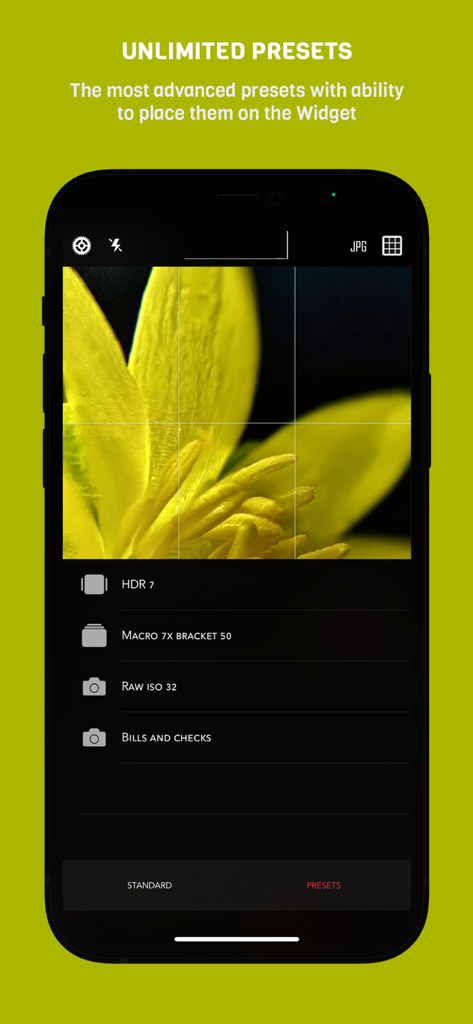
花のマクロ写真の上に、解像度、クロップ、品質などのマニュアル撮影設定を表示するiPhone上のCameraPixels PROアプリインターフェース

CameraPixels PRO - マクロやHDR用のカスタム撮影プリセットを表示するCameraPixels PROアプリのインターフェース
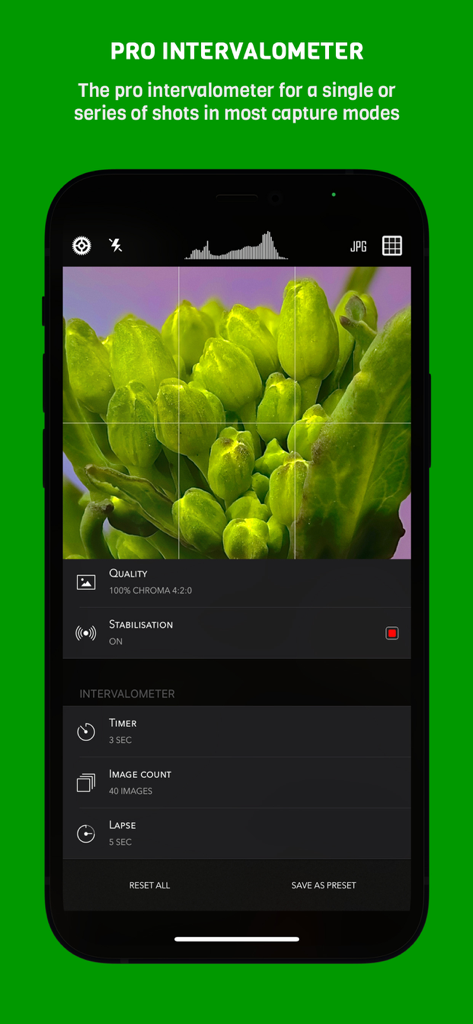
マクロやHDR用のカスタム撮影プリセットを表示するCameraPixels PROアプリのインターフェース

CameraPixels PRO - マクロ撮影用のタイマーと画像枚数制御を表示するCameraPixels PROアプリのプロフェッショナルなインターバロメーター設定
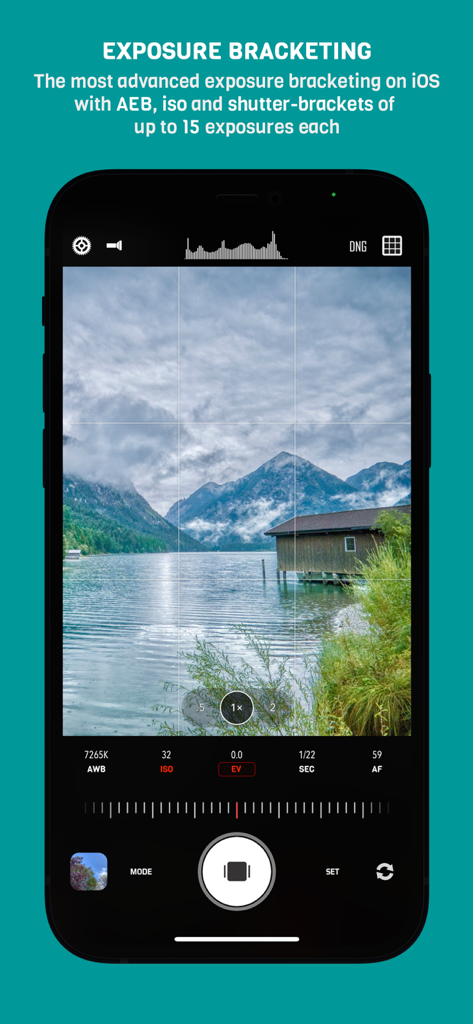
マクロ撮影用のタイマーと画像枚数制御を表示するCameraPixels PROアプリのプロフェッショナルなインターバロメーター設定

CameraPixels PRO - 山の湖の風景とともに、マニュアル露出ブラケット設定を表示するCameraPixels PROアプリ
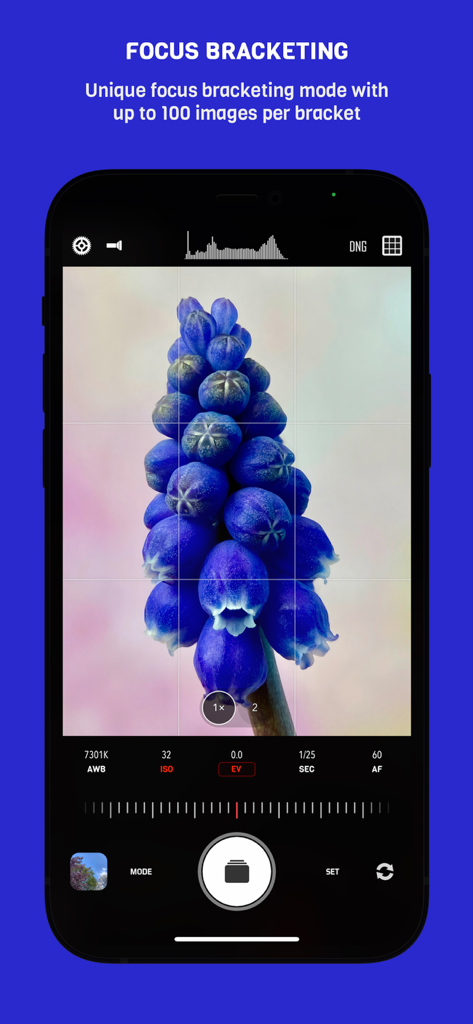
山の湖の風景とともに、マニュアル露出ブラケット設定を表示するCameraPixels PROアプリ

CameraPixels PRO - 高精細なマクロ撮影のためのCameraPixels PROアプリのフォーカスブラケットインターフェース
高精細なマクロ撮影のためのCameraPixels PROアプリのフォーカスブラケットインターフェース

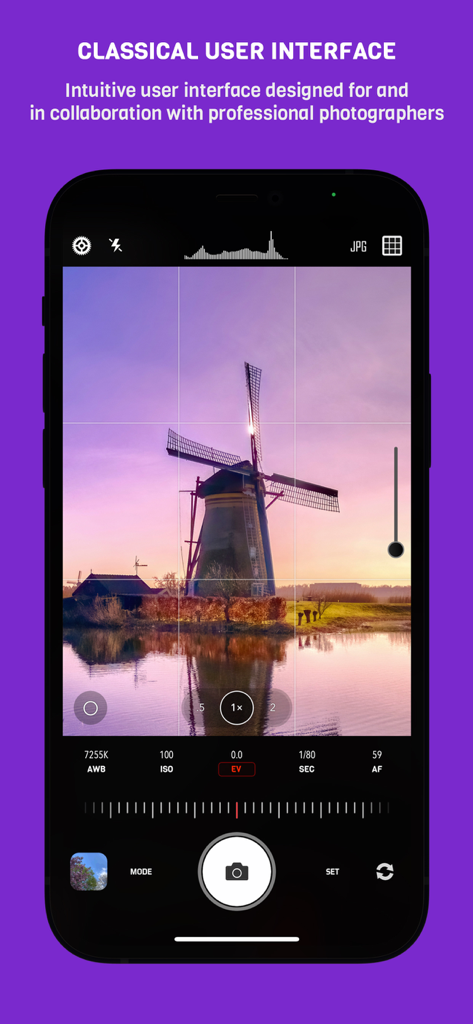
CameraPixels PRO - 風車の風景とプロフェッショナルなカメラ設定を表示するCameraPixels PROアプリのマニュアル撮影インターフェース
風車の風景とプロフェッショナルなカメラ設定を表示するCameraPixels PROアプリのマニュアル撮影インターフェース

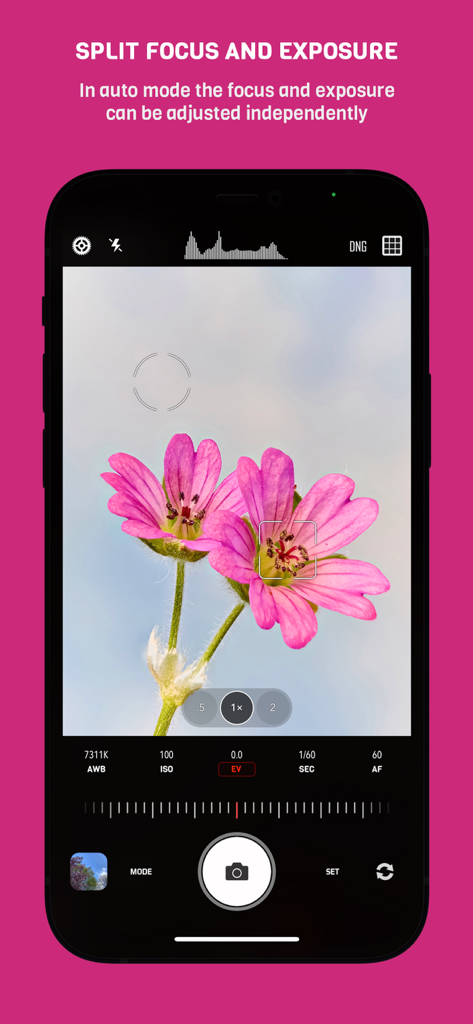
CameraPixels PRO - マクロ撮影の花の写真で、フォーカスと露出を独立して調整できるCameraPixels PROのインターフェース

マクロ撮影の花の写真で、フォーカスと露出を独立して調整できるCameraPixels PROのインターフェース

説明

CameraPixels is a unique manual photography app. The premium tools and intuitive UI make CameraPixels the best choice for professional mobile photographers. CameraPixels participated in Berkley Eclipse Megamovie 2017 thanks to its extensive raw bracketing. All-in-one ============= CameraPixels is all-in-one capture solution, that supports multiple photo and video capture modes. Among them are Bracketing, Slow Shutter and Time-lapse modes. CameraPixels has the most advanced bracketing available on the iOS platform, which includes exposure and focus bracketing. Best for macro photography ============= With CameraPixels you can capture the best macro shots, be it a single image or a series of images, called focus bracketing, which can later be combined into one all-in-focus photo (requires external app for focus stacking). If you have an external macro lens, let CameraPixels save its name to the EXIF data for you, so later you can always remember which lens was used. Currently CameraPixels supports Olloclip™, Loupe System™ and Moment™ lenses. Best for professional HDR photography ============= CameraPixels has the most advanced exposure bracketing on iOS. With up to 15 images per bracket you can capture even the most difficult lighting situations. CameraPixels support auto-, iso and shutter-brackets, with an optional flash frame. The captured images can be used to create stunning HDR photos using your favorite professional HDR software. Intuitive UI ============= CameraPixels has a simple and efficient UI. The most important information is always in front of your eyes, and this allows you to avoid surprises like an unexpected flash fire or the wrong output photo or video format. Stop being distracted by the uncertainty of the settings, concentrate on your capture! ISO/Shutter priority modes ============= CameraPixels is among a few photography apps that support advanced exposure modes like ISO and Shutter priority. These modes are indispensable during dynamic photography when there is no time for adjusting manual exposure. Histogram and clipping warnings ============= The histogram is a great tool to estimate your exposure. It can show you if the photo has under-exposed or over-exposed areas. Clipping warnings, on the other hand, can show you exactly where those under and over-exposed areas in your photo are. Depth capture ============= On dual/triple-camera devices, CameraPixels can capture depth information alongside the colour photo. If the photo has depth information, in the preview window, two additional buttons appear (depth and portrait) that allow you to inspect the depth of the image and apply it to simulate an aperture. Presets ============= CameraPixels was designed for professional photographers that value efficiency of their workflow. The unlimited presets, including the possibility to expose them to Widget make CameraPixels the ultimate photography tool. Features overview ============= - UI optimized for manual capture - RAW and ProRAW (on supported devices) photo capture - Auto, manual and semi-automatic (ISO- and Shutter-priority) exposure modes - Photo, Burst, Portrait, Slow Shutter, Exposure Bracket, Focus Bracket, Video and Time-lapse - Clipping warnings to highlight under- and over-exposed areas in real time - Focus peaking and loupe during the manual focus adjustments - Single or series of Exposure Brackets with up to 15 images per bracket. AEB, ISO- and Shutter-brackets are available. - Single or series of Focus Brackets with up to 100 images per bracket - Adjustable photo and video resolution - Adjustable photo and video quality - Advanced photo processing (Smart HDR and Deep fusion on supported devices) - Unlimited presets with the possibility of exposing them to the widget - Advanced intervalometer - Multiple framing options

Download

ダウンロード: App Store

このページはアプリまたはその開発者の公式ページではなく、情報提供および論評を目的として作成された独立した編集出版物です。明示的に別段の記載がない限り、アプリおよびその開発者は、MWM、Apple、Google Play、アプリのパブリッシャー、またはアプリの開発者と提携、承認、後援、認可、またはその他の公式的な関係はなく、このページのいかなる内容も、アプリがMWMのサービスを使用して開発されたことを意味するものではありません。すべての商標、ロゴ、スクリーンショット、その他のコンテンツはそれぞれの所有者の財産です。








