CC Swiper
CC Swiper
ダウンロード: App Store

このページはアプリまたはその開発者の公式ページではなく、情報提供および論評を目的として作成された独立した編集出版物です。明示的に別段の記載がない限り、アプリおよびその開発者は、MWM、Apple、Google Play、アプリのパブリッシャー、またはアプリの開発者と提携、承認、後援、認可、またはその他の公式的な関係はなく、このページのいかなる内容も、アプリがMWMのサービスを使用して開発されたことを意味するものではありません。すべての商標、ロゴ、スクリーンショット、その他のコンテンツはそれぞれの所有者の財産です。


ロゴ: CC Swiper
ダウンロード: App Store

CC Swiper

MODフォルダ管理の面倒な作業をゲームに変えましょう。インストール済みのCCをスワイプして、散らかりを整理し、CurseForgeからトレンドの新しいMODを発見しましょう—すべて手のひらから。

主要数値

ダウンロード

500

ユーザー評価

3.9/5

評価数

0

開発元

Fabian Stamm

カテゴリ

Utilities

対応言語

1

最新バージョン

1.6

サイズ

33.1 MB

リリース日

2023年9月20日
機能

スワイプで理想のゲームを整理

MODフォルダの散らかりを捨て、すべての熱心なパワフルSimmer必須のモバイルコンパニオンで新しい美学を発見しましょう。

ゲーミフィケーションされたMOD並べ替え

MODを整理する面倒な作業を楽しい体験に変えましょう。好きな見た目は右にスワイプして保持し、ゲームを遅くしているファイルは左にスワイプして削除します。

新しい美学を発見

携帯電話から最新のCurseForgeの髪、服、家具セットを閲覧しましょう。PCから離れた通勤中やリラックス中に、次の大量購入を整理しましょう。

以下のスクリーンショットと説明は、アプリの公式ストアリスティングから直接取得されたものであり、アプリ開発者の所有物です。

アプリストア

スクリーンショット
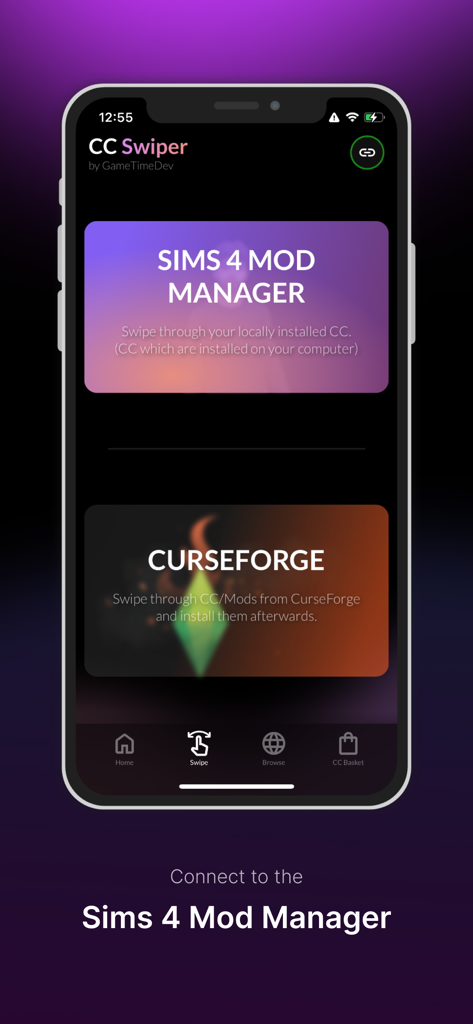
CC Swiper - Sims 4 Mod ManagerとCurseForge連携のオプションを表示するCC Swiperモバイルアプリのインターフェース

Sims 4 Mod ManagerとCurseForge連携のオプションを表示するCC Swiperモバイルアプリのインターフェース

CC Swiper - CurseForgeからSimsカスタムコンテンツを発見するためのスワイプメカニズムを表示するCC Swiperアプリのインターフェース
CurseForgeからSimsカスタムコンテンツを発見するためのスワイプメカニズムを表示するCC Swiperアプリのインターフェース

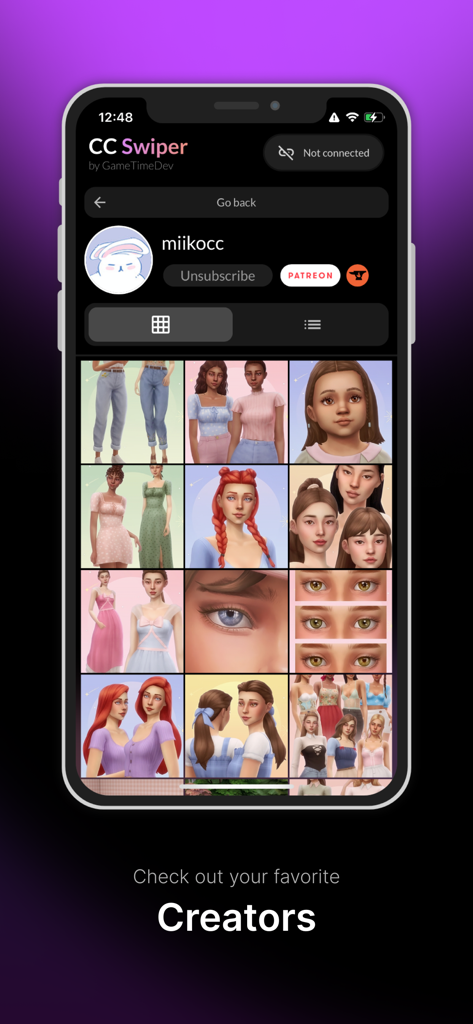
CC Swiper - アイテムのグリッドを持つSimsカスタムコンテンツクリエイタープロフィールのモバイルアプリインターフェースを表示
アイテムのグリッドを持つSimsカスタムコンテンツクリエイタープロフィールのモバイルアプリインターフェースを表示

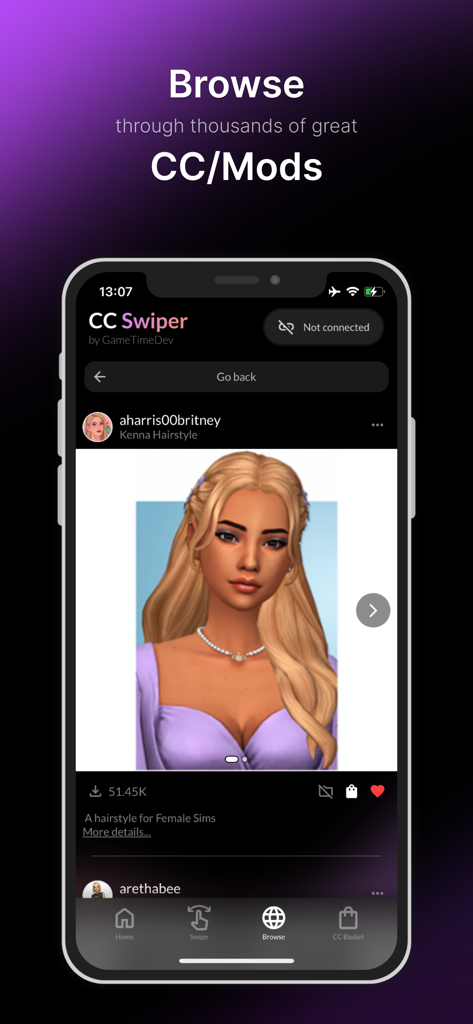
CC Swiper - The Simsのカスタムコンテンツの髪型を表示するCC Swiperモバイルアプリのブラウズ画面

The Simsのカスタムコンテンツの髪型を表示するCC Swiperモバイルアプリのブラウズ画面

CC Swiper - ダウンロード準備ができたSims 4カスタムコンテンツアイテムのリストを表示するCC SwiperアプリのCCバスケット画面
ダウンロード準備ができたSims 4カスタムコンテンツアイテムのリストを表示するCC SwiperアプリのCCバスケット画面

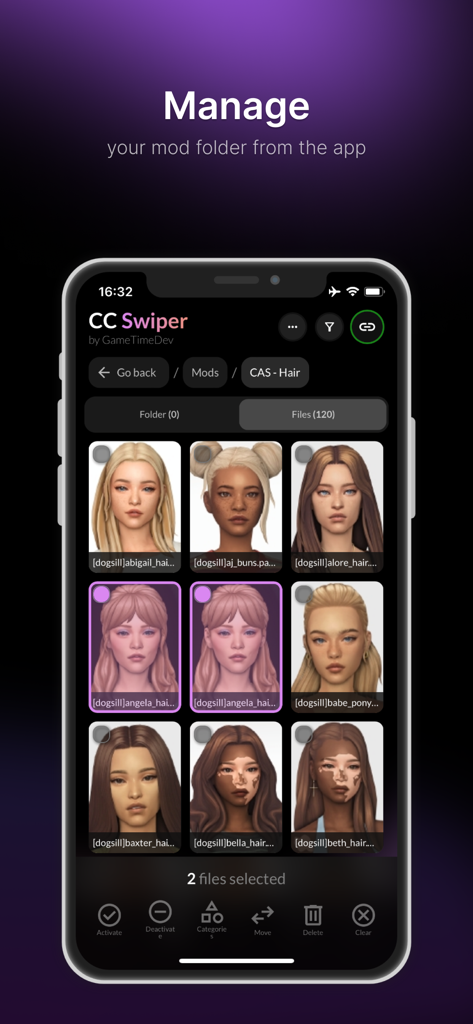
CC Swiper - CC SwiperモバイルアプリのSims 4カスタムコンテンツ管理インターフェース

CC SwiperモバイルアプリのSims 4カスタムコンテンツ管理インターフェース

説明

Custom content (CC) is awesome and makes the game more fun. However, downloading and sorting out hundreds of CC can be tiresome. But it does not have to be! With the CC Swiper app, new CCs are just a swipe away. [CC Swiper? What is that?] The CC Swiper app is an extension app for GameTimeDev's Sims Mod Manager. It is designed to make sorting and finding new CCs more fun. [Sort out your already installed CC] Installing new CCs can be incredibly fun. But it also means that you can quickly accumulate hundreds or even thousands of files in your mod folder. Do you really need/like all these CCs? Not always, but sorting them out is a hassle. Just connect the app to the Mod Manager and swipe through your mod folder CC by CC. If you like a CC, just swipe to the right and if you don't like it anymore, swipe to the left. Afterwards, you can manage the CC with the Mod Manager. [Discover new CC] Thanks to the collaboration between EA and Overwolf (CurseForge), modding Sims just got even easier. Using the CC Swiper app, you can now conveniently access CurseForge mods/CC from your phone. Swipe to discover new CC and afterwards download them with the Mod Manager. In addition, you can easily scroll through all the CCs/Mods and see the projects of your favorite creators. [Manage your mod folder] A simple view of your mod folder can now also be displayed in the app. Browse your mod folder and move/delete files. Disclaimer The Sims is a registered trademark of Electronic Arts Inc. Trademarks featured or referred to within this app are the property of their respective trademark holders. Electronic Arts is not affiliated with GameTimeDev. They do not sponsor or endorse the materials featured in this app.

Download

ダウンロード: App Store

このページはアプリまたはその開発者の公式ページではなく、情報提供および論評を目的として作成された独立した編集出版物です。明示的に別段の記載がない限り、アプリおよびその開発者は、MWM、Apple、Google Play、アプリのパブリッシャー、またはアプリの開発者と提携、承認、後援、認可、またはその他の公式的な関係はなく、このページのいかなる内容も、アプリがMWMのサービスを使用して開発されたことを意味するものではありません。すべての商標、ロゴ、スクリーンショット、その他のコンテンツはそれぞれの所有者の財産です。








