Censor: Face Blur & Pixelate
ダウンロード: App Store

このページはアプリまたはその開発者の公式ページではなく、情報提供および論評を目的として作成された独立した編集出版物です。明示的に別段の記載がない限り、アプリおよびその開発者は、MWM、Apple、Google Play、アプリのパブリッシャー、またはアプリの開発者と提携、承認、後援、認可、またはその他の公式的な関係はなく、このページのいかなる内容も、アプリがMWMのサービスを使用して開発されたことを意味するものではありません。すべての商標、ロゴ、スクリーンショット、その他のコンテンツはそれぞれの所有者の財産です。

ロゴ: Censor: Face Blur & Pixelate
ダウンロード: App Store

Censor: Face Blur & Pixelate

プロフェッショナルなピクセル化と美的ぼかし効果で、顔、ナンバープレート、機密データを瞬時に隠します。クリエイター、保護者、プライバシーを意識した共有者向けの究極のワンタップソリューションです。

主要数値

ダウンロード

10K+

ユーザー評価

4.7/5

評価数

100

開発元

PRODEKS UA, TOV

カテゴリ

Photo & Video

対応言語

1

最新バージョン

1.0.7

サイズ

174.8 MB

リリース日

2024年9月1日
機能

完全なプライバシー。完全なコントロール。

家族の身元を保護する場合でも、ハイエンドなソーシャルコンテンツを作成する場合でも、AI搭載ツールにより、機密情報の検閲が簡単になります。

スマートAI検出

ワンタップで顔を瞬時に識別してぼかします。高度なAIが重労働を行うため、安全に投稿できます。

美的検閲

モザイク、ピクセル化、またはスタイル化された黒いバーから選択します。写真の視覚的な雰囲気を損なうことなく、プライバシーを保護します。

以下のスクリーンショットと説明は、アプリの公式ストアリスティングから直接取得されたものであり、アプリ開発者の所有物です。

アプリストア

スクリーンショット
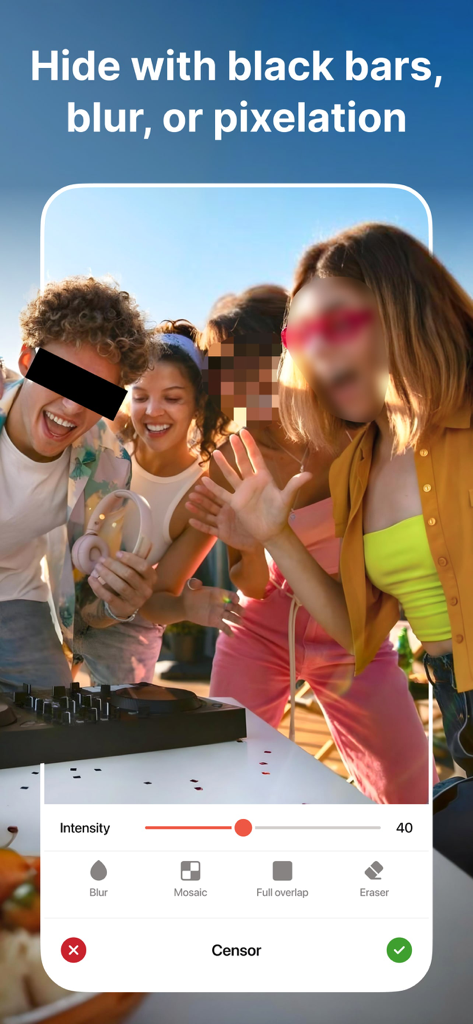
Censor: Face Blur & Pixelate - Censorアプリのインターフェース。黒いバー、ぼかし、ピクセル化効果で顔を隠すオプションが表示されています
Censorアプリのインターフェース。黒いバー、ぼかし、ピクセル化効果で顔を隠すオプションが表示されています

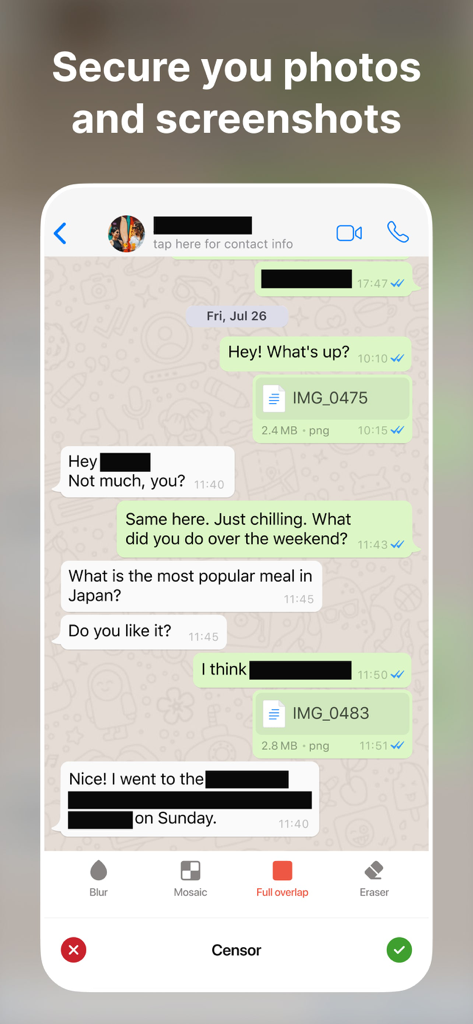
Censor: Face Blur & Pixelate - Censorアプリのツールを使用して、名前や機密テキストが黒塗りされたメッセージングアプリのスクリーンショット。
Censorアプリのツールを使用して、名前や機密テキストが黒塗りされたメッセージングアプリのスクリーンショット。

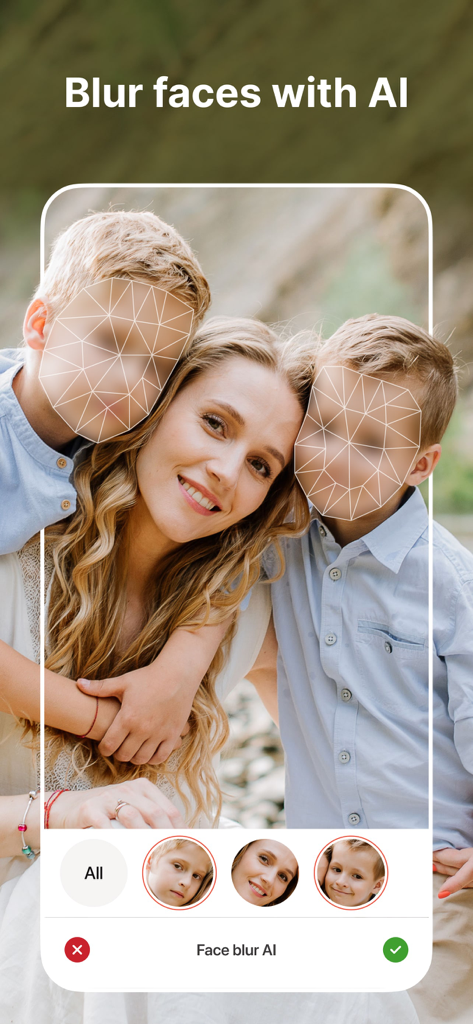
Censor: Face Blur & Pixelate - Censorアプリのインターフェース。AIを使用して、プライバシーのために家族写真の子供の顔を検出し、ぼかしています
Censorアプリのインターフェース。AIを使用して、プライバシーのために家族写真の子供の顔を検出し、ぼかしています

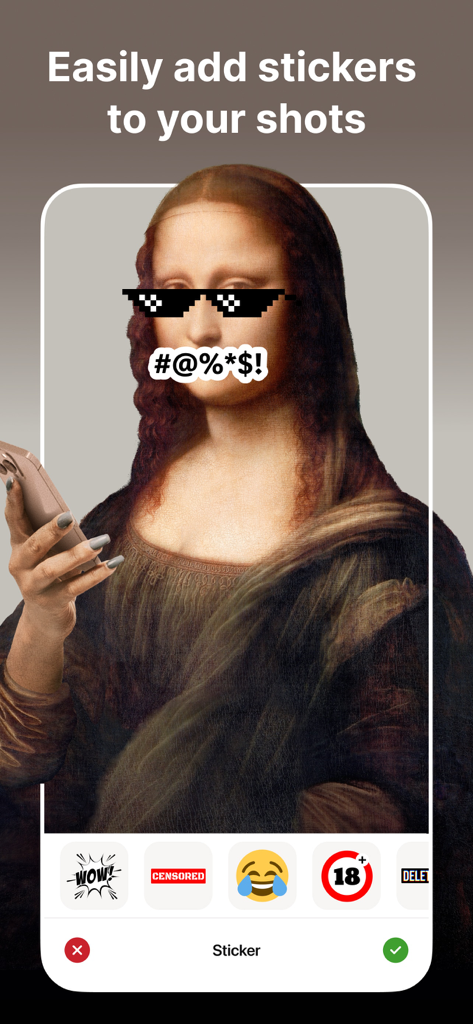
Censor: Face Blur & Pixelate - Censorアプリのインターフェース。モナリザの写真にピクセル化されたメガネと顔に検閲シンボルのステッカーが表示されています
Censorアプリのインターフェース。モナリザの写真にピクセル化されたメガネと顔に検閲シンボルのステッカーが表示されています

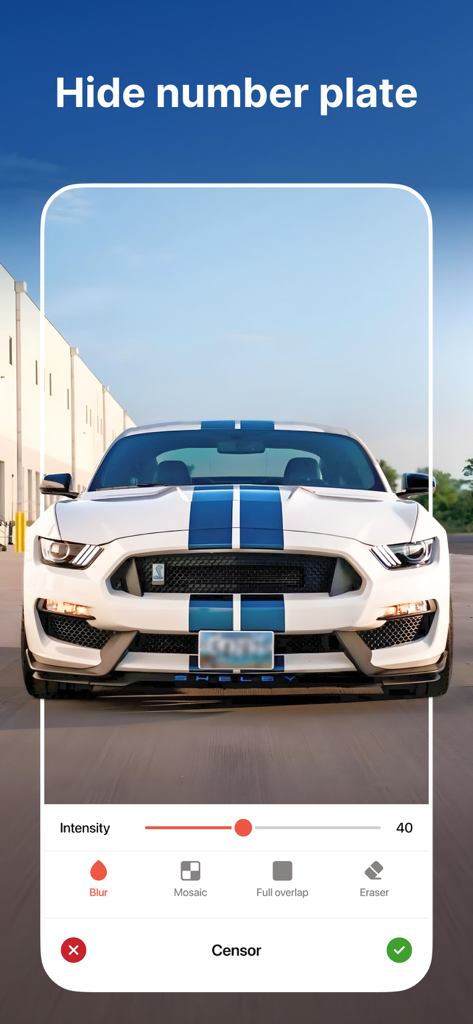
Censor: Face Blur & Pixelate - Censorアプリのインターフェース。白いスポーツカーのナンバープレートがぼかして表示されています
Censorアプリのインターフェース。白いスポーツカーのナンバープレートがぼかして表示されています

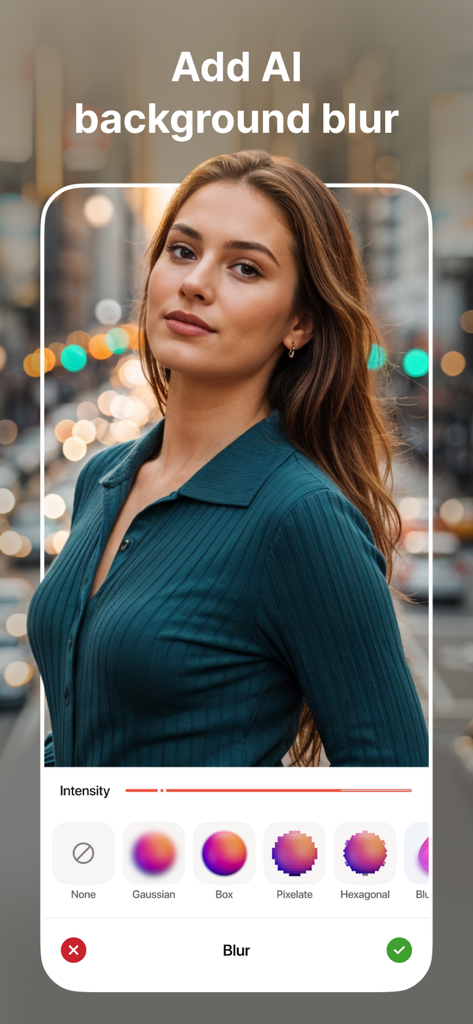
Censor: Face Blur & Pixelate - Censorアプリのポートレート写真。AIによる背景ぼかしとさまざまな編集スタイルオプションが表示されています
Censorアプリのポートレート写真。AIによる背景ぼかしとさまざまな編集スタイルオプションが表示されています

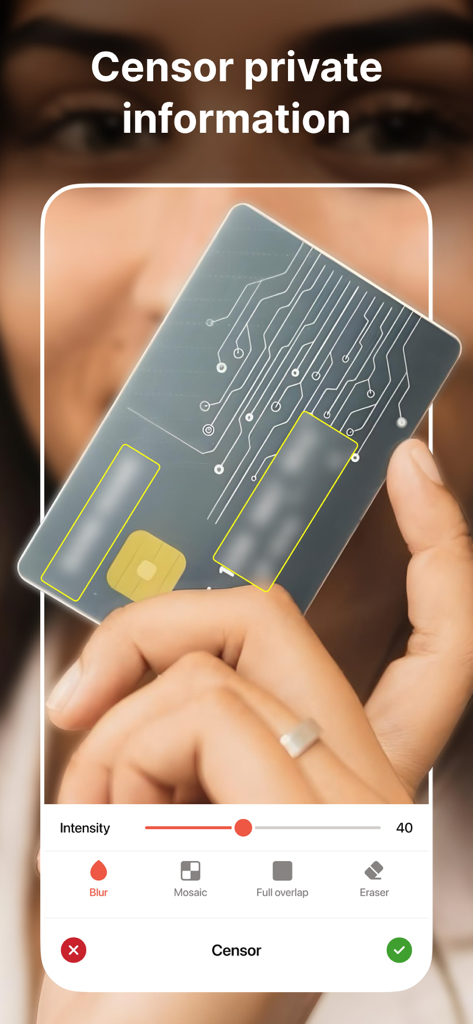
Censor: Face Blur & Pixelate - Censorアプリのインターフェース。クレジットカードの機密情報をぼかす方法を示しています。
Censorアプリのインターフェース。クレジットカードの機密情報をぼかす方法を示しています。

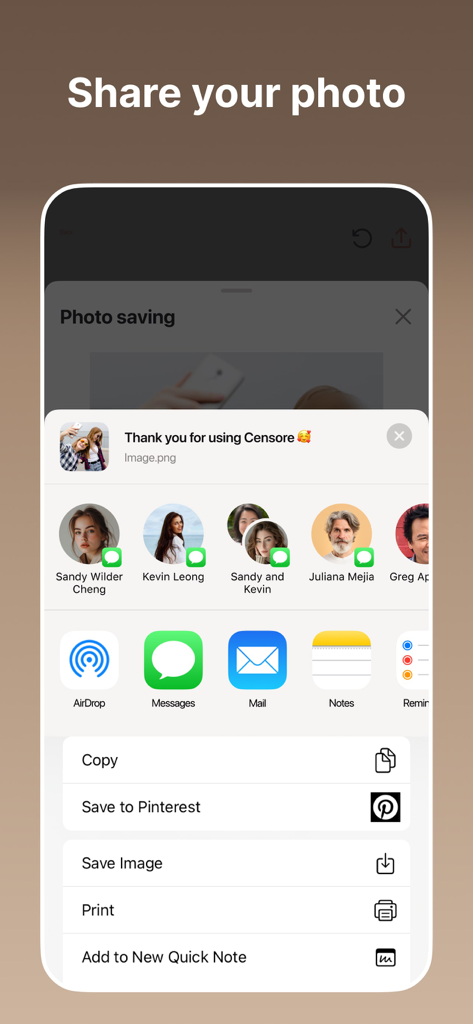
Censor: Face Blur & Pixelate - iOS共有シートを使用して、検閲された写真を共有または保存するオプションを示すインターフェース

iOS共有シートを使用して、検閲された写真を共有または保存するオプションを示すインターフェース

説明

Quickly and easily safeguard your photos with Censor. Our app empowers you to instantly blur, pixelate, or black out sensitive information. Whether it’s a license plate, a face, or any unwanted detail, Censor has you covered. With our advanced face blur technology, you can effortlessly blur face details in any photo. Censor makes face blur photo editing fast and easy. KEY FEATURES: - Powerful Face Blur Tools Easily apply a face blur effect or pixelate photo online using AI-powered detection. Automatically detect and blur faces in a photo, or tap manually to censor part of image, like license plates, screens, or private info. Choose from smooth blur effect on face, motion blur, mosaic, or pixel blur face - all with precise control. - Hide Faces & Censor Images Need to hide a face in a picture or keep someone anonymous? Censor makes it easy to censor image, blur your face, or even censor photos in seconds. Great for creators who need to cover faces in photos or censor pics with zero quality loss. - Aesthetic Blur Options Looking for a more stylish touch? Create a blur face aesthetic with effects like pixelize, blurry face photo effect, or add censor bar to picture. Whether you want a blurred face effect or a simple black bar, the app gives you full creative control. - Custom Pixelation & Detail Editing Need to pixelate my face or blur a face in a picture? Use Censor’s smart tools to select any area - face, text, screen, or object - and apply photo pixelator, image face blur, or censor face. Whether it’s a quick fix or advanced edit, you’re covered. - For Creators & Everyday Users Whether you're a journalist, vlogger, or someone who wants to blur face on photo before sharing, Censor is your all-in-one solution. Use it as an app to hide faces in photos, apply blur face free, or experiment with photography blur face for artistic edits. - High-Quality Export Once you're done editing, export your face blur image or photo face blur in high resolution. No compression, no quality loss - perfect for both personal and professional use. Subscription Details Upgrade to a premium account and unlock all the premium features. You can get unlimited access to all the advanced features (such as face blur, mosaic, and black bars) by subscribing to a weekly or annual plan in the app. There is also a free 3-day trial to see what Censor has to offer. Payment will be charged to your Apple ID at the time of purchase confirmation. Subscriptions are automatically renewed unless cancelled at least 24 hours before the end of the current period. The renewal fee will be charged to your account within 24 hours of the end of the current period. You can manage and cancel your subscriptions by going to your account settings in the App Store after purchase. Privacy Policy: https://sites.google.com/prodex.net.ua/censor/privacy-policy Terms of Use: https://sites.google.com/prodex.net.ua/censor/terms-of-use Standard Apple Terms of Use (EULA): https://www.apple.com/legal/internet-services/itunes/dev/stdeula/ Do you have any ideas on how to improve Censor? Please fill out the form - https://forms.clickup.com/24527565/f/qcgpd-26792/V8QLDS14K0D0V0U4X4. Your privacy is our priority. With Censor, you stay in control of what you share. Download Censor today – the best face blur and photo pixelator tool for iOS. Whether you need to blur your face, censor pics, or create a blurry face pic for artistic effect - we’ve got you covered.

Download

ダウンロード: App Store

このページはアプリまたはその開発者の公式ページではなく、情報提供および論評を目的として作成された独立した編集出版物です。明示的に別段の記載がない限り、アプリおよびその開発者は、MWM、Apple、Google Play、アプリのパブリッシャー、またはアプリの開発者と提携、承認、後援、認可、またはその他の公式的な関係はなく、このページのいかなる内容も、アプリがMWMのサービスを使用して開発されたことを意味するものではありません。すべての商標、ロゴ、スクリーンショット、その他のコンテンツはそれぞれの所有者の財産です。








